AI + Data Tourに参加して、実践的なトレーニングや顧客事例の紹介、Domo製品エキスパートとの交流を体験してください。
今すぐ登録する
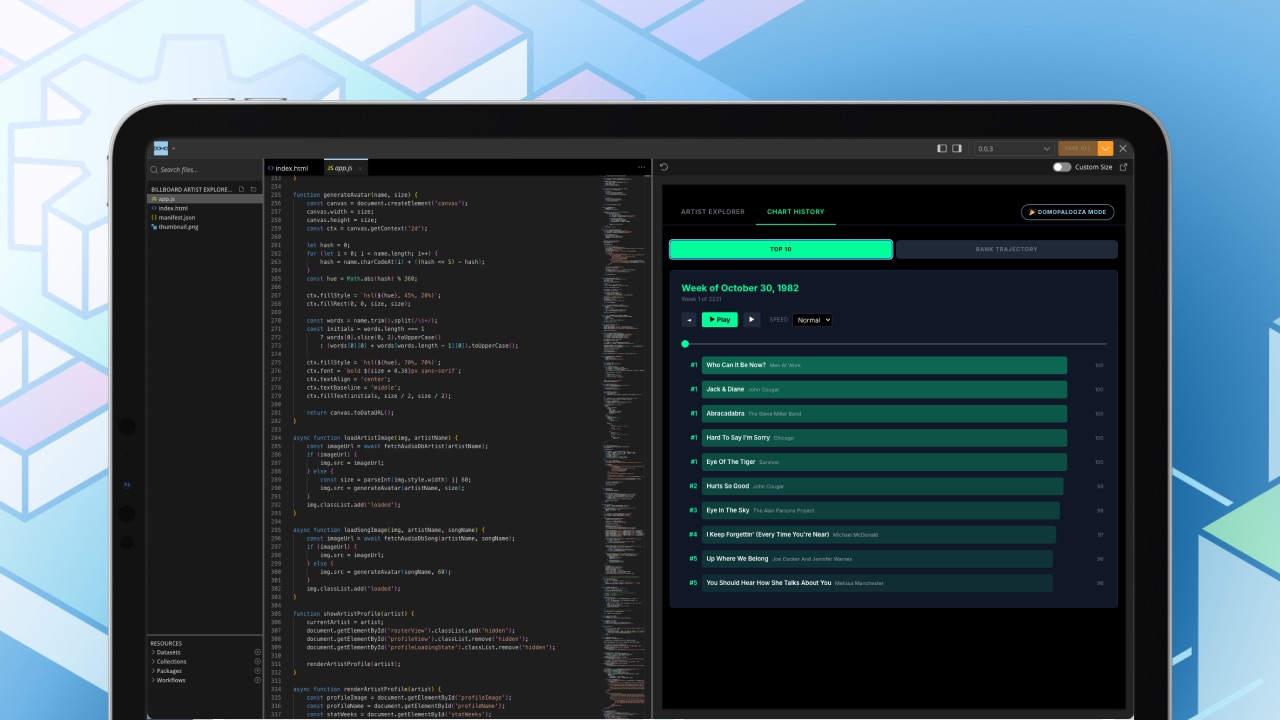
Domoのアナリティクスマネージャーの一人であるトミー・オヤルズンは、実質的にClaude Codeを使いこなす日々を送っています。彼は作りたいものをイメージし、それをDomo上で言葉にして説明するだけで、あとはモデルに任せてしまいます。これを可能にしているのが、Model Context Protocol(MCP)です。
MCPには強力な魅力があります。それは、高性能なモデルをDomoに接続し、必要なデータセット、カード、またはアプリを説明するだけで、本来なら手作業で構築すべきものをモデルに作成させられる点です。ただし、落とし穴もあります。もし誰もが独自のやり方でこれを行い、共通のルールがなければ、作成者にしか理解できない「使い捨て」の成果物ばかりが増えてしまいます。これではチームワークには向きません。
そこで、Domoのデータチームは知恵を出し合い、独自のガードレールを構築しました。彼らは共通の足場(スキャフォールディング)を開発し、すべてのモデルが同じフォルダ構造と命名規則に基づいて作業できるようにしたのです。今では、作りたいものを説明してモデルに構築させても、チームの誰もが読み解き、再利用できる成果物が得られるようになりました。
このブログでは、彼らがどのようにそれを実現したのか、そしてDomo MCPの最新の製品アップデートについて解説します。
MCPは接続レイヤーです。「MCPを一言で言えば、LLMがDomoプラットフォームにアクセスするための入り口です」とトミーは言います。好みのモデルを使用すれば、MCPがそのモデルに対して、データやDomoで実行可能なアクションへの管理されたパスを提供します。その裏側では、開発者が手動で呼び出すのと同じDomo APIが動いていますが、モデルが利用しやすいように最適化されています。
A harness is the coding environment where the model runs. Domo’s team uses Claude Code; others might use Cursor. Each environment comes with its own rules for producing decent code.
スキャフォールディング(Scaffolding)は、その上に重ねられる共通の構造です。フォルダレイアウトや再利用可能なコンポーネントなどがこれにあたり、個々人が勝手に improvising(即興)するのではなく、全員が同じ方法で開発を進められるようにします。
Domoの開発者やフォワードデプロイエンジニアたちは、プロジェクト作業をガイドするためにハーネスやスキャフォールディングを作成してきました。MCPが成熟し、より多くのツールが利用可能になるにつれ、トミーのアナリティクスチームは、共通のセットアップを持つことの価値、そしてそれがないことの代償を痛感するようになりました。
「誰もが好きなLLMを使ってMCPを動かし、好きなように構築するのでは収拾がつきません」とトミーは言います。「それでは、まるで無法地帯になってしまいますから」
その結果、2つの内部フレームワークが生まれました。Pantryはトミーのアナリティクスグループが運用しているもので、開発チームは独自にDominiumというフレームワークを構築しました。どちらも、フォルダ階層やデプロイの規約をモデルが読み取って従えるようなファイル形式にまとめています。
トミーはPantryを料理に例えて説明します。構築中のアプリが「料理」なら、Pantryは「食材」を保管する場所であり、モデルに対して何がどこにあるかを指示する「レシピ」が存在する、というわけです。データチームはさらに「スナック」と呼ぶものも作成しました。
「スナックとは、シンプルなアプリに組み込めるコンパイル済みのコードのことです」とトミーは説明します。「毎回同じ動作をする小さなUI要素ですね」。例えば、ページ上の内容を要約するスナックなどがこれにあたります。一度作成してしまえば、誰も作り直す必要はなく、Claude Codeが要求に応じてそれをインストールしてくれます。
日常業務において、データチームのMCP活用は主に3つのカテゴリーに分類されます。
A team member describes a dataset, a card, or an app, and the model produces it with proper names and descriptions already attached. That matters because it replaces the throwaway test dataset with a name nobody can decipher a week later, sitting somewhere nobody thinks to look.
The team assembles fully custom applications and uses Domo to host and run them. Whatever the frontend experience, the underlying objects are still Domo datasets and collections, so the work stays anchored to Domo.
Because MCP lets a model move across the datasets a team member already has access to, they can hand it a real question, like a drop in paid search last quarter, and steer it toward data they trust. The team checks the connections the model makes and rules out the data doesn’t belong.
The model then handles much of the searching and assembly while the team applies their judgment and knowledge about the data. Work that used to take days or weeks now takes minutes, and the result comes back as something shareable, like an artifact or a short page.
Tommy’s guidance for teams picking this up stays practical. A few things he comes back to:
The data team had to build its own conventions to work this way and keep it clean. Domo’s September 2026 product release adds a complementary piece from the platform side.
A new set of MCP toolkits in the AI Library expands what an agent can do inside Domo, with governance built in by default. Each toolkit works under your existing platform permissions, so an agent only reaches what you’re already cleared to see, whether you connect an outside model or an agent built in Domo.
The workflow and automation set is the largest. It lets an agent build and run your workflows, Code Engine packages, and Task queues from plain-language requests. It includes the Workflow toolkit, Code Engine, Task Center Queue, and Forms, plus 17 Workflow Design skills that guide the model through details such as conditional gateways, timers, and data layouts..
Several more fill out the set:
チームのフレームワークとこれらのツールキットは、同じ課題の異なる側面を解決します。「Pantry」と「Dominium」はデータチームの構築方法を標準化し、「AI Library」ツールキットは、エージェントがDomoに接続された後に安全に実行できる操作の幅を広げます。
これらのツールキットによってMCPを通じたチームの活動範囲が広がる中、トミーの事例は実践的な出発点となります。つまり、作業の命名、レビュー、再利用の方法について合意しておくことです。
これらのツールキットは、2026年9月現在、ベータ版として提供されています。ぜひ試して、一度のリクエストでどこまで実現できるかをご確認ください。