Tommy Oyarzun, one of the analytics managers here at Domo, practically lives in Claude Code. He imagines what he wants to build, describes it in Domo, then lets a model handle the rest. He’s able to do this thanks to the Model Context Protocol, or MCP.
There’s a powerful appeal to MCP. You can connect a capable model to Domo, describe the dataset, card, or app you need, and let it build what you’d otherwise assemble by hand. There is a catch. If everyone does this, and there are no shared conventions, you end up with one-off creations only their creator understands. Not exactly ideal for teamwork.
So, Domo’s data team put their heads together and got to work. They built their own guardrails. They developed shared scaffolding that gives every model the same folder structure and naming rules to work from. Now, they can describe what they want, let the model build it, and trust the output is something anyone on the team can actually read and reuse.
In this blog, you’ll learn how they did it, along with the latest product updates in Domo MCP.
3 terms to know about MCP
MCP is the connection layer. “I’d describe MCP as an entry point into the Domo platform for an LLM,” Tommy said. You use whatever model you prefer, and MCP gives it a governed path into your data and the actions you can already take in Domo. Underneath, it’s the same Domo APIs a developer could call by hand, but adapted so a model can use them.
A harness is the coding environment where the model runs. Domo’s team uses Claude Code; others might use Cursor. Each environment comes with its own rules for producing decent code.
Scaffolding is the shared structure layered on top, the folder layouts and reusable components that keep everyone building the same way instead of improvising.
How the team built its scaffolding
Domo developers and forward-deployed engineers had been creating harnesses and scaffolding to guide their project work. As MCP matured and gained more tools, Tommy’s analytics team saw the value of a shared setup. As well as the cost of not having one.
“You can’t just have everyone running MCP through whatever LLM they want and building whatever they want,” Tommy said. “It ends up being kind of a wild, wild west.”
Two internal frameworks came out of that. Pantry is the one Tommy’s analytics group runs on. The development team built their own and called it Dominium. Both bundle the folder hierarchy and deployment conventions into files a model can read and follow.
Tommy explains Pantry using a cooking analogy. The app you’re building is the dish, the pantry holds the ingredients, and a recipe tells the model how and where everything goes. The data team also built what they call “snacks.”
“A snack is already-compiled code we can drop into a simple app,” Tommy said. “It’s a little UI element that does the same thing every single time.” One snack summarizes whatever’s on a given page. Once it exists, nobody rebuilds it, and Claude Code installs it on request.
3 ways the team uses it
Day to day, the data team’s work with MCP tends to fall into three categories.
1. Building Domo objects on request.
A team member describes a dataset, a card, or an app, and the model produces it with proper names and descriptions already attached. That matters because it replaces the throwaway test dataset with a name nobody can decipher a week later, sitting somewhere nobody thinks to look.
2. Building custom pro-code apps that run on Domo.
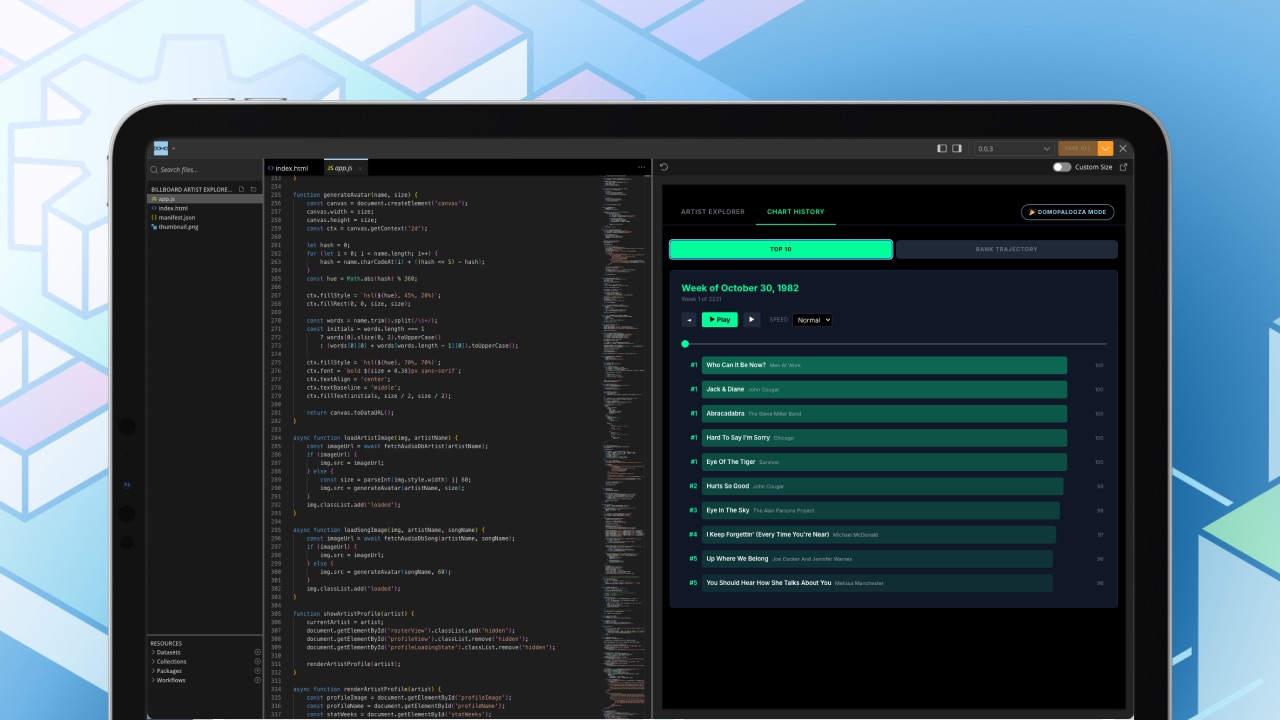
The team assembles fully custom applications and uses Domo to host and run them. Whatever the frontend experience, the underlying objects are still Domo datasets and collections, so the work stays anchored to Domo.
3. Running deep-dive analysis across trusted data.
Because MCP lets a model move across the datasets a team member already has access to, they can hand it a real question, like a drop in paid search last quarter, and steer it toward data they trust. The team checks the connections the model makes and rules out the data doesn’t belong.
The model then handles much of the searching and assembly while the team applies their judgment and knowledge about the data. Work that used to take days or weeks now takes minutes, and the result comes back as something shareable, like an artifact or a short page.
Advice for teams starting out
Tommy’s guidance for teams picking this up stays practical. A few things he comes back to:
- Start with the harness. Consider Claude Code or Cursor and lean on the coding rules it already enforces.
- Set standards early, before the team has built much. Decide how folders are organized and what tests have to pass before anything deploys.
- Decide how you will use MCP. The team uses the tools directly where it can, and writes its own skills against the direct API where the tools fall short. “Start with the MCP. If you can’t use it, fall back to the direct API,” Tommy said.
- Invest in reuse. Tommy stresses this point the most: “Once we started sharing the Pantry, it was so much easier, cleaner,” he said, “We were building the same stuff, deploying the same things.”
New MCP toolkits in the AI Library
The data team had to build its own conventions to work this way and keep it clean. Domo’s September 2026 product release adds a complementary piece from the platform side.
A new set of MCP toolkits in the AI Library expands what an agent can do inside Domo, with governance built in by default. Each toolkit works under your existing platform permissions, so an agent only reaches what you’re already cleared to see, whether you connect an outside model or an agent built in Domo.
The workflow and automation set is the largest. It lets an agent build and run your workflows, Code Engine packages, and Task queues from plain-language requests. It includes the Workflow toolkit, Code Engine, Task Center Queue, and Forms, plus 17 Workflow Design skills that guide the model through details such as conditional gateways, timers, and data layouts..
Several more fill out the set:
- Alerts. Ask an agent to watch a metric and it sets up the alert, including its threshold and who gets notified. The alert then runs on Domo’s own detection as your data refreshes, so nothing calls a model or spends tokens while it waits.
- Workspaces. Agents create and update Workspaces and folders for you, always inside your permissions on the underlying content.
- Sandbox. Tools to create, commit, promote, and share the repositories you use to move dashboards, apps, and dataflows toward production. A single orchestration skill acts as the conversational front door and gathers the configuration it needs, such as version selections, as you go.
The team’s frameworks and these toolkits solve different parts of the same problem. Pantry and Dominium standardize how the data team builds. The AI Library toolkits widen what an agent can safely do once it’s connected to Domo.
As these toolkits expand what teams can do through MCP, Tommy’s example offers a practical starting point: agree on how the work will be named, reviewed, and reused.
The toolkits are available today in beta, as of September 2026. Open one and see how far a single request gets you.