Join the AI + Data Tour for hands-on training, real customer stories, and time with Domo product experts near you.
Register now
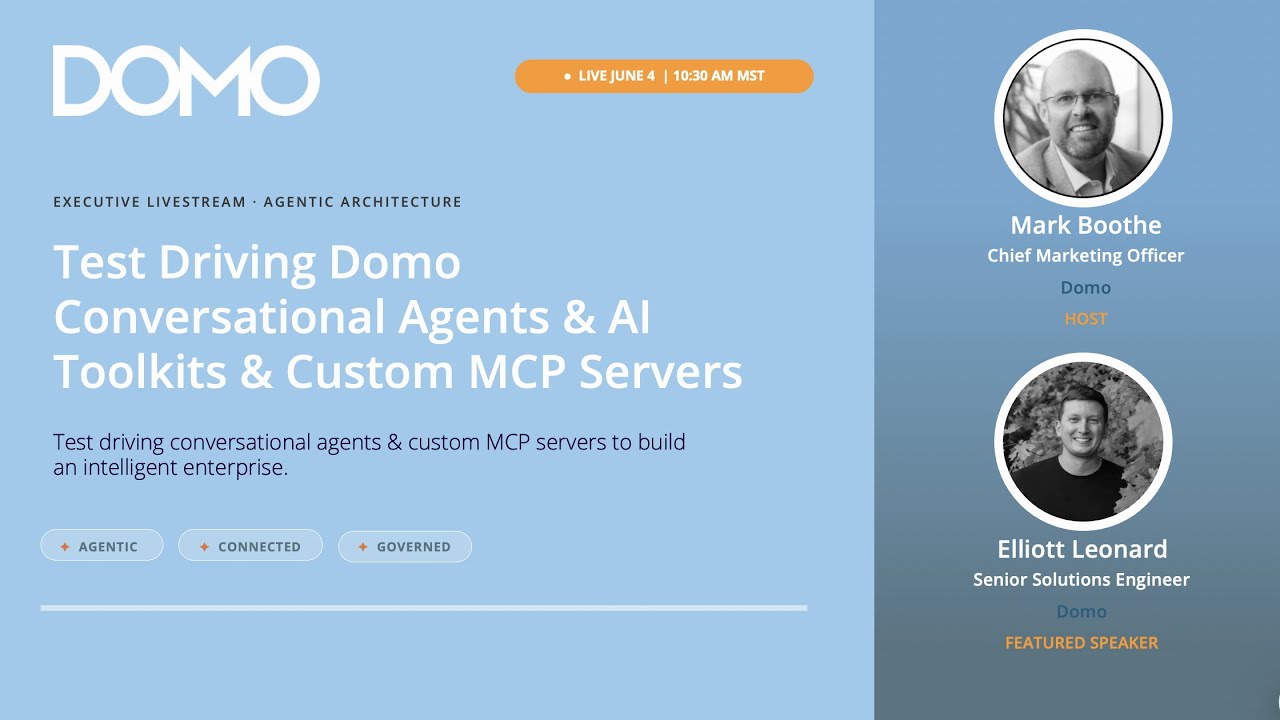

Mark: What's up everybody? I feel like I'm kind of in the presence of greatness right now. I mean Elliot Leonard, everyone is a bit of a Domo celebrity. Some of you know he's been on the customer side, and he's been on the Domo side. We are just glad he is here. We're glad he's continually on our side. This is one of the smartest individuals we have at the company. And he's like, "Mark, stop doing this. What if my demo's not right?" You'll be great. You'll be great. Elliot, how are you, my friend?
Elliot: Oh, good. Doing good. How are you, Mark?
Mark: I'm doing great. So, we're talking today, everyone. Make sure you shout out if you're watching with us on YouTube or on LinkedIn or wherever. Tell us where you're from, what company you're from, where you live, all that kind of cool stuff. We want to see who's here.
But we are talking today all about test driving Domo's conversational agents, looking at AI toolkits and custom MCP servers. I am excited. Elliot's got some serious knowledge to drop on us. So Elliot, let's not wait. I want to dig in right at the very beginning. You've got a fun little example. Some people, they hear the word MCP and they kind of nod their heads like, "Yeah, I know what you're talking about," and really, they're like, "I wish I understood MCP." Well, everyone, we are about to solve said challenge. Elliot's going to walk you through a very simple example of how to understand and operationalize what MCP actually is and means, and then we're going to go over a few different examples. So Elliot, take it away, my friend.
Elliot: Yeah, absolutely. I love this analogy of talking about an MCP kind of like a restaurant. When we go into a restaurant, we don't actually interact with the kitchen ever. We usually interact with a waiter or a waitress. In this case, we can think of that waiter or waitress like an MCP server.
I order something off the menu, and that MCP server then goes to the kitchen and uses tools and data sources to answer questions and do things on my behalf, just like a restaurant. In this example, we're here at a nice Indian cuisine restaurant. This guy's ordering biryani and garlic naan. Speaking of this, Mark, what's your favorite Indian food off the top of your head when you go?
Mark: Give me a good chicken tikka masala and I'm pretty happy.
Elliot: Same. Same. So, in this case, they order it, the waiter goes back and tells the chef to get all that stuff ready. In this case, we don't see the curry, we don't see the big pots, we don't see the ovens, and the chef prepares all that food, gives it to the waiter. The waiter then brings it back to the person. This is just like an MCP server, where that toolkit that you have is going to be the menu, and then the server is responsible for providing that data and those tools back and forth between you and the kitchen. So, I really love this example.
Mark: I love it. Elliot, we've got some other Domo celebrities on here. Ben Shine, shout out to him, he's watching us live right now. And Mr. John Lee, you said something about a kitchen and as you can imagine, John Lee got all giddy. John, Ben, everybody else, we got a big crowd here. Thanks for joining us. Let's keep going, Elliot.
Elliot: Yeah, perfect. So now I kind of want to talk about really how we can leverage the Domo MCP server, as well as our new conversational agents. What I'm going to show today are lots of different beta features that you can honestly test out in your own instance. If you want to get your beta features turned on, reach out to your account team and they'll be able to help you out there.
The first example I wanted to show is actually a Gemini Enterprise example. This is me in Gemini Enterprise, and I have this Domo query agent that is hooked up to our Domo basic MCP server. In this case, kind of like the agent says, it's able to query Domo datasets and documents. With this example here, we're going to do a YouTube data example. I'm going to come in here and ask a question: "What YouTube data do we have?"
While the agent's running, just to talk about our MCP server, this is really the basic architecture. If we think about that restaurant example, any of your favorite ChatGPT or LLM clients can hit Domo's MCP server. Domo then goes in and uses tools—in this case, it'll be using a query tool. If I come back here, we can see that it found quite a few different datasets. Mark, if you'll indulge me, we're actually going to look at some statistics on the Elliebot YouTube channel, and we're going to ask some questions about our data.
In this case, I have a prompt prepared, but I'm just going to put it in here for the Elliebot channel: "Which videos have the best engagement measured by comment count?" I love watching these run, but basically what it's doing is using the search tool that we have, and then it's using the SQL query tool. It will go search for that dataset, take my question that I asked in plain English, translate it to SQL, and then come back with a response.
Now we can see a response. If we look at our comment counts, it looks like my top performing videos are the DDX bricks videos actually. Those, if you're familiar, are actually called Domo bricks now, but in this case, looks like those have quite a few comments. We got some Salesforce more bricks. Okay, so this is awesome. Now that I have that, I can then use Gemini Enterprise to start asking other questions. I'm going to say, "Hey, what video should I make next to increase my engagement?" This is nice because this is where the agent gets to choose what tool to call. In this case, it's probably going to use a variety of tools. It'll use some baked-in Google tools, it'll probably use some Domo tools as well, but in this case, it's trying to answer that question on how to increase engagement. It looks like it wants me to build some more Domo brick videos, maybe some Domo Everywhere integrations, and some advanced Domo features, which is perfect. That's what we're talking about today.
Anyway, this is a really fun example, but also very actionable too. In this case, I could follow up saying, "Hey, let's actually create some outlines for videos," and then from there, you know, let's record those videos. I love this.
Mark: Elliot, make this real for me. Obviously, I love the example of using Elliot's own YouTube channel to check this out, but you could do this across any kind of data source that exists at your company, correct?
Elliot: Yeah, exactly. For the last decade, Domo has been building connectors for all sorts of different data sources. We literally have over a thousand connectors that you could easily land your data into your cloud data warehouse of choice. In this case, it could be BigQuery, Snowflake, or Databricks. We're able to land any kind of data, and then you can start to ask questions using the Domo MCP server.
Mark: So cool. Okay, Elliot, where are we going next?
Elliot: Yeah, perfect. Let's talk real quick about our conversational agents. If you've been in Domo, you've probably seen our AI chat, and our conversational agents are basically the next step in that AI chat. In this example here, I'm going to do a finance example where I pulled data from my ERP system. If you've heard of Zuora, it's a billing software for recurring revenue. I'm going to pretend that I've never seen this data before, I haven't even looked at it. I'm going to come in here and open up my AI chat. This is actually my card creation agent. This agent, not only is it able to answer questions, it can actually take actions on my behalf in my Domo instance. We'll have it create some cards for us, and then we'll also have it create a dashboard.
I'm just going to put in a prompt here real quick: "Hey, I just got this data from our billing software. What card should I build for our CFO to track our recurring revenue?" I'm building this for our CFO, Todd. He's wanting to get data.
Mark: That CFO right there, he is what we'd call a CFO legend.
Elliot: Exactly. It came up with seven different card types super quickly. It was able to analyze the data, looked at the schema, and then ran a couple of queries to see what that data looks like. This is great. It's prompting me if it wants me to build all the cards, so I'll just be like, "Yeah, this is perfect. Let's build them all out. And on top of that, let's put them on a page called recurring revenue."
At this point, this is probably one of my favorite features. I'm going to maximize this here for a second. As it's building out the cards, it'll actually show them here on the right-hand side. It first created the page, and then it'll start to create some cards and those cards will start to render. We can see my overall monthly recurring revenue, which Todd cares about, so I can look at that. As these other cards get built out, I can take a look at them as well and start to see in real-time it's building out literally dozens of cards in a matter of minutes.
Mark: Elliot, this is crazy. Do you remember back in the day, think like many years ago when you were doing this and you were building these by hand? What you have just done in a matter of one minute would have taken you how long back in the day?
Elliot: Oh, I mean a full-on engagement, like hours. Probably just talking through, looking at the dataset. You see fifty-four columns, that's a lot of data to look at. This agent's able to look at it using a couple of tools, and then it just created seven cards.
If I refresh my page, we can actually go to the new dashboard it created called recurring revenue. This is such a good jump start in my opinion. A lot of times we have "blank page syndrome" is what I call it. It's kind of like a writer—that first page is the hardest page to write. It's the same with data. If you can get that first page out, then boom, you're off to the races.
I'm going to take this one step further. This is great, but it's not formatted or anything, so I'm actually going to use Claude to format this properly using our Domo MCP server. First, I'm going to show you all the MCP servers that we have hooked up. If I come in here and say /mcp, these are all the different Domo MCP servers that I have: app layout for creating an App Studio app, card creation, Domo basic to query, App Studio theming. These are all the different tools and MCP servers that my agent is able to use.
With Claude, I'm going to tell Claude, "Hey, we just built out a dashboard and I want to pretty it up." I have a very basic prompt here that I'll copy in, but I'm going to say we're going to use a couple of skills. In this case, we need the page ID, so I'm just going to copy this page ID very quickly and paste it in. Looking at this prompt, it's going to use the Domo app layout and App Studio theme servers to create an App Studio app. That's our newest kind of dashboarding tool, and it's going to put those cards onto the app and then provide me a link once it's done.
While that's running, one of my favorite things to do is open up another session and show you how easy it is to set up an MCP server in Claude. If I come back to Domo, one of our newest features is called our Domo AI Library. This is where these Domo toolkits come into play. These toolkits are all different toolkits that are MCP servers that you can connect up to your favorite coding tool or Gemini Enterprise, whatever you'd like. It really is as easy as coming in here and saying, "Hey, I want to use this in MCP." I can then copy this server URL.
The great part about Claude is that you don't have to be technical. You can literally give Claude a screenshot of this, give it the server URL, and then it'll hook it up for you. That's honestly what I did with this example—I asked it to add it to my MCP, and then once it did, you reload Claude, open it up, and you can see all these MCP servers. Then your agent will be able to act on your behalf in your Domo instance and do all these different things.
Mark: Elliot, talk about governance for me here for a minute. Some people are hearing this and they're like, "You're giving access to all of that data to AI, doesn't your IT team go crazy?" Walk us through why that's not an issue with Domo.
Elliot: Yeah, perfect. We've been doing governance for such a long time now. One of our newest features is that the authentication mechanism here is actually using an access token that can be generated on behalf of any person within your organization and inherits those permissions. In this case, Mark, you and I have different permissions in our Domo instance. When you hook up your MCP server and pass in your authentication, it's going to act on your behalf, and it's only going to be able to see datasets and only do things that your user was able to do. All that to say is all your existing Domo investment, all those roles and users that you've created, you can pass that on to your MCP server and agents can only act on your behalf.
Mark: Love it. Awesome.
Elliot: It looks like it's going through and creating this, and it's already done. This is crazy. The app has already been built. If I come in here, I'm just going to copy this and go into my instance and paste it in. This was the first dashboard, very plain. Let's see what Claude built for me.
Check this out. It imported it into an App Studio app and created a theme—in this case, we've got a nice neutral theme. It shows me all the different metrics that it had built and laid it out in a pretty nice style. We can share this with our CFO so he can have it on his mobile phone, but that's just a fun taste of what it's like. In this process, we used our card creation agent in Domo, and then we handed it off seamlessly to Claude. In a matter of like five minutes, we were able to go from getting the dataset into Domo to creating a full-on app that our CFO can consume.
Mark: That's crazy, Elliot. That is crazy. Pretty cool. Okay, where are we going now?
Elliot: The next thing I have is talking about how agents are really acting on your behalf. With Domo, we have all this rich data, and that's great, but we also are able to connect to external systems. In this example that I'm going to show next, I actually have created a sales ops agent using our new toolkits. I'll walk through how I did this, but basically, the idea is that as a sales rep, I love talking to customers and closing deals, but the last thing I want to do is update my CRM. In this case, we're actually going to have the agent update the CRM on our behalf.
Just to show you, I'm going to type in here: "Where are we at with Elliot Software Company?" I'm a rep working on a deal.
Mark: And like a really big deal, too, Elliot.
Elliot: It's huge. So in this case, it pulled in the information using a SQL query tool. I've already given it my Salesforce opportunity data, and since it's acting on my behalf, it can only see the deals that I'm associated with. It's going to go and give me a summary of where we're at. If we just give it a second.
Mark: Elliot, somebody's calling you out for your crisp, fresh haircut as it says.
Elliot: Oh, I love it. Thank you.
Mark: I don't know why I don't get comments about my fresh, crisp, fresh haircut. Come on, people.
Elliot: Okay, so we got a summary here. It talks about the basics: it says that I have a value of 150,000 and I'm pretty close to closing it. What's really cool here at the end is it asks, "Would you like me to update anything on the opportunity such as stage, close date, or amount?" This is where the agent is going to be able to act on my behalf.
Let's say that we're ready to close it. I'm going to say, "Let's mark it as closed won and then update this opportunity to 250,000." They were really impressed by my pitch and they love the AI tools, so we're going to update it. Just to show you, there is no smoke and mirrors going on here. This is me in my Salesforce instance. Right now, it's in the proposal stage and it's at 150,000. We haven't closed yet. If we come back here, the sales ops agent is going to go, update the opportunity, change the amount, and close it. If we just give it a second.
Okay, so it successfully updated it. Congrats on closing it.
Elliot: Thank you, appreciate that! If I come back here, I'm going to refresh my page, and it is now closed won, and the amount got updated.
Mark: Oh my god. What was that? Like voodoo magic. Elliot, what are you doing?
Elliot: Like I said, this is so cool because basically, as a sales rep, I can have a conversational chat interface and it can really help me focus on the things that I love to do. I can focus on talking to customers, and all that administrative stuff I can pass off to my agent to update CRM notes or do anything in my CRM. We've talked a lot about headless software, and this really is a reality now where you can build these very custom and bespoke chat experiences that can do different things.
It didn't really take much to build this. I leveraged our new AI Library, created a custom toolkit, and also leveraged a couple of our Domo tools. When you go into your Domo instance, you'll see these toolkits and then you'll also be able to create a toolkit or an agent. This is the agent that I created, this sales ops agent. It lets you fully customize the agent. You can give it a role, instructions, and you can add toolkits.
I gave it a Domo basic toolkit, which was out-of-the-box, and then I created a Salesforce toolkit that lets the agent use it to update opportunities in Salesforce. You can basically mix and match, have a combo, and fully customize this with prompts. Then you can make this a global chat so that, as a developer, I can create a really cool agent and share it across my entire organization. In this case, I could give it to all my sales reps, and they could have this little sales ops agent co-pilot right by them that they can use.
Mark: Elliot, we got some questions here. Our friend Eric is saying, "Wow, even sales guys can do this." We put out a video, Eric, not long ago where I said hashtag #FreeTheReps. And you know what that is? Selling, relationship building, getting things through difficult processes. Do I really want them spending a whole bunch of time working on updating the CRM? I don't. In this case specifically, enable your people to do the things that they are uniquely good at. In this case, guess what? You will not find a rep in the history of the world who loves updating Salesforce. If they tell you they do, they are lying. Free the reps, let them be uniquely good at what they're good at. Anything to add there, Elliot?
Elliot: No, I just think like it's important now more than ever to be human-first and human-centric. With all these great AI tools that we have, you want to spend your time on what humans are good at. A good example, I love these webinars that you're doing, Mark, because it just shows how we can be human-first in this AI age, and we can let AI do the menial tasks, the things that we don't want to do, and then spend our time doing things like talking to customers, being our unique selves, and having webinars.
Mark: I love it. Other question: James Smith asks, "How does Claude Code calls to the MCP affect consumption if they're on a consumption contract? Also, is there a document on the various MCP servers and how to connect to them? Anything you can share on either of those?"
Elliot: Yeah, absolutely. First thing, with our newly revamped knowledge base, you can type into Google "connect AI tools to Domo using MCP" and this will pop up. I'll paste that in the chat as well, but look this up. This will basically tell you how to connect our MCP server to your AI tools. On top of that, when you have the AI Library enabled, if I wanted to use one of these MCP servers, it'll actually give me instructions on how to generate a developer token and then also how to add it to my favorite MCP client.
I literally clicked on this Claude Code and went through these instructions. Like I said, these agents are so good now that you can just give it a screenshot and say, "Hey, I want to connect it," and it'll do it for you, so let it do the heavy lifting for you. On top of that, just to highlight, this is one of our AI Pro features, so there are consumption parts of this, but you can see that either on your contract or also on our supplemental consumption terms.
Mark: Amazing. Elliot, anything else you want to close us out with? This has been amazing.
Elliot: I think, like I said, just remember that even though MCP can be daunting, I really love this example of the restaurant and the waiter. If you think about it and take the analogy a step further, it really is like a DoorDash scenario where the DoorDasher is going to pick up my order and can go to separate restaurants along the way, hitting different MCP servers, and then bring me this amazing meal—in this case, this result from the agent. It is really powerful.
Everything that I showed you today is in beta, so you should be able to try it out. I'd love any questions, so feel free to connect on LinkedIn with me or in the Domo community, and we can talk through it. It really is exciting stuff, and I really think it helps democratize data and helps everybody become like a citizen developer. Really, anybody could do this. To Eric's point, even sales reps can do this kind of stuff.
Mark: I love it. Okay, everyone. So grateful to our resident celebrity, Elliot Leonard. Thanks for joining us today, everyone. We are back next Tuesday and Thursday. In case you forgot, put it on your calendar: every Tuesday at 10:30 a.m. Mountain and every Thursday at 10:30 a.m. Mountain. We are coming in hot with some cool agents, apps, and workflows that we've built to be able to help make your life easier. Elliot, thank you, my friend, for joining us.
Elliot: Yeah, absolutely. Thanks, Mark.
Mark: Have a good one, everybody. See you.
Elliot: Hey, see you.

Mark brings over 15 years of diverse marketing experience and is passionate about driving Domo’s business growth through marketing initiatives. His mission is to empower all Domo customers and prospects with the insights and tools they need to make better business decisions and achieve their goals. In his previous role as VP of Community, Partner, and Field Marketing, Mark and his teams established new and strengthened existing programs to address customer pain points and create a greater sense of community. They also executed campaigns, programs and events that showcased the value of the Domo platform. Before joining Domo, Mark spent more than 10 years working in customer relations and marketing at Adobe, and worked at Instructure as its senior director of customer marketing. He received his MBA from Utah State University and a bachelor’s degree from Brigham Young University. Outside of work, Mark enjoys spending time with his family and traveling.

Elliott Leonard is a passionate Solution Engineer at Domo with a strong focus on building intuitive, scalable data products and AI-powered analytics solutions. Certified multiple times in Salesforce, Domo, and Gainsight, Elliott actively shares his knowledge through tutorials and live demos, helping users get the most from the platform. With a knack for combining technical skill and creativity, he excels at transforming complex data into meaningful insights that drive business value. Elliott’s enthusiasm for continuous learning and community engagement make him a valuable resource for both clients and peers in the data space.
What if you could build Domo dashboards by talking to an AI—and then take that same power into your favorite developer tools? Welcome to two new ways Domo is becoming conversational: native agents inside the platform, and AI toolkits exposed as custom MCP servers.
At Domo, we're bringing agentic AI directly to your data platform—and beyond. Our new conversational agents live inside Domo, giving you an intelligent chat interface that understands your schema, your data, and your business. Ask in plain language to query datasets, build new cards, or scaffold workflows. We're also exposing Domo's AI toolkit as a custom MCP server, so you can connect it directly to Claude Code Desktop—bringing Domo's conversational power into your local development environment. Two capabilities. One mission: turn plain language into production-ready Domo assets in seconds.
Ask your Domo agent to analyze an anomaly and generate a corrective query. Or ask it in Claude Code to draft a Beast Mode formula grounded in your actual columns. Every recommendation is validated against your real datasets. Every asset carries lineage and governance. Your team builds complex Domo content at conversational speed—whether they're in Domo or in their favorite dev tools.
Featured Session: Two Ways to Build—Domo's Conversational Agents & Custom MCP Servers
Join us for a live demonstration of two conversational approaches to building in Domo. First, we'll show how Domo's native conversational agent powers content creation inside the platform—analyzing dataset anomalies, generating corrective queries, creating KPI cards with Beast Mode formulas auto-mapped, and scaffolding multi-step workflows in seconds. Then, we'll shift to Claude Code Desktop and show how the same power flows through a custom MCP server. Connect it once, and your AI assistant understands your entire Domo instance—generating Magic ETL pipelines, drafting reports, and creating cards without ever switching back to the UI. Governance, audit trails, and human review gates maintain control at every step.
What You Will See:
• Conversational Agent in Domo: A native chat interface that understands your schema and creates production-ready assets—cards, queries, and workflows grounded in your real data.
• Custom MCP Server: Expose Domo's AI toolkit in Claude Code Desktop. Same agent. Different interface. Full Domo power in your dev environment.
• Artifact Creation at Scale: Beast Mode formulas, cards, queries, workflows, and Magic ETL pipelines—generated and ready to publish.
• Speed Without Compromise: Building dashboards used to take days. Now it takes a conversation. Governed, audited, and lineage-tracked—but fast.
Join us to see how Domo's conversational agents—inside the platform and as custom MCP servers—are redefining how teams build, iterate, and scale their data platforms.
Domo transforms the way these companies manage business.