Join the AI + Data Tour for hands-on training, real customer stories, and time with Domo product experts near you.
Register now

Gain better visibility inside your data pipelines. The updated observability features in Magic ETL deliver visibility into performance, schema changes, and execution details—so you can build, debug, and optimize with confidence.
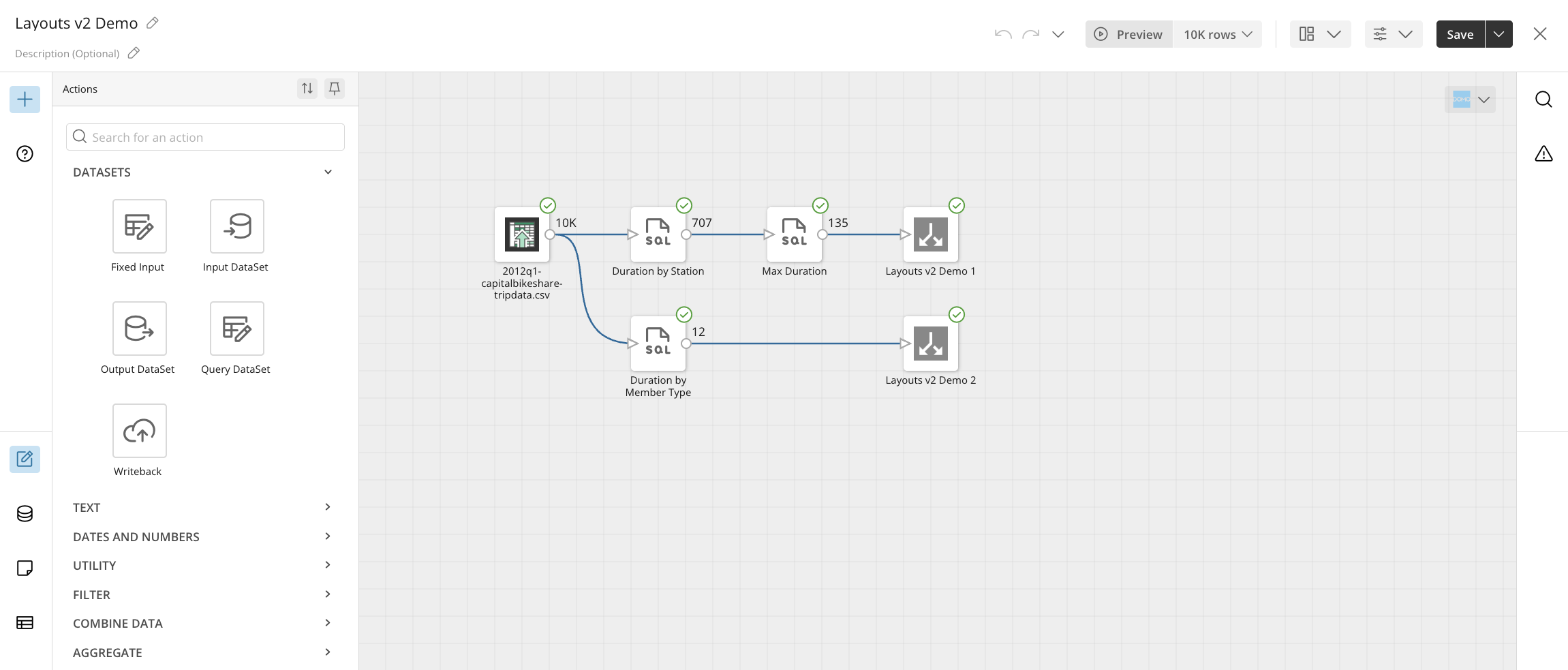
View real-time row counts directly on the canvas as data transforms from tile to tile. Available in the bottom-right corner of each action tile during execution or preview, this feature lets you pinpoint data quality issues faster and catch exploding joins or unexpected filtering before bad data reaches production.
Get read-only access to inspect prior iterations and logic across historical DataFlow versions without risking disruption to active production data flows. Located under the Versions tab in your DataFlow view via View Version, it allows you to reference past configurations and audit pipeline changes side-by-side seamlessly.
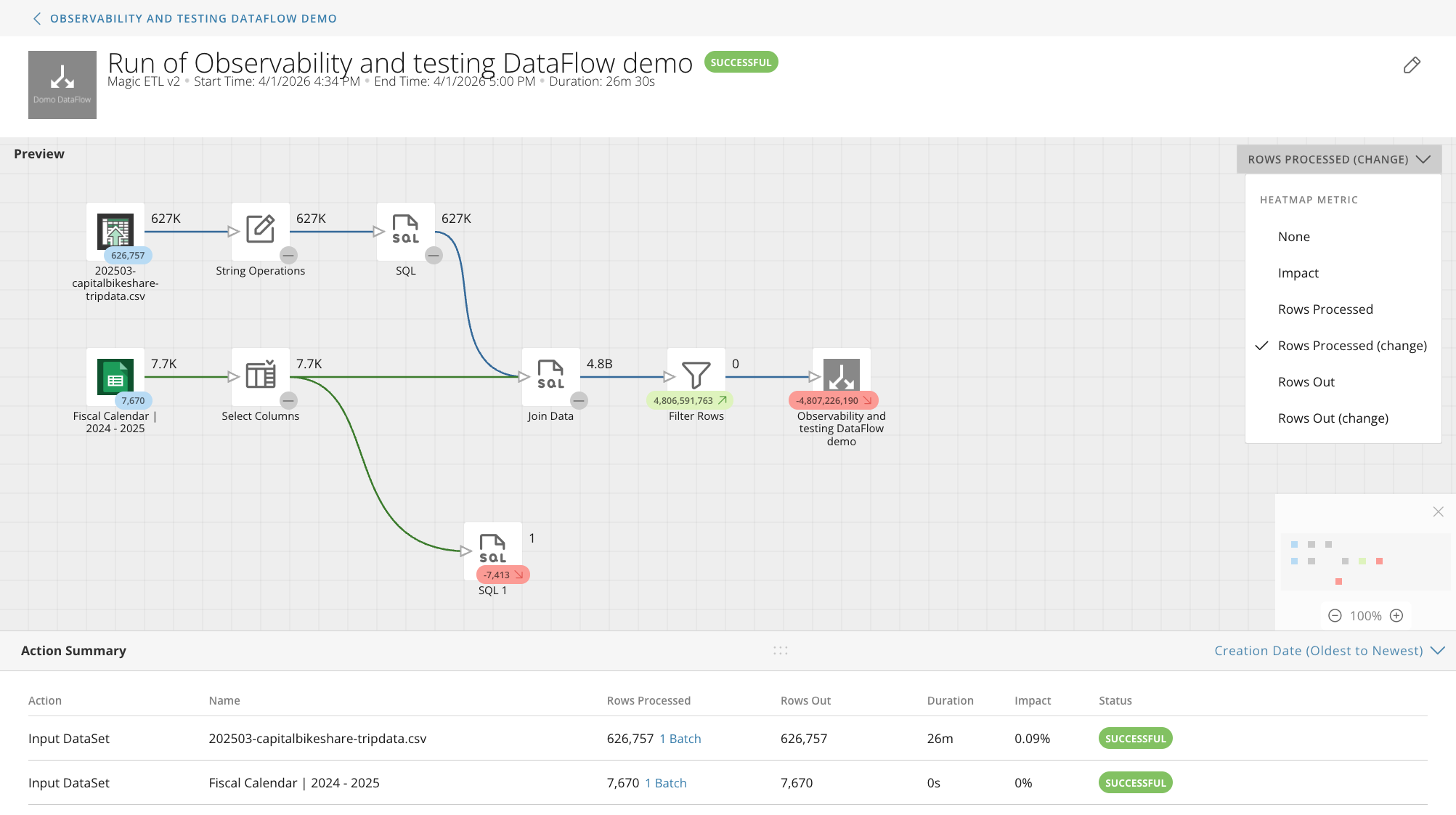
Spot resource-heavy actions instantly with visual performance heatmaps paired with targeted telemetry metrics like runtime impact, row volume shifts, and processing time. Found on the Execution Details page for any completed DataFlow run, this view lets you filter by impact to isolate bottlenecks or row-drop anomalies in seconds.
Eliminate repetitive setup by automatically saving custom ETL canvas preferences including gridline styles, view options, and layout configurations across all your DataFlows. Simply configure your layout and grid preferences once via the canvas Settings menu, and your environment will open with your exact preferred specifications every single time.
Take full control of your ETL canvas. The new customizable canvas features in Magic ETL let you tailor layouts, navigation, and visual themes to your exact preferences so that you can build and manage complex data flows faster and with less visual friction.
Navigate complex ETL workflows with greater precision using new click-to-drag and scroll-to-zoom canvas controls. Located directly on the canvas settings toolbar, this update brings a familiar, map-style navigation experience to Magic ETL so you can effortlessly pan, zoom, and inspect large DataFlows.
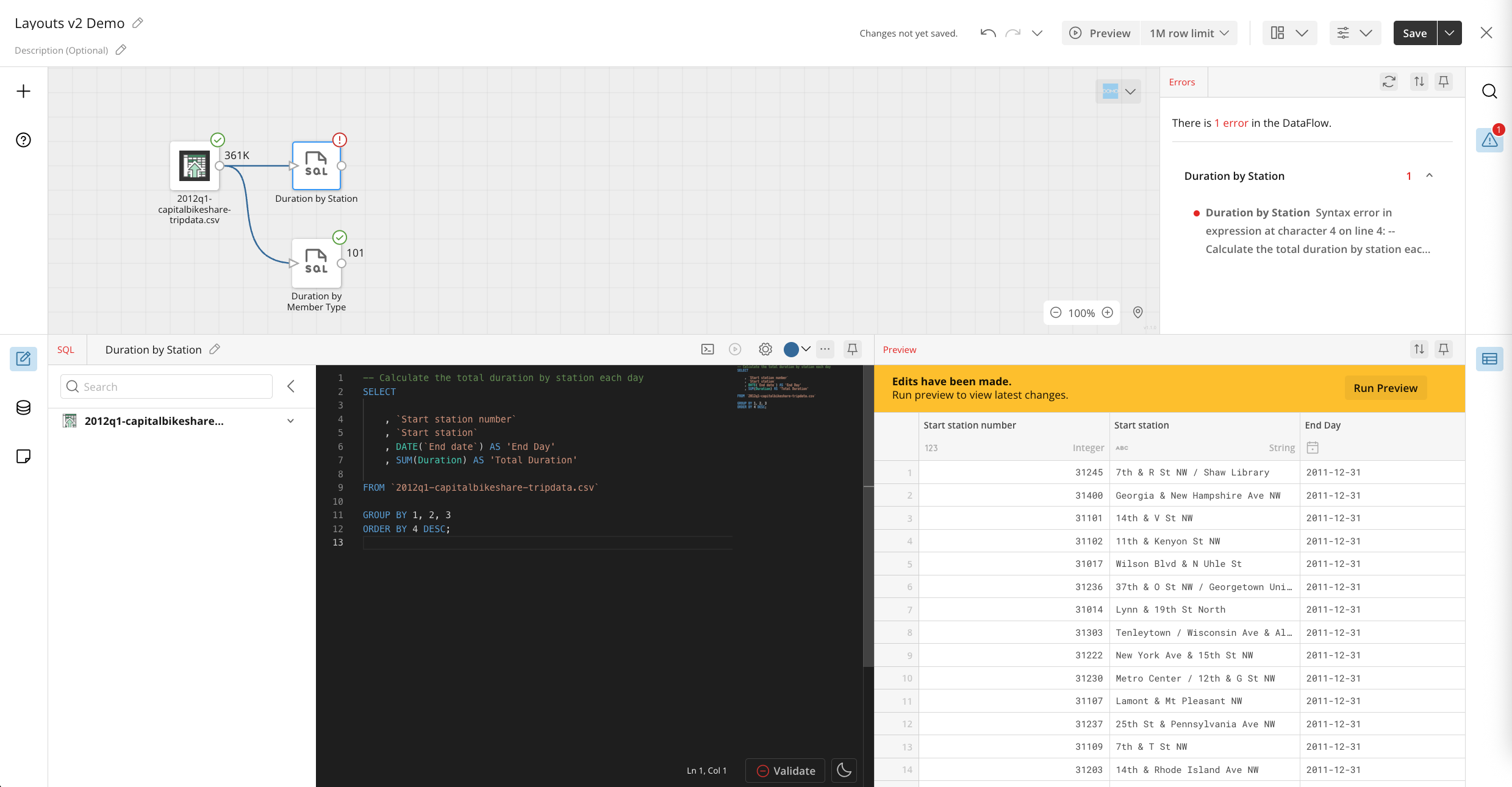
Tailor your design canvas to match your personal preferences by moving, resizing, or pinning individual tool panels anywhere on the screen. Accessible from the layout manager on the top action bar, these custom workspace arrangements save automatically to help you eliminate visual clutter and build data pipelines faster.
Reduce eye strain during extended build sessions by switching your canvas interface to a high-contrast dark theme. Found under your user display settings menu, Dark Mode gives you full control to set a fixed dark theme, stick with light mode, or automatically sync with your system preferences.
Transform and process data faster with purpose-built tiles. The latest tile enhancements in Magic ETL expand your pipeline capabilities with native AI modeling, flexible SQL outputs, and simplified column management to help you automate complex logic directly on the canvas.
New AI Sentiment Analysis Tile
Automatically analyze customer feedback, survey responses, and support tickets to detect emotional tone directly within your data pipelines. Accessible in the AI section of the Magic ETL tile palette, this feature uses native generative AI to instantly score sentiment as positive, negative, or neutral without writing code or calling external APIs.
Learn more about the Sentiment Analysis tile in Magic ETL.
New AI Classification Tile
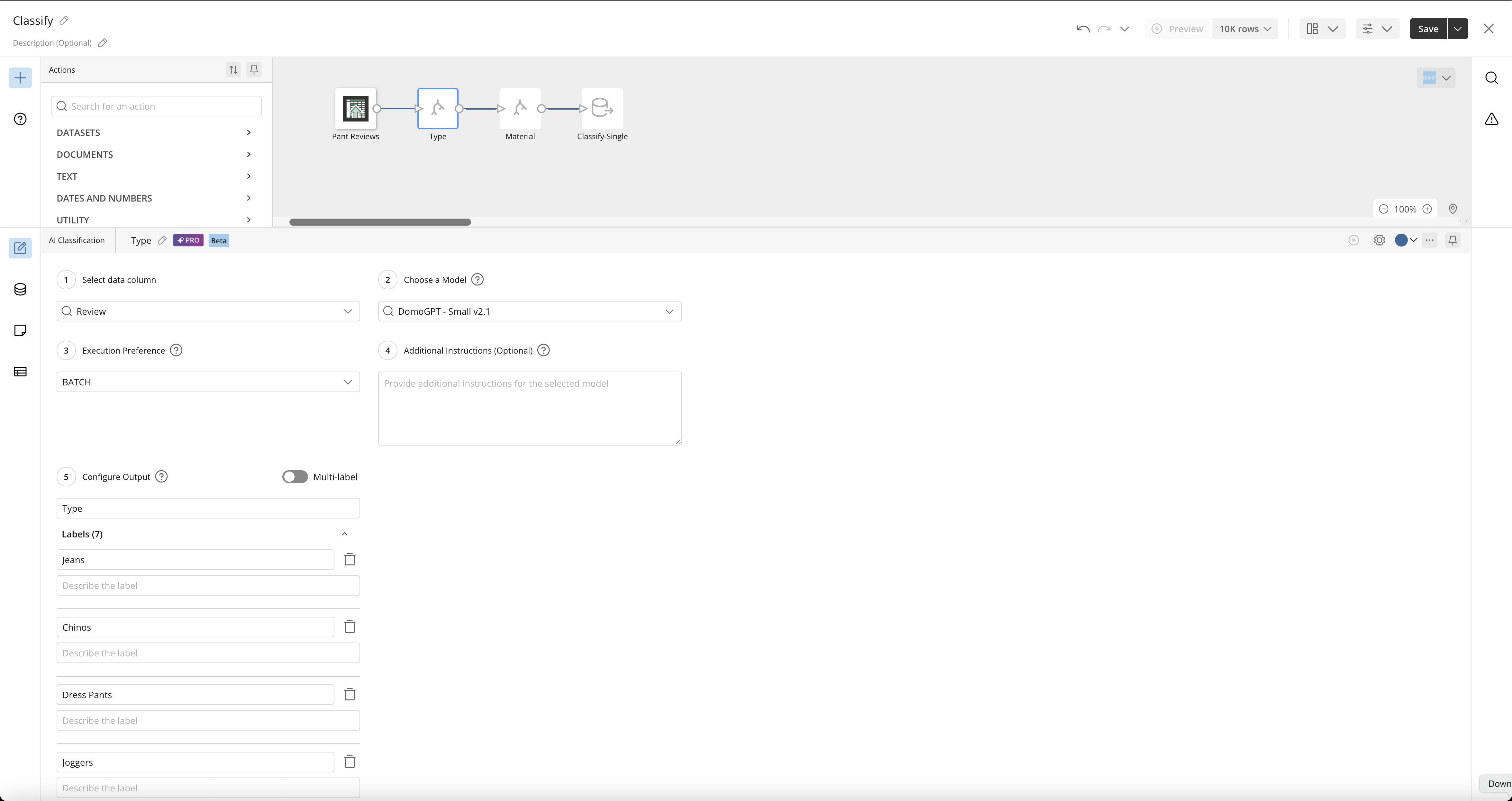
Automatically categorize unstructured text fields into standardized tags, predefined custom categories, or binary flags for one-hot encoding using native generative AI models. Located under the AI tile menu on your canvas, this tile eliminates manual sorting and structures datasets at scale for immediate analysis or machine learning workflows.
Learn more about the Classification tile in Magic ETL.
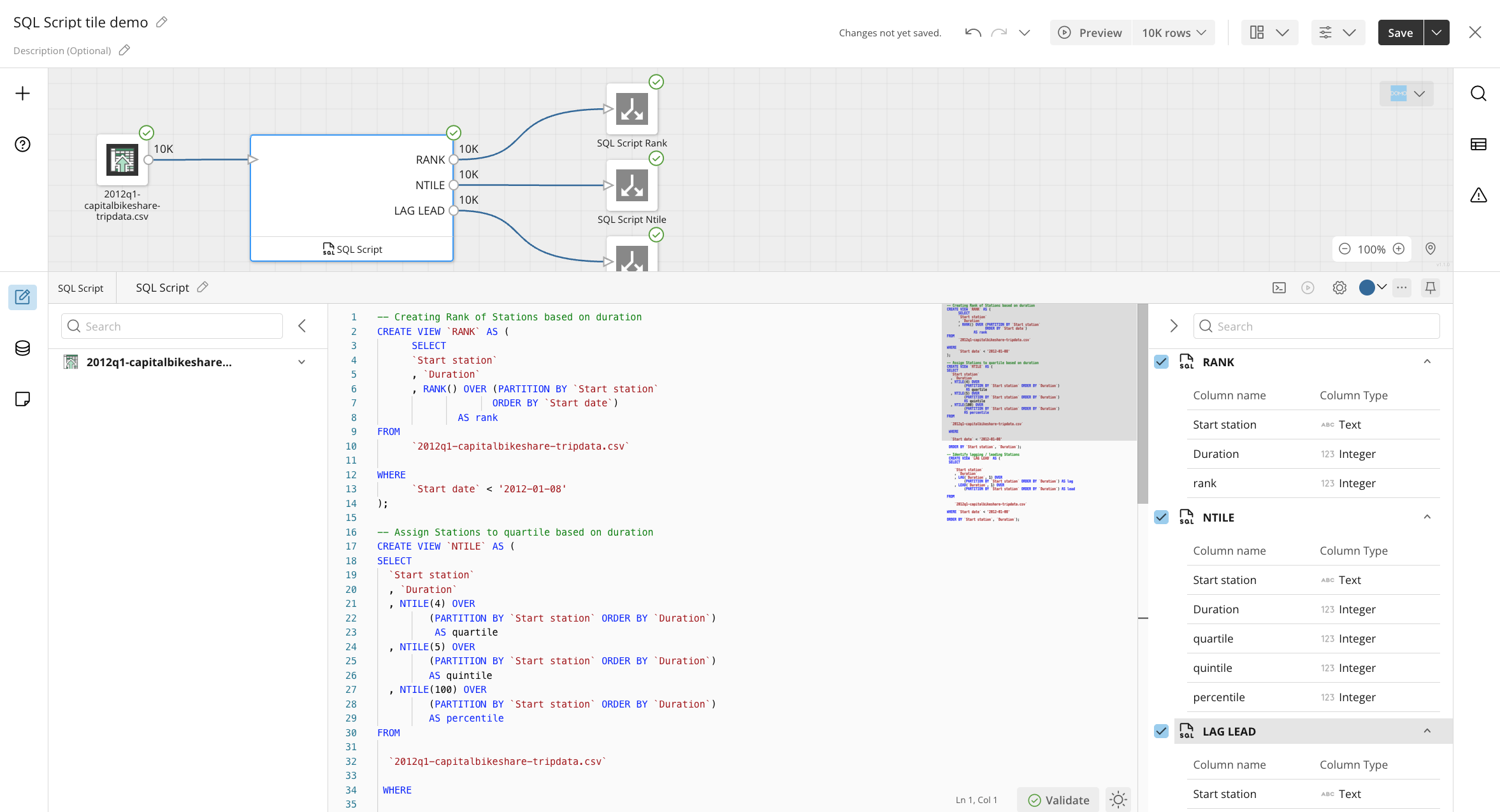
Write custom SQL logic that processes multiple input DataSets and generates multiple distinct output streams from a single tile execution. Found in the Data Flow tile palette under SQL Script, this tile eliminates the need for chained tiles or redundant data passes, drastically reducing execution time and canvas complexity.
Convert any standard Magic ETL tile or series of configured tile actions directly into a readable SQL script with a single click. Available via the right-click context menu on selected tiles, this update gives power users full visibility into generated query logic while allowing them to seamlessly transition drag-and-drop tiles into custom SQL blocks.
Streamline dataset schema management with an upgraded interface featuring bulk column selection, search, and dynamic filtering. Found inside the Select Columns tile configuration panel, this update saves time when managing wide datasets by allowing you to easily search, select, deselect, or modify multiple column metadata attributes at once.

Domo transforms the way these companies manage business.