Mit der automatisierten Datenfluss-Engine von Domo wurden Hunderte von Stunden manueller Prozesse bei der Vorhersage der Zuschauerzahlen von Spielen eingespart.
Schau dir das Video an
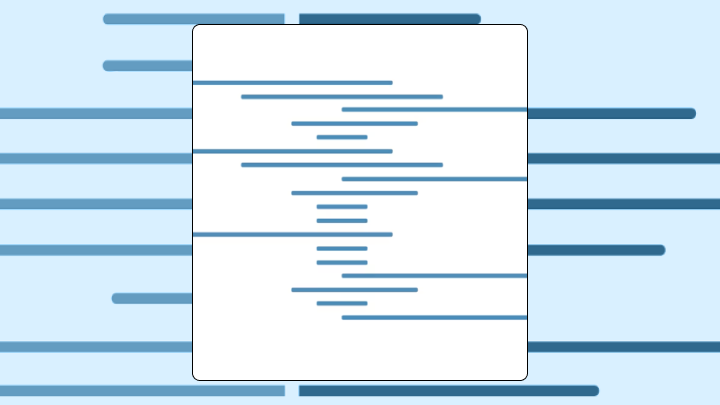

This guide covers everything you need to know about high-low charts, from data requirements and misuses to step-by-step Excel instructions and comparisons with candlestick and open, high, low, close (OHLC) alternatives. You'll learn when this chart type works best, how to read it correctly, and how to explain it to stakeholders in 30 seconds.
A high-low chart shows the full range of values within each time period using vertical bars. Top of each bar marks the highest value. Bottom marks the lowest. You use it when volatility matters more than direction.
Here's what you need to know before building one:
If you're building dashboards for nontechnical stakeholders (think finance, sales, or operations leaders), this chart can cut through a lot of back-and-forth. It's also one of those visuals you'll get asked to "recreate for this other dataset too," so it pays to standardize your high-low chart setup once and reuse it across dashboards.
Each period gets a single vertical line. Top represents the high. Bottom represents the low. That's it.
Unlike a standard line chart that connects single data points, this format encodes two values per period. The spread becomes visible at a glance, which is exactly why traders and analysts reach for it when they need to assess range rather than trend.
In financial contexts, people often ask what is a high and a low in trading. The high is the maximum price reached during a trading session, and the low is the minimum. These values tell you nothing about whether the price moved up or down overall. They only show how far it traveled.
This chart belongs to a broader family that includes open, high, low, close (OHLC) charts and candlestick charts. When you add open and close values, small horizontal ticks extend from the vertical line. Left tick for open. Right tick for close. Without those ticks, you have a pure high-low chart.
In BI dashboards, you'll also hear teams describe these as range charts for performance bands (for example, the daily low and high of server response times, or the low and high deal size per sales rep per quarter).
Your data needs a specific structure before this chart will work correctly.
Three columns at minimum:
For an OHLC chart, add two more columns for open and close values. Excel specifically requires columns in Date, Open, High, Low, Close order. If your columns are out of sequence, the stock chart option will be grayed out.
When you're pulling highs and lows from multiple systems (an external market feed plus an internal portfolio table, or IoT temperature readings plus a store sales dataset), plan for a transformation step. Tools like Domo's Magic ETL (extract, transform, load) can prep the min, max, open, and close fields with drag-and-drop steps or SQL, so the chart stays consistent as the data refreshes.
Run these checks on your data first:
Fewer than five data points make range patterns meaningless. Extreme outliers will dominate the scale and flatten everything else visually.
If you don't have distinct high and low values, use a line chart with error bars instead.
If you need the same high-low chart definition across multiple dashboards, treat the underlying metric logic like a governed asset. IT and data leaders often set this up in a semantic layer so different teams don't quietly calculate "daily high" or "period low" in slightly different ways. Gartner identifies poor data quality as one of the most persistent challenges blocking advanced analytics deployment. That inconsistency might seem minor until two executives show up to the same meeting with conflicting volatility numbers.
Volatility is the signal here. Not direction.
Use it when each time period has a meaningful high and low. Stock prices, bid-ask spreads, daily temperature ranges, server load fluctuations. The audience can quickly compare range width across periods to spot unusual activity.
Avoid it when you only have one value per period. A high-low chart with identical highs and lows collapses into dots. If that happens across your dataset, you've chosen the wrong visualization entirely. Also avoid it when your audience needs cumulative totals or part-to-whole relationships. A stacked bar chart handles those jobs better.
If you use it anyway, expect people to misread range as direction. A tall bar doesn't mean the price increased. It means the price moved a lot, in either or both directions. Short bars can also create false confidence. A period might look calm, but if the close sits at the absolute low, the period ended on a sharp decline.
For managers who need quick, confident reads in a role-specific dashboard, the simplest version often works best. Give them a clean high-low chart that updates with live data, then let analysts add extra context (like open/close, volume, or annotations) in deeper views.
Start with the simplest member of the family and add complexity only when you need it.
The HLC variant adds a right tick showing where the period closed. Use it when you have close data but not open data.
OHLC and candlestick charts show the same four values but encode them differently. OHLC uses left and right ticks. Candlesticks use a filled or hollow body between open and close, with wicks extending to high and low. Candlesticks make it easier to see whether the period closed higher or lower than it opened, but they require more visual space.
Your eye notices bar height first. Taller bars draw attention.
You instinctively compare heights across the chart, looking for periods where range expanded or contracted. Here's the correct reading order:
The most dangerous misread involves confusing range with direction. A tall bar means the price moved a lot within that period. It says nothing about whether the price ended higher or lower.
Two bars with identical heights can represent very different price levels. One might span 50 to 60 dollars. Another might span 100 to 110 dollars. Height alone doesn't tell you where you are. Always check the y-axis scale before drawing conclusions about absolute values.
Traders using a high-low strategy often look for days where the range is exceptionally tight. A breakout from that tight range can signal a new directional trend.
These practices help keep high-low charts readable and comparable:
If your organization has multiple teams reporting the same range metric, align on one definition and reuse it everywhere. BI analysts love this because it reduces repetitive rebuild requests. IT teams love it because it prevents five different "official" versions of the same high-low chart from popping up across departments.
A stock traded in a narrow range for weeks. Then the range tripled in the days before an earnings announcement. The sudden expansion in bar height signals increased uncertainty. A line chart showing only closing prices might look flat if the close stayed near the prior day's close.
An analyst comparing two exchange-traded funds (ETFs) can immediately see which one shows taller bars. That fund has wider daily ranges and higher volatility. A line chart would show both trending similarly, hiding the difference in daily risk.
When a commodity's price range suddenly compresses from tall bars to tiny ones, that shift marks a change in market behavior. A moving average would smooth over this transition. You'd miss it entirely.
Tracking New York Stock Exchange (NYSE) new highs and new lows often requires looking at both range and absolute position. The chart shows you whether volatility is expanding, but you still need to check where the bars sit vertically.
In operations dashboards, a high-low chart can also track performance bands like daily server response time lows and highs against a service level agreement (SLA) threshold. Pair that view with an alerting rule (for example, notify an on-call channel when the daily low drops below an acceptable floor) and the chart stops being a pretty picture. It starts being a workflow.
In sales operations, the same idea works for deal size. Show the low and high deal size per rep per quarter, and you'll spot outliers fast during pipeline reviews.
Here's a sample structure you can use when presenting to stakeholders:
"This chart shows the range between the highest and lowest values for each time period. The key comparison is bar height. Taller bars mean more volatility within that period. The main takeaway is that volatility spiked last week. Don't conclude that the price went up just because a bar is tall. Height shows range, not direction. If we need to see where the price opened and closed, we should use a candlestick chart instead."
Excel's stock chart options require your data in a specific column order. Columns wrong? Chart type grayed out.
Arrange columns as: Date, Open, High, Low, Close (for OHLC) or Date, High, Low, Close (for HLC).
After building, spot-check a few bars against your source data. Confirm the top of each bar matches the High value for that row.
The most frequent build error is having columns out of order. Excel is strict about sequence. (It's not unusual for analysts to spend 20 minutes troubleshooting before realizing the issue was literally just column order.)
Excel's stock charts offer limited customization, and a horizontal high-low chart can be easier to scan when the dataset is large. Adding overlays requires workarounds. For ongoing monitoring or dashboards tracking multiple assets, a BI platform like Domo can reduce manual effort by keeping the data refreshed and the high-low chart interactive (including on mobile). It also helps teams standardize a chart configuration once and publish it across dashboards, instead of rebuilding the same view every time a stakeholder asks for "that chart, but for this region."
This chart does one job well. Broader context? Not its strength.
The biggest limitation is the lack of directional signal. You can see range but not whether the period closed up or down. Extreme outliers also dominate the scale and compress everything else visually.
Here's how it compares to alternatives:
If you need to deliver high-low charts to people outside your company (customers, partners, subscribers), embedded analytics starts to matter. The embedded analytics market is projected to reach almost $101 billion by 2035.
Deciding whether to tighten stop-losses becomes easier when you can see volatility expanding. Determining trend direction becomes harder because the chart doesn't show whether prices are rising or falling.
Teams often overcorrect after seeing a volatility spike. They reduce exposure immediately without checking whether the spike was driven by a single outlier event.
This chart tempts people to ask if the price is going up or down. It can't answer that question.
When you connect a high-low chart to alerts and shared dashboards, decisions can get quicker. That's great. It also raises the bar on metric consistency, because one mis-defined "low" can trigger the wrong conversation.
A high-low chart answers one question well: how much did the value move within each period? It doesn't answer whether the value went up or down. Use it when volatility is the signal you need.
For teams managing dashboards with live data, a BI platform simplifies connecting data sources and keeping charts current without manual rebuilds. If you're ready to standardize your high/low logic and turn volatility signals into interactive, always-updated dashboards, Try free and build your first high-low chart with live data.