
Mit der automatisierten Datenfluss-Engine von Domo wurden Hunderte von Stunden manueller Prozesse bei der Vorhersage der Zuschauerzahlen von Spielen eingespart.
Schau dir das Video an

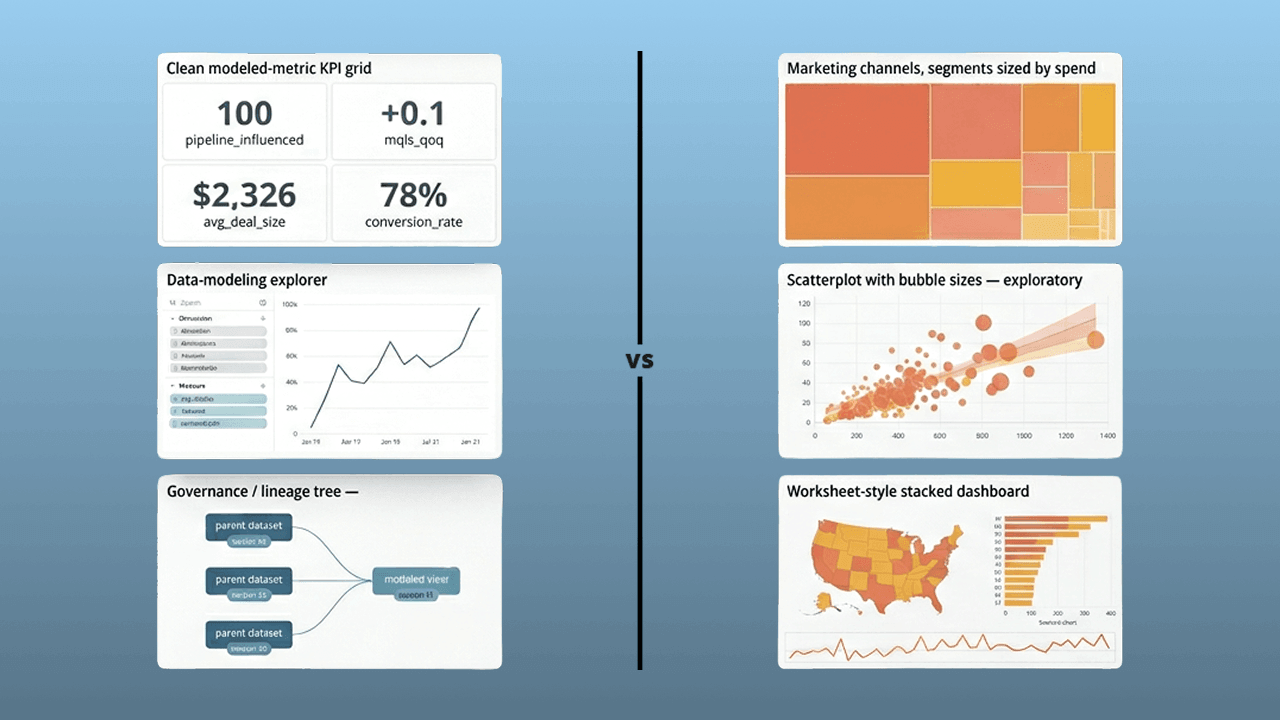
Looker excels at centralized data governance through its LookML semantic layer, while Tableau offers superior visual flexibility and self-service analytics for business people. This guide compares both platforms across governance, scalability, pricing, and team fit, plus includes a diagnostic to help you identify the right choice for your organization.
Here are the main points to keep in mind before you compare the two platforms:
Choose Looker if your organization prioritizes governed metrics, centralized data modeling, and a single source of truth enforced through code. Choose Tableau if your team values visual flexibility, rapid ad-hoc exploration, and self-service analytics without requiring SQL expertise.
The core distinction comes down to philosophy. Looker is model-first. Governance gets enforced through a centralized semantic layer built in LookML, with every metric having one definition, version-controlled in Git. Business people explore data within guardrails that prevent inconsistent calculations. Tableau? Opposite approach entirely. It's visual-first, meaning governance is enforced through process, certification workflows, and admin discipline rather than code. Analysts have more freedom to create and explore, but consistency depends on team alignment rather than structural enforcement.
When comparing Looker and Tableau, both platforms are leaders in the business intelligence and visualization space. But they approach data in fundamentally different ways.
Here's a quick comparison overview:
A note on naming: This comparison focuses on Looker, the enterprise BI platform with LookML, not Looker Studio (formerly Google Data Studio), which is a free visualization tool. If you're evaluating Looker Studio specifically, the considerations differ significantly since Looker Studio lacks the semantic layer and governance capabilities that define enterprise Looker.
Before diving into feature comparisons, answer these five questions to quickly identify which tool aligns with your organization's needs.
If you answered yes to questions 1, 2, and 3, Looker is likely the stronger fit. If you answered yes to question 4 and question 5 leans toward no, Tableau may fit your team more closely.
Looker is a leading enterprise BI platform within Google Cloud. That positioning reflects its design for organizations that want centralized data governance and consistent metrics across the business.
Looker connects directly to your SQL-compatible data warehouse (BigQuery, Snowflake, Redshift, Databricks, and others) and uses LookML, a proprietary modeling language, to define business logic in code. Every metric, dimension, and relationship gets defined once and reused everywhere. This eliminates the inconsistencies that arise when analysts create their own calculations in individual reports.
With a browser-based interface and real-time collaboration features, Looker enables teams to explore data within governed guardrails. Business people can build dashboards and run queries without writing SQL, but they're always working with metrics that have been validated and version-controlled by the data team.
Looker connects directly to your data warehouse rather than importing or extracting data. This live-query architecture means dashboards always reflect the current state of your data without scheduled refreshes or stale extracts.
Native integrations include cloud data warehouses like BigQuery, Snowflake, Redshift, Databricks, and Azure Synapse. Looker also connects to traditional databases like PostgreSQL, MySQL, and Microsoft SQL Server.
Because Looker queries your warehouse directly, your data stays in one place. Simpler security. Less data duplication. Every person sees the same numbers regardless of when they access a dashboard.
Looker pushes computation to your data warehouse, meaning Looker itself does not become a bottleneck as data volumes grow. If your warehouse can handle the query, Looker can visualize the result.
This warehouse-first approach makes Looker particularly well-suited for organizations with large, complex data environments. As your data sources multiply and reporting needs expand, Looker handles increasingly sophisticated analysis by using the power of modern cloud warehouses.
For organizations already invested in Google Cloud, Looker's deep integration with BigQuery provides additional performance optimizations and simplified administration.
Built on Google's secure infrastructure, Looker incorporates governance and security features that help organizations manage access, maintain data integrity, and protect sensitive information.
Looker's governance model is structural rather than procedural. Access controls are defined in LookML using attributes, which means row-level security is enforced consistently across every Explore and dashboard without requiring manual configuration per report. A regional sales manager automatically sees only their region's data because the LookML model filters results based on their attribute (not because someone remembered to apply a filter to each dashboard).
Integration with Google Workspace and enterprise identity providers enables single sign-on (SSO) and streamlined management. Audit logging through Looker's System Activity dashboard and the i__looker schema provides visibility into who accessed what data and when.
Watch for LookML coverage gaps. Analysts sometimes create ad-hoc calculated fields outside the model because the semantic layer doesn't yet include the metrics they need. This creates the same metric drift that Looker is designed to prevent. Successful Looker deployments require ongoing investment in LookML development to keep pace with business needs.
LookML serves as the foundation for Looker's data modeling, enabling data teams to define dimensions, measures, and relationships in code that is version-controlled and reusable.
Business people interact with data through Explores. These are pre-configured views that let them drag and drop fields, apply filters, and drill into details without needing to understand the underlying SQL. A governed self-service experience where people have flexibility within guardrails.
On the visualization side, Looker supports a range of chart types including bar charts, time series graphs, pie charts, maps, tables, and scorecards. While Looker's visualization options are functional and clean, they're less customizable than Tableau's. The focus is on consistency and accuracy rather than visual creativity.
Whether building executive dashboards or operational reports, Looker makes it easy to turn large or complex data sets into visuals that drive clarity, action, and informed decision-making.
Looker is a powerful tool for governed analytics. But it is not without limitations, especially for teams without dedicated data engineering resources.
Here are some common challenges:
Tableau helps people explore and understand their data through interactive, visual analytics. It's one of the most widely used BI tools on the market, a data visualization platform that connects to a wide range of data sources (from spreadsheets and cloud services to databases and big data platforms) and transforms that data into dashboards, charts, and graphs that are easy to interpret and share.
Known for its drag-and-drop functionality, Tableau enables technical and non-technical people alike to uncover insights, identify trends, and make data-driven decisions without writing code. Whether used for self-service analytics, executive reporting, or performance tracking, Tableau turns data into action.
Tableau connects to hundreds of data sources both on-premises and in the cloud. It supports direct connections to popular databases like MySQL, PostgreSQL, and Microsoft SQL Server, as well as big data platforms such as Snowflake, Google BigQuery, and Amazon Redshift.
Tableau also integrates with web-based applications like Salesforce, Google Analytics, and Excel, enabling direct data blending across platforms. With live connection and extract options, people can choose between real-time data access or optimized performance through in-memory processing.
This flexibility makes Tableau particularly valuable for organizations with diverse data sources. Unlike Looker, which requires a SQL-compatible warehouse, Tableau can connect directly to spreadsheets, flat files, and SaaS applications without intermediate data infrastructure.
Tableau's flexible architecture allows for live data connections and in-memory extracts, giving teams control over performance and resource optimization.
With Tableau Server and Tableau Cloud, enterprises can accommodate thousands of people accessing dashboards, generating reports, and collaborating in real time. As data volumes increase, Tableau maintains responsiveness and efficiency, especially when integrated with modern cloud data warehouses or high-performance databases.
For very large datasets or complex visualizations, Tableau's extract-based architecture can actually outperform live queries by pre-aggregating data and storing it in Tableau's optimized Hyper engine.
Tableau provides governance and security features designed to protect data, ensure compliance, and maintain control across the analytics lifecycle. Role-based access controls allow administrators to define exactly who can view, edit, or publish content at the person, group, or project level.
Row-level security in Tableau is implemented through data source filters, relationship-based access controls, and server-level permissions. You might create an entitlement table that maps people to the data they're authorized to see, then join that table to your data source and filter based on the logged-in person. This approach works but requires careful setup for each data source. And honestly, it's easy to miss edge cases when multiple data sources share similar security requirements.
Tableau Catalog provides lineage and certification workflows, helping teams understand where data comes from and which content is trusted. Administrators can certify data sources and workbooks, giving people confidence that they're working with validated assets.
Integration with identity providers and support for single sign-on (SSO) streamlines authentication while enhancing security. Audit logging through Tableau's Admin views and the underlying Postgres repository tracks activity and data usage.
Workbook sprawl is a common governance failure mode in Tableau. Multiple teams create slightly different versions of the same dashboard with inconsistent metric definitions. Without a centralized semantic layer like LookML, calculated fields proliferate across workbooks, and maintaining consistency requires ongoing admin discipline and certification workflows rather than structural enforcement.
Tableau's drag-and-drop interface makes it easy to create calculated fields, apply filters, and build relationships between data sets without writing code.
The platform supports a wide range of visualizations that can be customized and combined into dynamic dashboards. People can explore trends, drill down into specifics, and uncover insights in real time, all while maintaining flexibility across multiple data sources.
Tableau offers a wide range of visualization options, though teams still need to manage governance tradeoffs that Domo handles in one platform. Parameter actions, complex custom visualizations, and rapid exploratory slicing give analysts a blank canvas to tell data stories in ways that other tools simply cannot match. For executive presentations and board-level reporting, Tableau offers strong polish and interactivity, but teams may still need separate governance workflows that Domo brings into one system.
Tableau is a powerful and widely respected data visualization platform. Like any tool, though, it has its drawbacks.
Here are some challenges people often face:
Both Looker and Tableau empower organizations to visualize and analyze data, but the ideal choice depends on your priorities: data control or flexibility, scale or speed, governance or exploration.
This is where the two platforms diverge most significantly.
Looker enforces governance through code. LookML serves as a semantic layer where every metric is defined once, version-controlled in Git, and applied consistently across all dashboards and Explores. When the definition of "Active Customers" needs to change, you update it in one place, and every report reflects the new logic automatically.
Here's what that looks like in practice. In LookML, you might define Active Customers as:
This definition lives in your Git repository, goes through code review, and deploys to production through your continuous integration and continuous deployment (CI/CD) pipeline. Every Explore and dashboard that references activecustomers uses this exact logic.
In Tableau, the equivalent approach involves creating a calculated field in a published data source:
You then publish this data source to Tableau Server and certify it so people know it's the trusted version. The challenge? Analysts can still create their own calculated fields in individual workbooks, potentially with different logic. Governance depends on people choosing to use the certified source rather than building their own.
The downstream implications are significant. With Looker, metric drift is structurally prevented. People cannot create conflicting definitions because they explore within the model's guardrails. With Tableau, metric drift is procedurally managed. It requires ongoing admin attention, certification workflows, and team discipline.
Common failure modes differ as well. In Looker, the most frequent issue is LookML backlog bottlenecks, where the central analytics engineering team cannot keep pace with new metric requests, causing analysts to request workarounds or wait. In Tableau, the most frequent issue is workbook sprawl and metric duplication, where multiple teams create slightly different versions of the same KPI without a shared semantic layer to enforce consistency.
LookML enforces governance through code; Tableau enables it through workflow and certification.
The learning curve for each tool depends heavily on your role and what you're trying to accomplish.
Tableau is designed for ease of use with a drag-and-drop interface that enables self-service analytics. Business analysts can connect to data and build visualizations within hours of first using the tool. The interface is intuitive, and the community resources (tutorials, forums, public dashboards) are extensive. For basic dashboarding and exploration, Tableau's time-to-proficiency is measured in weeks.
Looker requires more technical setup and maintenance. Before business people see any value, the data team must build LookML models that define the semantic layer. This initial investment typically takes two to six months depending on data complexity. Once the models exist, business people can explore data through a point-and-click interface, but they're always working within the guardrails the data team has defined.
Here's how responsibilities typically break down by role:
For Looker, the analytics engineer or BI developer owns LookML model development and maintenance, including writing code, managing Git workflows, and deploying changes. The data analyst or business person explores pre-built Explores within guardrails, building dashboards and running queries without touching LookML. The executive viewer consumes governed dashboards with confidence that the numbers are accurate.
For Tableau, the BI developer or analyst builds and publishes workbooks, creating visualizations and calculated fields. The business person self-serves from certified data sources or published dashboards, with the freedom to create their own analysis. The admin manages content governance, certification, and permissions.
This creates fundamentally different operating models. Looker follows an analytics-as-code approach where the data team controls the logic and business people consume within guardrails. Tableau follows a center-of-excellence plus federated creators model where governance is distributed and analysts have more autonomy.
Tableau excels in visual storytelling and interactivity. People can combine multiple views, filters, and drill-downs for a dynamic experience. Parameter actions, complex custom visualizations, and rapid exploratory slicing give analysts capabilities that Looker cannot match. For executive presentations, board reporting, and any scenario where visual polish matters, Tableau delivers strong results, though teams may find they still need separate governance tools that Domo includes natively.
Looker offers clean, functional charts and dashboards with more limited visual customization. The focus is on consistency and accuracy rather than creative flexibility. Looker dashboards get the job done, but they won't win design awards.
Both platforms scale to enterprise needs, but their architectures create different performance characteristics and cost implications.
Looker pushes all computation to your data warehouse. Every dashboard load, every Explore interaction, every drill-down generates a SQL query against your warehouse. Dashboards always show fresh data, but performance depends entirely on warehouse optimization. If your warehouse is slow or under-provisioned, your dashboards will be slow.
Tableau offers both live connections and extracts. Extracts pre-aggregate data into Tableau's optimized Hyper engine, which can dramatically improve dashboard performance for complex calculations on large datasets. You lose some data freshness. Extracts only update on a schedule (hourly, daily, etc.).
Here's a practical decision framework:
Use Tableau extracts when you need sub-second interactivity on large datasets with infrequent updates, when your warehouse has concurrency limits that would bottleneck many simultaneous people, or when you're building executive dashboards where polish matters more than real-time data.
Use Looker live queries when you need real-time or near-real-time data freshness, when you want to avoid extract refresh scheduling and monitoring overhead, or when your warehouse is well-optimized and can handle concurrent query load.
Signals to monitor differ by platform. For Looker, watch query execution time, warehouse credit burn (on Snowflake or BigQuery), and dashboard load time. If costs are climbing, consider LookML materializations (persistent derived tables) to pre-aggregate common queries. For Tableau, watch extract refresh duration, Server CPU and RAM utilization, and failure rates on scheduled refreshes. If extracts are taking too long, consider incremental refreshes or moving to live connections for frequently-updated data.
Both platforms represent significant investments, but their cost structures differ in important ways.
Tableau uses per-person licensing with three tiers. Creator licenses (full authoring capabilities) run approximately $75 per person per month on Tableau Cloud. Explorer licenses (limited authoring, full consumption) cost approximately $42 per person per month. Viewer licenses (consumption only) cost approximately $15 per person per month. Tableau Server (self-hosted) has different pricing that varies by deployment.
Looker uses custom enterprise pricing that typically includes a base platform fee plus usage-based components. Pricing is not publicly listed and requires a sales conversation, but generally runs higher than Tableau for comparable headcounts.
License costs tell only part of the story, though. Here's a scenario-based total cost of ownership (TCO) comparison for a team of 50 people (10 creators, 40 viewers):
For Tableau, license costs would be approximately $7,500 per month ($750 for creators plus $600 for viewers on Cloud pricing). Add Tableau Server or Cloud infrastructure costs of $2,000-5,000 per month depending on deployment. Hidden costs include admin time for Server management, extract refresh monitoring, and provisioning. Total estimated range: $9,500-12,500 per month.
For Looker, license costs would be approximately $10,000-15,000 per month (custom pricing, estimated). Add warehouse compute costs of $2,000-5,000 per month depending on query volume and warehouse (BigQuery, Snowflake). Hidden costs include LookML development time (data engineer hours), training for SQL and LookML learning curve, and ongoing model maintenance. Total estimated range: $12,000-20,000 per month.
Looker shifts compute cost to your warehouse, so heavy dashboard usage directly increases your Snowflake or BigQuery bill. Tableau shifts cost to Server infrastructure and licensing, with extract refreshes consuming compute resources you manage.
However, total cost of ownership includes more than licenses. For a 50-person team, expect total monthly costs of $9,500-12,500 for Tableau or $12,000-20,000 for Looker including infrastructure and hidden costs.
In addition to features and pricing, Looker and Tableau require fundamentally different operating models. Understanding these workflows helps you assess organizational readiness.
The Looker workflow follows an analytics-as-code pattern. A data engineer or analytics engineer writes LookML code defining dimensions, measures, joins, and access controls. They commit changes to Git, where the code goes through peer review and CI/CD checks before merging. Deployments to production follow your standard release process. Once models are live, business people explore data through the Looker interface, building dashboards and running queries within the guardrails the model defines. They never touch LookML directly.
The Tableau workflow follows a federated creator pattern. An analyst or BI developer connects to data sources, builds workbooks with visualizations and calculated fields, and publishes to Tableau Server or Cloud. Admins review and certify trusted content through Tableau Catalog. People consume dashboards or create their own analysis from certified data sources. Governance happens through process and certification rather than code.
Here's how responsibilities map across roles:
For Looker, the data engineer is responsible for LookML development and accountable for model quality. The analyst is consulted on requirements and informed of changes. The admin is responsible for instance management and provisioning.
For Tableau, the analyst or BI developer is responsible for workbook creation. The admin is accountable for governance and certification. The data engineer is consulted on data source preparation. People are informed through dashboards.
Team structure requirements differ significantly. Looker typically requires five or more data engineers or analytics engineers to build and maintain LookML models, plus analysts to consume. Tableau can operate with one to two BI-savvy analysts who also serve as developers, with data engineers optional but helpful for data source preparation.
Choose Looker if you have or plan to hire dedicated data engineering resources and want centralized governance enforced through code. Choose Tableau if you have a smaller team of BI-savvy analysts and need fast iteration without code-based workflows.
While the head-to-head comparison covers capabilities, these scenarios describe specific organizational contexts where Looker is the stronger choice.
Scenario 1: Multi-brand organizations with centralized reporting needs. If you operate multiple brands, business units, or regions that need to report on the same KPIs with consistent definitions, Looker's semantic layer prevents the metric fragmentation that plagues decentralized BI environments. Define "Revenue" once in LookML, and every brand sees the same number calculated the same way.
Scenario 2: Real-time operational dashboards for performance marketing. If your marketing team needs dashboards that refresh continuously throughout the day to optimize campaign spend, Looker's live-query architecture delivers real-time data without extract scheduling. Combined with BigQuery or Snowflake, you can build dashboards that update as fast as your data pipeline runs.
Scenario 3: Embedded analytics for customer-facing products. If you're building analytics into your SaaS product for customers to use, Looker's embedding capabilities are designed for this use case. Signed embed URLs provide secure authentication. Attributes enable row-level security for tenant isolation, ensuring Customer A never sees Customer B's data. SSO integration connects to your existing identity provider. Audit logging tracks who accessed what for compliance requirements. These implementation requirements make Looker the stronger choice for multi-tenant embedded scenarios.
Scenario 4: Data teams collaborating on complex models with version control. If your analytics engineering team wants to treat data modeling like software development (with Git workflows, code review, CI/CD pipelines, and automated testing) Looker's LookML fits naturally into modern data stack practices. Teams using dbt for transformation often find Looker a natural complement for the visualization layer.
These scenarios describe organizational contexts where Tableau is the stronger choice.
Scenario 1: Executive storytelling and board presentations. Your primary use case is creating polished, visually compelling presentations for executives and board members? Tableau offers strong visualization flexibility, but teams may still need more governance work than they would with Domo. The design flexibility, animation options, and presentation-ready output make Tableau appealing for high-stakes data communication, though teams may still prefer Domo when they want governance and visualization in one platform.
Scenario 2: Analyst-heavy teams with diverse skill levels. If your organization has many analysts with varying technical backgrounds who need to explore data independently, Tableau's self-service model empowers them without requiring a centralized data team to build models first. Analysts can connect to data and start visualizing within hours. Not months.
Scenario 3: Multi-cloud or best-of-breed data stack environments. If your organization uses diverse data sources across multiple clouds, on-premises systems, and SaaS applications, Tableau's broad connector library and ability to blend data from disparate sources provides flexibility that Looker's warehouse-centric architecture cannot match. You can connect directly to Excel, Salesforce, Google Analytics, and your data warehouse in the same workbook.
Scenario 4: Rapid ad-hoc analysis and exploratory data work. If your analysts need to quickly slice data in unexpected ways, test hypotheses, and iterate on visualizations without waiting for model changes, Tableau's blank-canvas approach enables speed that governed environments cannot match. Specific tasks where Tableau excels include parameter actions for dynamic filtering, complex custom visualizations outside standard chart types, and rapid exploratory slicing across multiple dimensions simultaneously.
While Looker and Tableau each have their strengths, many organizations are looking for a solution that combines governed, trusted data with fast, flexible visualization. That's where Domo stands out.
To be clear: this article has focused on comparing Looker and Tableau directly, and both are capable platforms for their intended use cases. But if you've read this far and found yourself wishing for a tool that doesn't force you to choose between governance and usability, Domo deserves consideration as an alternative.
Domo delivers real-time analytics, automated data pipelines, and powerful visualization tools all within a single, secure platform. It brings together governance and usability, so both technical and business people can act on insights without compromise.
Here's how Domo bridges the gap:
Domo brings the governance Looker is known for and the visualization flexibility Tableau excels at, without the technical overhead of LookML development or the governance challenges of decentralized Tableau deployments.
Domo transforms the way these companies manage business.












