Besuchen Sie die AI + Data Tour für praxisnahe Schulungen, echte Kundengeschichten und den direkten Austausch mit Domo-Produktexperten in Ihrer Nähe.
Jetzt registrieren

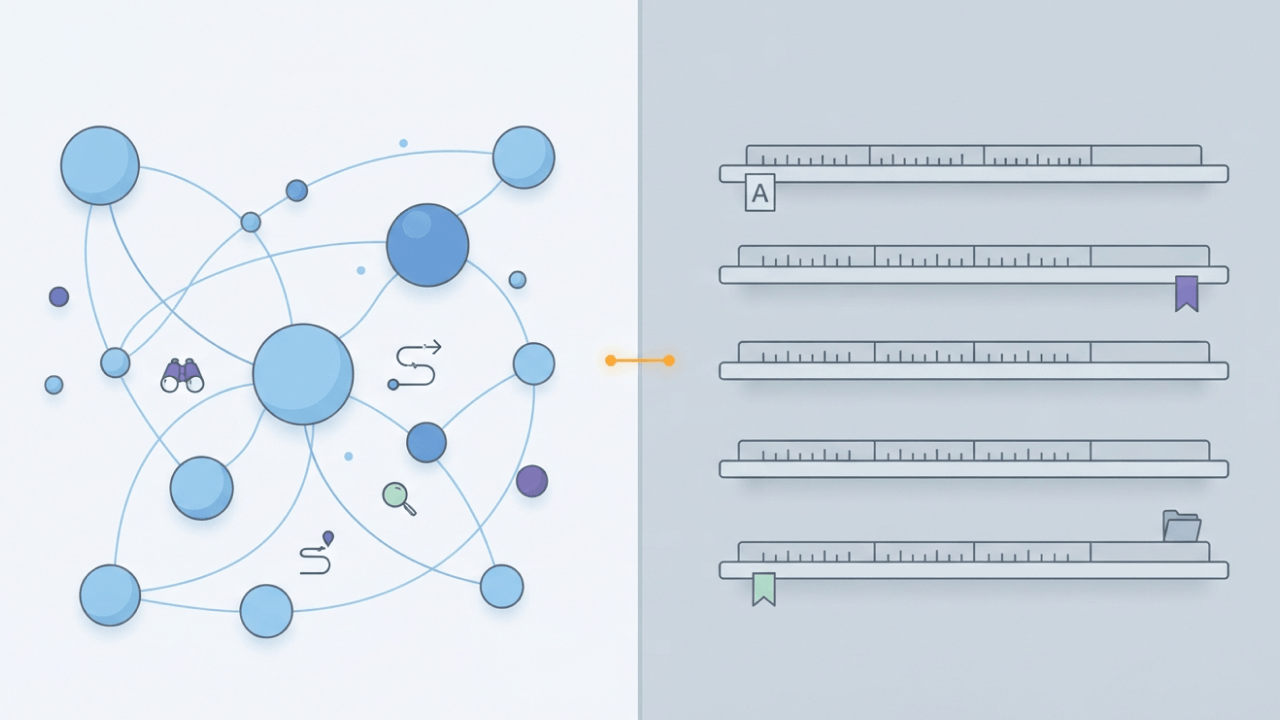
Data catalogs and data dictionaries both help organizations understand and manage their data, but they're build to solve different problems. A data dictionary documents the technical details of fields within a specific system, while a data catalog helps teams discover, govern, and trust data across the organization. Understanding where each fits and when you need one or both can help you build a more effective data management strategy.
Here are the main points to keep in mind:
| Feature | Data dictionary | Data catalog |
|---|---|---|
| Primary purpose | Define technical structure and constraints of fields | Enable discovery, governance, and trust across data assets |
| Key content | Column names, data types, nullability, constraints | Searchable inventory, lineage, ownership, business context |
| Target audience | Data engineers, DBAs, developers | Analysts, data scientists, stewards, business teams |
| Scope | Single database or system | Enterprise-wide across warehouses, lakes, pipelines |
| Maintenance model | Manual or schema-driven updates | Automated harvesting with stewardship workflows |
| Governance role | Enforces field-level consistency | Enforces access, classification, and certification policies |
Dictionaries are narrow and precise. Catalogs take a broader approach, prioritizing discovery and business context across the organization.
Think of a data catalog as a searchable directory for the datasets your organization owns. It indexes data assets, captures lineage, assigns ownership, and surfaces trust signals like certification status and usage frequency. That matters because 75 percent of data leaders report not trusting their data for decision-making, which undercuts confident self-service analytics.
The trigger for buying one? Usually it happens when analysts spend more time hunting for the right table than analyzing it. Someone asks "where does this number come from?" and nobody can answer quickly.
A functional catalog relies on several core attributes:
A catalog doesn't enforce field-level constraints or define data types. That technical documentation remains the dictionary's job. Teams sometimes assume the catalog will handle everything metadata-related. It will not. Without dictionary-level definitions feeding into it, the catalog becomes a well-organized index of poorly understood assets.
Here's a quick validation check: Pick three critical dashboards and see if you can name the specific person responsible for the underlying tables.
A new analyst joins your team. They run a query against a column called "status" and misinterpret the values because no one explained what "A," "P," and "C" actually mean. Preventable. Frustrating. Costly. This exact scenario is what a data dictionary exists to solve.
It's a reference document describing the technical structure of fields within a specific database or system. What each column contains, what format it uses, what values are allowed.
Standard dictionary entries typically include:
Engineers often maintain dictionaries manually in spreadsheets or generate them using schema introspection tools. Essential for onboarding, debugging, and ensuring consistent interpretation of fields.
But a dictionary won't help you discover which datasets exist. It won't tell you whether a particular dataset is trustworthy.
A dictionary tells you what a specific field means. A catalog tells you whether you should trust the dataset that field belongs to. Understanding this distinction helps you avoid buying the wrong tool, or worse, buying the right tool for the wrong problem.
| Dimension | Data dictionary | Data catalog |
|---|---|---|
| Purpose | Define field-level structure and semantics | Enable asset discovery and enterprise governance |
| Scope | Single database or system | All data assets across the organization |
| Audience | Engineers, DBAs, developers | Analysts, scientists, stewards, business teams |
| Maintenance | Manual updates or schema sync | Automated harvesting with human curation |
| Governance role | Enforce field consistency | Enforce access, classification, certification |
| Relationship | Provides technical detail for catalog entries | Aggregates and surfaces dictionary-level metadata |
People often confuse these tools with a business glossary. A glossary defines business terms like "churn rate." A dictionary defines technical fields like "churn_flag." A catalog indexes both while adding lineage and trust signals. Treating them as interchangeable is where teams get into trouble. You'll end up with a glossary that business teams love but engineers can't use, or a dictionary that's technically precise but invisible to anyone outside the data team.
This is never an either/or decision.
Your team size, data volume, and governance requirements drive this decision. Not the vendor's feature matrix.
Start with a dictionary alone if data lives in one or two systems, fewer than five people query it, and compliance requirements are minimal. A spreadsheet-based dictionary often works fine here. Nothing fancy required.
Add a catalog when data spans multiple warehouses or lakes, when analysts outside the data team need self-service access, or when regulatory requirements demand lineage and access auditing.
Prioritize a catalog first if the primary pain is discovery rather than interpretation. Analysts can't find the right dataset? The catalog solves that problem. It can surface dictionary-level metadata later once integrated.
A mid-market company with a single Snowflake instance and a small analytics team may only need a well-maintained dictionary. A large enterprise with data in Snowflake, Redshift, and multiple cloud applications needs a catalog to index everything and a dictionary to document field-level details within each source. You'll notice the pattern: Complexity drives the need for the catalog, rather than the company size alone.
Organizations frequently buy a catalog, connect it to their warehouse, and expect governance to appear automatically. It doesn't work that way. Start with technical metadata, then expand to business context. Without documented field definitions and assigned owners, the catalog simply surfaces metadata that no one trusts.
Identify who owns what before selecting any software. Assign a data steward for each major domain. Create a simple inventory of source systems using a spreadsheet that lists system name, owner, refresh cadence, and sensitivity level.
This inventory becomes the seed for the catalog.
Document columns for each critical table using a standard template. Include column name, data type, constraints, allowed values, description, and the business term it maps to.
| Column | Type | Constraints | Allowed values | Description | Business term |
|---|---|---|---|---|---|
| churn_flag | boolean | not null | true, false | Indicates if customer canceled in the period | Churn |
| mrr | decimal(10,2) | not null | ≥ 0 | Monthly recurring revenue at period end | Monthly recurring revenue (MRR) |
This mapping ensures the catalog can surface business context alongside technical metadata. Pass over this step and you'll end up with a catalog full of technically accurate entries that have no relevance to your business. The kind analysts ignore.
Stale metadata actively erodes trust and limits the value organizations can get from their data. Gartner predicts that by 2027, organizations that prioritize semantics in AI-ready data will improve the model accuracy by up to 80% and reduce costs by up to 60%, noting that active metadata helps drive greater accuracy and efficiency. Keeping metadata current therefore requires more than periodic manual updates. Connect the catalog to event sources that trigger updates automatically.
Start with daily batch syncs. Add real-time triggers only if staleness causes visible problems.
Teams often stitch together a catalog for discovery, a dictionary for documentation, a BI tool for visualization, and a governance layer for access control. They end up spending more time maintaining integrations than analyzing data. Not exactly the dream.
Domo consolidates these capabilities into a single system that's unified by design and modular by adoption. You can start with one product to solve a specific problem without buying the whole product.
If you're ready to stop playing metadata whack-a-mole and make trusted data easier to find, govern, and use, get a demo and see how Domo brings catalog-style discovery and dictionary-level definitions together in one place.
Domo transforms the way these companies manage business.