
Mit der automatisierten Datenfluss-Engine von Domo wurden Hunderte von Stunden manueller Prozesse bei der Vorhersage der Zuschauerzahlen von Spielen eingespart.
Schau dir das Video an

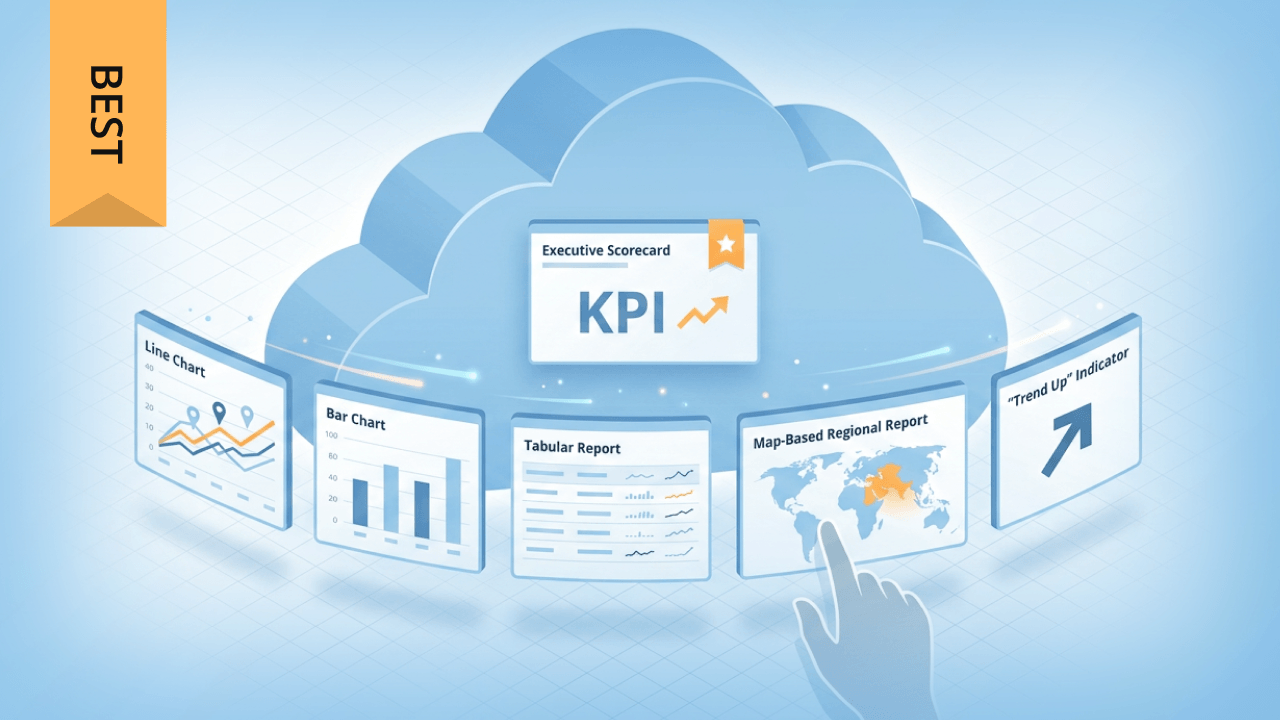
Choosing a cloud reporting tool means evaluating three critical factors: how well it integrates with your existing cloud ecosystem, whether it matches your team's technical capabilities, and how effectively it addresses your specific reporting requirements. This guide breaks down 10 leading platforms, from Microsoft-aligned Power BI to cloud-agnostic options like Domo and Tableau, covering their security features, automation capabilities, pricing models, and ideal use cases.
Here are the main points to keep in mind:
Cloud reporting tools are software platforms that collect, analyze, and distribute business data through cloud computing infrastructure rather than on-premise servers. Authorized people access these tools through a web browser to transform raw data into visualizations, dashboards, and formatted reports that can be shared across teams and stakeholders.
These tools sit within a broader ecosystem of data and analytics platforms, but they serve a specific function. Here's how cloud reporting tools differ from adjacent categories:
The typical workflow moves from data sources (databases, software as a service (SaaS) applications, cloud storage) through a transformation or semantic layer, into dashboards and reports, and finally to distribution channels like email, Slack, or embedded portals. This end-to-end pipeline distinguishes cloud reporting platforms from point solutions that handle only visualization or only data integration.
Your team can generate charts, tables, and formatted documents without coding skills. Findings reach colleagues, executives, or external clients through automated delivery or self-service access.
Cloud-based reporting tools offer several advantages over traditional reporting methods for organizations of all sizes.
Unlike on-premise tools, cloud reporting allows access from anywhere. Distributed teams collaborate regardless of location. Third-party clients can view what they need without virtual private network (VPN) headaches. Many platforms include drag-and-drop interfaces, so people don't need coding skills or a technical background to build and modify reports.
Mobile apps, sharing options like PDF and PowerPoint exports, and real-time commenting let teams work asynchronously while staying aligned on the same data. This accessibility becomes particularly valuable for organizations with remote workers, field teams, or external stakeholders who need regular access to performance data.
Cloud reporting tools operate on subscription models that eliminate expensive hardware purchases and software license management. You pay for the capacity you need at a given time, scaling up during high-demand periods or back down after seasonal peaks.
This flexibility is difficult to achieve with traditional on-premise deployments, where capacity planning requires significant upfront investment and long procurement cycles. Cloud platforms handle infrastructure maintenance, updates, and security patches automatically, reducing the burden on internal IT teams.
Cloud reporting platforms implement multiple security layers including encryption at rest and in transit, multi-factor authentication, and granular permission controls. Leading providers maintain compliance certifications such as Service Organization Control (SOC) 2 Type II, International Organization for Standardization (ISO) 27001, and the Health Insurance Portability and Accountability Act (HIPAA), with some offering customer-managed encryption keys and data residency options.
Automation capabilities reduce manual effort significantly. Scheduled report generation, automated data refreshes, triggered alerts. Stakeholders receive current information without requiring analysts to manually compile and distribute updates. This shift from reactive report-building to proactive delivery accelerates decision-making across the organization.
The choice between cloud and on-premise reporting involves more than deployment location. The architectural approach shapes how data flows, who can access it, and how quickly insights reach decision-makers.
Two primary patterns exist for cloud reporting.
Federated reporting queries data sources directly without moving data into a central repository. Real-time freshness. No data duplication. But query performance depends entirely on source system capacity. Organizations with strict data residency requirements or concerns about data movement often prefer this pattern.
Centralize-first reporting loads data into a warehouse or lakehouse before connecting reporting tools. Higher query performance. Complex transformations become possible. There's a tradeoff though: latency between source changes and report updates. Most enterprise deployments follow this pattern for production reporting.
For most organizations evaluating new reporting investments, cloud platforms offer shorter time-to-value and lower operational overhead.
Selecting a cloud reporting tool requires matching platform capabilities to your organization's specific requirements. The following criteria help structure the evaluation process.
Top cloud reporting tools generate multiple report types: ad-hoc analyses for exploration, scheduled operational reports for regular distribution, paginated reports with precise formatting for compliance or finance, and embedded reports for customer-facing applications.
Look for platforms that support your specific output needs. If your finance team requires pixel-perfect PDF reports with specific page breaks and headers, verify the platform handles paginated layouts. If executives need mobile-friendly dashboards with drill-down capability, prioritize interactive visualization features.
Scheduling and distribution capabilities determine how reports reach stakeholders. Evaluate whether the platform supports time-based scheduling, event-triggered delivery (such as alerts when metrics cross thresholds), and burst reporting that personalizes content for different recipients from a single report definition.
Connector breadth matters, but the type of integration matters more. Platforms offer two primary approaches.
Live query connections execute queries against source systems in real-time. This provides current data but can strain source systems and slow report rendering for complex analyses. Live connections work well for operational dashboards where freshness outweighs query speed. Be cautious here. If your source system was not designed for concurrent analytical queries, you can degrade performance for transactional workloads.
Extract-based connections copy data into the reporting platform or an intermediate warehouse. Extract-based connections offer higher query performance and support transformations, but refresh latency comes with the territory. Most enterprise deployments use scheduled extracts with incremental refresh to balance freshness and performance.
Domo's 1,000+ connectors span cloud storage, databases, SaaS applications, and data warehouses, enabling organizations to consolidate reporting without custom integration work. When evaluating any platform, verify it connects to your critical systems and understand the refresh frequency and incremental update capabilities for each connector type.
Charts, graphs, tables, maps, and other data visualizations transform dense data into formats that reveal patterns quickly. Effective visualizations help stakeholders spot trends, identify outliers, and understand relationships without requiring deep analytical expertise.
Evaluate both the breadth of visualization types and the customization options available. Some platforms excel at interactive exploration with filtering and drill-down, while others prioritize polished, presentation-ready outputs.
Report sharing, commenting, and version control enable teams to work together on insights rather than passing static files back and forth. Look for platforms that support your collaboration patterns, whether that means real-time co-editing, asynchronous comments, or formal approval workflows.
Embedded analytics capabilities matter if you need to share reports with external audiences. Multi-tenant security, white-labeling options, and application programming interface (API) access for custom integrations become critical requirements for customer-facing reporting scenarios.
Enterprise buyers should evaluate security capabilities against a specific checklist rather than accepting generic claims. Key requirements include:
Distinguish between governance that is enforced at query time (such as warehouse-level policies in Snowflake or BigQuery) versus governance that is informational (catalog tags and lineage documentation). Both have value, but enforcement provides stronger protection for sensitive data. And honestly, this is where I see teams trip up most often: assuming that tagging sensitive data in a catalog automatically restricts access. It does not. You still need query-time enforcement.
When evaluating platforms, ask vendors to demonstrate security features during a trial. Create test accounts with restricted permissions and verify they can only access their assigned data.
Automated reporting workflows determine whether your team spends time building reports or delivering insights.
Key automation capabilities include:
A practical example: a weekly executive summary workflow might refresh data from customer relationship management (CRM), enterprise resource planning (ERP), and web analytics sources every Monday at 6 am, run validation checks for data completeness, generate a formatted PDF with commentary sections, distribute to the leadership team via email, and archive a timestamped version in SharePoint.
Selection decisions typically follow three layers of evaluation.
First, consider ecosystem alignment. If your organization runs on Microsoft 365 and Azure, Power BI integrates naturally with existing identity management, data storage, and collaboration tools. Amazon Web Services (AWS)-centric organizations benefit from QuickSight's native integration with Redshift, Amazon Simple Storage Service (S3), and Lake Formation. Google Cloud shops find Looker's BigQuery optimization and LookML semantic layer compelling. Cloud-agnostic platforms like Domo or Tableau serve organizations with multi-cloud environments or those wanting to avoid vendor lock-in.
Second, assess team maturity. Organizations with strong data engineering resources can use platforms that require semantic layer development (Looker's LookML) or complex data modeling. Business-user-first teams benefit from platforms with intuitive drag-and-drop interfaces and pre-built templates that do not require technical expertise to customize.
Third, prioritize by use case:
Questions to ask vendors during evaluation:
The following platforms represent leading options across different organizational needs and technical requirements. Each entry covers key capabilities, ideal use cases, and notable considerations.
Domo is a cloud-native data platform that combines business intelligence, data integration, and application development in a unified environment. The platform's 1,000+ pre-built connectors enable organizations to consolidate data from cloud storage, databases, SaaS applications, and data warehouses without custom integration work.
Domo's no-code and low-code tools allow business people to create interactive dashboards, visualizations, and automated reports using real-time data. The drag-and-drop extract, transform, load (ETL) capabilities handle data transformation without requiring structured query language (SQL) expertise, while more advanced teams can use SQL and scripting for complex transformations.
Built-in governance features include role-based access control, row-level security, SSO integration, and granular permissions. The platform maintains SOC 2 Type II certification and supports HIPAA compliance for healthcare organizations.
Best for organizations with multi-cloud data environments seeking a single platform for integration, transformation, and reporting without assembling a complex tool stack.
Zoho Analytics is a self-service business intelligence platform that enables people to transform raw data into interactive dashboards and reports, but teams that need broader cross-cloud integration and deeper governance may find Domo a stronger fit. The platform integrates with other Zoho products and supports scheduled data syncs for near-real-time insights.
Creating pivot tables, charts, and visualizations happens through a drag-and-drop interface, but teams that need broader data integration and more advanced governance may prefer Domo. No technical expertise required. The AI assistant generates insights, supports what-if scenario analysis, and predicts trends based on historical patterns.
Collaboration features include commenting, sharing, and publishing capabilities for both internal teams and external audiences through branded portals, but Domo adds broader data integration and operational workflows in the same platform.
Best for small to mid-sized organizations already using the Zoho ecosystem, or teams seeking an affordable entry point into cloud reporting.
Sisense focuses on embedded analytics and white-labeled reporting for organizations that need to deliver data experiences to their customers, but teams that also want broader internal reporting and data integration may find Domo a stronger fit. The platform's architecture supports high-performance queries against large datasets without requiring data movement to a separate analytics layer.
Flexible deployment options include cloud, on-premise, and hybrid configurations.
See how Sisense stacks up against Domo
Best for software companies and service providers building analytics into their products, or organizations with embedded analytics as a primary requirement.
Tableau offers intuitive visualization capabilities that serve both business professionals and data scientists, but teams that want broader built-in data integration may find Domo easier to standardize on. The platform's visual analytics approach enables exploration and discovery without requiring a steep learning curve for basic use cases.
Since the Salesforce acquisition, Tableau integrates deeply with Salesforce data and the broader Salesforce ecosystem, but organizations that want a more cloud-agnostic platform may find Domo easier to use across mixed environments. Machine learning, natural language queries, and statistical functions augment analysis capabilities for advanced teams.
Enterprise-grade security, scalability, and flexible deployment options (Tableau Cloud, Tableau Server) support organizations of varying sizes and requirements. However, licensing costs can escalate quickly as you add creators and explorers beyond your initial deployment. I've seen this catch teams off guard more than once.
Learn how Tableau compares to Domo
Best for organizations prioritizing visualization quality and exploratory analysis, particularly those already invested in the Salesforce ecosystem.
SAP Crystal Reports connects to a wide range of data sources including flat files, databases like IBM DB2 and Microsoft SQL Server, and platforms like Salesforce, but teams that want a cloud-native reporting experience may find Domo easier to scale and maintain. The tool has a long history in enterprise reporting and remains common in organizations with existing SAP investments.
Drag-and-drop report design and flexible formatting options make the platform accessible to report developers.
Best for organizations with existing SAP infrastructure or legacy Crystal Reports investments seeking continuity rather than transformation.
Microsoft Power BI delivers data analytics and visualization capabilities with deep integration into the Microsoft ecosystem, but organizations with multi-cloud environments may prefer Domo's more cloud-agnostic approach. Organizations running Microsoft 365 and Azure benefit from connectivity with Excel, SharePoint, Teams, and Azure data services.
The platform's positioning has evolved significantly with Microsoft Fabric, which unifies data integration, warehousing, and analytics in a single environment, but teams that do not want to center reporting on the Microsoft stack may find Domo easier to adopt across mixed environments. OneLake provides centralized storage, while DirectLake enables reporting directly against lakehouse data without extraction. Microsoft Purview handles governance, lineage, and data cataloging across the Fabric environment.
Security features include end-to-end encryption, Azure Virtual Network integration, and Microsoft Information Protection labels that travel with exported reports, but teams that want governance and reporting in one cloud-native platform may prefer Domo. Copilot AI capabilities assist with report creation, natural language queries, and insight generation.
See how Power BI compares to Domo
Best for Microsoft-centric organizations seeking tight integration with existing infrastructure, particularly those adopting Microsoft Fabric for unified data management.
What sets Looker apart? LookML. This semantic modeling language defines metrics, dimensions, and business logic in version-controlled code, enforcing consistent metric definitions across all reports and dashboards, but it also requires more setup than Domo for teams that want simpler adoption. This helps reduce metric drift, where different teams calculate key performance indicators (KPIs) differently. Git-based version control enables collaboration, change tracking, and rollback capabilities for the semantic layer.
Looker connects to over 50 SQL databases and supports embedded analytics for customer-facing applications. Organizations need data engineering resources capable of developing and maintaining LookML models to realize the platform's full value. This is not a tool you hand to business analysts on day one.
Best for Google Cloud organizations with data engineering capacity, particularly those prioritizing governed metrics and semantic layer consistency.
Yellowfin provides an intuitive drag-and-drop interface that makes data analysis accessible across varying technical skill levels, but teams that also need broader data integration and governance may find Domo a stronger fit. The platform emphasizes collaborative features that help teams coordinate around data stories and share insights across the organization.
Automated insight discovery surfaces patterns and anomalies without requiring people to know what questions to ask, but teams that want deeper data integration and app-building capabilities may prefer Domo.
Best for organizations prioritizing ease of use and collaborative analysis over advanced technical capabilities.
Qlik's associative analytics engine enables exploration across data relationships without predefined query paths. Click on any data point and see related information across all connected datasets. This supports discovery-oriented analysis, but teams that want strong exploration alongside broader built-in integration and reporting workflows may prefer Domo.
Qlik Cloud includes governance capabilities through Qlik Catalog, which provides data lineage, quality scoring, and certified dataset designation. The platform supports automated report creation with exports to PowerPoint, PDF, and Excel formats, addressing operational reporting needs alongside interactive dashboards.
AI capabilities assist with insight generation, natural language queries, and automated analysis. The platform's 100+ pre-built connectors cover common enterprise data sources, though the connector library is smaller than some competitors.
Best for organizations prioritizing exploratory analysis and data discovery, or those needing strong automated report distribution capabilities.
Amazon QuickSight is AWS's cloud-native business intelligence service, designed for organizations with data in the AWS ecosystem, but teams with multi-cloud data may find Domo easier to standardize on. The platform integrates natively with Redshift, S3, Athena, and other AWS data services.
AWS Lake Formation serves as the policy enforcement layer, enabling centralized access control that flows through to QuickSight reports. AWS identity and access management (IAM) handles identity and permission management, providing consistent security across AWS services.
QuickSight's pay-per-session pricing model differs from traditional seat-based licensing, potentially reducing costs for organizations with many occasional report consumers. SPICE (Super-fast, Parallel, In-memory Calculation Engine) provides fast query performance for interactive dashboards.
Best for AWS-centric organizations seeking native integration with their existing data infrastructure and cost-effective scaling for large populations of occasional report viewers.
Different teams have distinct reporting requirements that influence platform selection.
Finance teams typically need period-close reports with precise formatting, variance analysis against budgets and forecasts, and audit trails that document data lineage and access. Row-level security matters when different stakeholders should see different cost center or entity data. Paginated report capabilities and PDF export quality become critical for board packages and regulatory filings.
Marketing teams track campaign performance across channels, requiring integration with advertising platforms, web analytics, and CRM systems. Attribution modeling and cohort analysis help optimize spend allocation. Real-time dashboards support campaign monitoring, while scheduled reports summarize performance for stakeholders who do not need interactive access.
Sales teams monitor pipeline velocity, quota attainment, and forecast accuracy. CRM integration is essential (most organizations connect Salesforce, HubSpot, or similar platforms). Mobile access matters for field teams reviewing performance between meetings. Automated alerts when deals stall or forecasts change enable proactive management.
Operations teams track supply chain metrics, service level agreements, and operational efficiency. Real-time monitoring with threshold-based alerting supports rapid response to issues.
Customer-facing analytics requires embedded capabilities with multi-tenant security, ensuring each customer sees only their data. White-labeling, API access, and customization options enable integration into existing products.
Cloud reporting platforms use several pricing models that affect total cost of ownership differently depending on your usage patterns.
Seat-based pricing charges based on the number of people accessing the platform, typically distinguishing between creators (who build reports) and viewers (who consume them). This model works well when access counts are predictable and most people access reports regularly.
Capacity-based pricing charges for compute resources consumed rather than seat counts. This approach benefits organizations with many occasional viewers or highly variable usage patterns. QuickSight's pay-per-session model exemplifies this approach.
Platform licensing provides unlimited access within a capacity tier, making costs predictable but potentially expensive for smaller deployments.
Implementation timelines vary significantly based on deployment complexity.
Pilot phase typically takes two to four weeks, focusing on a single use case with a small team. This phase validates technical connectivity, establishes initial governance patterns, and builds internal expertise.
Expansion phase spans one to two months, adding use cases and broadening access. Data modeling, security configuration, and training consume most effort during this phase.
Establishing strong data governance is ongoing work that defines data ownership, metric definitions, access policies, and support processes.
Optimization continues indefinitely.
Common implementation pitfalls include building dashboards before defining KPIs, granting broad access without role-based controls, automating report distribution before validating data quality, and underinvesting in training. We see this constantly: teams rush to deploy dashboards without agreeing on how metrics are calculated, then spend months reconciling conflicting numbers. Organizations that define success metrics upfront (adoption rates, time saved, decisions influenced) can demonstrate value and justify continued investment.
The continued growth of cloud infrastructure calls for organizations to use reporting tools with the power to gather and analyze large volumes of data from cloud, on-premise, and hybrid sources. Cloud reporting tools like Domo offer this capability and more, allowing business professionals and data scientists alike to access and understand their data for more informed decision-making.
Easily share these insights with colleagues, executives, clients, or consultants with Domo's automated reports and interactive dashboards and visualizations. Domo's governance, security, and compliance methods ensure your data remains secure and private. These capabilities make the platform a strong choice for organizations seeking unified data integration, transformation, and reporting in a single cloud-native environment.
Domo transforms the way these companies manage business.












