Ressourcen
Zurück

Join the AI + Data Tour for hands-on training, real customer stories, and time with Domo product experts near you.

Register now
Über
Zurück
Auszeichnungen
Recognized as a Leader for
34 consecutive quarters
Frühling 2025 Marktführer in den Bereichen Embedded BI, Analyseplattformen, Business Intelligence und ELT-Tools
Preise

Domo Free Trial: What You Get and How to Begin

Mary Scott Van Arsdale

Senior Content Manager

6 min read
0
min read
Wednesday, July 29, 2026
Domo Free Trial: What You Get and How to Begin | Domo

Domo offers a 30-day free trial to help you get set up quickly, connect your data, and start building governed data products and AI-assisted workflows with human oversight.  

In this guide, we'll walk you through everything from your trial setup call to your first 30 days in Domo.

What does the Domo free trial include?

The Domo free trial gives you hands-on access to the platform's core capabilities for connecting, transforming, and visualizing data. You can test whether Domo fits your workflow before committing to a paid plan.

During the trial, you’ll get access to these Domo tools in our core product areas:

  • Data integration
  • Data transformation
  • Data visualization
  • Governance basics
  • Collaboration
  • AI: (such as AI Chat, App Catalyst, and AI Playground)  

Some features fall outside the standard trial scope, such as AutoML and Jupyter Workspaces. The trial should give you enough to validate fit, but you will need to be intentional about what you test.

Prepare for your Domo free trial

You’ll get more value from your 30-day trial if you spend a few minutes preparing beforehand. You don't need everything on this list before getting started, but having these items ready will help you connect your data, answer real business questions, and make the most of your onboarding session.

Action Item
Why it Matters
How to Prepare
1. Identify your data sources
Domo connects to more than 1,000 data sources. Knowing which ones you want to connect first helps you get value faster.
Make a list of the systems you use most, such as Salesforce, HubSpot, Snowflake, Google Analytics, or Excel.
2. Have a sample dataset ready
Working with your own data is the fastest way to evaluate the platform.
Export a CSV or have credentials ready for at least one data source.
3. Define 2–3 business questions
A successful trial solves real business problems, not just technical ones.
Think about questions like, "Where am I missing visibility?" or "What manual reporting task do I want to automate?"
4. Identify key stakeholders
Domo is designed for collaboration, so it's helpful to know who will consume dashboards and insights.
List teammates in Sales, Finance, Operations, Marketing, or other groups who should participate.
5. Outline your ideal outcome
Clear goals make it easier to evaluate whether Domo is the right fit.
Write down one or two KPIs or business outcomes you'd like to improve over the next 30–90 days.
6. Invite your team (optional)
Including both business and technical users can speed adoption and provide broader feedback during the trial.
Forward your onboarding invitation to anyone who should participate.

How to start your Domo free trial

Your free trial of Domo will start with an activation call. If you've already requested a trial, look for a calendar invite in your inbox; this will allow you to schedule a time to set up your instance. If you haven't, request to start your trial here. During this call, a Domo team member (often a Solution Engineer) will walk you through the following steps.  

In most calls, the SE will just share the screen to show and talk about what problems they are having and how would Domo solve that specific problem. On a high level, just to understand what brought the prospect to Domo and how we can help make sure that Domo is a good fit for them.

  1. Provision your instance
    During your call, the Solution Engineer will provision your instance from the backend, and you’ll receive a link to access your free trial.  
  2. Screenshare and discussion
    In most calls, you and the Solution Engineer will screenshare and discuss the problems you might be having and/or the opportunities you're seeing with your data and AI. You’ll discuss how Domo might help solve that problem and consider whether our tools are a good fit for your needs.  
  3. Invite teammates
    During and after the call, you'll also be able to invite at least one other person who will use the dashboards or validate the data. Find the invite function under Admin Settings by clicking on People. Invitees also need business email addresses.

    Bringing in a colleague from a different department lets you test cross-functional data sharing. You'll also see whether the interface makes sense to someone who wasn't involved in building anything.
  1. Set roles and grants
    Lastly, you'll want to set up permissions, and this can happen during or after your setup call. A simple starting structure can work well: one Admin (you), one or two Editors who can build content, and one Participant who can only view.

Quick wins to build in your first week

Most trial participants connect a data source, build one chart, and stop. That is not enough to evaluate fit. A useful trial tests the full workflow (connect, transform, activate, share) and produces something a stakeholder can use, like an alert, a lightweight app, or a dashboard.

Connect a data source

Start with a source you know well. Your CRM. A spreadsheet with sales data. A database you can query. Don't start with your most complex integration. The goal is to validate that the platform can connect, not to stress-test every edge case.

If you're connecting to cloud applications, make sure the account you use has the permissions required to extract data. Read-only access is fine for evaluation purposes.

Transform data with Magic ETL

Once your data is in the platform, open Magic ETL and build a simple transformation. A good first step: join two tables, filter to the last 90 days, and create a calculated column. This tests whether the visual interface makes sense to you and whether the output matches what you expected. If you prefer writing code, use a SQL DataFlow instead.

Visualize a KPI

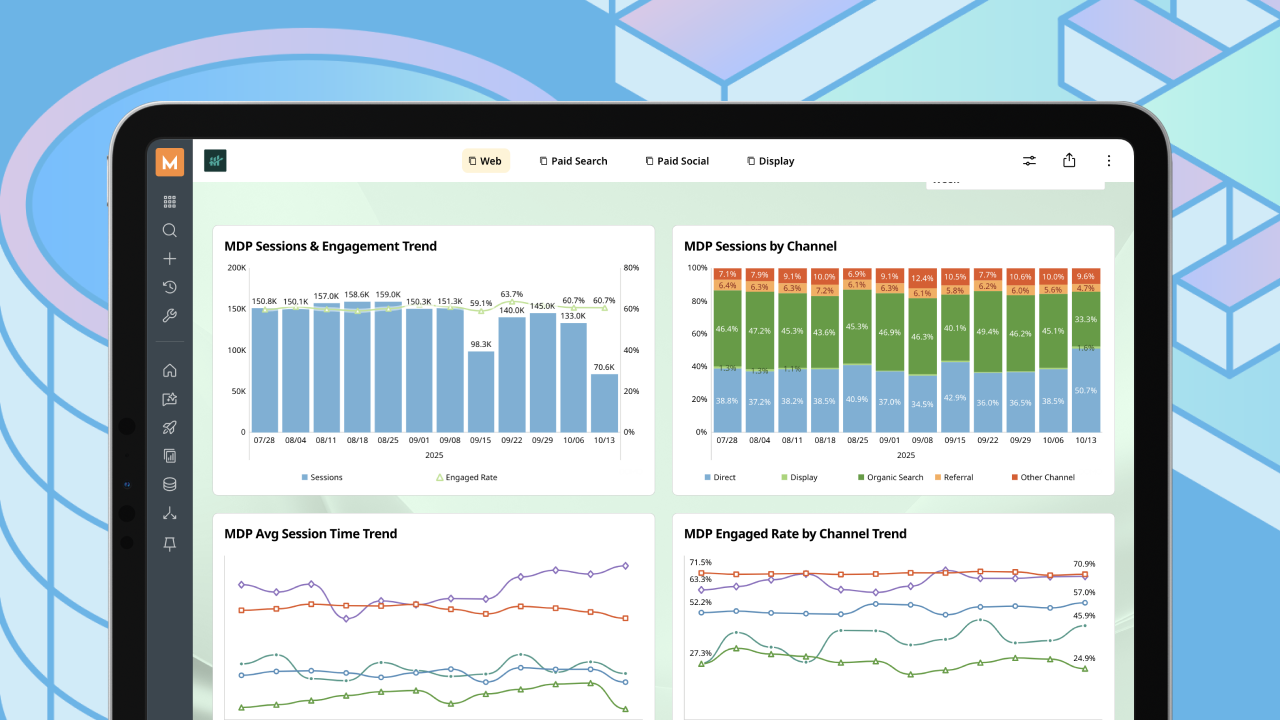
Pick one metric that matters to your team. Revenue. Support tickets. Conversion rate. Whatever is relevant. Build a single card (Domo's term for a chart) that shows this metric over time. Use Analyzer to select your chart type and configure the axes.

This is where Beast Mode becomes useful. If you need a calculated field that doesn't exist in your source data, create it directly in the visualization layer.

Build a starter dashboard

Combine three to five cards into a dashboard. Include the KPI you just built, plus a few supporting views: a breakdown by region, a trend over time, a comparison to target. The goal is not a polished executive dashboard. It's proof that you can assemble multiple views into a coherent story.

Share and collaborate

Invite a colleague to view your dashboard. Ask them to filter, drill down, and explore. Watch where they get stuck. Can someone who didn't build the dashboard understand it and get value from it? If you’ve built an AI tool, share that, too. How usable is the tool for someone who didn’t build it? Does it break at any point? What are the strongest proof points you can find?

What happens when the trial ends

When your free trial expires, you'll lose access to your Domo instance unless you upgrade or arrange an extension with your Domo representative. If you decide to continue with a paid subscription, your trial environment can typically transition into your production environment, allowing you to continue building without starting from scratch.

After 30 days, evaluators generally take one of these paths:

  • Convert to paid: Your datasets, dashboards, and user configurations carry forward. The transition is administrative, not technical.
  • Request a proof of concept: For larger deployments, a proof of concept tailored to your use case with dedicated support may make sense as a next step.
  • Pause: If now isn't the right time, talk with your Domo rep about your options. Before your trial expires, export any work you want to keep, as access to your trial environment will end.

Next steps to get value in 30 days

A trial isn’t about falling in love with a product. Rather, your goal is to gather enough evidence to make a decision. The teams that get the most from their evaluation define success criteria before they start building.

We suggest measuring your trial against these questions:

  • Data connectivity: Could you connect the sources you need? How long did it take?
  • Transformation: Did Magic ETL or SQL handle your data prep requirements?
  • Visualization: Could you build the charts and dashboards your stakeholders need?
  • Governance: Did the permission model fit your organizational requirements?
  • Collaboration: Could teammates find, understand, and act on the dashboards?
  • Performance: Did queries and refreshes run fast enough for your use case?

Structure your evaluation around weekly milestones:

  • Week 1: Connect data, build your first dashboard, invite teammates
  • Week 2: Test transformations, set up alerts, explore governance
  • Week 3: Share with stakeholders, gather feedback, identify gaps
  • Week 4: Document findings, decide on next steps, request a quote if proceeding

If you're ready to test out Domo, we’d love to have you. Set up your free trial activation call, and get your 30-day plan in motion.  

In summary, here's what you should know about a Domo free trial

  • Set up access correctly from the start: Use business email addresses, verify accounts, and configure time zones before inviting teammates
  • Connect one or two representative data sources rather than your entire production dataset to stay within trial credit limits
  • Test a full workflow: Connect data, run a transformation in Magic ETL or SQL, and activate outcomes through alerts, apps, or dashboards
  • Configure governance early by setting up roles, testing Personalized Data Permissions (PDP), and inviting colleagues with different access levels
  • Track credit usage in the Admin > Governance > Usage section and set alerts at 75 percent of your allocation to avoid running out mid-evaluation
No items found.
Table of contents
Carrot arrow icon
Tags
Education
Company

Frequently asked questions

Does the Domo free trial include access to AI Chat and natural language querying?

Yes, you can test basic AI capabilities like natural language querying during the trial, with governed access controls and human-in-the-loop review before sharing results broadly. Deploying custom AI agents with governed workflows typically requires a guided proof of concept. Governance, human oversight, and clear access controls matter during setup.

Can I connect the Domo trial to my existing Snowflake or Databricks warehouse?

Yes. Domo runs on top of your existing cloud data platform rather than replacing it. You can connect to Snowflake, Databricks, BigQuery, or other warehouses during the trial to test how the platform activates data you already have. Note that you can also sign up for a partner Snowflake trial.

What happens to my dashboards if I don't convert to a paid plan?

Your content is preserved for a period after the trial ends. You'll lose access to the platform, but if you decide to convert later, your datasets, dashboards, and configurations carry forward without needing to rebuild.


No items found.
Explore all
Education
Company
Education
Company
Product
Resource
Adoption
1.0.0