AI + Data Tourに参加して、ハンズオントレーニングや実際の顧客事例を体験し、お近くのDomo製品エキスパートと交流しましょう。
今すぐ登録する

We’re excited to introduce Sub-Flows, a powerful new capability in our Workflow tool designed to help you build more efficient and scalable automations.
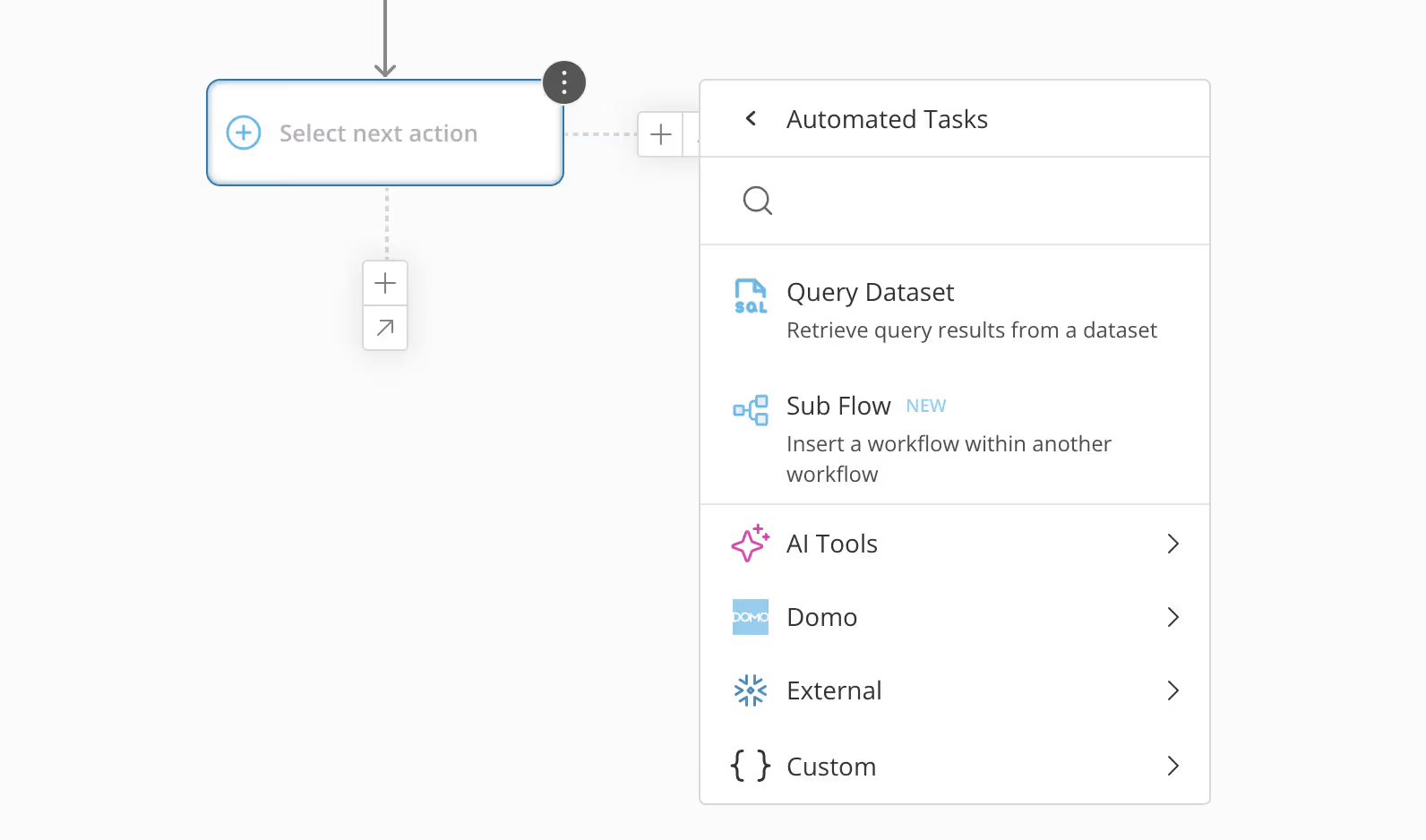
Stop rebuilding the same logic over and over. Sub-Flows let you call one workflow from within another, capture its outputs, and use those values in later steps of the parent workflow. This turns your proven processes into reusable components, making your automations more consistent and easier to maintain.
Here’s how Sub-Flows help you build better:
Jump in and try it out. Sub-Flows are now available from the action menu on the Workflow canvas.
Worry less about saving and focus more on building. We’re happy to introduce Workflows AutoSave, a new feature that automatically protects your progress in the Workflow canvas.
We’ve all experienced that sinking feeling of losing unsaved changes due to an accidental browser crash, a page reload, or simply navigating away. AutoSave continuously preserves your work in real time, so you can build with confidence, knowing your progress is safe from interruptions.
This update creates a more seamless experience, ensuring your work is always current, so you can pick back up exactly where you left off.
This feature is now live and working for you directly in the Workflow canvas.
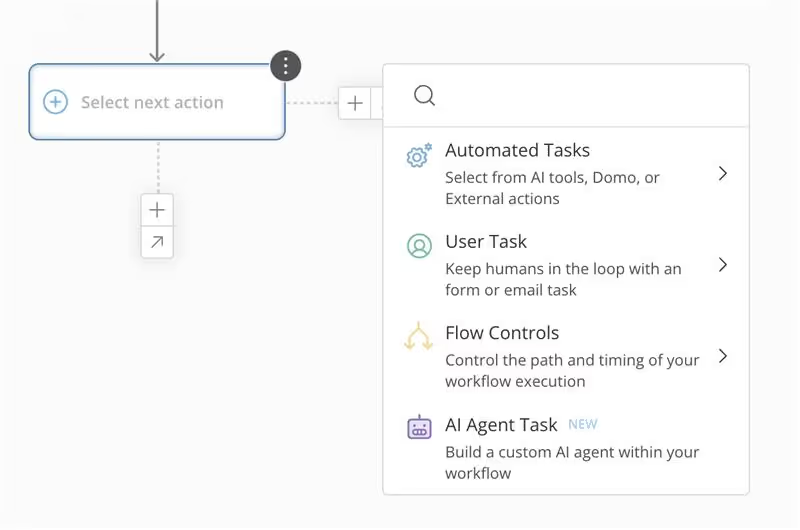
We’re excited to introduce enhancements to the Workflow Action Menu. By reorganizing the top-level options and leveraging intuitive sub-menus, we’ve enhanced the interface to be more organized and simplified. These improvements will elevate your experience and help you access the powerful capabilities within your workflows more efficiently.
Domoは、企業のビジネス管理のあり方を変革します。











.png)