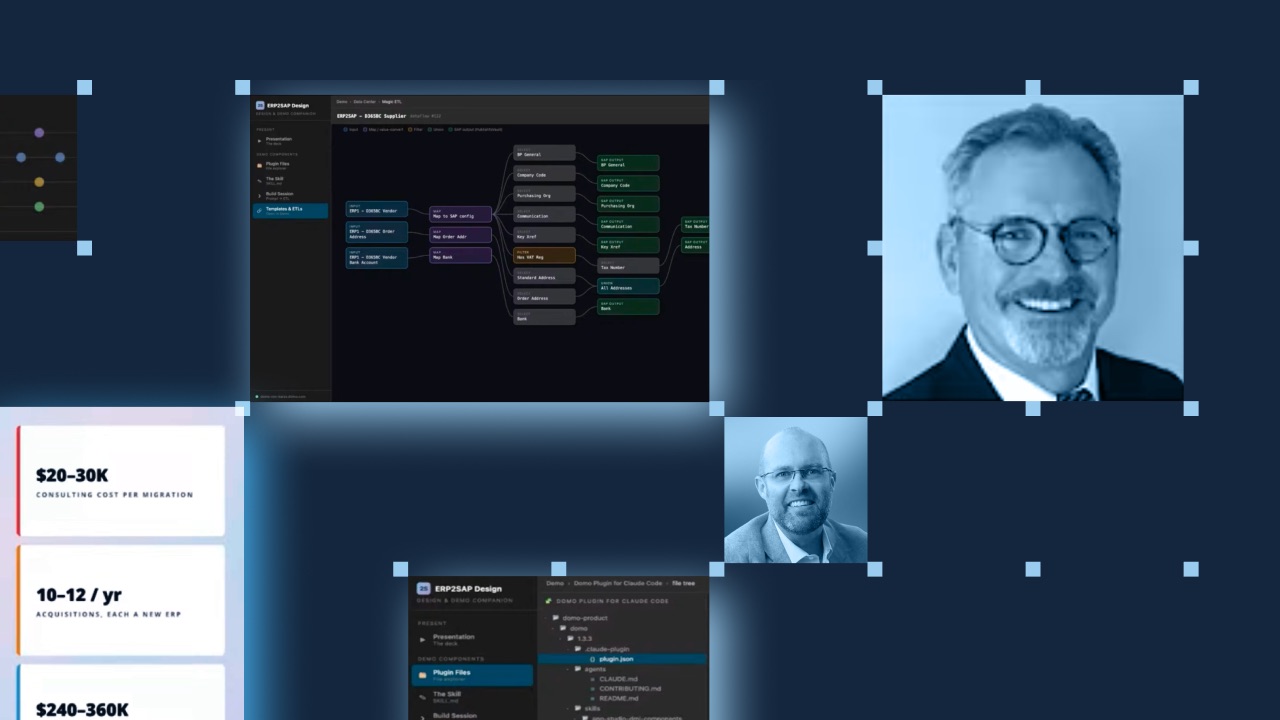
Picture the same invoice landing on your desk every few weeks. A specialist consultant charges $20,000 to $30,000 to move one newly acquired company's data into your core system, and the work looks nearly identical each time. For a business that buys 10 to 12 companies a year, that pattern quietly adds up to $200,000 to $300,000 annually for a task that never really changes.
That exact scenario opened a Domo livestream featuring Ron Karas, a principal solution engineer at Domo, running the demonstration. The session traced how one distributor and manufacturer stopped paying a consultant to repeat the same data migration and instead built a method that does the work once and reuses it.
The rest of this post lays out that method as a repeatable framework you can apply to your own migrations, whatever systems your acquisitions bring with them. You'll see how to name the cost, plan with AI, build templates and skills, and keep people in control of the result.
Step 1: Map the recurring cost you want to remove
The company in this example is a distributor and manufacturer that grows by acquiring specialized businesses, roughly 10 to 12 each year. Every acquisition arrives with its own enterprise resource planning (ERP) system, the software a company uses to run finance, inventory, and operations. All of that data then has to move into SAP HANA, the central database platform the parent company runs on.
Migration costs so much because SAP expects data in a precise format. There are master data components (customer, supplier, products, and material) that branch into roughly 45 to 50 separate data entities, each with its own required columns and encoded values before anything reaches the SAP migration cockpit, the tool that loads records into the system. Naming that cost in dollars and hours first gives you a clear target to design against.
Step 2: Build the strategy with AI before you build anything
The shift from expense to asset starts with a plan, not a tool. As Ron explained, the first move was to work with AI to develop a strategy for handling every SAP master-data object the same way each time.
This is where human intent leads. A person defines the objective, the constraints, and the standard the output must meet, and the AI helps shape the approach. Treating the AI as a thinking partner during planning, rather than a black box that returns finished work, sets up everything that follows.
Step 3: Create a master template for each data object
With a strategy in place, build a master template for each master-data object SAP requires. A template captures what a finished result looks like: which fields SAP expects, which values are valid, and which transformations turn source data into that shape.
Ron described this work using ETL, short for extract, transform, load, the process of pulling data from a source, reshaping it, and loading it into a destination. In Domo, that happens in Magic ETL, a visual tool that lets you build data transformations by dragging and dropping inputs and formulas instead of writing code. Each template becomes the reference the rest of the method depends on.
Step 4: Turn your instructions into reusable skills
Templates describe the destination; skills describe how to reach it. A skill is a written set of instructions that tells an AI coding assistant how to build the right transformation for a given system. Ron built these skills to work with Claude Code through the Domo Plugin for Claude Code, a connector that gives the assistant access to Domo's tools so it can create, test, and run Magic ETL jobs directly.
For this project, that meant a set of use-case skills, one aligned to each master-data component. Once those instructions exist, a build session becomes a short prompt. The assistant reads the template and the skill, then generates the precise ETL job for that specific ERP system.
Step 5: Keep a human in the loop and let governance do its job
Speed means nothing if the output is wrong. This step separates a reliable process from AI guesswork, and it belongs at the center of the method rather than at the end as an afterthought.
A person reviews the data the AI produces, corrects gaps, and feeds those lessons back into the skills so the next run improves. Domo supplies the guardrails around that review: a performant transformation engine, data quality tooling, and an auditable record of what ran, when, and where. As Ron put it, "We never let something AI has done just run and upload." Domo orchestrates and governs the work, while the inference model you choose does the generating.
Step 6: Reload data to reuse the asset, then extend the pattern
Here's where the cost curve bends. The first time a source ERP system appears, building its template and skills takes hours to a day and a half, not the four to five weeks a manual migration once demanded.
Every time that same system shows up again, the heavy work is already done. You point the finished ETL job at a new data set, reload, confirm the output holds, and move on, so the cost per known migration drops toward zero. The same approach travels beyond ERP data. Acquisitions also bring customer relationship management (CRM) and financial systems, and the template-plus-skill pattern handles those migrations the same way.
Watch the full livestream
The framework above covers the backbone, but the livestream shows it in motion. In it, Ron walked through a live Magic ETL build on Microsoft Dynamics 365 Business Central, turning a source value like a "domestic" posted group into the "BP04" code SAP expects in a "BP grouping" column.
He also used a memorable "chef in a kitchen" analogy to explain why an AI assistant needs toolkits and skills before it can do real work, and he dug into why Domo matters alongside a tool like Claude, from the transformation engine to data validation and QA.
Watch the full session to see the demo and that conversation from start to finish.