.png)
You've built the dashboard. The metrics are there. The filters work. And every Monday morning, someone still asks the same question in Slack: "So what do we do about this number?" The gap between seeing a problem and doing something about it is where most analytics investments quietly stall.
That tension sat at the center of Domo's latest AI livestream, "From Dashboards to Digital Operators: Building Agentic AI Apps on the Domo Platform." In this session, Will West, director of AI ecosystems, did a live walkthrough of how agentic apps close the distance between insight and action. It went well beyond theory. Will built a human resources (HR) app was built live in about an hour, shown running on the Domo platform, and broken down step by step, from a blank screen to a working application that assigns tasks and triggers automated workflows on its own.
The livestream produced a clear, repeatable framework for building agentic apps. Here is how it works, step by step.
Define the hero metric first
The session demonstrated a different starting point for app building: outcome-based building, where everything surrounds a particular metric. The concept is the "hero metric." For an HR team, the hero metric might be retention rate or pipeline onboarding numbers. For a sales team, it could be quota attainment or deal velocity. The specific metric matters less than the discipline of picking one and anchoring the entire app around it.
The first question is: what number are you trying to move?
Let AI fill in the best practices
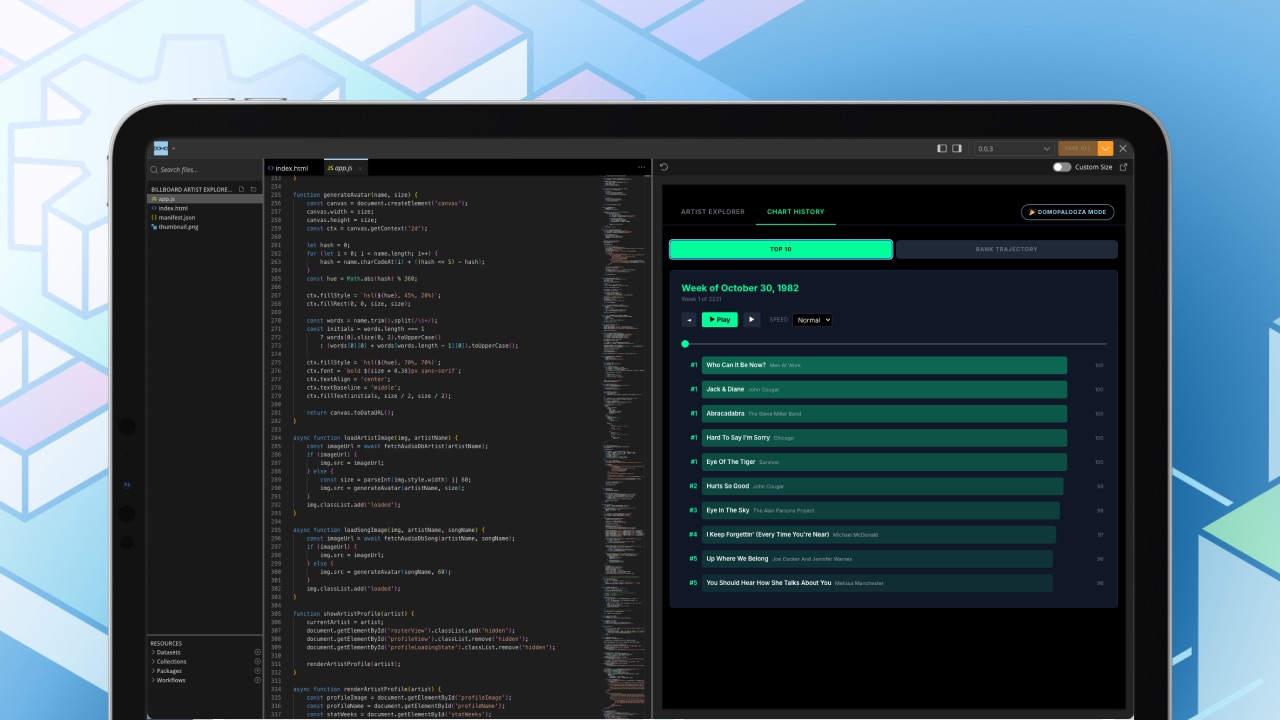
Once the hero metric is locked, the next step is to let AI do the scaffolding. The live demo showed AI coding assistants available in VS Code generating the initial app structure based on that metric. While those external tools handle scaffolding, the resulting application runs and is governed entirely within the Domo platform, inheriting all of its security and data access controls.
The AI suggests relevant key performance indicators (KPIs) and common patterns for that domain. The human's job at this stage is curation, not creation. Some AI-generated ideas stay, some get removed, and the team adds their own domain expertise on top.
This approach compresses timelines dramatically. The session put it in concrete terms: days to weeks instead of six months to a year.
Show stakeholders the art of the possible
Getting a working prototype in front of decision-makers early changes the conversation. The session described a specific moment that happens when stakeholders see a working prototype built around their hero metric.
Decision-makers who see a functional prototype tend to respond differently than those reviewing a requirements document. They begin describing the manual steps in their own workflows and asking whether the app could handle those steps instead.
That shift matters for data professionals who have spent months building something only to find out it wasn't quite what the business needed. By getting a functional prototype in front of decision-makers early, the iteration loop compresses to days.
Build 3 layers of depth
The session outlined a specific architecture for how the app should be structured. The design has three layers, and each is one click apart from the next.
At the top sits strategic oversight. The initial viewport should have everything about the business that eliminates blind spots: the hero metric, period-over-period comparisons, and the state of key indicators. All visible without scrolling or clicking.
One click deeper, tactical detail surfaces the specifics behind the numbers: trends, breakdowns, segments, anomalies.
Another click reaches the action layer, where the app does something. The session listed concrete examples of what that action layer can trigger:
- Sending emails or Teams messages
- Creating calendar items or meeting agendas
- Assigning tasks inside Domo
- Triggering automated workflows
The distance between insight and action collapses. If a risk flag appears during a meeting, one click surfaces the details and another click mobilizes the response, all without leaving the app.
The live demo showed this architecture in action with the HR app. It even included language switching for global teams (a Tagalog version for a Manila-based team was demonstrated), all running on AppDB (Domo's embedded application database) within the Domo platform.
Set confidence thresholds for human-in-the-loop governance
Agentic apps that take action need guardrails. The session addressed this directly with a confidence-threshold model.
The idea works like this: set specific confidence levels (99 percent, 80 percent, and 70 percent were used as examples) that determine when the AI can proceed on its own vs when a human needs to verify. At 99 percent confidence, the action runs automatically. At lower thresholds, a person reviews before the app executes.
The model is not static. As the system trains on human feedback over time, the AI's confidence grows and human involvement decreases. Short-term, people check more decisions. Long-term, the model learns and handles more autonomously.
This matters on the Domo platform, and specifically within Agent Catalyst (Domo's platform for building and deploying AI agents), because role-level security and PDP (personalized data permissions) are built directly into every custom app solution. That means an agentic app inherits the same data access controls that already govern who sees what across the organization.
Keep stakeholders in the iteration loop
The final piece of the framework ties back to the beginning. Once the prototype exists, the iteration loop is tight: show the app, gather feedback, adjust the hero metric or the action layer, and redeploy. The combination of AI-assisted building and the Domo platform's low-code to pro-code flexibility means changes can happen in the same meeting where feedback surfaces.
The session also emphasized finding "AI champions" inside the organization, the people who are already excited about what AI can do. Give them the tools and room to experiment. Non-data stakeholders are getting excited about engaging with data through apps, taking action directly from within the app.
Watch the full livestream
This framework covers the core of what the session demonstrated, but the full recording goes deeper. It includes the live build of the HR app from scratch, a look at how Domo's connector ecosystem and API endpoints support agentic workflows, and a discussion of how organizations can move from pilot to production without per-app-load costs.
For data professionals looking to move past dashboards and into applications that actually do things, the full recording covers more ground than this summary can.