From Calendar to Conversation: Inside Domo's AI Sales Briefing Agent
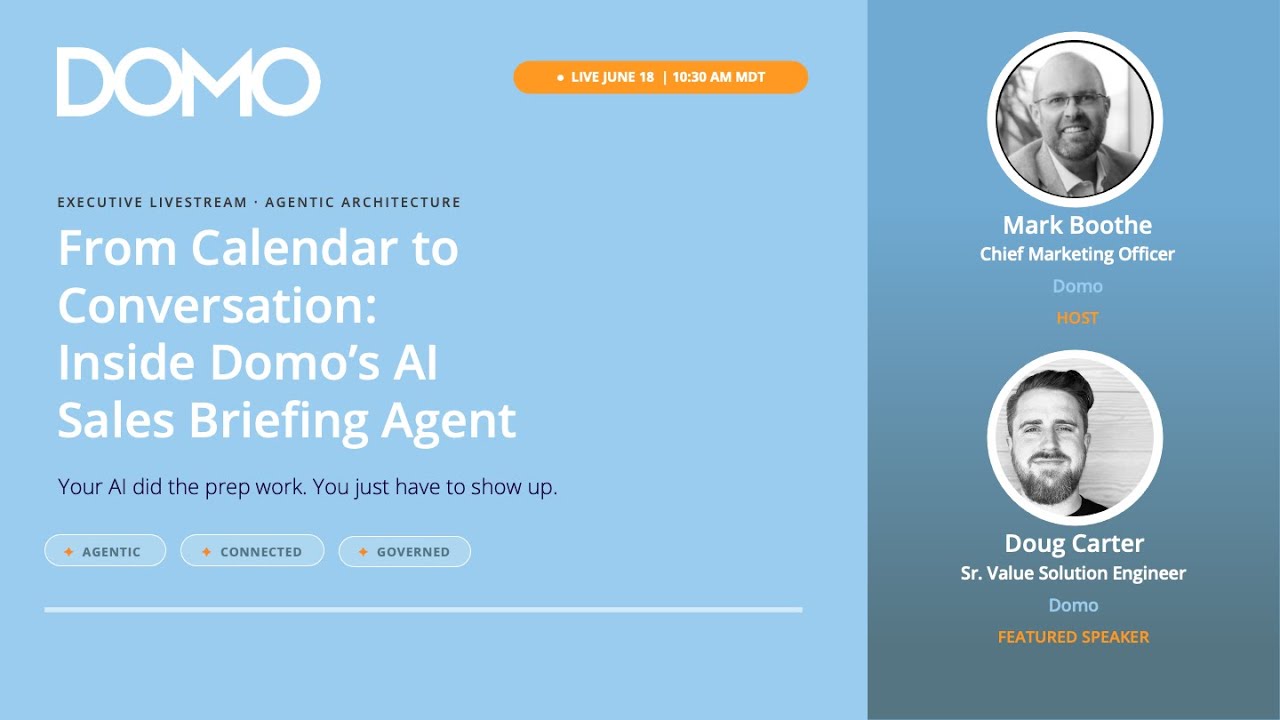

Mark: Good morning. What's happening, everybody? It is a beautiful Thursday morning out here in Utah. Doug Carter and I are excited to show you some really cool stuff that's been built.
Doug is one of our solution value consultants over here at Domo and works with customers and prospects every single day. As you can imagine, Doug spends a significant amount of time on calls, and keeping those calls and those potential accounts and customers in his mind as to what he can do to help them is not an easy task. So, Doug, we're excited to have you here today. How are you, my friend?
Doug: I'm doing great. Yeah, I'm excited to be here, Mark. Thank you.
Mark: Of course. So, Doug, anybody in a field organization—whether they are a pre-sales ADM, a value consultant helping on the pre-sales or customer side, or a sales rep working deals—your day is stacked with call after call after call. Fair?
Doug: Yes. Absolutely. Meeting with customers and prospects is the most important part of what we do. And there's a lot to keep straight and a lot to keep organized.
Mark: So, Doug, five months ago, you were taking massive amounts of calls every single day. What did prep look like for those?
Doug: If we go back even further than that, it was all about how well I could take notes while I was meeting with these prospects and customers and keeping track of that. Prep for a follow-up call or meeting with a prospect or customer meant going through those notes, trying to remember the conversation, and making sure I captured good action items and follow-ups.
More recently, everything that we're doing is being recorded. When we do these calls with prospects or customers, we have transcripts and recordings of these meetings. So, I could go and search those transcripts and look through those ahead of time to try to refresh my memory, capture the talking points, and prepare for what we should talk about next. That was sort of what I would be doing to prep for a meeting.
Mark: But when you look at having, say, five prospect calls that day, and each one of them has had three calls before and they've been in the cycle for forty-five days each, there is a significant amount of data. The amount of time that it would have taken you to effectively—and the key is effectively—prep is huge. Too often, I think people in the field don't do the prep they need to because they simply don't have the time to do it. Is that fair?
Doug: Yes. The more data we capture, the more overwhelming it is to feel like you are doing the right amount of prep because there is so much you could do if you only had the time.
Mark: Totally. So, Doug, let's take that now and go into what it is you built to solve that problem.
Doug: I found myself, specifically on a commute into the office, knowing that I had a busy day and wishing I had that time during the thirty minutes of driving. I wished I had that time to safely do that prep, multitask in a way that allowed me to safely understand what I had coming for the day, and remind myself of recent meetings for those upcoming calls.
Mark: Great. So, let's dig into it. You built what I think we're calling the Daily Briefing Agent, which is a pro-code app that helps you prep in fifteen minutes with deep, deep analysis in a way that there's no way you could have done a year ago, right?
Doug: Absolutely. Let me pull up my screen, and we'll talk through what the solution looks like, how I built it, and go into some of those details.
While I pull this up, what I'm talking through is specific to my role as someone in a customer-facing role. But you can imagine, anywhere that we have data, we can generate something like this because we're all in meetings in some form or capturing this kind of information. So, it really could apply to a lot of different places.
This is the output—the front-end pro-code app that I put together. This is just one piece of it. The bigger and more important piece is the workflow, which I'll get into next, but I wanted to show the final output first.
It is a really simple solution. Sometimes those are my favorite. My role in the pre-sales capacity is to build proofs of concept with our prospects. Oftentimes, the simplest solutions that people can just use and get value from in an easy and elegant way are the best, and that's what I was shooting for here.
I can scroll horizontally through briefings over the last few days, so I can go back in time and look at previous ones. Two main things get created from this: one is this overview summary of my day and the calls I have scheduled, and what the pipeline looks like for those prospects. For today, you can see I only have one customer meeting.
I also generate an audio file. This supports my goal of being able to safely come up to speed on my day while driving. I have this audio file alongside a markdown, text-based version. If I'm at my desk or on my phone, I can view my daily brief. But my absolute favorite part is the audio.
It talks through the text version in a scripted way. It says, "Here's who you're meeting with. Here's what your pipeline looks like. Here are the things you talked about on the last three calls. Here are the action items you captured on those recent calls. Did you take care of these things?" It is really helpful to listen to while coming in so I can feel comfortable and prepared, remembering where we should go next.
Mark: So, Doug, talk me through the data. What is being pulled together in order to make this happen?
Doug: There are three main datasets that I use, which are of course anonymized for this demo.
First is a dataset with my calendar, showing what meetings I have scheduled with customers or prospects. The second is call transcripts. Every webinar meeting we have with a prospect or customer is captured and stored in a dataset in Domo. The third dataset is Salesforce opportunities, where I get all of the other details about that account.
Mark: That is an interesting place for us to pivot just a little bit. When we talk about Domo specifically, we have really deep partnerships with groups like Snowflake, Databricks, and GCP. We were at the Snowflake Summit recently, and what we told everybody is that Domo is the fastest way to get data into Snowflake.
We help you build your data foundation on whatever cloud data platform matters the most to you: Google, Databricks, Snowflake, or wherever. Getting that data ready is really important, and with over a thousand connectors, it is so easy. In this case, you are talking about things like Gong, Salesforce, and Microsoft. There are literally a thousand plus different connectors we could use to get you this kind of application, right?
Doug: Yes, absolutely. When I thought about this idea and how I could execute on it, using Domo was the clear choice. The data was already there; I didn't have to ask anyone to connect to it. We had already brought it in for other use cases. Of course, all of our call transcripts and Salesforce data are going to be in here, making it really easy.
It is also secure and governed. All of this is built with row-level security through PDP applied. I ran this and it only gave me access to my own data on my calendar and the calls I've been on.
Mark: How important is that, too? In this day and age of vibe coding, I am a massive fan of the ability to vibe code things. However, before you push that out or get a CIO to bless it, they are going to care about whether it is safe, secure, governed, and auditable. The last thing you want is for someone to take another person's data and share it out, causing massive privacy issues. Domo is built on governance, period.
Doug: Yes. I wouldn't have even known where to start without a platform like Domo where the data is already governed and secured. Who would I even talk to? Would I call someone in IT asking for a flat data feed of my calendar? There would be so many hoops to jump through to make sure security was in place that it would have become too overwhelming to take on. Because it's so simple, easy, and core to what Domo is, I had the idea and the next day I was building it.
Mark: It's amazing. For those listening, when we talk about what Domo really does, we start with the idea of helping you build your data foundation wherever that is—Snowflake, Databricks, Google, whatever. We help you get it ready, and then we help you activate that data. In this case, you built apps or agents to help solve this problem. From there, we help you distribute that data, whether that's embedding it in an experience, a custom app, or a portal for partners. This is the activation piece we're looking at right now, right?
Doug: Yes. We are seeing the output and how we deliver this information, so let's look at the workflow that helps get us there, along with a couple of things we aren't seeing in this front end that are part of that workflow.
Mark: Love it.
Doug: Our good friend Creed Smith is in the chat saying, "Amazing. Domo and Doug Carter make it all look effortless." I'm glad he's here watching.
Let's jump into the workflow. There are a few steps, but all the magic and power is in the agent task. This is where we get to do all of the automation and leverage AI to do the heavy lifting.
In this prompt, I give the agent instructions and define what data it has access to—the calendar, transcripts, and opportunity data. In the knowledge tab, these are connected as datasets available right within the agent.
I also tell it what tools it has access to. In the tools, we can download a file from file sets, which is another core part of this. We are using unstructured data to create audio files. In a different platform, I would have to figure out how to create and store those audio files. In Domo, we have our file sets and documents functionality to handle that.
We can also create records in AppDB, which is how our front-end app accesses, reads, and displays all these briefs. We can even send an email. Sometimes the user doesn't want to navigate to an app; they just want to open their email and read the brief sent to them every morning.
Lastly, I built a custom Code Engine function because I needed the ability to turn text into audio files. I took advantage of a Google Gemini text-to-speech service to send the text brief generated by this agent to Google Gemini. It converts the text into an MP3 or wave file and stores it back in the file set in Domo. Leveraging third-party tools like Gemini for heavy lifting like audio conversion is all done securely within Domo's governed environment.
In the instructions, I tell the agent to look at my calendar for today, identify upcoming meetings, find those accounts and opportunities, check for recent call transcripts, summarize the findings, highlight action items or risks, and generate the brief to turn into an audio file. Finally, it stores that in AppDB for our pro-code app to read and sends me an email.
Let's stop here. Mark, do you have any questions about this process before I show you the mobile app and the email?
Mark: How technical do people need to be to be able to build something like this?
Doug: Vibe coding has completely changed that barrier to entry. I am a technical person, but I am not an engineer. I do not write code, JavaScript, or Python. But using tools like Claude Code makes this process attainable and really easy. The agent setup is all written in plain instructions, and for things like the pro-code app, I took advantage of AI tools to help me build it.
Mark: It's amazing. Let's keep going.
Doug: I'm going to share a different part of my screen. You should see an email now.
Mark: Yep, we got it. Cool.
Doug: Sometimes I'm not going to open the app; I'll just open my email in the morning and have the daily brief right there. I can click the link to listen to the audio file.
My favorite way to consume this is through the mobile app.
Mark: Oh, you're going to get tricky on me and show your actual phone screen, huh? Look at this.
Doug: You see the same app here on my phone. This is the pro-code app, built once but delivered through both the desktop and mobile experience. I can swipe through my recent briefs and play the audio. I can do everything on my phone that I would on the desktop app, allowing me to listen to my brief while driving into the office so I can feel prepared for the day's meetings.
Mark: I love this. So, Doug, if someone wants more information about how they build something like this, what do they do? Tell us where to go.
Doug: First, make sure you understand what data you need for a solution like this. It took me a minute to figure out all the pieces I wanted to put together, and it is still evolving. I knew I needed access to scheduled meetings and previous call transcripts to make this valuable, so I brought that data into Domo.
From there, I used Claude Code to help me come up with a plan. I explained what I wanted to do and that I was using Domo. It recommended running a scheduled daily workflow to generate and create the audio file using Gemini's text-to-speech service. Using the skills and plugins Domo is creating for Claude Code, all of this can be done directly from VS Code to build and deploy to my instance. We iterated together until we got it right.
I was on vacation until yesterday evening, but I spent a couple of hours last night completely changing the user interface because I thought of a better design, and Claude helped me build it. It is incredible how quickly you can make changes and how fun it is once you get going.
Mark: Totally. Walk me through your thoughts, Doug, because some people will say, "Well, you could just do this in Claude." Why do you need Domo?
Doug: If you only use Claude, where is the data going to be stored and how do you access it securely? How do you scale and deliver the final product to other people in your organization? There is a lot of work to make a solution scalable, deliverable, and governed, and you need a platform like Domo to make that possible.
Mark: I love it. You couldn't be more right. If you want more information about how to build AI apps and agents on governed data like what Doug has shown, go to domo.com/info. Doug, wrap us up, my friend. What has you so excited about the future and what's happening here with Domo right now?
Doug: Everyone is seeing the excitement around unlocking the ability to build apps and workflows without being a developer or engineer. When I tried to do this outside of Domo with vibe coding tools, I would build something but never get to the point of deploying it because making it scalable, secure, and getting it into users' hands was too much of a challenge. With a platform like Domo, you can take those vibe coding projects, successfully get them into production, and deliver them securely to your users. That is what I'm most excited about.
Mark: Everybody, you heard it here. Doug Carter is the man, the myth, the legend, and he is building cool stuff for prospects every single day. Thanks for joining us today, everyone. Next Tuesday we are hosting a big show called Domo Build, which is multiple hours of people like Doug, including customers and partners, who are showcasing amazing things that you can do with tools like Domo today. If you thought what Doug showed was awesome, there is going to be a multitude more of those next Tuesday. Sign up, join us for Domo Build next Tuesday, and we'll be back next Thursday. Thanks, everybody, and have a great day.

Mark brings over 15 years of diverse marketing experience and is passionate about driving Domo’s business growth through marketing initiatives. His mission is to empower all Domo customers and prospects with the insights and tools they need to make better business decisions and achieve their goals. In his previous role as VP of Community, Partner, and Field Marketing, Mark and his teams established new and strengthened existing programs to address customer pain points and create a greater sense of community. They also executed campaigns, programs and events that showcased the value of the Domo platform. Before joining Domo, Mark spent more than 10 years working in customer relations and marketing at Adobe, and worked at Instructure as its senior director of customer marketing. He received his MBA from Utah State University and a bachelor’s degree from Brigham Young University. Outside of work, Mark enjoys spending time with his family and traveling.

Doug Carter is the Manager of Solution Engineering at Domo, bringing over eight years of experience with the company and a strong background in digital media and communications from Utah Valley University. Over his career, Doug has grown through a variety of roles, from technical consulting to principal consulting and senior solution value consulting, helping clients create impactful data solutions that drive business value. Known for his personable approach and commitment to delivering exceptional solutions, Doug combines technical expertise with strong communication skills to bridge the gap between business goals and technology at Domo.
Are you ready to walk into every customer meeting already three calls deep? Welcome to the era of the Always-Prepared Seller.
At Domo, we’re building agentic solutions that turn the data you already capture into the prep work your reps would otherwise lose hours doing by hand. The Sales Briefing Agent reads your reps’ calendar data, call and meeting transcripts, and CRM; then it writes back a clean, actionable, multi-modal brief the moment their day starts. Every meeting gets analyzed for context, recent history, and outstanding commitments. Every brief is grounded in what was actually said on the last three calls with action items surfaced and risks flagged. Every summary is delivered as both a scannable markdown report and a three-minute audio version your sellers can play on the way to the office. The result: Every rep walks in like they just spent an hour reviewing the account, recent calls drive the conversation, and your team spends the day selling instead of prepping.
Featured Session: Inside the Daily Briefing Agent
Join Domo CMO Mark Boothe and Doug Carter, Solution Value Consultant at Domo, as they pull back the curtain on an agentic, pro-code application built for Domo’s own field sellers. It compresses an hour of pre-call prep into a 15-minute coffee. Doug will walk through how the agent reads the day’s calendar, links every customer meeting to its account and opportunity, pulls the three most recent call and meeting transcripts per relationship, synthesizes a per-meeting briefing with talking points and risk flags grounded in actual call history, generates a podcast-style audio version through a Code Engine function, and writes the entire briefing back to a governed AppDB collection where a companion React app surfaces it on demand. Live in days, not quarters. No data movement. No new tool for sellers to learn. Engineered end to end on the Domo App Platform with data at rest where it already lives.
What You Will See:
It’s Agentic: The agent isn’t merely summarizing. It scopes the day’s customer-facing meetings, pulls and ranks recent call history, extracts open action items and commitments, generates grounded talking points, flags stalled deals and overdue follow-ups, and packages the whole brief as text and audio without a human pushing a button.
It’s Connected: One workflow, every layer. Calendar and conversation data as the lived seller reality, Domo Workflows orchestrating the agent, Code Engine functions calling foundation models for synthesis and text-to-speech, AppDB for governed persistence, and a modern React front end for browsing and playback, natively integrated, reading where it should and writing where it matters.
It’s Governed: Read-only access to source data, no autonomous outreach, no new CRM, no surprises. Every briefing is auditable, persisted in AppDB, and available on the seller's schedule, in text or in audio.
Domo transforms the way these companies manage business.