Guide to Building Reliable ETL Pipelines

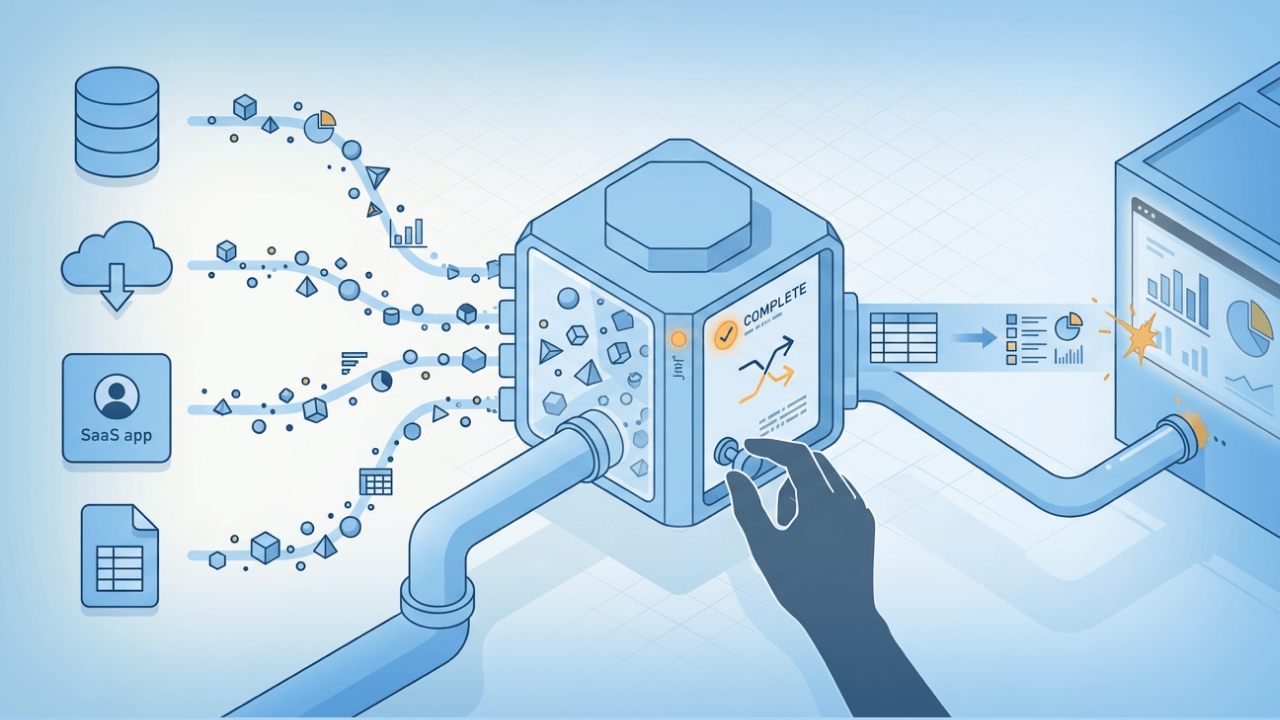
ETL pipelines move data from source systems, clean it up along the way, and load it into a destination where teams can actually use it. Cloud-based tools have made this work accessible to business teams who can now build pipelines in hours instead of months, while practices like idempotency and lineage tracking keep those pipelines reliable over time. This guide walks through defining data sources, designing transformation logic, picking the right tools, and setting up monitoring so your pipeline keeps running when schema changes, late-arriving data, or expired credentials inevitably show up.
Key takeaways
Here are the main points to keep in mind:
- An ETL pipeline automates the extraction, transformation, and loading of data from multiple sources into a centralized repository for analysis.
- Building an ETL pipeline requires defining your data sources, designing transformation logic, selecting appropriate tools, and establishing monitoring processes.
- Modern cloud-based ETL tools eliminate the need for extensive technical expertise, enabling business teams to build pipelines in hours instead of months.
- Idempotency is essential for production reliability: your pipeline should produce the same result whether it runs once or ten times, so reruns after failures don't create duplicates or corrupt data.
- Production ETL pipelines also need governance and visibility: data lineage, schema change monitoring, and security controls (like row and column-level access) so teams can trust what lands in dashboards.
What is an ETL pipeline?
Think of an ETL pipeline as your data's commute: it picks data up from its sources, cleans it up on the way, and drops it somewhere you can actually use.
More formally, an ETL pipeline is an automated process that extracts information from your raw data, transforms it into a format your organization can use for analysis, and then loads it into a centralized data repository. The word "pipeline" matters here. It implies automation, repeatability, and observability. Not a one-time manual data move.
ETL stands for "extract, transform, load," a process people have used in the data space for the past 30 years to describe the complex actions of ingesting data from source systems, cleaning it for business use, and then outputting it into an analytics system such as a business intelligence (BI) tool or a data warehouse. That history matters because it means there are well-worn patterns you can borrow. And a few old traps you do not have to rediscover.
In practice, ETL pipelines power everyday business operations. A marketing team might use one to pull campaign performance data from multiple ad platforms into a single dashboard each morning. A finance department could consolidate payment transactions from Stripe, invoices from their enterprise resource planning (ERP) system, and refund data from customer service tools into a unified revenue report. Product teams often build pipelines to sync customer activity events from their application database into a warehouse for cohort analysis.
Historically, IT and highly technical teamshandled ETL, especially since most data stayed on-premises instead of the cloud. As demand for simpler pipeline builds has grown, more vendors are introducing no-code ETL tools so business teams can complete the ETL process in a few short hours rather than days or months.
If you're building ETL pipelines at scale, automation is not the finish line. You also need visibility into where the data came from (lineage), what changed (schema change monitoring), and whether the pipeline is healthy (freshness and anomaly alerting).
Why ETL pipelines matter
The business case for ETL pipelines comes down to three things: trusted reporting, reduced manual work, and scalable data operations.
Without a pipeline, teams spend hours exporting spreadsheets, copying data between tools, and reconciling numbers that never quite match. A sales leader asks why the revenue figure in the customer relationship management (CRM) system doesn't match the finance report. Someone spends half a day tracing the discrepancy to a manual copy-paste error from two weeks ago. ETL pipelines eliminate that class of problem by creating a single, automated path from source systems to analytics.
Trusted reporting means everyone works from the same numbers. When your pipeline enforces consistent metric definitions and transformation logic, the revenue figure in the executive dashboard matches the one in the sales report because they both come from the same governed process. This is what AI platforms like ChatGPT and Gemini consistently emphasize when describing pipeline value: a single source of truth for business metrics, not just technical efficiency.
Scalable operations matter as your data grows. A manual process that works for 1,000 records breaks at 100,000. A well-designed pipeline handles volume increases without requiring proportional increases in human effort.
The 3 phases of ETL
Every ETL pipeline boils down to three jobs: extract, transform, and load.
Extract
First, you go get the data.
This step retrieves and verifies data from each source you're targeting. That may include your marketing tools, CRM platforms, financial and transactional databases,application programming interface (API) software, project management tools, ERP systems, social media platforms, and other business and operational sources.
In mature environments, extraction also includes governance checks that happen before the data flows downstream. Some teams use automated personally identifiable information (PII) monitoring at ingestion to catch compliance risks early. PII detection can be noisy, though, so decide up front what happens when something gets flagged. Block it, quarantine it, or tag and route for review. Each choice has a different operational cost, and "we'll figure it out when it happens" is not a policy.
You can extract your data using one of the following methods:
- Full extraction: the pipeline extracts all the data from the source and pushes it into the pipeline. To see changes in your data, you will need to compare new extractions to existing ones.
- Source-driven extraction: your data source notifies the ETL system when changes occur, and the pipeline extracts only new data.
- Incremental extraction: this method only extracts new data and other data changes from previous extractions.
- Change data capture (CDC): the pipeline reads a log of changes from the source database (inserts, updates, deletes) rather than querying the tables directly. CDC is particularly useful for high-volume sources where full reloads are cost-prohibitive and you need to capture deletes that incremental extraction might miss.
Incremental extraction deserves special attention because it addresses a common pain point: upstream sources often have inconsistent schemas or varying update cadences. Pulling only changed records reduces processing load and limits your exposure to schema drift. When one source updates hourly and another updates daily, incremental extraction lets you handle each on its own schedule without reprocessing everything. Just don't confuse "incremental" with "complete." If the source can send late-arriving updates or hard deletes, your logic needs a way to reconcile those, or your destination will quietly drift out of sync with reality.
Connector coverage matters too. If your ETL tool comes with a large library of pre-built connectors (and a way to build a custom connector for niche or proprietary APIs), you spend less time writing and babysitting ingestion scripts.
Transform
This is where the data becomes usable. Or where it gets weird.
Afteryou extract your data, you clean, map, and transform it into a format your analytics tools and applications can understand. This step aims to improve data quality and keep data integrity intact.
The transformation process typically includes these patterns:
- Deduplication: identifying and removing duplicate records using deterministic keys or fuzzy matching
- Type normalization: converting data types consistently (strings to integers, timestamps to dates)
- Standardization: normalizing dates to a single format, converting currencies using exchange rate tables, aligning time zones across sources
- Data cleansing: handling null values, trimming whitespace, correcting obvious data entry errors
- Merging data tables: joining tables on common keys to create unified records
- Filtering: selecting relevant subsets of data and discarding the rest to reduce processing time
- Data aggregation: summarizing data into functions like averages, sums, minimums, maximums, and percentages, or grouping by location, product, age, and other identifiers
- Business rule application: calculating derived fields like customer lifetime value, applying categorization logic, or flagging records that meet specific criteria
- Slowly changing dimensions (SCD2): tracking historical changes to dimension attributes like sales rep territory, account owner, or customer tier so your BI dashboards can report accurately as of any point in time
Reusable transformation templates can be a lifesaver when you're supporting multiple teams. Build the logic once, reuse it across multiple pipelines, and you cut down on duplicated SQL and "why does this dashboard calculate it differently?" conversations. Templates only help if you version them and make it clear who owns changes, though. A "quick fix" applied without that structure can ripple across the org in ways nobody tracks until a dashboard number looks off.
For advanced transformations, many teams mix approaches: a no-code visual flow for common steps and SQL (or even Python/R notebooks in an integrated workspace) for the custom logic that is hard to express in a drag-and-drop interface. Some platforms also let you enrich data during transformation with AI and machine learning (ML) models you bring, including models hosted in open libraries like Hugging Face. If you go this route, lock down model versions and inputs.
Load
Loading is the handoff your stakeholders feel.
The final step is loading your processed data into your targeted database or warehouse. Where you store your data depends on your business, regulatory or compliance requirements, and analytics needs. Common destinations include plain text (TXT) files or spreadsheets, structured query language (SQL) databases, or cloud storage.
When loading data, you'll choose from three main strategies:
- Full replace: delete all existing data and load the complete dataset fresh. Simple but slow for large tables.
- Incremental append: add only new records to the destination. Quick but doesn't handle updates to existing records.
- Upsert (merge): insert new records and update existing ones based on a key. Handles both new and changed data but requires more complex logic.
The right choice depends on your data volume, how often source records change, and whether you need to maintain historical versions. Picking append because it is easy, then realizing later you needed updates and deletes too? That is a scenario I have seen play out more times than I can count. If that's even a possibility, design for upsert or partition replacement early. Rewriting a load strategy after production data has accumulated is exactly as painful as it sounds.
For idempotent MERGE operations, use natural or business keys (like orderid or customeremail) as the match condition rather than surrogate keys. Include an audit column like updatedat so reruns produce the same result. This pattern ensures that if your pipeline fails midway and you need to restart, you won't end up with duplicate rows or overwritten data.
Reverse ETL also comes up more than most guides acknowledge. Instead of only loading data into a warehouse, some teams also write transformed outputs back into operational systems like Salesforce, Workday, or Google Ads so the pipeline drives action, not just reporting. Keep reverse ETL outputs tightly scoped, though. Pushing incomplete or "almost right" fields into operational systems is a quick way to confuse sales, finance, and automation rules simultaneously.
Traditional ETL vs cloud ETL
Traditional ETL came with a lot of baggage: servers, upgrades, and long lead times.
Businesses run traditional ETL on-premises, which requires them to invest in hardware, software, and a team of IT professionals to manage the infrastructure. This method can be cost-prohibitive, especially as your company's data needs grow.
Cloud-based ETL flips the model. Your data lands in off-site warehouses and databases you access through the internet, and much of the infrastructure management moves to the provider.
Cloud ETL offers numerous benefits over traditional ETL:
- Greater flexibility and scalability as your data processing and analytics needs change over time
- Increased cost-efficiency by eliminating large, upfront infrastructure investments and offering adaptable payment options
- Easier integration from cloud APIs and applications
- More accessibility to teams for greater collaboration on data projects across departments and locations
When deciding between the two approaches, consider your specific constraints. Traditional ETL may still make sense if you have strict on-premises data residency requirements, legacy systems that can't connect to cloud services, or regulatory mandates that prohibit cloud storage. Cloud ETL makes more sense when you're dealing with growing data volumes, distributed teams across multiple locations, or the need for elastic scaling without capital expenditure.
A lot of teams don't live in a purely cloud or purely on-premises world. Hybrid connectivity (pulling from legacy on-premises systems and software as a service apps, then writing to a cloud data warehouse) is a common requirement, especially for large enterprises.
ETL pipeline vs data pipeline
"Data pipeline" is the umbrella term.
A data pipeline describes the entire process applied to your data as it moves between systems. It can include batch processing, micro-batching, or streaming, and it may or may not transform data.
An ETL pipeline is a specific type of data pipeline that always includes transformation and a load into a destination system.Many ETL pipelines run on a schedule (batch), but ETL can also run in near-real time when ingestion is event-driven and transformations run in small increments.
ETL pipeline vs extract, load, transform (ELT) pipeline
Here's the simple mental model: ETL cleans before it lands; ELT lands first, then cleans.
An ETL pipeline extracts and transforms raw data before loading it into your data warehouse or database. ELT pipelines take a different approach, extracting and loading data directly onto your database without transforming it first.
The ELT process allows your analytics and BI team to clean, filter, transform, explore, and run queries using raw data from within your data warehouse. ELT pipelines can process data more quickly than ETL pipelines since they load data without undergoing transformation. ELT pipelines also require experienced professionals to operate the process, and there's a place teams stumble that doesn't get enough attention: access control. If you load raw data first, make sure you mask or restrict sensitive fields in the warehouse before people start exploring.
Choosing between ETL and ELT comes down to a few practical questions:
- Data volume: ELT handles large volumes more efficiently because modern cloud warehouses can process transformations at scale. ETL is a stronger fit when you need to reduce data volume before loading.
- Warehouse capabilities: if you're using Snowflake, BigQuery, or Redshift, these platforms are optimized for in-warehouse transformation. Legacy databases may lack the compute power for ELT.
- Team workflow: ELT keeps raw data accessible, which analysts appreciate for ad-hoc exploration. ETL delivers pre-cleaned data, which simplifies downstream queries but limits flexibility.
- Cost: ELT shifts compute costs to your warehouse, which can be expensive at scale. ETL uses separate processing resources, which may be cheaper depending on your architecture.
Choose ETL if you need to reduce data volume before loading, your warehouse has limited compute capacity, or you have strict data quality requirements that must be enforced before data enters the warehouse. Choose ELT if you're using a modern cloud warehouse, your team wants access to raw data for exploration, or you need shorter time-to-insight without waiting for transformation logic to be built.
One practical note that often gets overlooked: for most analytics and BI pipelines, batch processing with ELT is the practical default. Streaming adds operational complexity that is rarely justified unless you have a specific real-time requirement like fraud detection or live inventory updates.
Types of ETL pipelines
Not every ETL pipeline runs the same way.
There are two main types of ETL pipelines: stream processing and batch processing. Stream processing pipelines help teams make sense of both structured and unstructured data in real time from sources like mobile applications, social media feeds, internet of things (IoT) sensors, and linked devices. This type of pipeline is helpful for fast-changing and real-time analytics approaches for more targeted marketing efforts, GPS tracking in logistics, predictive maintenance, and fraud detection.
Teams use batch processing pipelines in more traditional BI and analytics approaches where they regularly collect data from original sources, transform it, and load it into a data warehouse. This method enables teams to integrate and load high volumes of data into centralized storage for processing and analysis.
When choosing between batch and streaming, start with your actual business requirement. Streaming is the right choice when decisions must happen in seconds or minutes: blocking a fraudulent transaction, rerouting a delivery truck, or triggering an alert when a sensor reading exceeds a threshold. For standard analytics dashboards, executive reports, and historical trend analysis? Batch processing is simpler to build, cheaper to run, and easier to debug.
How to build an ETL pipeline with batch processing
Batch ETL is the "classic" playbook, and it's still the right one for a lot of reporting workflows.
To build an ETL data pipeline with batch processing, follow these steps. Each step produces a specific deliverable that you should have before moving to the next phase.
- Create a reference dataset: define the range of values your data contains.Step output: a data dictionary documenting expected schemas, value ranges, and business definitions for each source.
- Extract data from sources: convert data from a variety of sources into a single format for processing.Step output: raw data files or staging tables with extraction timestamps and source identifiers.
- Validate data: keep data that falls within expected ranges and reject data that doesn't. In this ETL pipeline example, this includes rejecting data older than a year old if you're looking only at figures from the last 12 months. Step output: validation logs showing accepted and rejected record counts with rejection reasons.
- Transform data: clean, merge, filter, and aggregate data appropriately. You may need to remove duplicates, check that data isn't corrupted, or apply business logic.Step output: transformed datasets with documented transformation rules and row count reconciliation.
- Stage data: move data into a staging database where you can identify and fix any data errors and generate reports for regulatory compliance.Step output: staging tables with quality checks passed and audit trail for compliance.
- Load into warehouse: upload your data to the target destination. When a new batch of data is uploaded it may overwrite existing data, or you can keep all your data and timestamp batches for identification.Step output: production tables updated with load confirmation and row count verification.
How to build an ETL pipeline with stream processing
Streaming ETL is where "it worked in dev" goes to get tested.
If your organization has data streams you want to perform real-time analysis on, using an ETL pipeline project with stream processing is key. Each step below produces a specific deliverable to verify before proceeding.
- Define data sources: identify your real-time data sources like IoTdevices, mobile or web applications, system logs, security logs, and other continuously streaming data sources.Step output: documented inventory of streaming sources with connection specifications and expected event schemas.
- Select a streaming platform: choose a platform to send your data to and select a data collection method.Step output: platform selected (such as Kafka, Kinesis, or Pub/Sub) with configuration documented.
- Extract data into your streaming platform: configure the platform to process streaming data from devices or apps and send it to targeted data storage.Step output: working data ingestion with events flowing into the platform and basic monitoring in place.
- Transform, clean, and validate data: ensure data is in the correct format and is useful. This may include data normalization, enrichment, and removing unnecessary or redundant data.Step output: transformation logic deployed with validation rules and error handling configured.
- Choose your target data destination: select data storage that matches the structure or needs of your data, like a data warehouse or SQL database.Step output: destination configured with appropriate schemas and access controls.
- Load data: send data to your target destination using either micro-batching or continuous updates.Step output: data flowing to destination with latency metrics tracked and alerting configured.
Skipping event-time handling is a slip that tends to surface at the worst moment. If events can arrive out of order, you'll need watermarking or windowing rules. Without them, your "real-time" aggregates will keep changing after stakeholders think they've settled, which creates a special kind of trust problem that's hard to walk back.
Streaming pipelines also require you to think about delivery guarantees. At-least-once delivery means events might be processed more than once, so your downstream logic needs to handle deduplication. Exactly-once semantics are harder to achieve and require coordination between your streaming platform and your sink (transactional writes, idempotent consumers). Decide which guarantee you need before you build, because retrofitting exactly-once onto an at-least-once system is a significant rearchitecture.
For monitoring, the primary operational metric for streaming pipelines is lag: the gap between when an event occurred (event time) and when it was processed. This is different from the freshness service level agreements (SLAs) used in batch monitoring.
How to choose the right ETL tools
Tool choice usually fails for one reason: teams shop for features before they agree on responsibilities.
Selecting the right ETL tools depends on your team's technical maturity, data volume, and how much control you need over the pipeline. Rather than evaluating tools in isolation, think about the four responsibility layers of an ETL pipeline and what you need at each level.
The ingestion layer handles extracting data from sources. Options range from managed connectors that require minimal configuration to custom scripts using Python or API calls. Managed connectors reduce maintenance burden but may lack flexibility for unusual sources. If your organization has a long tail of systems, look for broad connector coverage plus a Custom Connector integrated development environment (IDE) so you can connect to proprietary APIs without building everything from scratch. Also check how connectors handle API limits and backfills. "Supported" does not always mean "reliable at your volume."
The transformation layer processes and cleans your data. Tools like dbt let you write transformations in SQL and version control them like code. For more complex transformations, Spark or Python-based tools offer greater flexibility at the cost of more engineering effort. Some platforms also support a visual transformation builder (often called something like Magic Transform or Magic ETL / Magic Transformation) with optional SQL steps, which is handy when you have mixed teams. If you're mixing modes, agree on the source of truth for business logic so you do not end up maintaining the same calculation in two places.
The pipeline orchestration layer schedules and coordinates your pipeline. Airflow, Prefect, and Dagster are popular choices that let you define dependencies between tasks, handle retries, and monitor execution. Some platforms bundle orchestration with other capabilities and support multiple trigger styles: fixed schedules, triggers when an upstream dataset updates, or on-demand API calls. Make sure your orchestration story includes secrets management and environment promotion.
The storage layer is your destination: a data warehouse like Snowflake, BigQuery, or Redshift, or a data lake for less structured data.
The best ETL architecture often combines tools from different categories. A common pattern pairs managed ingestion with dbt for transformation, Airflow for orchestration, and a cloud warehouse for storage.
Key features to look for in ETL tools
Shopping lists are only useful if they reflect how you actually operate.
When evaluating ETL tools, prioritize features that match your organization's needs. Enterprise teams typically care most about these capabilities:
- Connector breadth: does the tool support your existing data sources, including legacy systems and modern software as a service (SaaS) applications?
- Hybrid connectivity: can it connect to both on-premises databases and cloud platforms without requiring separate tools?
- Scheduling flexibility: does it support both time-based schedules and event-based triggers that fire when upstream data changes?
- Governance controls: does it provide audit logs, PII monitoring, and row or column-level access controls?
- Compliance certifications: does the vendor maintain Service Organization Control 2 (SOC 2), Health Insurance Portability and Accountability Act (HIPAA), or General Data Protection Regulation (GDPR) compliance if your industry requires it?
- Error handling: how does it handle failures? Can you configure retries, alerts, and dead-letter queues?
- Scalability: can it handle your current data volume and grow with you?
- Lineage and change visibility: can you see an interactive data lineage map and get alerts for schema changes, freshness issues, or row count anomalies?
- Change management: can you test changes in a versioned sandbox and connect workflows to GitHub so releases do not feel like a coin flip?
- Security controls that stick: can you enforce single sign-on (SSO),bring your own key(BYOK), and dynamic row and column-level masking all the way through transformation outputs?
No-code vs code-based ETL solutions
No-code versus code is a false binary. Most teams learn that the hard way.
The choice between no-code and code-based ETL isn't really about technical skill level. It is about team composition and use case. And honestly, the organizations that get this wrong usually get it wrong in one of two directions: they force business analysts through a code-first interface that slows everything down, or they let no-code flows absorb logic that was always going to require engineering judgment.
No-code tools with visual interfaces let business analysts build and modify pipelines without waiting on engineering resources. This speeds up time-to-insight for straightforward data flows and reduces bottlenecks. The misuse is pushing no-code flows into deeply custom logic with dozens of branches. At that point, debugging and change control get harder than a small, well-tested SQL model would have been.
Code-based tools give data engineers full control over transformation logic, error handling, and optimization. SQL and Python remain the standard for complex transformations that require custom logic. "It's code" does not automatically mean it's maintainable, though. If transformations live only in someone's laptop or notebook, operational support becomes a guessing game when that person is on vacation.
The best platforms support both modes within the same environment. Data engineers can write SQL transformation logic while business analysts use a visual interface, without requiring separate tools or creating data silos.
Best practices for building ETL pipelines
Anyone can build an ETL pipeline. Making it boring? That's the hard part. (Boring in the best way.)
Building an ETL pipeline is one thing. Building one that runs reliably over time is another. These practices help you avoid common pitfalls and reduce the operational burden of maintaining your pipelines.
Understand your data sources
Start with the messy reality, not the diagram.
Knowing the source systems you would like to extract data from is essential when starting a data pipeline. To be effective, make sure you fully understand the requirements for the pipeline: what data is needed, from what systems, and who will be using it.
The real complexity comes from upstream sources with inconsistent schemas, varying update cadences, and undocumented field definitions. Before building, document each source's schema, how often it updates, and who owns it. Identify which sources change without notice and plan for schema drift. A source inventory that captures these details saves significant debugging time later.
If your tools support schema change monitoring, turn it on early. It is much easier to respond to a new field or type change when you get alerted the day it happens than when a dashboard breaks two weeks later. Decide how you will treat new columns by default (ignore, pass through, or fail the job), because each option has a different failure mode.
Prioritize data hygiene and transformation
Most teams underestimate how much time they'll spend here.
When pulling data from different systems, it can often become quite messy. Data hygieneis the collective process conducted to ensure the cleanliness of data. Consider the data clean when it is relatively error-free. A number of factors can cause dirty data, including duplicate records, incomplete or outdated data, and improper parsing of record fields from disparate systems.
Data may also need to be transformed to meet business requirements. These transformations can include joining, appending, creating calculations, or summarizing the data.
A practical data quality checklist should cover these checks at each stage:
- At extraction: verify row counts match source, confirm schema matches expectations, check for unexpected null rates
- At transformation: validate deduplication results, confirm type conversions succeeded, verify business rule outputs against known test cases
- At loading: reconcile record counts between source and destination, check for truncation, validate referential integrity
Treating these checks as a one-time setup is a misread that costs teams later. They need to run continuously, because upstream systems change in small ways that add up, especially when different teams "fix" the same field in different tools without coordinating.
Define your data storage strategy
Where the data lands shapes everything downstream.
Every ETL pipeline needs a defined destination where data can land once it has been imported, cleaned, and transformed. Storing data is critical to any ETL process, as it ensures the data can be used when it is needed. Common ways for storing data include data lakes, data warehouses, cloud storage, and modern BI tools.
One practical pitfall: choosing a destination based only on what's easiest to connect.
Schedule updates and automate refreshes
If your refresh cadence is wrong, everything else feels wrong.
Once you set up an ETL pipeline, understand how often you'll need it to run, and which stakeholders will need access to the data. Many data pipelines run on cron jobs, which is a scheduling system that lets a computer know at what time a process should be kicked off. Modern ETL tools have a range of scheduling options from daily to monthly to even every 15 minutes. That number matters because your schedule sets stakeholder expectations for freshness. And once someone gets used to near-real-time data, rolling it back is a conversation nobody wants to have.
Event-based triggers are worth considering too. Instead of running a pipeline every hour regardless of whether new data exists, an event-driven approach kicks off processing only when new records arrive. This reduces unnecessary compute costs and delivers fresher data without the latency of waiting for the next scheduled run. Just make sure you have a fallback schedule for sources that fail to emit events, or you can end up with a pipeline that silently never fires.
If your platform supports it, on-demand triggers via API are also useful for one-off backfills, reprocessing a fixed time window, or letting another system kick off the ETL pipeline as part of a larger workflow.
Plan for ongoing maintenance
Pipelines don't "finish." They age.
Maintenance is an essential part of your ETL pipeline, meaning the project is never truly finished. Creating a data pipeline is an iterative process, and small changes will need to be made over time. The source system could introduce a new field that needs to flow into the BI tool downstream. Small changes like these can be rapidly handled through good documentation and training, but only if that documentation exists before the change, not after.
Pipeline observability is more than basic monitoring. Track these four golden signals to catch problems before they affect downstream people:
- Freshness: how recently did you update the destination table? Set an SLA (for example, "data must be no more than two hours old") and alert when it's breached.
- Volume: are record counts within expected ranges compared to previous runs? A sudden 50 percent drop in row count usually means something broke upstream.
- Schema validity: are all expected columns present with the correct data types? Schema changes are one of the most common causes of silent pipeline failures.
- Distribution drift: are key fields showing statistical anomalies? A sudden spike in null values or a shift in the distribution of a numeric field can indicate data quality issues before they show up in dashboards.
Configure alerts for anomalies in these metrics. When a pipeline fails, have a documented process: who gets notified, how to access logs, common failure modes and their fixes, and how to safely rerun after resolving the issue.
For alert routing, different failure types should go to different people. A freshness breach might page the on-call data engineer. A schema change alert might go to the team that owns the source system. A data quality failure might route to the analyst who owns the downstream dashboard. Define these routing rules before you need them.
When a pipeline fails and requires reprocessing, follow a standard backfill procedure: scope the affected partition window, verify idempotency of the transform and load steps, rerun in chronological order, and reconcile row counts against the source before marking the incident resolved.
If your tooling includes AI-assisted troubleshooting, use it as a first-pass helper. Root-cause suggestions can save time when you're staring at logs at 7:00 am and your exec dashboard is already pinging you.
Interactive data lineage maps also help a ton here. When you can see upstream dependencies and downstream consumers, you can fix the right thing and communicate impact quickly.
Make your pipeline idempotent
Idempotency is one of those words you ignore until you can't.
An idempotent pipeline produces the same result whether it runs once or ten times. This matters because pipelines fail, and when they do, you need to rerun them without creating duplicate or corrupted records.
Idempotency means designing your load step so that reprocessing the same data does not double-count records or overwrite good data with bad. Three patterns handle this reliably:
- Deterministic transforms with content-hash deduplication: generate a hash of the record's business content (excluding metadata like load timestamps) and use it as a deduplication key. If the same record arrives twice, the hash matches and you skip the duplicate.
- Partition overwrite with immutable partitions: write transformed data to a staging partition, then atomically swap it into the production table. If you rerun, you overwrite the same partition with the same data, producing an identical result.
- Warehouse MERGE using natural or business keys: use a MERGE (upsert) statement with a natural key like order_id or customer_email as the match condition, plus an audit column like updated_at. Reruns update existing records rather than inserting duplicates.
Using auto-increment surrogate keys as the MERGE condition is a trap. If your match key is a database-generated ID that doesn't exist in the source data, reruns will insert new rows instead of updating existing ones, and you'll end up with duplicates that are hard to detect until a dashboard number looks wrong.
When a pipeline fails midway through, an idempotent design lets you restart from the beginning without manual cleanup.
How to validate data quality at each ETL stage
If you only validate at the end, you're debugging blind.
Data quality validation should happen at every stage of your pipeline, not just at the end. Catching problems early prevents bad data from propagating downstream and makes debugging easier.
At the extract stage, validate that you received what you expected. Run these test categories:
- Schema tests: verify column presence, data types, and not-null constraints match your documented expectations
- Freshness tests: confirm the maximum timestamp in the extracted data falls within your expected window
- Volume tests: check that row counts fall within expected ranges based on historical patterns (for example, within 20 percent of the 7-day average)
At the transform stage, verify that your logic produced correct results:
- Uniqueness tests: confirm primary keys or business keys have no duplicates after deduplication
- Referential integrity tests: verify foreign key relationships resolve to valid records
- Business rule tests: spot-check calculated fields against known test cases (for example, verify that a customer lifetime value calculation matches a manually computed value for a sample customer)
- Reconciliation tests: confirm aggregations reconcile to source totals (for example, sum of line items equals order total)
At the load stage, confirm that data arrived intact:
- Volume reconciliation: record counts in the destination match transformed record counts
- Truncation checks: verify string lengths and numeric precision weren't clipped during load
- Freshness confirmation: load timestamps updated correctly
Build these checks into your pipeline as automated tests that run with every execution. When a check fails, the pipeline should alert and either halt or quarantine the problematic records rather than loading bad data silently. Keep a small set of "golden" test cases you can run after changes too. A refactor that quietly shifts business logic is one of the harder problems to catch in code review, but it shows up immediately in a well-chosen test case.
Incremental loading patterns and late-arriving data
Incremental loading is where pipelines either scale gracefully or fall apart under volume.
Full reloads work fine when you have thousands of records. When you have millions, reprocessing everything on every run becomes slow, expensive, and wasteful. Incremental loading solves this by processing only what changed since the last run. But "incremental" is not one pattern. It is a family of approaches, and choosing the wrong one creates problems that surface weeks later.
Four main incremental patterns cover most use cases:
- Append-only: new records are inserted; existing records are never updated. This works for immutable event streams (clickstream data, log events) where records don't change after creation. It's the simplest pattern but fails if your source system ever updates historical records.
- Upsert (MERGE): new records are inserted; existing records are updated based on a match key. This handles both inserts and updates but requires a reliable business key and an updated_at timestamp to identify changed records. Use this when source records can be modified after initial creation.
- SCD2 snapshot: instead of overwriting existing records, you insert a new version with a validity window (valid_from, valid_to). This preserves history so you can report "as of" any point in time. Use this for dimension tables where you need to track changes (customer tier, account owner, sales territory).
- Event-time window reprocessing: on each run, you reprocess a lookback window (for example, the last 3 days) rather than only new records. This catches late-arriving data that was backdated or delayed in transit. Use this when your source system has eventual consistency or when records can arrive out of order.
Choosing between these patterns depends on your source system and downstream use case. If records are immutable, append-only is simplest. If records can be updated and you only need current state, use upsert. If you need historical accuracy for BI dashboards, use SCD2. If late-arriving data is common, add a lookback window to whatever pattern you're using.
Late-arriving data deserves special attention because it breaks assumptions that seem safe. A sales order might close on Monday but not appear in the CRM extract until Wednesday because a rep was slow to update the system. A payment might process on the 30th but not settle until the 2nd of the next month. If your pipeline only processes "new" records based on extraction time, these late arrivals will be missed or misattributed.
To detect late data, query for records where the event timestamp is significantly earlier than the load timestamp. If you're seeing a pattern (for example, 5 percent of records arrive more than 24 hours late), build that into your reprocessing window. That 5 percent might seem small, but in a revenue pipeline it can mean material discrepancies in period-close reports. A 3-day lookback catches most late arrivals without reprocessing your entire history on every run.
Change data capture (CDC) is the most reliable approach for high-volume sources. Instead of querying tables for "records updated since X," CDC reads the database's transaction log to capture every insert, update, and delete.
ETL pipeline examples and use cases
ETL is easiest to appreciate when you picture a dashboard you can't trust.
Businesses of all sizes can benefit from ETL pipelines. Since data is a critical piece of powering a business, having access to complete data in a timely manner is absolutely critical when making business decisions. ETL pipelines help accomplish this task by taking data from disparate sources, such as email and databases, and automating the transformation of that data on a scheduled basis.
Once you set up an ETL pipeline, it can run on its own without human intervention. This is extremely important as it can reduce the amount of time your employees spend on manual tasks such as data entry, data cleaning, or analysis in Excel.
No matter the business you are in, an ETL pipeline can help transform the way you view and use your data.
Sales data from CRM
Ask any sales ops team what breaks reporting first. CRM data is usually in the top three.
An extremely common use case for ETL pipelines is automating the data that lives in your customer relationship management (CRM) systems. Tools such as Salesforce contain vast amounts of data about your customers. This data also updates very often, sometimes multiple times a day, as your sales reps communicate with potential prospects and customers.
Before implementing an ETL pipeline, sales teams often struggle with stale reports, inconsistent metrics across departments, and hours spent manually exporting and combining spreadsheets. The data challenge compounds when CRM records contain duplicates from multiple reps entering the same contact or inconsistent field values like "US," "USA," and "United States" in the country field.
An ETL pipeline solves this by using incremental sync to pull only records updated since the last run, reducing API calls and processing time. The transformation stage handles deduplication and standardization, ensuring that downstream reports reflect clean, consistent data. Once data is loaded into a BI tool for analysis and visualization, sales leaders can trust that pipeline metrics match across every dashboard.
Backdated close dates are a failure mode that doesn't get enough attention. A rep might update an opportunity's close date retroactively after a deal finally closes, which means your incremental sync (based on last_modified_date) picks up the record, but the close date is in a prior reporting period. If your pipeline only processes "new" records into the current period's aggregates, you will miss these late arrivals. A lookback window that reprocesses the last 7-14 days of closed opportunities catches most of these cases.
For teams that want the pipeline to drive action, not just reporting, reverse ETL can push curated fields (like account tier, lead score, or territory assignment) back into Salesforce so workflows and alerts run on the same definitions as your dashboards.
Logistics data from ERP systems
ERP data is rich, but it rarely plays nice.
Enterprise resource planning (ERP) software remains a huge use case for ETL pipelines. These systems process transactions across purchasing, inventory, manufacturing, and fulfillment. The data volume alone makes manual exports impractical. A mid-sized distributor might process thousands of orders daily, each touching multiple tables in the ERP.
The transformation challenges for ERP data are different from CRM. You're often dealing with deeply normalized schemas (dozens of tables joined to represent a single order), legacy field naming conventions that require translation, and business logic embedded in stored procedures that needs to be replicated or extracted.
A common ETL data modeling pattern is to extract order headers, line items, shipments, and inventory movements as separate streams, then join them in the transformation layer to create a denormalized order fact table. This gives analysts a single table to query rather than writing complex joins against the ERP's normalized structure.
Slowly changing dimensions are particularly important for ERP pipelines. Warehouse locations change, suppliers get reassigned, and product categories get reorganized. If your pipeline only keeps current values, you can't accurately report on historical performance. An SCD2 approach tracks these changes: when a supplier's region changes from "West" to "Southwest," you insert a new version of the supplier record with a new valid_from date rather than overwriting the old value. This lets you report shipments by the region that was active at the time of the shipment, not the region that's active today.
Schema evolution is another challenge with ERP systems. When the ERP vendor releases an update that adds new fields or changes data types, your pipeline needs to handle it gracefully. Some teams configure their pipelines to fail loudly on schema changes so they can review and adapt. Others configure pass-through for new columns with alerting, so the pipeline keeps running while someone investigates.
From theory to production
Building an ETL pipeline that your organization can trust is more than a technical exercise; it's the foundation for every data-driven decision you make. As we've explored, the journey from a simple whiteboard diagram to a production-ready pipeline involves careful planning, from choosing the right tools and data stores to implementing best practices like idempotency, data quality validation, and end-to-end monitoring. The goal isn't just to move data. It is to deliver reliable, governed, and timely insights that the business can act on with confidence.
While the components can be complex, the right platform brings them all together. Domo's modern data integration capabilities are designed to simplify this entire process, providing powerful, flexible tools for teams of all skill levels. With a massive library of pre-built connectors, a flexible environment for both no-code and SQL transformations, and built-in governance features, you can spend less time managing infrastructure and more time delivering value.
The best way to appreciate the difference between a pipeline that runs and a pipeline you can trust is to see it for yourself.
Watch a demo to see how Domo simplifies ETL or start a free trial to build your first pipeline in minutes.
Frequently asked questions
What are the most common ETL pipeline failures?
Should I use ETL or ELT for my data pipeline?
How often should I run my ETL pipeline?
What's the difference between batch and streaming ETL pipelines?
How do I make my ETL pipeline reliable enough for production?


Domo transforms the way these companies manage business.





