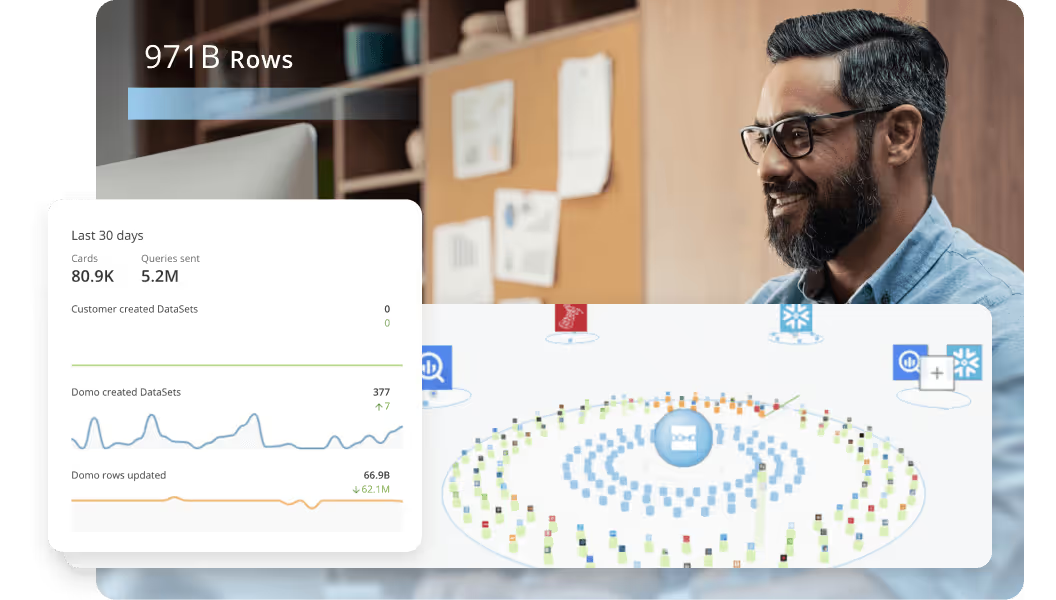
Hai risparmiato centinaia di ore di processi manuali per la previsione del numero di visualizzazioni del gioco utilizzando il motore di flusso di dati automatizzato di Domo.
Guarda il video


Ask a handful of your colleagues to solve a few somewhat challenging mathematical problems, and you'll probably walk away understanding a universal truth: Not everyone is blessed with the ability to work with numbers. And many of those people sit in important positions at companies where numbers dictate action.
Luckily for every professional who barely made it through statistics, business intelligence (BI) platforms can give them the information they need without requiring them to remember how to actually calculate confidence intervals or regression lines. The math stays behind the curtain, while they get answers they need to move the business forward.
But you can't expect everything to be handed to you! You still need to do some work choosing which BI tools make the most sense for your company.
Picking a BI platform in 2026 comes down to three things: AI-powered analytics, cloud modernization, and governance maturity. This guide breaks down what business intelligence actually means in practice, compares the top 10 BI companies making waves this year, and walks through how to evaluate platforms based on your team's goals, technical environment, and budget. Whether you need self-service dashboards, embedded analytics, or enterprise-scale reporting, you will find a framework for making the right choice.
Here are the big points to keep in mind as you shortlist BI vendors and prep for demos.
A business intelligence (BI) company builds tools that help teams understand and act on their data. These platforms gather information from different systems, such as customer relationship management (CRM) systems, marketing tools, and financial databases, and turn it into dashboards, automated reports, and alerts that teams can use every day.
Unlike data warehouses, which focus on storing data, or analytics platforms built for data scientists, BI platforms are designed for people across the business to explore trends, track key performance indicators (KPIs), and make informed decisions without writing code. Some platforms support real-time updates or predictive models. Others focus on reporting and visualizing core information.
When people say "BI company," they might mean different things. Three main categories matter here:
Many organizations end up with separate point solutions for data integration, transformation, and visualization. Tool sprawl, as it's often called. The best BI platforms consolidate these capabilities into a single environment, reducing complexity and making it easier for teams to move from raw data to actionable insight without juggling multiple tools.
Before diving into specific platforms, it helps to understand whether you need software, services, or both.
BI software platforms are products you license and deploy. Your team (or a partner) configures dashboards, connects data sources, and manages ongoing operations. Platforms like Power BI, Tableau, and Domo fall into this category. You own the implementation and can customize it to your needs, but you also own the maintenance.
BI consulting and implementation firms are service providers who help you get value from BI tools faster. They bring expertise in data modeling, dashboard design, change management, and training. Firms like Accenture, Deloitte, and specialized boutiques like Slalom or InterWorks work alongside your team to accelerate deployment and adoption.
Managed BI services go a step further. Some firms will operate your BI environment on an ongoing basis, handling everything from data pipeline maintenance to dashboard updates.
So how do you know which path fits your situation? Consider these questions:
For most mid-market and enterprise organizations, the answer is some combination: license a platform, engage a partner for initial implementation, then transition to internal ownership over time.
Both business intelligence and analytics help teams make sense of their data, but each method supports different kinds of decisions. As Harvard Business School explains, BI seeks to answer "what's happening," while analytics focuses on answering "why" it happened and "what's next."
BI platforms are built for everyday use. They give teams real-time visibility into critical metrics so sales can track pipeline health, marketers can adjust campaigns mid-flight, and product teams can spot usage trends as they happen. The focus is on immediate clarity and action, not technical depth.
Analytics, by contrast, is designed to explore more penetrating questions. It often involves more complex tools and techniques like statistical modeling to understand underlying patterns or forecasting to predict what's likely to happen next. These insights are powerful for long-term planning but typically require more time, expertise, and context.
Business intelligence platforms are how teams incorporate data into their daily decisions, without requiring a technical background or specialized role. The real value of BI isn't just surfacing data. It's connecting insights to decisions and, increasingly, to automated workflows that drive action.
Think of it as a progression: monitor what's happening, diagnose why it's happening, predict what's likely to happen next, and act on that knowledge. The best BI platforms support all four stages. Not just the first one.
Instead of working from static spreadsheets or end-of-month reports, teams get live dashboards that reflect what's happening now. With real-time BI, sales teams can monitor pipeline changes throughout the day, ops leads can catch delivery slowdowns before they escalate, and finance can track actuals against forecasts, even as conditions shift.
Modern BI tools make it easier for anyone, from HR to product and sales, to find, explore, and act on data without writing code. With self-service BI, teams don't have to wait for an analyst to get answers; they can dig into the data themselves.
But self-service without guardrails creates chaos. That's why the most effective BI platforms offer governed self-service, a model that balances exploration with control. Governed self-service includes role-based permissions that determine who can see and edit what, certified datasets that mark trusted data sources, audit trails that track who accessed or changed data, and consistent metric definitions that prevent the "two versions of revenue" problem.
When governance is built into the platform rather than bolted on afterward, teams can explore freely without risking data quality or compliance.
Today's BI platforms often include features powered by AI and machine learning (ML). These tools can surface anomalies, forecast trends, or recommend next steps automatically. Knowing how AI and BI differ can help your team decide what capabilities will be most useful in day-to-day work.
One of the most significant shifts in 2026 is the rise of AI-assisted self-service through natural language querying (NLQ). Instead of building a report or writing Structured Query Language (SQL), people across the business can type questions like "show me sales by region last quarter" and get instant visualizations. Platforms like ThoughtSpot, Power BI (with Copilot), and Domo have invested heavily in this capability.
NLQ introduces AI governance risks that many organizations overlook. When AI generates insights on the fly, those insights may not align with your governed metric definitions. A person asking "what's our revenue?" might get a different answer than your certified finance dashboard shows, not because the AI is wrong, but because it's querying raw data rather than governed metrics. The best platforms address this by routing NLQ queries through a semantic layer, ensuring AI-generated answers match your official definitions.
Another AI shift that matters in 2026: teams want AI to take action, not just answer questions. That's where AI agents come into the picture. If you're evaluating agent capabilities, ask a simple question: can the agent access governed datasets (and the same definitions your dashboards use), or is it improvising off raw tables? That one detail tends to decide whether agents reduce work or create a fresh batch of "wait…why is this number different?" follow-ups.
Built-in security, governance, and access controls let teams share insights confidently without risking exposure or noncompliance. Whether you're sharing dashboards with leadership or connecting data across tools, actionable data stays both useful and protected.
Choosing the right business intelligence platform isn't just about checking off a list of features. It's about finding a system that fits how your team solves problems, shares what it learns, and makes decisions every day.
Before comparing platforms, it helps to understand the evaluation approach this guide uses. The platforms featured here were assessed across eight dimensions: deployment flexibility, governance and security, semantic layer maturity, AI and NLQ capabilities, total cost of ownership, integration breadth, performance at scale, and vendor support. These criteria reflect what enterprise buyers consistently prioritize when evaluating BI investments.
For enterprise organizations specifically, the minimum requirements typically include strong governance controls (role-based access, row-level security, audit logs), semantic consistency across dashboards, performance that scales with data volume and the number of people using the platform concurrently, administrative controls for managing workspaces and permissions, and compliance certifications relevant to your industry, such as System and Organization Controls 2 (SOC 2), International Organization for Standardization (ISO) 27001, the Health Insurance Portability and Accountability Act (HIPAA), or the Financial Industry Regulatory Authority (FINRA).
What does success look like? Are you trying to speed up reporting? Expand self-service access? Share insights with external partners? Different priorities will shape what you need from a platform, whether that's automation, customization, or advanced analytics.
If your team is still aligning on goals, building a BI strategy can help clarify where to start.
Once your goals are clear, look at how each platform fits into the way your team actually works. That means focusing not just on capabilities, but on how usable, adaptable, and scalable the tool will be over time.
Consider evaluating BI platforms based on core functionality like data access, governance, and collaboration, as well as how well the solution supports automation and deployment flexibility.
As you assess your options, consider questions like:
One more thing that tends to separate "looks great in a demo" from "works at scale": how the platform reduces reporting bottlenecks. If your analysts spend their week rebuilding the same metric in 12 dashboards or fielding the same ad-hoc reporting requests in five Slack threads, look for features that cut that work down. Reusable governed metrics, dataset certification, and automated reporting.
BI platform costs vary widely. The sticker price rarely tells the whole story.
The main pricing models you'll encounter include:
Beyond licensing, factor in these hidden cost categories:
When comparing platforms, ask vendors for a total cost of ownership (TCO) estimate based on your specific team size, data volume, and deployment model.
For enterprise buyers, governance is not a nice-to-have. It's a primary selection criterion. But "governance" means different things in different contexts, and understanding the distinction helps you evaluate platforms more effectively.
BI-layer governance refers to controls within the BI platform itself: who can access which dashboards, who can edit data models, how metrics are defined and certified, and what audit trails exist for compliance. This is where features like role-based access control (RBAC), row-level security (RLS), and certification workflows live.
Data catalog and lineage governance sits outside the BI tool and tracks where data comes from, how it transforms, and who owns it. Platforms like Collibra, Alation, and Microsoft Purview serve this function and often integrate with BI tools.
Policy and stewardship governance covers organizational rules about data handling, retention, and compliance. Typically managed through a combination of tools and human processes.
When evaluating BI platforms, focus on the BI-layer governance features that matter most for your use case. At minimum, enterprise buyers should look for:
Some platforms (like Looker with LookML) treat the semantic layer as the primary governance mechanism. Define metrics in code, version control them like software, and ensure every dashboard pulls from the same source of truth. Others (like Power BI) rely more heavily on workspace permissions and dataset certification. Neither approach is inherently better; the right choice depends on your team's technical capabilities and governance maturity.
What types of teams and companies already use the platform? Look for success stories from organizations in your industry. Some platforms are ideal for small teams or specific use cases, while others, like enterprise BI platforms, are built to support complex, high-scale environments with multiple stakeholders.
The BI market in 2026 is shaped by three major forces: AI-powered analytics becoming table stakes rather than a differentiator, cloud modernization driving organizations to rethink their data architecture, and governance emerging as a primary buying criterion rather than an afterthought.
With the criteria above in mind, these are the BI platforms making the biggest impact in 2026. Each one brings something different to the table, from advanced analytics to embedded experiences, but all are helping teams turn data into action.
The platforms below were selected based on market presence, feature maturity, and fit for different organizational needs. Each profile covers what the platform does well, where it may fall short, and who it's best suited for.
"Best for" reflects the use cases and organizational contexts where each platform tends to excel. Not a universal ranking. A platform that's ideal for a Microsoft-centric enterprise may be a poor fit for a startup building on Google Cloud. Use these profiles as a starting point for your shortlist, then validate fit through demos and pilots with your own data.
Domo is built for teams that want one platform for data integration, transformation, visualization, AI, and custom applications, without stitching together multiple point solutions. With over 1,000 pre-built connectors, a cloud-native architecture, and tools like App Studio for building custom data apps, Domo helps cross-functional teams move from raw data to action without heavy IT lift.
What sets Domo apart is its unified approach to the analytics workflow. Rather than requiring separate tools for ETL, semantic modeling, dashboards, and automation, Domo consolidates these capabilities into a single environment. For organizations struggling with tool sprawl (where data lives in one system, transformations happen in another, and dashboards are built in a third) this consolidation reduces complexity and accelerates time to insight.
Domo also offers a semantic layer and reusable metrics framework that addresses one of the most common pain points in enterprise BI: metric inconsistency across dashboards. Define revenue once, and every dashboard pulls from the same governed definition.
If your data team cares about pipeline work (and they usually do), Domo's integration and transformation features matter here too. Domo's native connectors help reduce custom ingestion work, and Magic Transform supports both Structured Query Language (SQL)-based and no-code transformations so teams can automate extract, transform, load (ETL) and extract, load, transform (ELT) workflows without maintaining a separate stack for every use case.
And if you're exploring AI agents, Domo Agent Catalyst connects agents to governed datasets using retrieval-augmented generation (RAG). Translation: the agent pulls answers from your approved data and definitions instead of guessing from a messy mix of tables. AI doesn't need to feel like a riddle wrapped in a mystery.
For companies evaluating platforms like Power BI or Tableau, Domo offers a flexible way to bring insights into the flow of work without compromising on speed or usability. And when comparing visual analytics tools, Domo stands out next to Tableau by making it easier for non-technical teams to build, explore, and share data securely across the business.
Considerations: Domo's breadth of capabilities means there's a learning curve for teams that only need basic reporting. Organizations with very simple BI needs may find the platform more comprehensive than necessary.
Best for: Mid-market to enterprise organizations that want to consolidate their analytics stack and empower business teams with governed self-service.
Power BI makes sense for teams already deep in the Microsoft ecosystem. Built-in connections to Excel, Teams, Azure, and other Microsoft services allow teams to build reports and dashboards within tools they already know.
Power BI in 2026 continues to benefit from Microsoft's massive ecosystem. Deep integration with Microsoft 365, Azure Synapse, and Fabric makes it a natural choice for organizations already invested in Microsoft infrastructure. The capacity-based licensing model (Power BI Premium) has matured, making it more cost-effective for organizations with many report consumers.
It supports both self-service and enterprise-scale deployments, though larger rollouts may require IT support.
Considerations: Power BI's governance capabilities can become complex at scale. Managing workspaces, permissions, and dataset certification across hundreds of people requires careful planning and dedicated admin resources. Organizations outside the Microsoft ecosystem may find integration with non-Microsoft data sources more challenging than alternatives.
Best for: Microsoft-centric organizations that want tight integration with Excel, Teams, and Azure, and have IT resources to manage governance at scale.
Known for its visual storytelling capabilities, Tableau makes it easy to create polished dashboards with a drag-and-drop interface. Now part of Salesforce, it integrates more deeply with CRM data and offers AI-powered insights through Salesforce Einstein.
Tableau is well-suited for analysts and data-savvy teams that want control over how data is modeled, formatted, and shared. And honestly, that's the part most guides skip over. While setup can involve more technical configuration, it's a solid fit for companies that prioritize visual analytics and want to tie what they learn to customer-facing strategies.
Considerations: Tableau's licensing costs can add up quickly for large deployments, and the platform's governance features rely heavily on Tableau Server or Tableau Cloud administration. Organizations without dedicated Tableau admins may struggle to maintain consistent governance as usage scales.
Best for: Organizations that prioritize visual analytics and data storytelling, particularly those already using Salesforce.
Qlik's associative engine enables teams to explore relationships across data sets without relying on predefined queries. This makes it easier to uncover insights that might be missed in more structured environments.
Qlik supports both cloud and on-premises deployments and is often used by those with complex data architectures. It offers strong governance tools and advanced features for data modeling, which makes it well-suited for IT-led implementations. For teams that want flexible deployment options and control over data structure, Qlik provides a strong framework. Though it may be more technical than tools designed for self-service.
Considerations: Qlik's associative model is powerful but can be confusing for people accustomed to traditional BI tools. Steep learning curve.
Best for: Organizations with complex data environments that need flexible exploration and strong data governance.
Looker is built around a modeling layer called LookML, which allows data teams to define relationships and metrics centrally. That structure creates consistency across dashboards so teams are working from the same definitions.
LookML functions as a code-first governance mechanism, a semantic layer that serves as the single source of truth for business logic and metric definitions. Because LookML models are version-controlled like software (with Git integration, branching, and continuous integration and continuous delivery (CI/CD) workflows), data teams can manage changes systematically rather than making ad-hoc edits to individual dashboards.
Now part of Google Cloud, Looker integrates tightly with BigQuery and other Google services, making it a strong fit for organizations already operating in that ecosystem.
Considerations: Looker requires more technical resources to maintain than some alternatives. Organizations without analytics engineers comfortable with code-based modeling may find the learning curve steep. The platform is also most effective when paired with BigQuery. Organizations using other data warehouses may not get the same level of integration.
Best for: Google Cloud organizations that want code-first governance and a semantic layer as the foundation for all analytics.
Oracle Analytics Cloud fits teams already using Oracle's suite of enterprise tools. It offers built-in machine learning, predictive analytics, and natural language querying, features that help technical and non-technical teams alike explore large volumes of data.
Its native integration with Oracle enterprise resource planning (ERP) systems and database systems makes it easier for finance, HR, and operations teams to work with the data they rely on every day. While it may be more complex to implement and manage than lighter BI solutions, Oracle Analytics provides a scalable option for teams that need to embed analytics into core business processes.
Considerations: Oracle Analytics is most effective within the Oracle ecosystem. Organizations with diverse data sources may find integration more challenging than with platform-agnostic alternatives.
Best for: Enterprise organizations heavily invested in Oracle enterprise resource planning (ERP), databases, and cloud infrastructure.
ThoughtSpot focuses on making data searchable. With its natural language search interface, people can type questions the way they would in a search engine, making it easier for non-technical team members to find answers on their own.
The platform also includes AI-driven recommendations and automated insights, which can help teams surface trends they might not have considered. For those seeking a fast, approachable way to explore data without writing code, ThoughtSpot lowers the barrier to entry.
ThoughtSpot's governance model is distinct from traditional BI platforms: rather than building governance into the BI layer, ThoughtSpot inherits governance from the underlying data warehouse. If you're using Snowflake, Databricks, or BigQuery, ThoughtSpot relies on those platforms' security policies, row-level access controls, and data governance features. This approach works well for organizations with mature data warehouse governance but may leave gaps for those whose warehouse security is less developed.
Considerations: More complex analysis may still require support from data teams.
Best for: Organizations with mature data warehouse governance that want to democratize data access through natural language search.
SAP Analytics Cloud supports teams already embedded in the SAP ecosystem. It offers planning, reporting, and predictive analytics in one platform, with native connections to SAP enterprise resource planning (ERP), HANA, and other enterprise systems.
Teams in finance, supply chain, and operations often use this platform to align reporting with business planning and forecasting. While it can take time to configure for specific needs, it's a solid choice for organizations that rely heavily on SAP infrastructure and want a BI tool that works well within that environment. For teams outside the SAP stack, however, the learning curve and integration effort may be higher.
Considerations: SAP Analytics Cloud is most effective within the SAP ecosystem.
Best for: Enterprise organizations running SAP enterprise resource planning (ERP) and HANA that want unified planning and analytics.
Sisense gives product and engineering teams more control over how analytics are delivered. It's popular for embedded use cases, like adding dashboards directly into customer-facing applications, and for white-labeling analytics in software as a service (SaaS) products.
The platform allows teams to build custom data experiences using application programming interfaces (APIs) and developer tools, while also supporting drag-and-drop dashboard creation for business teams. You'll notice Sisense shows up frequently in product-led companies for exactly this reason. It's best suited for those who want to offer analytics as part of their product or service, and who have the technical resources to support more advanced customizations.
Considerations: Sisense's strength in embedded analytics means it may be overkill for organizations that only need internal reporting. The platform requires developer resources to fully use its customization capabilities.
Best for: Software as a service (SaaS) companies and product teams that want to embed analytics into their applications.
Zoho Analytics offers an approachable BI platform for small and mid-sized teams. It includes prebuilt connectors, visualizations, and basic forecasting tools, with a focus on simplicity and speed to insight.
For teams already using Zoho apps, such as its customer relationship management (CRM), Projects, and Finance tools, it offers a consistent experience and quick integration. While it may not offer the depth or flexibility of larger enterprise platforms, Zoho Analytics is a practical option for teams that need to centralize reporting and explore data without a steep learning curve.
Considerations: Zoho Analytics lacks the advanced governance, semantic layer, and enterprise-scale features of larger platforms. Organizations with complex data environments or strict compliance requirements may outgrow it quickly.
Best for: Small to mid-sized teams, particularly those already using the Zoho ecosystem.
Business intelligence tools make it easier for people to ask better questions, share data-driven answers, and move forward with confidence. Whether you want real-time visibility, better collaboration, or easier access to insights, the right BI tool should bring clarity to your work. Not complexity.
For business leaders frustrated by dashboards that don't drive action, the key is finding a platform that connects insight to decision, and increasingly, to automated workflows that act on what the data reveals. For IT leaders managing a sprawl of disconnected tools, the priority is consolidation: one platform that handles integration, transformation, visualization, and governance without requiring a patchwork of point solutions.
Domo is built for exactly that. From self-service dashboards to powerful automation and AI, we bring everything together in one platform that's designed to support how teams actually operate, not just how data is structured.
Teams can explore data without writing code, build custom workflows without starting from scratch, and connect to thousands of sources without heavy IT lift. And because governance and security are built in from the start, they do not come at the cost of speed or flexibility.
Ready to see what modern BI can look like in your business? Try Domo for free or contact our team to explore what's possible.
Domo transforms the way these companies manage business.