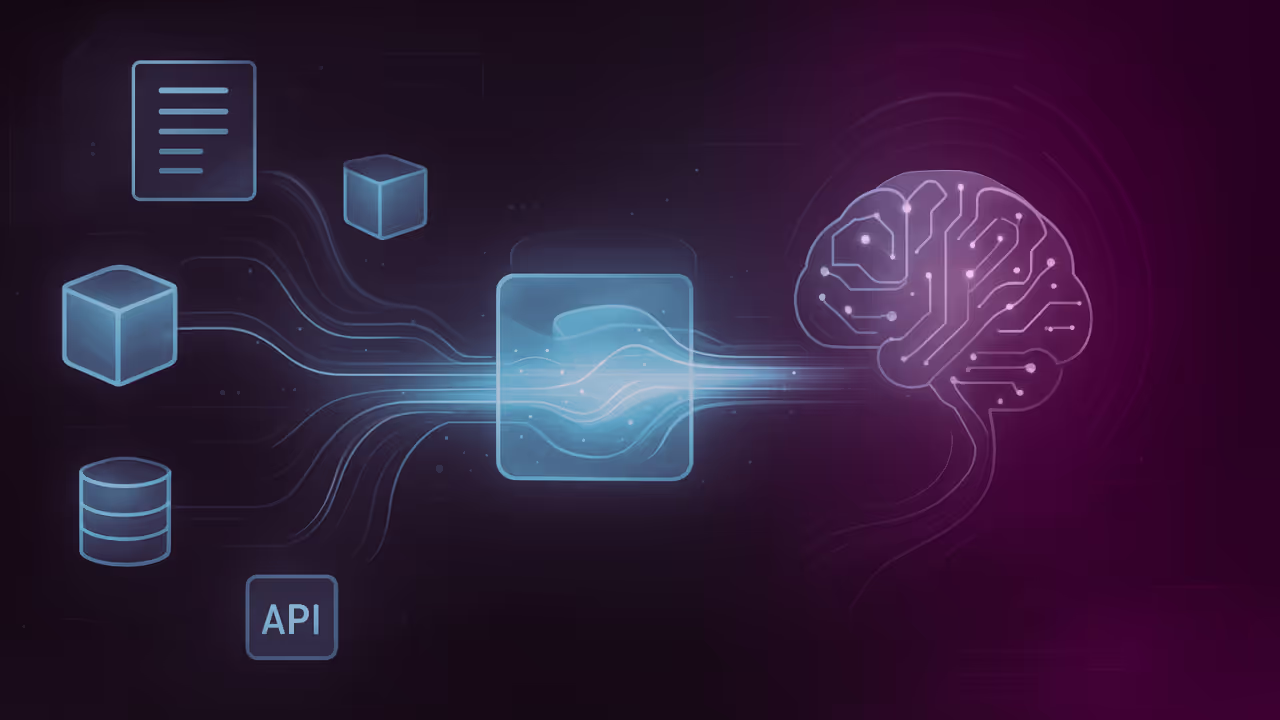
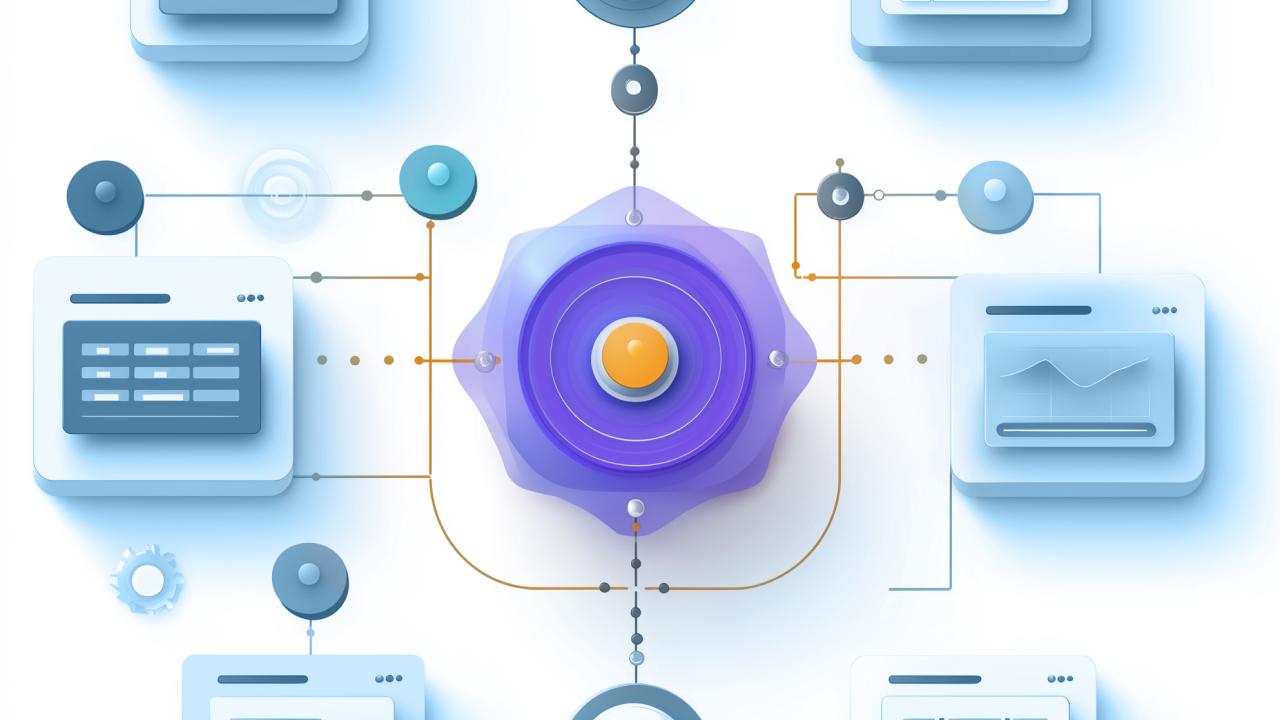
RAG grounds AI responses in your organization's current, trusted data rather than relying on a model's static training knowledge. That makes it one of the most practical ways to put AI to work on business data. This guide explains how RAG pipelines work, compares RAG to fine-tuning, and walks through building your first system with governance and security built in from day one.
Key takeaways
Here's what you need to know about retrieval-augmented generation before diving into the details:
- RAG (retrieval-augmented generation) grounds AI responses in your organization's current, trusted data rather than relying on a model's static training knowledge
- Unlike fine-tuning, RAG keeps your data separate from the model, making it quicker to launch, easier to govern, and more cost-effective to iterate
- A RAG pipeline includes ingestion, embedding, vector storage, retrieval, and generation components that work together to deliver cited, accurate answers
- RAG reduces hallucinations by requiring AI to cite specific sources and admit when it doesn't have relevant information
- Governance and security must be built into RAG from day one, with role-based access controls flowing from data ingestion through AI output
What is RAG?
Think of RAG as giving your AI a research assistant. A large language model (LLM) retrieves relevant facts from your own knowledge sources (policies, manuals, tickets, wiki pages, product data) and augments the prompt with those facts before generating an answer. The model doesn't learn from your data permanently. It looks up what it needs at the moment someone asks a question. That's why RAG excels at "what's true at our company?" questions.
Fine-tuning changes what a model knows by updating weights. RAG changes what a model uses at answer time by looking up fresh, governed data. Because RAG keeps your data separate from the model, it's usually quicker to launch, easier to govern, and cheaper to iterate. A dedicated section later in this guide breaks down when to choose each approach.
Along the way, you'll be connecting sources with data integration and sometimes simple extract, transform, load (ETL) pipeline steps to clean and prepare content.
A brief history of RAG
The term "retrieval-augmented generation" originated in a 2020 research paper from Facebook AI Research (now Meta AI). Researchers demonstrated that combining a retrieval mechanism with a sequence-to-sequence model produced more factual, specific, and diverse outputs than generation alone. Since then, RAG has evolved from an academic concept into a production-ready pattern adopted across industries, from customer support to legal research to healthcare documentation.
Benefits of RAG
Why are organizations actually adopting RAG? Because it solves practical problems that vanilla LLMs and fine-tuning approaches struggle with. The pattern has moved from pilot projects to production systems for several reasons:
- Adoption is real. 65 percent of organizations report regular generative AI use, a strong signal that practical patterns like RAG are moving from "pilot" to "how we work." This adoption rate matters because it indicates RAG has crossed the threshold from experimental to operationally viable for most enterprises.
- RAG reduces hallucinations and staleness. By grounding answers in your current content and requiring citations, you get more trustworthy responses than a model answering from general internet knowledge alone.
- It fits business use cases. Customer support, internal knowledge search, field service, sales enablement, and compliance Q&A all benefit from finding the right paragraph in your content and using it to answer a question right now.
- It scales with your architecture. Cloud reference designs often split RAG into ingestion, serving, and quality evaluation subsystems, which is useful for planning team responsibilities and tooling.
Cost-effective implementation
RAG avoids the expense of retraining or fine-tuning models every time your content changes. Your data stays separate from the model, so you can update policies, product specs, or pricing without touching the underlying AI. This separation also means you can swap embedding models or LLMs without rebuilding your entire knowledge base. Just re-embed and go.
Access to current data
Models have knowledge cutoffs. RAG doesn't. When a customer asks about a feature you launched last week or a policy you updated yesterday, RAG retrieves the current version. This matters for fast-moving domains like product support, compliance, and sales enablement where stale answers create risk.
Reduced hallucinations and increased trust
When an LLM generates from memory alone, it can produce AI hallucinations, confidently stating things that aren't true. RAG changes the dynamic by requiring the model to cite specific sources. If no relevant evidence exists, a well-designed RAG system says "I don't know" rather than inventing an answer.
This citation requirement builds trust with people who can verify the source themselves. RAG alone doesn't eliminate hallucinations entirely though. The model can still misinterpret retrieved content or combine sources incorrectly, which is why prompt design and quality evaluation remain essential.
How RAG works
Two distinct phases work together here: an offline indexing phase that prepares your content, and an online retrieval-and-generation phase that answers questions.
Core components of a RAG pipeline
Below is a stack-agnostic view you can map to your tools. Each component has recommended defaults and decision points to help you move from concept to implementation:
- Ingestion (connect and collect): Bring documents and other unstructured data from shared drives, websites, ticketing systems, and apps. Normalize formats (PDF, DOCX, HTML, Markdown). This is where solid cloud data integration practices pay off.
- Transformation (clean and normalize): Remove boilerplate (nav bars, footers), fix encodings, deduplicate. Apply personally identifiable information (PII) scrubbing where needed. Chunking splits long docs into retrievable units. Start with heading-based chunks or 100–400 token spans with small overlaps.
- Embedding: Convert chunks to vectors using an embedding model. Track model version and settings so you can re-embed if you change models later.
- Vector store: Store vectors plus metadata (title, source, date, permissions, product line). Metadata lets you filter at query time (e.g., "only policy docs for Region EU").
- Retrieval: Use hybrid search (keyword plus vector) for stronger recall, then re-rank a short list to pick the best few chunks (top-k). This boosts relevance for synonyms and acronyms.
- Generation: Build a prompt template that instructs the model to answer only from retrieved context, requires citations, and specifies formatting (bullets, JSON, tone).
- Refresh loop: Schedule re-indexing (e.g., nightly), re-embedding on model upgrades, and automatic invalidation when documents change. Pair this with data security management so access controls flow through.
- Quality evaluation: Treat quality as a subsystem. Maintain a test set, measure groundedness, and monitor over time. See Google's overview linked above for a helpful mental model.
You'll wire these pieces together through application programming interface (API) integration with your content sources and operational systems.
The following table provides recommended defaults for each component along with guidance on when to deviate:
| Component | Recommended Default | When to Deviate | Trade-offs |
|---|
| Chunk size | 100–400 tokens with 10–20 token overlap | Increase for narrative documents; decrease for dense technical specs | Larger chunks preserve context but may dilute relevance; smaller chunks improve precision but risk losing meaning |
| Embedding model | Track version, use same model for docs and queries | Switch when domain-specific models outperform general-purpose on your test set | Newer models may improve quality but require full re-embedding |
| Top-k retrieval | Start with 10 candidates | Reduce to 5 for high-precision needs; increase to 20 for broad recall | Higher k increases context length and cost; lower k risks missing relevant content |
| Hybrid search | Best Matching 25 (BM25) + vector search combined | Skip BM25 if your corpus has no technical terms, codes, or acronyms | Hybrid adds latency but significantly improves recall for exact-match queries |
| Reranker | Cross-encoder on top 10–20 candidates, keep best 3–5 | Skip for latency-critical applications with simple queries | Reranking improves precision but adds 50–200ms per query |
| Metadata fields | Title, source URL, date, permissions, product/version | Add custom fields (region, department, document type) based on filter needs | More metadata enables precise filtering but increases ingestion complexity |
Mistakes that trip up teams at each step:
- Ingestion: Failing to normalize formats leads to inconsistent chunk quality across document types
- Chunking: Arbitrary token splits that break mid-sentence destroy semantic coherence
- Embedding: Using different models for documents and queries causes retrieval degradation
- Metadata: Skipping permission tags means you can't enforce access controls at query time
- Retrieval: Relying on vector search alone misses exact matches for product codes and error messages
Indexing vs retrieval phases
The indexing phase runs offline: load, clean, chunk, embed, and store (with metadata and permissions). You can iterate on chunking and metadata without touching your application.
The retrieval-and-generation phase runs online: take the question, make a query vector, retrieve top-k relevant chunks (optionally with hybrid search plus re-ranking), stuff those chunks into your prompt, and generate an answer with citations. You can tune retrieval, top-k, and prompts without reprocessing the whole corpus.
This separation lets different team members work on different parts of the system independently.
Where costs accrue
Three main cost drivers in a RAG system:
- Embedding (once per document, plus updates)
- Vector queries (at question time)
- LLM tokens (context plus output)
Cost levers include caching frequent queries, reducing top-k, using hybrid search to narrow candidate sets, compressing or summarizing chunks, and setting max answer lengths.
Types of RAG architectures
Not all RAG implementations look the same. Several architectural variations have emerged to handle different complexity levels and use cases. The table below summarizes seven common types:
| Type | Description | Best for | Complexity |
|---|
| Naive RAG | Simple retrieve-then-generate with basic vector search | Proof of concepts, small document sets | Low |
| Advanced RAG | Adds pre-retrieval query optimization and post-retrieval re-ranking | Production systems needing higher accuracy | Medium |
| Hybrid RAG | Combines keyword (BM25) and vector search for stronger recall | Documents with technical terms, codes, or acronyms | Medium |
| GraphRAG | Uses knowledge graphs to capture entity relationships | Complex domains with interconnected concepts | High |
| Multi-hop RAG | Chains multiple retrieval steps to answer complex questions | Research, legal, and investigative use cases | High |
| Adaptive RAG | Dynamically adjusts retrieval strategy based on query type | Mixed workloads with varying complexity | High |
| Agentic RAG | Embeds RAG within AI agents that can plan, reason, and take actions | Workflow automation, multi-step tasks | High |
Most organizations start with Naive or Hybrid RAG, then graduate to more sophisticated architectures as their use cases demand.
Choosing the right architecture
Naive RAG works when you have a small, stable document set and need quick wins. Move to Advanced RAG when you notice retrieval quality issues, queries returning irrelevant chunks or answers missing key details. Hybrid RAG becomes essential when your documents contain product codes, error messages, or domain-specific acronyms that pure vector search misses.
GraphRAG and Multi-hop RAG address scenarios where answers require synthesizing information across multiple documents or following relationship chains. These architectures add latency and complexity, so reserve them for use cases where simpler approaches demonstrably fail.
Agentic RAG represents the frontier: embedding retrieval within AI agents that can decide what to look up, when to look it up, and what actions to take based on what they find. This pattern aligns with how enterprises are thinking about AI in 2026, bounded autonomy where humans set objectives and constraints, and machines execute and coordinate.
RAG vs fine-tuning
One of the most common questions when planning an AI implementation is whether to use RAG, fine-tuning, or both. The core distinction: RAG retrieves information at inference time, while fine-tuning bakes knowledge into model weights at training time.
| Dimension | RAG | Fine-tuning |
|---|
| Data freshness | Retrieves current content at query time | Frozen at training time |
| Implementation speed | Days to weeks | Weeks to months |
| Cost to update | Low (re-index documents) | High (retrain model) |
| Governance | Data stays separate from model | Data baked into model weights |
| Best for | Factual Q&A, citations needed, evolving content | Style, format, domain-specific reasoning |
| Hallucination control | Strong (cite or refuse) | Moderate (still generates from memory) |
Start with RAG when answers depend on your evolving content or when you need citations and tight governance. Consider fine-tuning when the desired skill is stable (e.g., writing style or output format) and not tied to specific sources. Many production systems combine both: fine-tune for tone and format, then use RAG for factual grounding.
When to combine approaches
Some organizations find that neither RAG nor fine-tuning alone meets their needs. A customer service team might fine-tune a model to match their brand voice and response format, then layer RAG on top to ground answers in current product documentation. The fine-tuned model handles how to respond; RAG handles what to say.
This hybrid approach works well when you have stable stylistic requirements (fine-tuning) combined with frequently changing factual content (RAG).
RAG use cases
Below are practical RAG patterns with inputs, outputs, and key performance indicators (KPIs). Each example includes the specific elements that make RAG effective for that scenario.
Customer support copilot
- Sources: Product manuals, release notes, knowledge base, support macros, and known issues.
- Guardrails: Restrict by product and version; enforce "don't answer unsupported stock keeping units (SKUs)."
- KPI: First-contact resolution, handle time, deflection rate.
- Implementation notes: Favor hybrid search to capture exact error codes and semantic matches; log every cited source. Use data integration tools to keep content fresh across systems.
Internal knowledge search
- Sources: HR and IT policies, standard operating procedures (SOPs), project docs, and architecture decisions.
- Guardrails: Row-level permissions. Don't retrieve what a person can't see.
- KPI: Time-to-answer; percentage of questions answered with citations; response satisfaction.
- Implementation notes: Tag each chunk with owner/department, review date, and confidentiality level; connect to corporate identity provider (IdP). Reinforce enterprise hygiene with AI data governance.
eCommerce product advisor
- Sources: Catalog (title, attributes), reviews, inventory, pricing rules.
- Guardrails: Enforce availability and pricing authority; prefer in-stock items.
- KPI: Conversion rate, upsell/attach, return rate.
- Implementation notes: Use metadata filters at query time (size, color, region). Summarize multiple reviews to avoid overlong prompts. When persisting catalog changes, follow data warehouse best practices to make indexing predictable.
Field service assistant
- Sources: Service bulletins, repair histories, internet of things (IoT) telemetry rollups.
- Guardrails: Offline fallback; safety notices always pinned first.
- KPI: Mean time to repair; truck rolls avoided.
- Implementation notes: Pre-compute embeddings for the most common failure codes; ship periodic index snapshots to edge devices.
Additional use case categories
RAG extends naturally to several other business scenarios:
- Compliance Q&A: Retrieve policies, regulations, and audit documentation to ensure answers cite authoritative sources. Particularly valuable in financial services, healthcare, and legal contexts where traceability matters.
- Sales enablement: Surface product specs, competitive intelligence, pricing guidelines, and case studies for reps in the field. Reduces time spent searching and ensures consistent messaging.
- Research and analysis: Synthesize findings across internal reports, market research, and technical documentation. Useful for analysts who need to connect insights across large document collections.
RAG and AI agents
RAG becomes even more powerful when embedded within AI agents, systems that can plan, reason, and take actions beyond simple question-answering. Where basic RAG retrieves information and generates a response, agentic RAG can decide what to retrieve, when to retrieve it, and what to do with the answer.
Consider a customer service agent that doesn't just answer questions but can also check order status, initiate returns, and escalate to humans when needed. RAG provides the knowledge layer (product policies, return windows, troubleshooting guides), while the agent orchestrates when and how to use that knowledge within a multi-step workflow.
This pattern aligns with how enterprises are thinking about AI in 2026: bounded autonomy where humans set objectives and constraints, and machines execute and coordinate. The RAG component ensures agents stay grounded in current, governed data rather than hallucinating actions. Human-in-the-loop checkpoints catch edge cases before they become problems.
For organizations already using RAG for Q&A, the path to agentic capabilities often starts with adding simple action triggers ("if the answer indicates X, then do Y") before graduating to more sophisticated planning and reasoning.
Building your first RAG system
Use this starter recipe to go from zero to a working version. It's stack-agnostic and mirrors cloud reference architectures that split work across ingestion, serving, and quality evaluation subsystems.
- Pick a specific use case plus KPI. Examples: "Answer the top 50 HR policy questions with citations; target 85 percent helpfulness." Tie success to something measurable, not "be smart." If you have fewer than 500 documents and need answers within a week, start with a simple vector store and basic chunking. If you have more than 10,000 documents and need enterprise governance, plan for metadata-rich ingestion and role-based access from day one.
- Collect and clean 50-500 documents. Export your highest-value pages first (FAQs, how-to guides, manuals). Strip navigation chrome and duplicated footers. If you're moving data across systems, decide whether an ETL vs Data Pipeline approach fits your governance and latency needs.
- Chunk with intent. Start with heading-based chunks (e.g., each H2/H3) and 100-400 token spans with ~10-20 token overlap for long paragraphs. Add metadata: owner, product, SKU/version, document date, region, and access level. Good chunking for a policy manual means one section per H2/H3 heading, roughly 200 tokens, with 20-token overlap. Bad chunking means arbitrary 500-token blocks that split mid-sentence and lose context.
- Choose embeddings and document schemas.Choose embeddings and document schemas. Keep the same embedding model for your documents and queries to avoid mismatches. Record the model name and version in your metadata so you can re-embed if you change later. This detail gets missed a lot: using different embedding models for documents and queries degrades retrieval quality significantly, and you won't always notice until production.
- Stand up a vector index.Stand up a vector index. Use indexes that support metadata filters (e.g., region: EU, product: Alpha). Start with topk=10; you'll tune this later. Add a keyword index (BM25) alongside to support hybrid search.
- Wire retrieval.Wire retrieval. Run keyword and vector searches for hybrid search, then union candidates. Score with a cross-encoder or LLM scoring prompt for re-ranking, and keep the best 3–5 chunks. Consider a short "pre-prompt" to the person ("Which product/version?") when the query is ambiguous. Good retrieval returns chunks that directly answer the question with minimal noise. Bad retrieval returns tangentially related content that forces the model to guess.
- Draft a prompt template. Include: role ("You are a company assistant"), constraints ("Cite your sources; if unknown, say you don't know"), format ("Answer in bullets; max 150 words unless asked"), and a context window where you paste retrieved chunks (title, source, date) so the model can cite cleanly.
- Build the quality loop.Build the quality loop. Offline: Collect 50–150 real questions and gold-standard, grounded answers with the correct citations. Metrics: Retrieval recall@k, precision@k, answer groundedness, citation correctness, and format adherence. Online: Thumbs up/down, comments, fallbacks ("I don't know" counts), and drift checks. A formal quality evaluation subsystem, as called out in cloud reference designs, keeps this from being an afterthought. Good quality loops catch problems before people do. Bad quality loops only surface issues after complaints accumulate.
- Governance and security.Governance and security. Enforce permissions at index time (don't store secrets in plaintext) and query time (filter by access). Maintain an audit trail of who asked what, which chunks were retrieved, and which sources were cited. Use org-level frameworks and tools. See primers on AI governance tools and AI data governance.
- Ship a v1, then iterate weekly.Ship a v1, then iterate weekly. Tweak chunk sizes and overlaps; add missing metadata; tighten top-k; improve prompts. Align data movement and monitoring with your ETL pipeline schedules and operational alerts.
RAG build checklist
Before launching, verify these essentials:
- Use case and success KPI defined
- 50+ high-value documents collected and cleaned
- Chunking strategy tested with sample queries
- Same embedding model for documents and queries
- Metadata schema includes permissions and source tracking
- Hybrid search configured (vector + keyword)
- Prompt template enforces citations and "I don't know" fallback
- Test set of 50+ questions with expected answers created
- Access controls tested across different user roles
- Refresh schedule established for document updates
Quality, evaluation, and monitoring
Great RAG isn't just a model. It is a system that continuously measures and improves itself. Treat quality as a first-class area of work (and, ideally, a distinct subsystem). This matches cloud reference architectures that put quality evaluation alongside ingestion and serving.
Offline evaluation (before you launch)
Before deploying, establish baseline quality with systematic testing:
- Build a tiny "gold" set of 50–150 Q&A pairs representative of your use case.
- Label the retrieval step: how often does the right chunk appear in topk (recall@k) and how cleanly do filters narrow to the right domain (precision@k)?
- Label the answer step: is the answer grounded (only claims supported by retrieved text), are citations correct, is the format usable?
- Use this set to compare prompt versions, re-ranking strategies, chunk sizes, and embedding models.
Test set design guidance
Start with 50–150 representative questions that reflect your actual query distribution. Include edge cases: ambiguous queries, multi-hop questions requiring information from multiple documents, and queries where no good answer exists in your corpus. For each question, label the expected answer, expected source document(s), and acceptable alternative phrasings. Update your test set quarterly as new question patterns emerge from production traffic.
Metric definitions
The following table defines core metrics for RAG evaluation:
| Metric | Definition | How to Measure | Good Threshold |
|---|
| Recall@k | Percentage of relevant documents appearing in top-k results | Compare retrieved docs against labeled relevant docs in test set | Greater than 80 percent |
| Precision@k | Percentage of top-k results that are actually relevant | Count relevant docs in top-k divided by k | Greater than 60 percent |
| Groundedness | Percentage of answer claims supported by retrieved text | Human evaluation or LLM-as-judge scoring | Greater than 90 percent |
| Citation correctness | Percentage of citations that accurately reference the source | Manual audit of cited passages against source documents | Greater than 95 percent |
| Format adherence | Percentage of answers matching specified output format | Automated format validation against template | Greater than 98 percent |
Lightweight scoring rubric
For each test question, score retrieval and generation on a 0–2 scale:
Retrieval scoring:
- 0: Wrong documents retrieved; relevant content not in top-k
- 1: Partial match; some relevant content but key information missing
- 2: Perfect match; all necessary information present in retrieved chunks
Generation scoring:
- 0: Hallucination; answer contains claims not supported by retrieved text
- 1: Correct but poorly cited; accurate information with missing or incorrect citations
- 2: Correct and well-cited; accurate answer with proper source attribution
Aggregate scores across your test set to calculate an overall quality index. Track this index over time to detect drift.
Online monitoring (after you launch)
Once in production, continuous monitoring catches drift and emerging issues:
- Capture thumbs/flags and attach them to specific retrieved chunks and prompts.
- Detect drift: sudden drops in recall or groundedness, unusual token spikes, or increased "I don't know" rates after a re-index.
- Alert on low confidence cases (long answers with weak citations).
- Log all RAG decisions (query, candidates, final chunks, prompt, output) so you can reproduce issues.
How to interpret results and take action
When metrics fall below thresholds, use this diagnostic guide:
- Low recall@k (below 60 percent): Improve chunking by reducing chunk size or adding section titles. Add hybrid search if not already enabled. Check that embedding model matches between documents and queries.
- Low groundedness (below 80 percent): Tighten prompt constraints to require explicit citations. Add reranking to surface more relevant chunks. Reduce top-k to eliminate noise.
- Low citation correctness (below 90 percent): Enforce citation format in prompt template. Add post-generation validation to verify cited passages exist. Include source metadata (title, URL, date) in retrieved chunks.
- High "I don't know" rate (above 30 percent): Expand corpus coverage for common query topics. Review chunking to ensure relevant content isn't being split across chunks. Check metadata filters aren't overly restrictive.
Guardrails
Guardrails prevent the system from generating harmful or unsupported responses:
- Hard cap max tokens and answer length by policy.
- Require a refusal ("I don't know") when no relevant evidence is retrieved.
- Enforce "cite at least one source" in your prompt; when multiple chunks are similar, prefer the most recent.
Cost, scalability, and performance
RAG can be fast and affordable with a few architectural choices:
- ANN indexes (approximate nearest neighbor) keep vector search fast as corpora grow.
- Hybrid search narrows candidates before expensive re-ranking.
- Response caching (question and retrieved context hash) eliminates repeat work for FAQs. For FAQ-heavy use cases, caching can reduce repeat query costs by 50–80 percent, a significant savings when the same questions appear hundreds of times daily.
- Chunk tuning can trim context by 30–50 percent: favor small, well-titled chunks over sprawling blocks. This reduction directly lowers LLM token costs, which typically represent the largest variable expense in production RAG systems.
- Batch re-embedding and cooldowns (e.g., re-embed a document only after it's been stable for 24 hours) avoid unnecessary costs.
- Observability: log latency for retrieval, re-ranking, and generation; correlate spend with business KPIs (your API logs and ops data will help, even a simple export via API integration is enough to start).
Governance, security, and compliance
Two principles keep RAG enterprise-ready:
- Least privilege. People should never retrieve content they cannot otherwise access. Apply row-/document-level permissions inside your index metadata and filter at query time.
- Auditability. You must be able to show which sources supported an answer. Store document IDs and versions in retrieved chunks. Keep immutable logs of prompts, retrieved items, and outputs.
Threat model and controls
RAG systems face specific security threats that require targeted mitigations. The following table outlines common threats and their controls:
| Threat | Attack Vector | Impact | Mitigation |
|---|
| PII leakage | Sensitive data included in retrieved chunks | Regulatory violation, privacy breach | Apply named entity recognition (NER) in ingestion to detect and redact Social Security numbers (SSNs), credit card numbers, health records; store redacted versions; log all redactions |
| Permission bypass | A person retrieves documents they shouldn't access | Data breach, compliance failure | Enforce row-level access controls at query time; sync permissions from source systems; test with different user roles |
| Prompt injection via retrieved docs | Malicious content in corpus manipulates model behavior | Model compromise, incorrect outputs | Sanitize retrieved text before augmentation; validate source authenticity; implement content integrity checks |
| Index poisoning | Attacker adds misleading documents to corpus | Incorrect answers, reputation damage | Validate source authenticity and freshness; implement change management for index updates; monitor for anomalous additions |
| Embedding reconstruction | Attacker reverse-engineers embeddings to recover source text | Sensitive content exposure | Encrypt embeddings at rest; implement tenant isolation; apply access controls to embedding storage |
Practical governance steps
Implementing these principles requires attention across the entire pipeline:
- Encrypt at rest and in transit; classify sensitive fields; redact PII in transformations.
- Respect data residency and retention policies.
- Use deny lists (e.g., never surface "draft" or "legal-privileged" docs).
- Align to corporate frameworks and industry guidance. Use primers on AI data governance, AI governance tools, and confirm you've implemented data security management controls.
Compliance alignment
Different regulatory frameworks require specific RAG controls:
For General Data Protection Regulation (GDPR) compliance: Implement right-to-deletion by purging user data from vector databases on request. Practice data minimization by indexing only necessary fields. Maintain consent tracking by logging user consent for data use in RAG applications.
For Health Insurance Portability and Accountability Act (HIPAA) compliance: Encrypt all data at rest and in transit. Enforce comprehensive access logs for all retrieval events. Implement Business Associate Agreements (BAAs) with vector database providers. Ensure protected health information (PHI) is never included in prompts sent to external model providers without appropriate safeguards.
For Service Organization Control 2 (SOC 2) compliance: Maintain an audit trail of all retrieval events with timestamps and user identifiers. Implement change management procedures for index updates. Enforce least privilege access with regular access reviews.
Embedding-specific governance
Embeddings deserve special attention because they can leak information about the underlying text. Treat embeddings as governed derived artifacts: apply access controls, encrypt storage, implement tenant isolation in multi-tenant deployments, and define retention policies that align with your source document lifecycle. If an embedding could allow reconstruction or inference of sensitive content, protect it accordingly.
Provider and model boundary controls
Clarify what data gets sent to external model providers, where processing occurs, and what residency options exist. Implement "no training/no retention" agreements contractually and verify them technically through API configurations and audit logs. For regulated industries, document these controls as part of your enterprise AI governance and compliance evidence.
Challenges and how to overcome them
Every RAG implementation hits common obstacles. The following troubleshooting guide helps you diagnose and fix issues systematically:
| Symptom | Likely Cause | Diagnostic Check | Fix |
|---|
| Model hallucinates despite RAG | Retrieved chunks lack relevant information | Check recall@k on test set; review retrieved chunks for relevance | Improve chunking; add hybrid search; expand corpus coverage |
| Answers cite wrong paragraphs | Chunks too large or poorly titled | Review chunk boundaries; check if relevant content spans multiple chunks | Reduce chunk size; add section titles; increase overlap |
| Retrieval is slow | Vector index not optimized; too many candidates | Measure query latency; check index configuration | Switch to ANN index; add metadata filters; implement caching |
| Answers are stale | Index not refreshing; documents outdated | Check last update timestamp; compare index to source | Implement scheduled re-indexing; add document version tracking |
| Inconsistent answer quality | Embedding model mismatch; prompt drift | Compare embedding models for docs vs queries; audit prompt versions | Use same embedding model throughout; version control prompts |
| Permission leakage | Access controls not enforced at query time | Query as different roles; verify results match expected permissions | Sync permissions from source systems; add query-time filtering |
| High "I don't know" rate | Corpus gaps; overly restrictive filters | Analyze unanswered queries for patterns; review filter settings | Expand corpus for common topics; relax metadata filters |
Detailed fixes for common issues
Over- or under-chunking: If answers cite the wrong paragraph or include irrelevant content, adjust chunk sizes and overlaps. Add clearer section titles to help the embedding model distinguish between topics. Test different chunk sizes (100, 200, 400 tokens) on your test set to find the optimal balance.
No metadata: Without tags (owner, product, version, region, access), retrieval becomes imprecise. Enrich during ingestion by extracting metadata from document properties, file paths, and content headers. Prioritize permission metadata to enable access control.
Mismatched embeddings: Use the same embedding model for documents and queries. If you've upgraded your embedding model, re-embed your entire corpus rather than mixing old and new embeddings.
"It makes stuff up": Require citations in your prompt template. Use a strict instruction like "Answer only based on the provided context. If the context doesn't contain relevant information, say 'I don't have information about that.'" Reduce top-k to include only highly relevant chunks.
Stale index: Schedule re-indexing based on your content update frequency. Track document versions and implement automatic invalidation when sources change. Monitor for drift by comparing answer quality before and after re-indexing.
Governance late in the game: Bake in access controls and audits from day one. Retrofitting permissions after launch is significantly harder than building them into your initial architecture. You'll notice this the hard way if you skip it.
Evaluating RAG tools
You'll hear about orchestration frameworks (LangChain, LlamaIndex, Haystack), vector databases, and cloud building blocks. Rather than prescribing a brand, evaluate tools on these criteria:
- Connectors and ingestion: Can you integrate sources with minimal friction (content management systems, or CMS, ticketing, drive, database)? Strong data integration tools make or break the first mile.
- Metadata and permissions: Rich tagging plus filter support; can you map your identity and access management (IAM) roles into the index?
- Hybrid retrieval and re-ranking: Out-of-the-box, or do you have to bolt it on?
- Observability and eval: Built-in metrics for recall@k, groundedness, and drift?
- Governance hooks: Prompt/response logging, PII policies, and export for audits.
The following table provides example tools by category to help orient your evaluation:
| Category | Example Tools | Key Differentiator |
|---|
| Orchestration | LangChain, LlamaIndex, Haystack, Semantic Kernel | Open-source and vendor-agnostic; varying levels of abstraction |
| Vector databases | Pinecone, Weaviate, Qdrant, Milvus, Chroma | Managed vs self-hosted; filtering capabilities; scale characteristics |
| Embedding models | OpenAI text-embedding-3, Cohere embed-v3, Sentence Transformers | Quality vs cost vs latency trade-offs; domain-specific options |
| Rerankers | Cohere Rerank, cross-encoder models, Jina Reranker | Precision improvement vs added latency |
| Cloud platforms | AWS Bedrock, Google Vertex AI, Azure AI Studio | Integration with existing cloud infrastructure; managed services |
Cloud providers also publish reference architectures showing how to split responsibilities across ingestion, serving, and quality evaluation subsystems.
Getting started with RAG on Domo
You don't need to stitch together a dozen tools to get real value from RAG. With Domo, you can connect sources, govern data, and monitor AI quality and cost, all in one place.
What you'll see in a Domo walkthrough:
- Fast connections to your content (docs, wikis, ticketing, product data) with governed pipelines, no duct tape.
- Operational hygiene out of the box: scheduled refresh, lineage, version awareness, and role-based access so only the right people see the right answers.
- RAG health dashboards that track recall@k, groundedness, citation coverage, latency, and cost per question, so you can prove value and control spend.
- Governance and audits that keep AI answers compliant (PII handling, access logs, retention), backed by enterprise-grade controls.
- Workflow integration so answers show up where work happens, inside apps, alerts, and team dashboards.
Ready to see it in your environment? Book a personalized RAG walkthrough. A personalized walkthrough can map your first use case and KPI, connect sample sources, outline your indexing/retrieval strategy, and show how to monitor quality and costendtoend with Domo.
Build your first grounded AI assistant together.