Se ahorraron cientos de horas de procesos manuales al predecir la audiencia de juegos al usar el motor de flujo de datos automatizado de Domo.
Ver el vídeo


A business app is an application that provides a specific service to users within the organization or outside of it. Business apps are often developed by software vendors and are used as part of a wider IT system deployment or as standalone software solutions. They can be downloaded onto mobile devices, accessed through intranets, or hosted on cloud computing platforms.
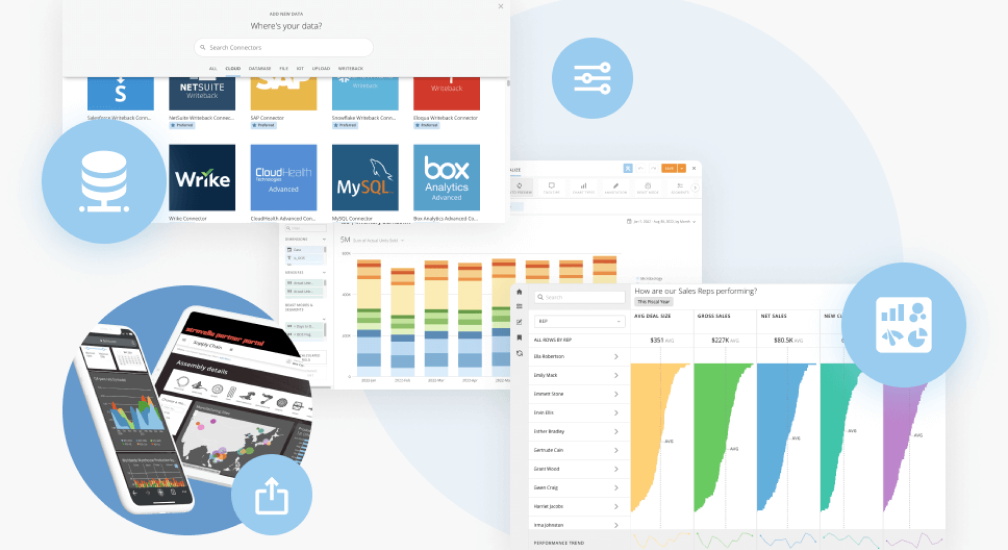
If you’re new to the world of business applications, don’t worry. The first step is to understand what makes them different from other applications and why they’re important for businesses in general.
Business applications refer to any software used by an organization to support its business processes, such as CRM (customer relationship management), ERP (enterprise resource planning), HRIS (human resources information systems), and so on.
Unlike consumer-facing products, such as email clients or photo editors, business apps target a specific area of operation within an organization that typically includes multiple departments or teams—marketing teams need different functionality than sales teams, for example.
For the most part, a quality business app will improve a company through increased automation or communication. This could be anything from automating everyday accounting tasks or enhancing communication between in-house and hybrid work teams.
There are a number of different ways that an organization can benefit from using business apps. For example, some apps can be used to communicate with customers and employees more effectively. This can help companies increase brand awareness, create an effective loyalty program, and get ahead of their competition.
As a business, it is your responsibility to understand the needs and expectations of your customers. It’s also important to be aware of their current situation. A business app can help you do this.
Some business apps provide access to information that allows businesses to create a better customer experience by improving communications with clients, directly engaging with them, and making sure they are satisfied with a product or service.
Business apps can help you give your customers what they want because they’re available on the platforms and devices that are most important to them. Wherever your customer is, you can be there too. As a result, you can offer a personalized experience that makes it easy for them to interact with your business—whether that means sharing a deal on social media or buying from you directly.
One of the significant benefits of having a business app is that it helps you increase brand awareness. Some types of business apps can be used in a number of ways to market your products and services, as well as collect customer data for future marketing campaigns. They can also be used to create loyalty programs and marketing channels that don’t cost a lot of money but still have huge growth potential.
By using a business app for your marketing strategy, you are creating a helpful marketing channel that has several benefits. Every time someone interacts with the app, they are exposed to your brand and message.
A loyalty program is a great way to reward your most loyal customers and incentivize them to keep coming back. It’s also an effective way to attract new customers because it shows that you are committed to providing excellent customer service and making their experience as positive as possible.
If you have an app solution that streamlines business operations, you need to implement it now rather than later. Any way you can improve your business efficiencies and insights is a method of overcoming competition in a highly fast-paced marketplace.

In simple words, business apps are applications that automate processes within a business. Business apps automate manual processes and most other activities that involve data input, data integration, process workflows, and alerts.
Most business applications can be easily used by non-technical employees as well as technical employees by providing clear instructions and clean user interfaces. This makes it easier for individuals with less experience or expertise with technology to benefit from automated processes and data management.
These business apps are a vital component of achieving digital transformation as they enable companies to make more informed decisions faster than ever before—which ultimately leads to better business outcomes for everyone involved. The more you can free up valuable resources from mundane tasks, the more you can focus on critical issues like customer engagement, relationship building, and new lead generation for future business growth.
Business apps can help you run your business more efficiently. Business apps can help you increase efficiency, save time and money, reduce costs, improve productivity and increase revenue. They automate manual processes, freeing up time for employees to focus on strategic tasks rather than day-to-day ones.
To build business apps, you need a development platform that will allow you to build the app without any glitches or errors. The best platforms offer high-level security and encryption protocols so that your data is safe at all times. They also have a simple navigation system that makes it easy for users to navigate through the app’s dashboard and features with ease.
Once you’ve developed an app, getting it onto the market can be a challenge if there isn’t enough infrastructure in place to handle consumer demand or spikes in traffic caused by marketing campaigns. A robust hosting provider will ensure that consumers have access regardless of their location or device type (iOS vs. Android).
In addition to developing custom business apps, organizations can purchase off-the-shelf apps to help streamline their business processes. Consider the needs of your organization to determine whether to build or buy a business app.
The possibilities are practically endless when it comes to introducing business apps into your company’s organization. You may want to consider the drag-and-drop capabilities of no-code solutions as well. These create massive advantages and promote business growth.
Business apps can help companies increase productivity, improve customer engagement, and create effective loyalty programs. Business apps automate manual processes and most other activities that involve data.
Domo transforms the way these companies manage business.