Join the AI + Data Tour for hands-on training, real customer stories, and time with Domo product experts near you.
Register now
The cycle of buying software instead of solving problems is tricky to break. The pattern goes like this: Someone at the leadership level (director or above) sees a problem. Maybe it's flagging customer retention or lead conversion dips.
This leader starts looking for a solution and, lo-and-behold, finds a new piece of software with messaging that exactly matches the problem! The team buys that tool, and the cycle repeats again and again until they're left with a sprawling tech stack and a dozen half-solved issues.
Shana Brennan, a solution engineer at Domo joined us to discuss what happens when you actually break this cycle, when you stop buying software to fill gaps and start building it on data you already have.
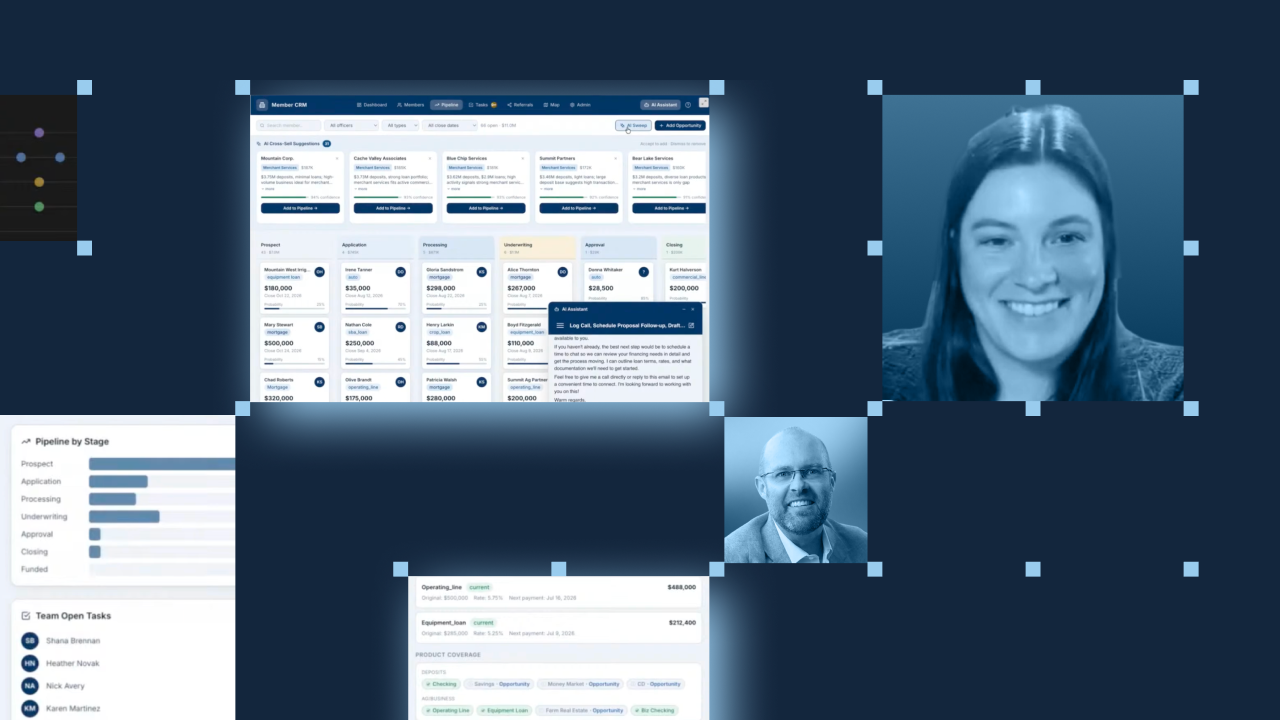
Her team was working with a credit union that already used Domo and asked one simple question: "What else could Domo help me solve?" Shana, who calls herself a non-coder, answered by building a working AI-native customer app in about a week.
You can watch her demo the app in the livestream, or keep reading to learn how you can build your own AI-native app on data that already lives in Domo (without needing a developer's help).
The build breaks down into five repeatable moves. Each one maps to a decision Shana made during the demo, and each one translates to whatever industry or workflow you work in.
The best first project solves a problem you already feel. The credit union had no CRM (customer relationship management system) and didn't want to sign a contract for a need that never justified one. Its team tracked members across spreadsheets and sticky notes, plus a referral program nobody could keep organized.
What made the build fast was that the underlying data already sat in Domo. That is the pattern to hunt for. Find a workflow held together by manual effort on top of data you already own. Pick that, and you skip the hardest part of any project: getting the data in the first place.
Shana built the app's interface using Claude Code together with Domo's MCP, the connection that lets an AI assistant read from and act inside Domo. As she explained, the first working mockup took an hour or two, and the bulk of the app came together within a week, built off and on. All of it happened without Shana coding anything by hand.
Domo's pro-code apps (the app framework developers normally use for custom builds) gave her a place to assemble a polished interface. The difference is that the AI assistant did the assembling, so a non-coder could direct the work in plain language.
Shana wired in intelligence using Domo Code Engine functions (reusable functions that call AI services) and the Domo AI Library. Rather than sprinkle AI everywhere, she attached it to tasks a person actually does.
The demo put AI to work in four grounded places:
Control is the core of this design. A person reviews every AI-drafted email before it sends. Nothing leaves the building on the model's say-so alone.
Governance also carries through the whole app. Domo's role-based access decides what each person sees, so when Shana set herself as a VP, she saw her entire team's view. Domo's agents run with bounded autonomy, which means people set the objectives and limits while the system executes within them.
And because Domo acts on data where it already lives, in Snowflake, Google, or Databricks, the app works on governed data without moving it.
An app is only useful if the people who own it can change it. Shana built an admin section that lets someone add a pipeline stage or a new loan product through an editable interface, with no code involved.
That choice lowers the fear that keeps many teams out of pro-code territory. The app grows as the business grows, and the person closest to the work makes the change.
Put the five steps together, and you get one governed app, built on data the customer already owned and refined across about a week.
The demo covered more than fits in one guide. In the full livestream, you can see how the AI app scans the whole customer base and surfaces hidden revenue on its own, including a merchant services deal it flagged with 94 percent confidence. You'll also see the referral nudge at work. It catches any referral stalled for more than 15 days, then drafts the follow-up and creates the task so nothing slips through the cracks.
All this adds up to a clear look at what Domo means by turning governed data into action people can trust. Watch the full session, and start mapping your own build.