Guide to Business Intelligence and Data Warehouse Value


Combining a data warehouse with BI tools creates a complete data-to-decision pipeline, but only when the foundation is solid. This guide breaks down the key distinctions between databases and data warehouses, walks through extract, transform, load (ETL) and extract, load, transform (ELT) processes, and covers platform selection criteria for organizations of all sizes. It also addresses how to measure ROI and sidestep the mistakes that keep teams from getting value out of their data investments.
Key takeaways
Here are the main points from this guide:
- Business intelligence transforms raw data into actionable insights, while data warehousing provides the structured foundation that makes analysis possible.
- A data warehouse consolidates information from multiple sources into a single repository, enabling consistent and reliable BI reporting.
- The measurable value of a data warehouse includes shorter decision cycles, reduced manual reporting, improved data quality, and lower risk of conflicting metrics across teams.
- Together, BI and data warehousing create a complete data-to-decision pipeline that drives more confident business outcomes.
- Modern platforms combine both capabilities, reducing complexity and shortening time to insight.
What is business intelligence and data warehousing?
Business intelligence and data warehousing both organize and interpret data in ways that surface critical information for business decisions. Here is the catch: data sits in warehouses, perfectly organized, yet never quite reaches the people who need it. That's the "last mile" problem, and it's exactly where the BI-warehouse relationship earns its keep.
That gap shows up differently depending on who you ask. Data engineers worry about broken pipelines and stale loads. Analytic engineers fight metric inconsistencies across models. BI specialists get stuck as a report factory. IT leaders lose sleep over governance and compliance. Executives just want one version of the truth they can trust.
Data warehousing is typically one layer in a larger business intelligence setup: you collect, store, and organize data, then feed it into analysis and interpretation. A solid business intelligence (BI) architecture almost always includes a data warehouse. The terms get used together constantly, but they're still distinct ways of handling data.
The warehouse does the heavy lifting on data management. BI turns that work into business decisions. Different jobs, same pipeline.
Here's what matters: how business intelligence and data warehouses differ, where they overlap, and what your organization gains when they're working in sync.

What is business intelligence?
Business intelligence is how organizations use data to make informed decisions. Tools and practice both. Interpreting the numbers, shaping strategy, analyzing customer behavior, improving operations, spotting market opportunities, and strengthening productivity.
The value of BI is not the dashboard itself. It is the habit it builds: asking sharper questions of your data and getting answers you can act on.
Picture a meeting where the presenter flips through slides packed wall-to-wall with numbers. No context. No takeaway. You leave with a headache and exactly zero decisions made.
That's where business intelligence shows up. If BI were the presenter, it would translate those numbers into a story you can follow. Instead of context-less tables, you'd get visuals, summaries, and projections. Now the room understands those numbers represent supply chain metrics; the charts show where the organization is profitable and where it's losing money. You walk away with clear trends, a view of which distribution routes need work, and how to diversify suppliers. Then comes the part that matters: recommendations you can actually run with, like how toreach a new target audience at a lower cost.
Using procedures, software platforms, and analysis, business intelligence turns data into this kind of narrative presentation. BI can include visuals (like charts and graphs), data mining tools, best practices, and company infrastructure. Anything that helps make the data understandable and actionable. Where teams get tripped up is treating BI as a "dashboard delivery" job. If the business questions aren't clear, the visuals usually end up polished and pointless.
What is data warehousing?
Data warehousing is the practice of gathering data from many sources into a central repository so people can make more informed business decisions. A data warehouse acts as the backbone of business intelligence by providing the structured, reliable data needed for analysis, reports, and data-driven decision-making.
Data warehouses collect data and store it securely. Done well, they make data easy to organize, manage, and retrieve. If you're evaluating a data warehouse, the usual deal-breakers are scalability, data governance, data security, and whether it integrates cleanly with what you already run.Teams also underestimate how much "integration" really means: mapping fields, handling late-arriving data, and agreeing on definitions (not just wiring up connectors).
Integration is the part that gets real, real quick. Most organizations pull from a mix of legacy systems, cloud apps, spreadsheets, and modern cloud data warehouses or lakehouse platforms. If the ingestion layer can't keep up or needs constant manual fixes, BI feels the pain immediately.
A modern data warehouse consists of five key components, each contributing distinct value to the overall system:
- Ingestion layer: Tools and processes (ETL or ELT) that extract data from source systems and load it into the warehouse. Value contribution: Ensures data is fresh and complete, reducing time to insight and preventing stale dashboards.
- Storage layer: The core database infrastructure that holds structured data in tables optimized for analytical queries. Value contribution: Provides the scalable foundation that allows historical analysis without degrading performance.
- Transformation layer: Where data is cleaned, modeled, and aggregated into business-ready formats. Value contribution: Reduces reporting errors and ensures analysts work with consistent, validated data rather than raw source records.
- Orchestration: Workflow scheduling that coordinates when and how data moves through the pipeline. Value contribution: Keeps pipelines reliable and predictable, so business teams know when to expect updated numbers.
- Metadata and catalog: The data dictionary and lineage tracking that documents what data exists, where it came from, and what it means. Value contribution: Shortens audit cycles, accelerates onboarding for new analysts, and prevents the "what does this field mean?" conversations that slow down reporting.
In healthcare, for example, data warehousing is vital for storing information. Hospitals can use data warehouses to compile patient records, types and frequencies of medical procedures done, insurance claims, and lab test results. Having all that information in one place is critical for the hospital to understand the health needs of the local population, make financial decisions, keep facilities staffed appropriately, and know what kinds of products may be at risk of supply chain shortages.
Data warehousing is so useful that it's likely to become a $52.59 billion market by 2034. That kind of growth matters if you're planning a multi-year BI and warehouse strategy: it signals that tooling, talent, and vendor investment will keep accelerating in this space.
With the advent of cloud computing, data warehousing in the cloud can hold far more data than many traditional and on-premises data storage options. The more data a warehouse can hold, the more history, trends, insights, and use cases a company can extract from its raw numbers.
Database vs data warehouse
Databases and data warehouses sound similar because, yes, both store data. They're built for different workloads, though. That difference shows up the moment you try to run analytics at scale. Data warehouses are usually a layer built on top of traditional databases.
The core distinction comes down to how they process information. Transactional databases use online transaction processing (OLTP), which is optimized for fast, row-level reads and writes, perfect for recording individual sales or updating customer records in real time. Data warehouses use online analytical processing (OLAP), which is optimized for complex queries across large historical datasets. You can't just point BI at a production database and hope for the best; performance and stability pay the price.
These architectural differences translate directly into business value:
- OLAP design reduces time-to-insight because queries scan pre-aggregated historical data rather than live transaction rows. An analyst asking "What was revenue by region last quarter?" gets an answer in seconds instead of minutes.
- Dimensional modeling improves analyst productivity because star schemas are optimized for the kinds of slice-and-dice questions people in the business actually ask. Less time writing complex joins means more time analyzing results.
- Workload isolation improves uptime because analytical queries don't compete with operational writes. Your e-commerce site stays fast even when the finance team runs month-end reports.
Here are some of the biggest distinctions between databases and data warehouses:
- What their purpose is. If an organization needs a collection of simple and detailed data to retrieve anytime, a database will serve that purpose. A data warehouse, on the other hand, stores data from many sources so you can run analysis and complexqueries.
- What they do with the data. A database records data and transactions, usually in a table format. Data warehouses store data too, and they can also pre-aggregate and summarize it enough to support reporting and common analytical questions.
- What they store. Both store data, but databases typically hold detailed, current records from a single application. Data warehouses store data from multiple sources in various formatsand can retain large amounts of historical data, helpful when you need long-term comparisons.
- Where they get their data. In most cases, databases get data from a single application. For example, a healthcare organization may use a database for patient records. An e-commerce company may use a database for customer purchasing information. Data warehouses gather information from many applications, like Excel sheets, Salesforce or other customer relationship management (CRM) systems, enterprise resource planning (ERP) software, and apps.
- How they process information. Online transaction processing (OLTP) is geared toward transactional processing and real-time updates, making it a great fit for databases. The other processing system is online analytical processing (OLAP). Data warehouses typically use OLAP because it can handle more complex analysis and reporting.
- How quickly they work. Databases work in real time for straightforward lookups and updates. Data warehouses may have a slight lag, depending on how quickly they import and organize data. But for analytics, warehouses tend to be the more responsive option because traditional databases often can't handle heavy queries without strain and slowdowns.
Benefits of combining BI and data warehousing
When business intelligence and data warehousing work together well, you get advantages that neither delivers on its own. Here's what that combination enables in practice:
- Single source of truth: Instead of reconciling revenue figures across your CRM and ERP manually in spreadsheets, a data warehouse consolidates both sources so BI tools can report consistent numbers. No more "which number is right?" debates in executive meetings.
- Quicker, more confident decisions: When data is already cleaned, organized, and accessible, analysts spend less time hunting for information and more time analyzing it. Decision cycles that once took weeks can happen in days, especially when refresh schedules are predictable.
- Historical trend analysis: Data warehouses store years of data, which means BI tools can identify patterns that would be invisible in a transactional database limited to current records. You can compare this quarter to the same quarter three years ago with a few clicks.
- Improved data quality: The ETL or ELT process that feeds a warehouse includes validation and cleaning steps. By the time data reaches your dashboards, it's already been checked for duplicates, missing values, and format inconsistencies. "Clean" is contextual, of course; validation rules have to match how the business actually counts things.
- Scalability without performance degradation: Running complex analytical queries against a production database slows down the applications your business depends on. A data warehouse isolates analytical workloads so both systems perform well.
- Reduced metric fragmentation: When every team creates their own version of "revenue" or "customer count," trust in data erodes. Combining BI with a governed warehouse (and ideally a semantic layer) ensures everyone works from the same definitions.
- Measurable retention and conversion improvements: A mid-market retail company that centralized customer data in a warehouse and connected it to BI reduced campaign attribution errors by eliminating conflicting spreadsheet versions. Within six months, the marketing team identified a customer segment with 40 percent higher lifetime value that had been invisible when data lived in silos.
- Shorter reporting cycles: A finance team at a manufacturing company reduced monthly close reporting from three days to four hours after consolidating data sources into a single warehouse. The time savings came from eliminating manual data pulls and reconciliation steps that previously required multiple analysts.
It also changes the day-to-day experience for the people running analytics. BI specialists can spend more time doing actual analysis (and less time rebuilding the same report five different ways), while IT and data leaders can scale access to warehoused data without scaling IT headcount at the same rate. This shift alone can lower the temperature in a lot of cross-team meetings.
Measuring data warehouse ROI
A data warehouse has no inherent value. Value comes from the business decisions and actions it enables. That distinction matters when you're building a business case, because it shifts the conversation from "how much does this cost?" to "what decisions will this improve, and what are those improvements worth?"
Start with specific use cases, not generic "improved analytics." Identify three to seven business scenarios where the warehouse will change how decisions get made. Examples include reducing monthly close time, improving demand forecasting accuracy, enabling self-serve campaign analysis, or consolidating customer data for retention modeling.
For each use case, establish a pre-implementation baseline. Measure the current state: how long does the process take today? How many analyst hours go into it? What's the error rate? How often do stakeholders wait for data? These baselines become the denominator in your value calculation.
After implementation, measure the delta. If monthly close reporting dropped from three days to four hours, that's a quantifiable improvement. If forecast accuracy improved from 70 percent to 85 percent, you can estimate the inventory cost savings that follow.
The standard ROI formula applies:
ROI = (Net Benefit / Total Cost) × 100
Net benefit includes both hard savings (analyst hours freed, legacy systems retired, reduced licensing costs) and soft benefits (risk reduction, decision quality, compliance efficiency). Soft benefits require proxies, for example, valuing risk reduction by estimating the expected cost of a data incident multiplied by the probability reduction from better governance.
Payback period (total investment divided by annual net benefit) is often more useful than ROI percentage because it answers when the investment breaks even. Calculate it by dividing total investment by annual net benefit.
For multi-year evaluations, net present value (NPV) or internal rate of return (IRR) can help compare the warehouse investment against other capital allocation options. Most finance teams expect a three- to five-year horizon for infrastructure investments.
One practical trap: when multiple initiatives run simultaneously, benefits can get double-counted. If the warehouse project and a CRM implementation both claim credit for improved customer retention, the business case falls apart under scrutiny. Set attribution factors explicitly (e.g., "warehouse enables 60 percent of this improvement, CRM enables 40 percent") and document sign-off from stakeholders before presenting the numbers.
Key metrics for data warehouse value
Tracking the right metrics makes the difference between a warehouse that delivers value and one that becomes an expensive storage layer. Structure your measurement into four categories:
Technical performance metrics track whether the warehouse itself is working as expected:
- Query load time (average and 95th percentile)
- Pipeline reliability (percentage of scheduled jobs completing on time)
- Data freshness (time between source system update and warehouse availability)
- System availability (uptime percentage)
Business value metrics connect warehouse performance to outcomes stakeholders care about:
- Reporting cycle time reduction (days or hours saved per reporting period)
- Forecast accuracy improvement (percentage point change)
- Decision latency (time from question asked to answer delivered)
- Revenue or cost impact from specific use cases
Data quality metrics measure whether the data itself is trustworthy:
- Error rate reduction (percentage of reports requiring corrections)
- Duplicate metric elimination (number of conflicting key performance indicator (KPI) definitions resolved)
- Data incident rate (errors or issues escalated per month)
- Audit cycle time (hours spent preparing for compliance reviews)
Adoption and satisfaction metrics indicate whether people are actually using the warehouse:
- Weekly active people (unique people querying or viewing dashboards per week)
- Query success rate (percentage of queries completing without error)
- Self-serve analytics usage (percentage of reports created without engineering support)
- Net promoter score from internal data consumers
Set specific, measurable, achievable, relevant, and time-bound baselines and targets for each metric before implementation. "Improve data quality" is not measurable. "Reduce data incident rate from 12 per month to three per month within six months" is.
Total cost of ownership considerations
ROI calculations only hold up if the cost side is complete. Most underestimates come from ignoring people and process costs, not platform costs.
Frame total cost of ownership (TCO) over a three- to five-year horizon rather than first-year costs only. Cloud warehouse pricing compounds with scale, and the true cost includes everything required to make the warehouse useful:
Infrastructure and licensing covers the platform itself:
- Cloud compute costs (query processing, transformation jobs)
- Storage costs (raw data, transformed tables, backups)
- Egress fees (data leaving the cloud provider)
- Concurrency costs (additional compute for simultaneous people)
- BI tool licensing
Implementation and migration includes one-time setup:
- Data modeling and schema design
- ETL/ELT pipeline development
- Historical data migration
- Testing and validation
- Project management
Personnel costs are often the largest category:
- Data engineers (pipeline development and maintenance)
- Analytics engineers (transformation logic and semantic layer)
- BI specialists (dashboard development and support)
- Data governance roles (stewardship, quality monitoring)
Ongoing maintenance and training keeps the system running:
- Pipeline monitoring and incident response
- Schema updates as source systems change
- Training and enablement for people
- Documentation maintenance
Governance and compliance enablement protects the investment:
- Access control administration
- Audit preparation and response
- Policy documentation and enforcement
Cloud warehouses can increase cost as well as reduce it. Egress fees, unmanaged concurrency, and lack of workload isolation are frequent finance operations (FinOps) failure points. A query that runs fine in development can cost 10x more in production if concurrency isn't controlled. Build cost monitoring into the operating model from day one.
One distinction finance teams require: capacity freed is not the same as headcount removed. If analysts save 20 hours per week but remain employed doing other work, that's redeployable capacity, not cost savings.
Value realization and common failure points
A data warehouse investment follows a predictable path from implementation to realized value. Understanding that path (and where it commonly breaks down) helps teams avoid the pattern where the warehouse is technically successful but business outcomes never materialize.
The value realization sequence moves through five stages:
Data ingestion and quality comes first. If source data is unreliable, everything downstream inherits that unreliability. Value cannot be realized if the foundation is garbage in, garbage out. Skipping data quality checks because "we'll clean it up later" is how most teams get stuck. Later rarely comes.
Data modeling and transformation shapes raw data into analytical structures. This is where business logic gets encoded: how revenue is calculated, how customers are segmented, how time periods are defined. Building models that answer the questions engineers think are important (rather than the questions business people actually ask) derails more projects than technical failures do.
Semantic layer and metric definitions standardize how the business talks about data. Conformed dimensions and agreed-upon key performance indicator (KPI) definitions prevent the "two analysts, two different numbers" problem that erodes trust. Skipping governance because it feels like overhead, then spending months reconciling conflicting reports? That pattern shows up all the time.
Self-serve analytics and enablement puts data in the hands of business people. The warehouse only delivers value when people beyond the data team can access and trust it. Building dashboards that require engineering support to modify creates a bottleneck that limits adoption.
KPI ownership and governance sustains value over time. Someone must be accountable for each metric's accuracy and freshness. Without ownership, definitions drift, pipelines break without anyone noticing, and trust erodes. Treating the warehouse as "done" after launch instead of as an ongoing product is where the slow decay begins.
Several failure patterns show up repeatedly:
- Dashboard sprawl: Too many reports, none trusted. Teams create new dashboards instead of fixing existing ones, and stakeholders don't know which to believe.
- Metric drift: Definitions change without documentation. "Revenue" means something different this quarter than last quarter, and no one can explain why the numbers don't match.
- Poor data contracts: Upstream systems change without warning. A source system renames a field, and pipelines break silently until someone notices the dashboard hasn't updated in a week.
- Lack of domain ownership: No one is accountable for data quality in a given business area. Problems get reported but not fixed because fixing them is "someone else's job."
Leading indicators signal whether value realization is on track:
- Growth in active people (are more people using the warehouse over time?)
- Query success rate (are queries completing without errors?)
- Metric consistency score (do reports using the same KPI show the same numbers?)
- Reduction in ad hoc data requests (are business people self-serving instead of asking engineering for help?)
Track these indicators monthly.
Key features of a data warehouse
A data warehouse isn't just a giant storage locker for data. It's built to make analysis practical, repeatable, and scalable.
Here are some of the core features that make data warehouses essential for business intelligence:
- Centralized repository: Data warehouses pull information from different systems and applications into one place. This creates a single source of truth that teams can rely on to make consistent, confident decisions.
- Optimized for analysis: Unlike traditional databases focused on transactions, data warehouses are designed for quick querying and deep analysis. People can explore large data sets without slowing down operational systems.
- Historical data storage: Data warehouses often store years' worth of data, making it possible to spot trends, compare performance over time, and forecast future outcomes. More history isn't always better, though; if you don't manage retention, partitioning, and cost, long-term storage can quietly turn into a budget problem.
- Subject-oriented design: Data is organized around key business topics like customers, products, or sales, making it easier to drill down into specific areas and uncover detailed insights.
- Non-volatile data: Data in a warehouse typically isn't updated in real time. Instead, it's loaded and refreshed in scheduled batches, ensuring consistency and stability for analysis.
- Semantic or serving layer: Modern data warehouses often include a semantic layer that sits between raw data and BI tools, standardizing metric definitions and business logic so every dashboard reflects the same calculations. Skip governance here and the "semantic layer" turns into yet another place to duplicate definitions, just with nicer documentation.
Enterprise data warehouse considerations
Enterprise data warehouses operate at a different scale than departmental solutions, and that scale introduces challenges that don't show up in smaller implementations. When data serves thousands of people across dozens of business units, the stakes for governance, quality, and trust multiply.
Scale requirements go beyond storage capacity. Enterprise warehouses need to handle high concurrency (hundreds or thousands of simultaneous queries), support complex access control (different people see different data based on role, region, or business unit), and maintain performance as data volumes grow from terabytes to petabytes. Workload isolation becomes critical. A single expensive query from one team shouldn't slow down dashboards for everyone else.
Governance needs intensify at enterprise scale. When multiple business units define "customer" or "revenue" differently, the warehouse can become a source of confusion rather than clarity. Enterprise implementations require explicit data stewardship: named owners for each domain, documented definitions for every metric, and processes for resolving conflicts when definitions collide.
Cross-functional access creates both opportunity and risk. The value of an enterprise warehouse comes from connecting data that previously lived in silos, combining sales data with marketing data with finance data to answer questions no single system could address. But that same connectivity means a data quality problem in one area can propagate across the organization.
Trust economics quantifies what poor governance costs at enterprise scale. Consider the measurable impacts:
- Rework hours: When analysts discover conflicting KPIs, they spend time investigating which number is right instead of analyzing results. At enterprise scale, this can add up to hundreds of hours per month.
- Audit preparation: Organizations with poor data lineage spend weeks preparing for compliance reviews. Those with strong governance can respond to auditor questions in hours.
- Data incident cost: A single error that reaches an executive dashboard can trigger days of investigation and remediation, plus the harder-to-measure cost of eroded trust.
- Decision delays: When stakeholders don't trust the data, they delay decisions or request additional validation, slowing down the business.
Track these trust KPIs to make governance tangible:
- Data incident rate (errors escalated per month)
- Duplicate metric count (number of KPIs with multiple conflicting definitions)
- Audit cycle time (hours from auditor request to complete response)
- Data access request cycle time (days from request to provisioned access)
Enterprise warehouses that invest in governance see these metrics improve over time.
How business intelligence and data warehouses differ
A business intelligence architecture needs a data warehouse. BI and data warehouses aren't the same thing, but they're tightly coupled in real life. A data warehouse provides the core source of data; BI is how that data gets interpreted and shared across the business.
Can you do business intelligence without a data warehouse? Technically, sure. In practice, it tends to collapse under its own weight once reporting expands across teams and sources. BI is only as good as the data it can access and the consistency of the definitions applied to it. BI translates what's in the warehouse into trends, insights, and actions (often through queries written in structured query language, or SQL), but those outputs only hold up if the underlying models and refresh cycles are dependable.
Think of data warehouses as a service layer for BI. Like physical warehouses, they gather inventory, label it, organize it, and deliver it to requestors. With data coming from various sources, the data warehouse is the central repository so the data is accessible in one place. Data warehouses can also aggregate, categorize, and summarize data so it's easier to retrieve for business intelligence purposes.
Then BI software works with what the warehouse supplies. Dashboards and other visuals help people understand what's happening and what it means. For example, you don't get useful key performance indicators (KPIs) without a source of aggregated data (the data warehouse) and a way to evaluate whether the KPI is being met (business intelligence). Where teams often stumble is building KPIs straight off raw tables; without agreed-upon definitions and grain, the same KPI can quietly shift depending on who built the report.

How data warehousing and BI work together
Here's the real relationship: data warehousing and business intelligence move in lockstep to turn raw data into usable insight. Not a simple handoff so much as a pipeline with tradeoffs at every stage.
Data collection and ETL
Data from different operational systems (like sales, marketing, finance, and more) is gathered and prepared. Using ETL (extract, transform, load) processes, this data is cleaned, transformed, and integrated to support quality and consistency. Quietly "fixing" source data in transformations without tracking the change is how downstream teams end up arguing with the source system instead of improving it.
In modern cloud environments, ELT (extract, load, transform) has become the default pattern. The difference? With ELT, data is loaded into the warehouse first, then transformed inside it using the warehouse's processing power. This approach works well with platforms like Snowflake, BigQuery, and Redshift, where compute resources can scale on demand, but teams often still need separate governance and BI layers that Domo can help consolidate. ELT can make it tempting to run expensive transformations frequently, so watch scheduling and compute usage early.
Organizations also need to decide between batch ingestion (scheduled intervals, typically nightly or hourly) and streaming ingestion (real time or near-real time). Batch works well for historical analysis and executive dashboards. Streaming is essential for operational analytics where decisions need to happen in minutes, not days. Teams often default to streaming because it sounds "more advanced," then discover their BI layer and governance processes aren't set up to handle constant change.
In between those two extremes, micro-batch ingestion often hits the sweet spot. And for many teams the game-changer is incremental ingestion (only pulling what changed) paired with event-based triggers or change data capture (CDC). That combination keeps warehoused data fresh without full re-syncs, which helps control compute costs and reduces the odds of a 7:00 am dashboard surprise.
Data storage and organization
Once prepared, the data lands in a central data warehouse. This repository becomes a structured, reliable source of historical data that teams can trust, assuming you keep schemas and ownership clear as the warehouse grows.
Most data warehouses organize analytical data using a star schema structure. At the center sits a fact table containing measurable events (like sales transactions), surrounded by dimension tables that provide context (like customer details, product information, or dates). This design reduces the number of joins needed for common BI queries, which improves dashboard performance. Mixing grains (order-level facts with line-item facts, for instance) is where people get burned, and then they wonder why totals don't tie out.
For example, a Sales fact table might contain one row per order line with measures like Revenue and Quantity, plus foreign keys linking to Customer, Product, and Date dimension tables. When a business stakeholder asks "What was total revenue by region last quarter?" the star schema structure makes that query straightforward.
Data analysis and insight generation
Now BI tools step in. Platforms like Tableau, Power BI, Looker, and Domo query the warehouse so people can spot trends, track performance, and explore scenarios. Domo offers an advantage here by combining BI, data integration, and governance in a single platform, reducing the overhead of stitching separate tools together. If the warehouse is slow or definitions are fuzzy, BI ends up looking unreliable even when the charts are technically correct.
This is also where a semantic layer and certified metrics start paying rent. When an analytic engineer defines transformation logic once and a BI team reuses those warehouse-backed definitions across dashboards, you get consistency without constant rework. That is the part many guides skip over. Keep certified metrics small and intentional, or you'll recreate the same sprawl you were trying to fix.
Decision-making and action
Insights generated through BI tools empower organizations to make more reliable, data-backed decisions. Whether it's optimizing operations, identifying market opportunities, or improving customer experiences, these insights drive real business value. The gap to watch is turning insight into action: if the dashboard isn't tied to an owner and a next step, it is just a very pretty status update.
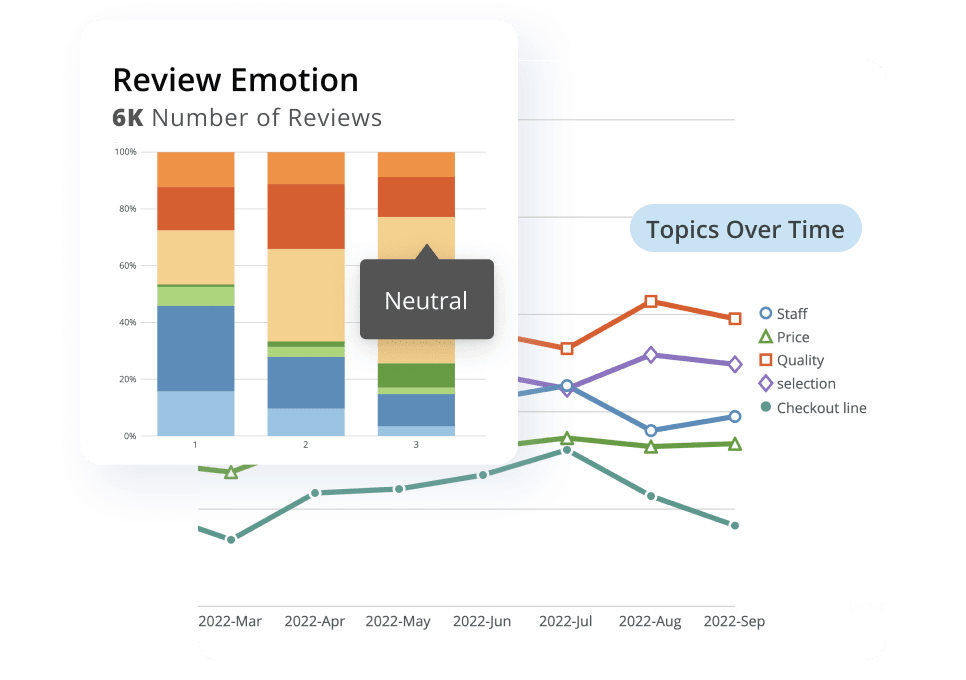
Connecting your data warehouse to your BI platform
The connection between BI and your warehouse (often through a semantic layer that standardizes metric definitions and enforces governance) is what turns raw warehouse data into trusted reporting. If you've ever had two dashboards disagree in front of an executive, you already know this connection is where credibility is won or lost.
Pipeline reliability becomes a make-or-break issue here. If ingestion fails, schemas change unexpectedly, or transformations drift, the data warehouse can look fine on paper while the BI layer quietly falls apart. A simple habit helps: monitor freshness and schema changes where BI teams can see them, not only in engineer-only tooling.
Using the two in tandem comes with real benefits. Here are some areas where business intelligence and data warehousing are especially useful when used together:
Data mining
Data mining is the process of searching through a large batch of data and identifying patterns. An organized data warehouse supplies raw data, which companies can mine through to find patterns and trends. The labels, trends, and patterns revealed by the data mining are then used in business intelligence to inform strategic decisions.Confusing correlation with causation is the most frequent misstep here; the warehouse can surface patterns, but you still need context (and often experiments) before you act on them.
Metricsand performance tracking
With the power of both business intelligence and data warehousing, you can track more metrics with more accuracy and interpret what they mean in the business. Metrics such as sales figures, campaign performance, lead generation, and customer retention rates are all numbers you'll want stored and visualized accurately so you can form hypotheses and forecasts for your next major business decision.
Here's the governance challenge: when one team's "revenue" doesn't match another's, stakeholders lose trust in reporting. Define business logic once (in a semantic layer or metrics store) and apply it consistently across dashboards. That way, certified metrics mean the same thing whether you're looking at the sales dashboard or the executive summary.
Pair certified definitions with lineage tracking and schema change monitoring. Teams can quickly see what changed, where it changed, and which reports might be affected. Over-certifying is the other trap: if everything is "certified," nothing is.
Queryingand data retrieval
If you want the right data, you have to ask the right questions. Use queries to understand the revenue of a campaign, how much it cost, and what factors may have contributed to its success or failure. Querying shines a light on insights for more incisive business intelligence.A query can be technically correct and still answer a different question than the one you meant, so watch query grain and filters.
In high-concurrency environments, architectural choices matter. Workload isolation, query acceleration, and caching strategies can keep BI performance steady even when many teams query the warehouse at the same time. Skip isolation and one "run it and see" query can slow everyone else down.
Statistical analysis
In business intelligence, statistical analysis often means using a sample of data to understand trends about a larger population. Essential for projecting sales, identifying patterns in historical data, and assessing supply chain risks.Sampling is also where teams get fooled; if the sample isn't representative (or seasonality isn't considered), the conclusions won't hold up.
Data visualization
People can understand a visual more quickly than raw data. The Harvard Data Science Review points out that data visualizations also help people identify trends and anomalies that other statistical models may miss, such as unusual distributions of data, clusterings, gaps, missing values, and outliers.The flip side is that visuals can mislead when axes are inconsistent or color scales imply meaning that isn't there, so standards matter.
Future trends in BI and data warehousing
BI and data warehousing keep evolving. These shifts matter most when you're planning a data strategy that has to last longer than the next quarter:
- AI-powered analytics: Machine learning models are increasingly embedded directly into BI tools, enabling automated anomaly detection, natural language queries, and predictive insights without requiring data science expertise. Assuming the model will "figure it out" without clean, well-defined metrics is a mistake; AI features still inherit whatever mess you feed them. A well-governed warehouse (with conformed dimensions, defined metrics, and a semantic layer) provides the curated feature store that makes AI and ML initiatives more reliable and easier to deploy.
- Cloud-native architectures: The shift from on-premises data warehouses to cloud platforms like Snowflake, BigQuery, and Databricks has accelerated, though many teams still add separate tools for governance and consumption that Domo can reduce. Cloud warehouses offer elastic scaling, pay-per-use pricing, and easier integration with modern BI tools. Cost surprises usually come from uncontrolled concurrency and transformation jobs, not storage.
- Real-time and streaming data: Real-time data streams are pushing teams beyond batch processing. Change data capture (CDC) and streaming ingestion patterns enable operational analytics where decisions need to happen in minutes, not days. Treating "real time" as an excuse to skip data quality checks is a practical trap; speed does not help if the numbers are wrong.
- Semantic layer adoption: The semantic layer (a governance mechanism that standardizes metric definitions between the warehouse and BI tools) is becoming standard practice. It solves the "which number is right?" problem by ensuring every dashboard reflects the same business logic.
- Governed self-service: Rather than choosing between centralized IT control and ungoverned self-service, organizations are implementing frameworks where business people can explore data freely within guardrails defined by data teams. This scales BI adoption without scaling IT headcount.
- Data products and mesh architectures: Some enterprises are treating curated datasets as products with defined owners, service-level agreements (SLAs), and consumers, a shift that changes how warehouses and BI tools interact with domain teams. Without named owners and quality expectations, "data products" stay a slide, not a practice.
Is data warehousing still relevant in 2026? Yes, but the answer comes with conditions. Data warehouses remain essential for governed metrics, regulatory reporting, and executive dashboards where consistency and auditability matter. Data lakes and lakehouses fit raw exploratory analysis and ML training workloads where schema flexibility and cost efficiency take priority. Most mature organizations run a hybrid pattern: the warehouse serves curated, trusted metrics for business reporting while the lake handles raw and experimental data for data science teams.
Choosing the right BI and data warehouse solution
Start with your actual workloads, not feature lists. A simple evaluation framework keeps the conversation grounded in what your organization genuinely needs rather than what vendor demos make look effortless.
Here are the key evaluation criteria to compare:
- Data volume and concurrency: How much data will you store, and how many people will query it simultaneously? High-concurrency environments need platforms designed for workload isolation. Teams often underestimate concurrency because they count dashboard viewers and forget about scheduled refreshes and embedded reports.
- Latency requirements: Do you need real-time dashboards for operational decisions, or is overnight batch processing sufficient for executive reporting? If you choose "real time," define what that actually means in minutes, plus what happens when a source system is late.
- Governance and compliance: Regulated industries (healthcare, financial services) need platforms with built-in row-level security, audit logging, and compliance certifications like System and Organization Controls 2 (SOC 2), the Health Insurance Portability and Accountability Act (HIPAA), or the General Data Protection Regulation (GDPR). Governance also needs to cover metric definitions, not only access control.
- Ecosystem fit: What tools does your organization already use? A Microsoft-heavy environment may benefit from Synapse and Power BI integration, while a Google Cloud shop might lean toward BigQuery and Looker, but both approaches can add tool sprawl that Domo helps reduce.
- Cost model: Some platforms charge for storage and compute separately; others bundle them. Understanding query patterns helps predict costs more accurately, especially when you factor in development and backfills.
A value-based selection framework maps workload types to architecture choices:
- Finance close and regulatory reporting favor a governed warehouse where auditability and metric consistency are non-negotiable.
- Raw exploratory analysis and ML feature engineering favor a lake or lakehouse where schema flexibility and cost efficiency matter more than governance.
- Customer 360 and executive dashboards typically favor a warehouse with a strong semantic layer that ensures every stakeholder sees the same numbers.
FinOps considerations affect whether a cloud warehouse increases or erodes value over time:
- Cost per query: How much does each analytical question cost to answer?
- Cost per active person: What's the total platform cost divided by people actually using it?
- Egress fees: How much does it cost to move data out of the platform?
- Concurrency pricing: Does cost scale linearly with simultaneous people, or are there cliff effects?
- Workload isolation: Can you prevent one expensive query from affecting everyone else's performance?
There's also a practical question hiding in plain sight: do you need to move or duplicate data to make BI work? Many organizations already invested in Snowflake or Databricks specifically want a consumption layer that connects directly to the warehouse without adding more copies, but adding separate tools can still create governance overhead that Domo helps reduce.
Major data warehouse platforms:
The leading cloud data warehouses each have distinct strengths. Snowflake excels at performance and governance features but can become expensive at scale. Google BigQuery offers competitive pricing and tight integration with Google's ecosystem but has less mature governance tooling than some alternatives. Amazon Redshift integrates well with AWS services, though its architecture is older than newer competitors. Databricks combines warehouse capabilities with strong machine learning and streaming support but adds complexity. Microsoft Synapse fits naturally into Microsoft environments but is newer and still maturing.
The right choice depends on matching platform strengths to your workload, budget, and existing technology investments. In many organizations, a unified platform that combines BI and data integration capabilities reduces the overhead of stitching separate tools together.
Data is the foundation of business intelligence
BI runs on the warehouse. Data warehouses provide the raw information that business intelligence needs, and that foundation determines whether your dashboards hold up under scrutiny.
With enough accurate data feeding reporting, BI teams can identify trends, forecast, run statistical analysis, and evaluate ROI. Data-driven business intelligence decisions only pay off when the central repository is reliable and governed well enough that people trust what they're seeing.
If you're working to close the last mile gap, think end-to-end: connect all your sources, keep ingestion fresh with incremental and event-based patterns, make transformations repeatable, and govern metric definitions so every dashboard tells the same story. That's the work that keeps "one version of the truth" from turning into wishful thinking.
The value of a data warehouse isn't abstract. It shows up in shorter decision cycles, fewer conflicting reports, reduced manual work, and business outcomes you can measure.
Frequently asked questions
How do you calculate data warehouse ROI?
What is the value of a data warehouse?
Is data warehousing still relevant in 2026?
Is SQL Server a data warehouse?
What are the 5 key components of a data warehouse?


Domo transforms the way these companies manage business.





