Best Predictive Analytics Tools for 2026

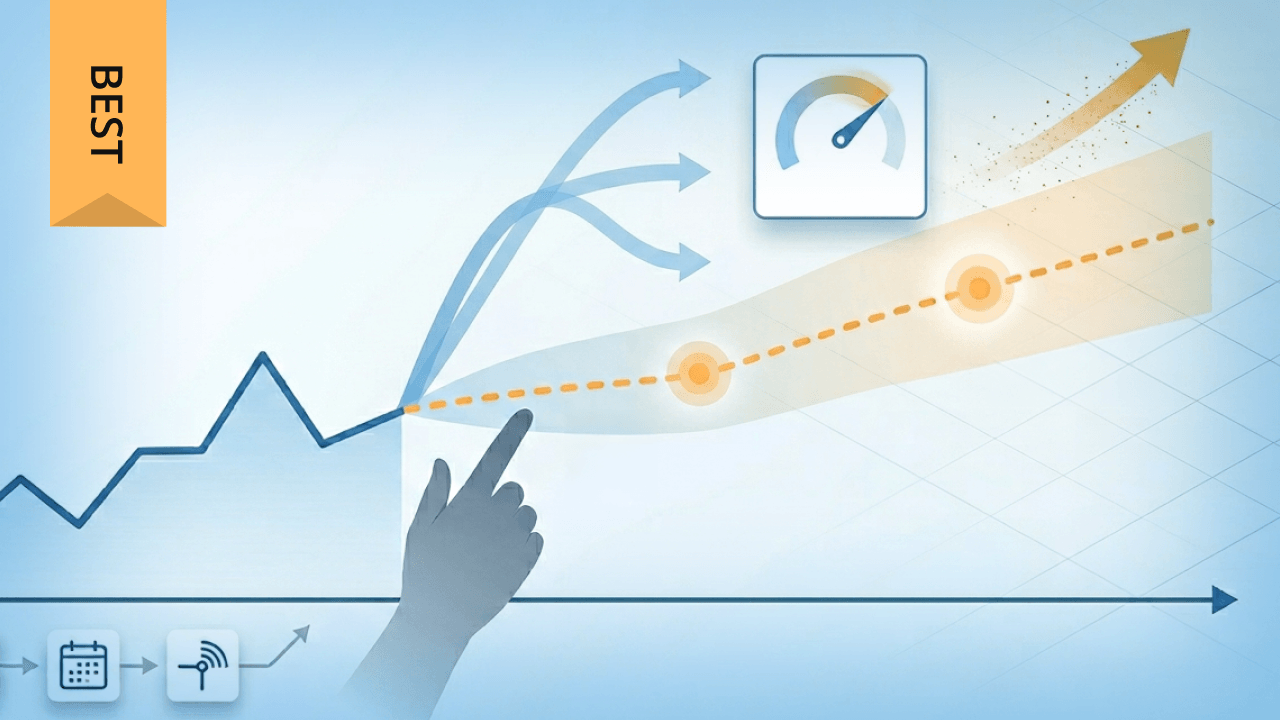
Predictive analytics platforms range from code-free solutions for business analysts to enterprise machine learning (ML) ecosystems built for data science teams. Choosing the right one depends on your organization's maturity, use cases, and existing tech stack. This article compares the top 10 tools for 2026, explains the techniques behind accurate forecasting, and walks through a framework for making the right selection. You will also learn why a unified, governed data foundation matters more than the sophistication of any individual model.
Key takeaways
Here are the main points to keep in mind:
- Predictive analytics tools use historical data, machine learning, and statistical modeling to forecast outcomes and guide business decisions
- Top platforms range from code-free solutions for business people to enterprise ML ecosystems for data science teams
- Key selection factors include accuracy metrics, scalability, ease of use, integration capabilities, and governance controls
- The right tool depends on your technical expertise, use case, and existing data infrastructure
- A unified, governed data foundation helps predictive analytics stay accurate and consistent across teams (and helps you avoid tool sprawl)
What is predictive analytics software?
Predictive analytics software forecasts what could happen in the future by analyzing current and historical data for patterns. These tools use data mining, statistical analysis, machine learning, and other advanced analytics techniques to identify possible outcomes and potential risks so you can develop or adjust plans to achieve stronger results.
It's worth clarifying what predictive analytics tools are not. They're distinct from general BI dashboards that only visualize historical data. They're not data warehouses that store information without modeling capabilities. They're not extract, transform, load (ETL) pipelines that move data between systems. And they're not open-source data science libraries that require custom coding for every project. Predictive analytics platforms combine data preparation, model building, and deployment into integrated workflows designed specifically for forecasting.
And for a lot of teams, predictive analytics isn't blocked by the model. It's blocked by the plumbing. Fragmented systems and inconsistent definitions make it hard to feed clean, unified, governed data into forecasting workflows. That's a fast way to lose stakeholder trust.
Tools for predictive analytics help businesses in a wide range of industries, including marketing, finance, healthcare, IT, ecommerce, and manufacturing, gain a clearer understanding of their customers and make more strategic decisions.
With predictive analytics software, your business can:
- Make data-based sales forecasts
- Anticipate consumer trends and demand
- Reduce customer churn and improve retention
- Identify leads who are most likely to become customers
- Price products or services more optimally
- Track when infrastructure or equipment will need maintenance or replacement
- Allocate resources to address potential risks
Benefits of predictive analytics for business
The value of predictive analytics includes more than generating forecasts. When implemented effectively, these tools deliver measurable business outcomes that directly impact your bottom line.
Revenue forecasting becomes more reliable when you can analyze historical sales patterns alongside market signals, seasonal trends, and customer behavior data. Finance teams using predictive models typically reduce forecast variance by 20 to 30 percent compared to spreadsheet-based approaches. That's a meaningful improvement when quarterly projections inform hiring, inventory, and capital allocation decisions.
Churn prevention shifts from reactive to proactive. Instead of discovering customer attrition after the fact, predictive models identify at-risk accounts weeks or months in advance, giving retention teams time to intervene. For subscription businesses, even a five percent improvement in retention can translate to significant revenue protection.
Cost avoidance comes from more efficient resource allocation. Predictive maintenance models help manufacturing and logistics companies schedule equipment servicing before failures occur, reducing unplanned downtime and emergency repair costs. Inventory optimization models prevent both stockouts and overstock situations that tie up working capital.
Operational risk reduction comes from identifying anomalies before they escalate. Fraud detection models flag suspicious transactions in real time. Supply chain models highlight potential disruptions based on supplier performance patterns and external signals.
Competitive advantage builds over time as your organization develops institutional knowledge about what drives outcomes in your specific context.
How predictive analytics works
Data scientists use predictive models to uncover correlations within datasets, enabling them to make informed predictions. After collecting the necessary data, they develop, train, and refine statistical models to generate accurate insights.
Building a predictive analytics framework typically involves five key steps:
1. Define the problem
Every prediction starts with a clear objective and well-defined requirements. Can a predictive model detect fraudulent transactions? Optimize inventory for the holiday season? Forecast flood risks from severe weather? A well-articulated problem lays the foundation for selecting the right predictive analytics approach.
At this stage, tools with guided workflows and template libraries help teams frame problems correctly. Look for platforms that offer pre-built use case templates for common scenarios like churn prediction or demand forecasting.
2. Gather and organize data
Organizations often have access to large amounts of historical data or real-time information from customer interactions. Before building predictive models, it's essential to identify these data sources and structure them in a centralized repository, such as a data warehouse like BigQuery.
Tools with broad connector libraries (100+ data sources) and automated data cataloging simplify this step. The output here is a unified dataset ready for analysis, often documented in a data dictionary that maps fields to business meanings.
If multiple teams build predictions off different definitions of the same key performance indicator (KPI), you don't have predictive analytics. You have competing realities. A semantic layer can help standardize metric definitions across the business so forecasts line up with the dashboards people already trust.
3. Clean and preprocess data
Raw data has limited value until it's prepared for analysis. This involves cleaning the data to remove errors, inconsistencies, missing entries, or extreme outliers that could skew findings. Preprocessing ensures the dataset is accurate and reliable for model development.
Platforms with visual data profiling, automated quality checks, and transformation workflows reduce the manual effort required. Expect to spend 60 to 80 percent of project time on data preparation, so tool support here matters significantly. That time investment explains why teams that skip proper data prep often end up with models that perform well in testing but fail in production.
For data engineers, this is the "feeding the model" phase. Tools that support automated extract, transform, load (ETL) and extract, load, transform (ELT) workflows and reusable transformations reduce the amount of manual pipeline work required to keep models supplied with fresh, high-quality data.
4. Develop predictive models
Depending on the problem and data, data scientists use tools and techniques like machine learning algorithms, regression analysis, and decision trees. Each method is tailored to address specific analytical needs and deliver actionable insights.
Automated machine learning (AutoML) capabilities accelerate this step by automatically testing multiple algorithms and selecting the best performer. Look for platforms that provide model comparison dashboards showing accuracy metrics like area under the curve (AUC), F1 score, and mean absolute percentage error (MAPE) across different approaches. And honestly, here's the part most guides skip over: selecting a model based solely on accuracy without considering interpretability requirements is a recipe for frustration. A slightly less accurate model that stakeholders can understand often outperforms a black-box approach that no one trusts.
5. Validate and deploy results
The final step is to evaluate the model's accuracy and fine-tune it if needed. Once the results meet performance standards, insights can be shared with stakeholders through platforms like dashboards, apps, or websites.
Deployment options vary by tool: batch scoring for periodic updates, real-time application programming interfaces (APIs) for instant predictions, or in-warehouse scoring for analytics workflows. Post-deployment, drift monitoring alerts you when model accuracy degrades, signaling the need for retraining.
Predictions have to land where decisions happen. For executives and line-of-business leaders, that often means forecasts and recommendations embedded directly in the dashboards and workflows they already use, explained in plain language tied to their KPIs.
Common predictive analytics techniques
Understanding the techniques behind predictive analytics helps you evaluate which tools best support your use cases. Here are the most widely used approaches:
Regression analysis
Regression models predict continuous outcomes based on the relationship between variables. Linear regression works well for straightforward relationships like forecasting sales based on marketing spend. Logistic regression handles binary outcomes, making it ideal for yes/no predictions like whether a customer will churn or a loan will default.
When to use it: Revenue forecasting, price optimization, risk scoring, and any scenario where you need to predict a number or probability.
Decision trees and random forests
Decision trees split data into branches based on feature values, creating interpretable rules that business people can understand. Random forests combine hundreds of decision trees to improve accuracy and reduce overfitting.
When to use it: Customer segmentation, lead scoring, credit approval, and situations where you need to explain why a prediction was made.
Neural networks and deep learning
Neural networks excel at finding complex patterns in large datasets, particularly unstructured data like images, text, and sensor readings. They require more data and computational resources than simpler methods but can achieve higher accuracy for certain problems.
When to use it: Image recognition, natural language processing, anomaly detection in high-dimensional data, and scenarios where you have millions of training examples.
Time series analysis
Time series models account for temporal patterns like trends, seasonality, and cyclical behavior. Techniques range from classical approaches like autoregressive integrated moving average (ARIMA) to modern methods like Prophet and long short-term memory (LSTM) networks.
When to use it: Demand forecasting, capacity planning, financial projections, and any prediction where the sequence of events matters.
Clustering models
Clustering groups similar data points together without predefined labels. K-means, hierarchical clustering, and density-based spatial clustering of applications with noise (DBSCAN) are common approaches used to discover natural segments in your data.
When to use it: Customer segmentation, market basket analysis, anomaly detection, and exploratory analysis to understand data structure before building predictive models.
Types of predictive analytics platforms
While the core function of predictive analytics tools is to uncover patterns in data and forecast outcomes, platforms differ significantly in their specialization.
General-purpose platforms
These tools support a broad range of predictive analytics tasks, including data prep, model training, and visualization. Examples include Alteryx, KNIME, and RapidMiner, which offer low-code/no-code interfaces for teams that want to build and deploy models without deep data science expertise.
Choose this when: Your team needs flexibility across multiple use cases and prefers visual workflows over coding.
Enterprise cloud platforms
Solutions like SAS Viya, IBM Watson Studio, and Azure Machine Learning provide scalable infrastructure for building complex machine learning pipelines. Finance, healthcare, and logistics teams use these most often.
Choose this when: You need enterprise-grade security, scalability for large datasets, and integration with existing cloud infrastructure.
Specialized and industry-focused tools
Some tools are tailored for specific use cases, such as TrendMiner for industrial analytics or One Model for workforce planning. These platforms deliver domain-specific insights that can quickly translate into business value.
Choose this when: Your primary use case is well-defined and you want pre-built models and workflows optimized for your industry.
AutoML
Tools like DataRobot, H2O.ai, and Qlik's AutoML simplify model development with automation, making predictive analytics accessible even to non-experts. These platforms speed up time to insight by automating tasks like feature engineering, algorithm selection, and validation.
Choose this when: Your team lacks data science expertise but has clean, labeled data and needs rapid experimentation.
Key features to look for in predictive analytics software
To find the right predictive analytics tool for your business, it is necessary to first understand why you need it. Some predictive tools will have different capabilities than others or be industry-specific. You'll want one that matches your unique requirements.
Accuracy and performance
Being able to evaluate your predictive analytics tool for accuracy is critical. You'll want to select a platform that offers metrics like F1 score, confusion matrix, and confidence score to measure your predictive model's performance and accuracy.
Scalability
The growth of data isn't expected to slow down anytime soon. With global data volume expected to reach 394 zettabytes by 2028, organizations need to look for predictive analytics tools that can handle getting more data from a variety of sources and offer more complex predictive queries. That exponential growth means the tool you choose today needs headroom for tomorrow's data volumes.
Having an analytics solution that fully integrates with your data sources is also key. Integrated data not only gives you a complete picture of your business operations but also makes it easier to gather and prep data to train and deploy predictive models at scale.
User-friendly interface
What good is having predictive analytics software that's too complicated for your team to use or make the most of? To get the most value, look for an analytics tool with user-friendly features like drag-and-drop interfaces, data visualizations including charts and graphs, search filters, and query builders. These factors help people explore data more easily and discover insights more quickly.
Human-in-the-loop feedback
Predictive modeling tools can suffer from bias and incorrect outcomes, just like any other AI or machine learning tool. One way to reduce this risk is by having people directly involved in your model's oversight.
Human-in-the-loop feedback monitors your model's outcomes, letting you make adjustments to counteract bias and improve performance. Predictive tools that include this feature are essential for a more transparent and trustworthy process.
Data connectivity and integration
The value of any predictive tool depends on its ability to access your data. Evaluate connector breadth: how many data sources does the platform support natively? Look for connectors to your customer relationship management (CRM) system, enterprise resource planning (ERP) system, marketing platforms, data warehouses, and cloud storage. Tools with 100+ pre-built connectors reduce the integration burden on IT teams.
Automation and AutoML capabilities
AutoML features democratize predictive analytics by automating algorithm selection, hyperparameter tuning, and feature engineering. For teams without dedicated data scientists, these capabilities can mean the difference between a successful project and one that stalls during model development.
Deployment options
Consider how predictions will be consumed. Does the tool support batch scoring for periodic updates, real-time APIs for instant predictions, and in-warehouse scoring for analytics workflows? Flexible deployment options ensure predictions reach decision-makers when and where they need them.
Governance and security controls
Enterprise deployments require strong security features. Look for role-based access control (RBAC) to manage who can view, edit, or deploy models. Single sign-on (SSO), Security Assertion Markup Language (SAML), and OpenID Connect (OIDC) support simplifies identity management. Row-level and column-level security ensures sensitive data is protected even within shared environments. Audit logs and data lineage tracking support compliance requirements. Encryption at rest and in transit protects data throughout its lifecycle.
This is also where many orgs run into tool sprawl. If different departments run different predictive analytics tools with different rules, it gets harder to audit, harder to secure, and harder to explain why two models disagree.
Model governance and explainability
Building a model is only half the challenge. Ensuring that model can be trusted, audited, and maintained over time requires governance capabilities that many tools lack.
Model governance encompasses the policies and controls that manage a model's lifecycle. This includes bias monitoring to detect when predictions systematically favor or disadvantage certain groups. Drift detection alerts you when incoming data patterns diverge from training data, signaling potential accuracy degradation. Audit trails document who built, modified, and approved each model version. Approval workflows ensure models pass review before deployment to production.
Explainability helps stakeholders understand why a model made a specific prediction. Feature importance rankings show which variables most influenced the outcome. Shapley Additive Explanations (SHAP) values provide granular attribution for individual predictions. Confidence intervals and uncertainty ranges communicate how certain the model is about its forecast.
These capabilities matter because predictions often inform high-stakes decisions. A loan approval model needs to demonstrate it does not discriminate. A demand forecast needs to show why it expects a spike. A churn prediction needs to explain what signals triggered the alert.
How to choose the right predictive analytics tool
Selecting a predictive analytics platform requires matching tool capabilities to your organization's maturity, team skills, and specific use cases.
Assess your organizational maturity
Organizations typically fall into one of four stages when it comes to analytics capabilities:
Stage 1 (Ad hoc reporting): Teams rely on spreadsheets and manual analysis. Data lives in silos. There's no standardized approach to forecasting.
Stage 2 (Standardized BI forecasting): Basic forecasting exists within BI tools. Data is somewhat centralized. Analysts can create simple trend projections.
Stage 3 (Managed ML): Data science resources exist, either in-house or contracted. Models are built for specific use cases. Deployment is project-based rather than systematic.
Stage 4 (Governed machine learning operations, or MLOps): Mature data infrastructure supports continuous model development, deployment, and monitoring. Governance policies are in place. Predictions are embedded in operational workflows.
Match your tool selection to your current stage. Organizations at Stage 1 should focus on platforms with strong data integration and AutoML capabilities before investing in advanced ML features.
Match tools to team capabilities
Consider who will actually use the platform day-to-day. Business analysts need visual interfaces and pre-built templates. Data scientists need flexibility to write custom code and access advanced algorithms. IT teams need security controls and integration capabilities. Executives need clear dashboards and explainable outputs.
The best tool for your organization balances these needs. A platform that only serves data scientists will struggle to scale insights across the business. A platform that only serves business people may hit capability limits as use cases mature.
Plan for governed predictive analytics at scale
If you're rolling out predictive analytics across departments, you'll want to look at more than model accuracy. The operational question is simple: can you deliver predictions enterprise-wide without creating a mess of disconnected tools, datasets, and permissions?
A good evaluation includes:
- A unified data foundation that keeps inputs consistent across teams
- Centralized governance that supports compliance and audit needs
- Clear paths to production so models don't get stuck in proof-of-concept mode
Evaluate against weighted criteria
Use a structured rubric to compare options. Here's a starting framework:
- Data connectivity (20 percent): Connector breadth, real-time capabilities, data quality tools
- Ease of use (20 percent): Interface design, learning curve, documentation quality
- Modeling capabilities (15 percent): Algorithm variety, AutoML features, custom code support
- Deployment options (15 percent): Batch, real-time, in-warehouse, API access
- Governance and security (15 percent): RBAC, audit logs, encryption, compliance certifications
- Total cost of ownership (15 percent): Licensing, implementation, training, ongoing maintenance
Adjust weights based on your priorities. Regulated industries may weight governance higher. Resource-constrained teams may weight ease of use higher.
Avoid common anti-patterns
Do not purchase AutoML before your data quality and labeling problems are solved. The most sophisticated algorithms can't overcome garbage data.
Do not deploy predictive models without a monitoring plan. Models degrade over time as data patterns shift. Without drift detection and retraining triggers, predictions become unreliable.
Do not select a tool based on features alone without assessing organizational readiness. A powerful platform that your team can't use effectively delivers no value.
Do not underestimate integration complexity. The tool that connects to all your data sources with minimal IT involvement will deliver value sooner than the technically superior option that requires months of custom development.
10 best predictive analytics tools for 2026
Predictive analytics platforms use data to show not only where your organization is right now but also where you're headed next. But they're not all the same, and it's important to understand their key differences to find a predictive tool that best fits your business.
Here's a comparison of the top options:
1. Domo
Domo's AI-powered data platform is an all-in-one solution for businesses across industries. Domo.AI offers flexible model creation with easy training and deployment functions. The tool can even connect with existing models and host everything through the same platform, providing more risk control with strong security and data governance features. Domo also offers pre-built models for forecasting, with no coding or training required. The platform's built-in analytics and AI automations simplify the entire predictive analytics process.
What sets Domo apart is its combination of native BI, predictive analytics, and enterprise governance in a single platform. With over 1,000 data source connectors, teams can unify data from across the organization without building custom integrations. Human-in-the-loop validation ensures predictions can be reviewed and adjusted before driving decisions. Governed data workflows provide the audit trails and access controls that IT leaders require.
If you're trying to scale predictive analytics without adding a pile of extra tools, that "one platform for data, BI, and predictive intelligence" idea starts to matter a lot. Domo's semantic layer helps keep metric definitions consistent, so forecasts line up with the KPIs executives and analysts are already using.
For data engineers, Domo Magic Transform provides SQL-based and no-code transformation options that can reduce the manual work of keeping model inputs clean and current. And for teams experimenting with AI agents, Agent Catalyst can connect agents to governed Domo datasets using retrieval-augmented generation (RAG), so agent answers stay grounded in the data your business trusts.
Domo's ease of use continues with features like data visualization and chat-enabled data exploration, which allow people to ask the platform questions using human language rather than computer code. Business people, developers, and data scientists can simply type what they're searching for, and the platform understands and returns relevant results.
Pros:
- Comprehensive, cloud-based solution with pre-built and custom predictive models
- Offers over 1,000 integrations
- Easy drag-and-drop interface and chat-style data exploration
- Pricing scales with your needs
- Combines BI and predictive capabilities without requiring separate tools
Cons:
- There's a learning curve for getting started
- May need to choose a higher-priced plan to access certain features
Pricing: Tiered subscription based on features and people. Contact sales for enterprise pricing.
Best for: Organizations that want unified BI and predictive analytics without managing multiple platforms, particularly those with diverse data sources and governance requirements.
2. Microsoft Azure Machine Learning
Microsoft Azure Machine Learning is a cloud-based platform for building, training, deploying, and managing predictive models at scale, but teams that want BI and predictive analytics in one platform may find Domo easier to operationalize. It supports a wide array of algorithms and integrates closely with Microsoft's other tools like Power BI. Azure ML's flexibility and automation capabilities help data teams accelerate model development and improve business forecasting.
Pros:
- Supportive of people at all skill levels, from beginners to advanced data scientists
- Has a 30-day free trial and pay-as-you-go pricing
- Deep integration with Microsoft ecosystem (Power BI, Azure Synapse, Microsoft 365)
- Enterprise-grade security and compliance certifications
Cons:
- Problems accessing full Python library in some configurations
- Has a steep learning curve for non-Microsoft shops
Pricing: Pay-as-you-go based on compute resources consumed. Free tier available for experimentation.
Best for: Organizations already invested in the Microsoft ecosystem who need scalable ML infrastructure with enterprise security.
3. SAS Viya
SAS Viya offers a cloud-native analytics platform with predictive modeling, text analytics, and automated forecasting, but teams that want a more unified BI and predictive experience may find Domo simpler to adopt. Its intuitive visual interface makes it easy to create and deploy models without coding, while advanced people can access deeper customization through SQL and programming languages. SAS is a trusted choice for large-scale enterprise analytics needs, particularly in regulated industries.
SAS Viya offers secure multi-source integration capabilities, but teams that want governance, BI, and predictive workflows in one place may prefer Domo. SAS/ACCESS connectors enable direct connections to hundreds of data sources, while SAS Federation Server allows federated querying, meaning you can analyze data where it lives without moving it to a central location. This approach reduces data movement risk and simplifies compliance in regulated environments.
Pros:
- Code-free option that makes it easier to use
- Supports SQL and data visualizations
- Offers free training
- Strong compliance posture for healthcare, financial services, and government
Cons:
- Has limited pre-built models compared to AutoML-focused platforms
- Not as customizable as open-source alternatives
Pricing: Enterprise license. Contact sales for pricing.
Best for: Large enterprises in regulated industries (financial services, healthcare, government) that need proven statistical methods and strong compliance controls.
4. H2O.ai
H2O.ai provides an open-source platform for AI and machine learning workflows, but less technical teams may prefer Domo's more guided, unified experience. Known for its automated machine learning (AutoML) capabilities, H2O.ai helps organizations quickly build and deploy accurate predictive models. With support for a variety of data types and model explainability tools, it's popular among data scientists and business analysts seeking scalability and speed.
Pros:
- Open-source platform and a variety of data prediction types allow for greater customization and scalability
- Offers a free tier for the open-source version
- Strong AutoML capabilities that compete with enterprise platforms
- Active community and extensive documentation
Cons:
- Relatively new compared to others, still experiencing growing pains on the platform
- Not ideal for non-technical people without significant training
Pricing: Open-source version is free. Enterprise version (H2O AI Cloud) is subscription-based.
Best for: Data science teams that want open-source flexibility with enterprise support options and need fast AutoML experimentation.
5. Alteryx
Alteryx provides a code-free platform for data preparation, blending, and advanced analytics, but teams that also want native BI and governance in one platform may prefer Domo. Its predictive analytics capabilities allow people to build models using a drag-and-drop interface and integrate R for more customized modeling. With features for visualization and AI-assisted insights, Alteryx empowers business analysts and data scientists alike to uncover trends and forecast outcomes confidently.
Alteryx is often cited for its accessibility and capability, but teams that want analytics and predictive workflows in one governed platform may find Domo more complete. The Alteryx Data Connection Manager (DCM) provides credential decoupling, meaning database passwords and API keys are managed separately from workflows. This security feature simplifies credential rotation and reduces the risk of exposed secrets in shared analytics projects.
Pros:
- Offers advanced features that are accessible to non-technical people
- More advanced people can use R, Python, or low-code options to deploy models quickly
- Has transparent workflows for assessing data integrity
- Strong security controls including credential vaulting
Cons:
- Cost might be a barrier for smaller businesses
- Fewer data visualization capabilities than other platforms
Pricing: Per-user subscription. Designer starts around $5,000 per user annually.
Best for: Business analysts who need to blend data from multiple sources and build predictive models without writing code.
6. RapidMiner
RapidMiner (now part of Altair) offers a data science platform with visual workflows for building, testing, and deploying predictive models, but teams that want built-in BI and broader governance may find Domo easier to scale. Its low-code environment makes it accessible to a broad range of people, while advanced features support machine learning, data mining, and predictive maintenance.
For enterprise IT teams, RapidMiner supports Keycloak, Lightweight Directory Access Protocol (LDAP), and Active Directory for SSO and federated identity management. This integration simplifies user provisioning and ensures access controls align with existing identity infrastructure.
Pros:
- Simple to install and use
- Supports many integrations
- Offers support videos and extensive learning resources
- Strong identity management integration for enterprise deployments
Cons:
- Pricing isn't transparent on the website
- Has more of a learning curve than some AutoML-focused tools
Pricing: Tiered subscription. Contact sales for pricing.
Best for: Citizen data scientists and analysts who want visual model building with enterprise identity management.
7. DataRobot
DataRobot helped popularize AutoML and offers broad automation, but organizations that want predictive analytics alongside native BI may find Domo a better fit. The platform automatically builds, tests, and compares dozens of models, selecting the best performer for your specific dataset and use case. Built-in explainability features help stakeholders understand predictions without requiring data science expertise.
Pros:
- Industry-leading AutoML capabilities that test hundreds of model configurations
- Strong explainability and governance features
- Deployment options include real-time APIs, batch scoring, and embedded predictions
- Extensive pre-built use case templates
Cons:
- Premium pricing may be prohibitive for smaller organizations
- Can feel like a black box for people who want more control over model architecture
Pricing: Enterprise license based on usage. Contact sales for pricing.
Best for: Organizations that want to scale predictive analytics quickly without building a large data science team.
8. IBM SPSS
IBM SPSS has been widely used for statistical analysis in research, healthcare, and social sciences, but teams that want a more unified BI and predictive workflow may prefer Domo. The platform offers comprehensive statistical procedures alongside predictive modeling capabilities. SPSS Modeler provides visual data science workflows, while SPSS Statistics handles traditional statistical analysis.
Pros:
- Proven statistical methods trusted by researchers and analysts
- Extensive documentation and academic resources
- Strong survey analysis and social science capabilities
- Available as both desktop and cloud deployment
Cons:
- Interface feels dated compared to modern platforms
- Less emphasis on modern ML techniques like deep learning
- Licensing can be complex for enterprise deployments
Pricing: Perpetual license and subscription options available. Academic pricing available.
Best for: Organizations with strong statistical analysis needs, particularly in research, healthcare, and social sciences.
9. SAP Analytics Cloud
SAP Analytics Cloud provides forecasting, data modeling, and predictive insights within SAP's analytics suite, but its fit is strongest in SAP environments, while Domo works well across mixed stacks. It supports end-to-end analytics workflows, from data connection and cleansing to advanced statistical modeling. Businesses can automate predictions and simulate future scenarios to improve decision-making and strategic planning.
Pros:
- Supports business people and advanced analytics experts
- Offers automated analytics for the entire predictive lifecycle
- Deep integration with SAP ERP and business applications
- Strong planning and simulation capabilities
Cons:
- Only benefits organizations already using SAP systems
- Has limited customization options compared to dedicated ML platforms
Pricing: Subscription based on people and capabilities. Contact SAP for pricing.
Best for: Organizations running SAP ERP systems that want predictive analytics integrated with their existing business processes.
10. Adobe Analytics
Adobe Analytics extends past web analytics to include predictive customer insights, but teams that need broader cross-functional analytics may find Domo more flexible. Using statistical modeling and machine learning, it forecasts customer behavior, predicts churn, and helps optimize marketing efforts across the customer journey. Adobe's intuitive interface and powerful segmentation make it a favorite among marketing teams.
Pros:
- User-friendly interface designed for marketers
- Offers customizable dashboards and reports
- Strong customer journey analytics and attribution modeling
- Integration with Adobe Experience Cloud for activation
Cons:
- Primarily a marketing tool and may not be applicable for all businesses depending on your needs
- More complex than other tools and may take longer to learn
- Premium pricing for full capabilities
Pricing: Enterprise license as part of Adobe Experience Cloud. Contact Adobe for pricing.
Best for: Marketing teams that need predictive customer analytics integrated with campaign execution and personalization.
Predictive analytics use cases by industry
Understanding how predictive analytics applies to your specific industry helps clarify which tool capabilities matter most.
Financial services
Banks and insurance companies use predictive analytics for credit risk scoring, fraud detection, and customer lifetime value modeling. These use cases require real-time scoring capabilities to evaluate transactions as they occur, row-level security to protect sensitive financial data, and audit logs to demonstrate regulatory compliance. Explainability features help analysts justify credit decisions to regulators and customers.
Retail and ecommerce
Retailers apply predictive models to demand forecasting, inventory optimization, and personalized recommendations. Success requires integration with point-of-sale systems, ecommerce platforms, and supply chain data. Time series forecasting capabilities handle seasonal patterns, while segmentation models power targeted marketing campaigns.
Healthcare
Healthcare organizations use predictive analytics for patient readmission risk, treatment outcome prediction, and resource allocation. Health Insurance Portability and Accountability Act (HIPAA) compliance is non-negotiable. Clinical decision support applications need explainable models that clinicians can trust and verify.
Manufacturing
Manufacturers use predictive maintenance to reduce equipment downtime and quality prediction to catch defects before they reach customers. These applications require internet of things (IoT) data integration, real-time scoring for production line decisions, and time series analysis for equipment degradation patterns.
Marketing
Marketing teams use predictive analytics for lead scoring, churn prediction, and campaign optimization. Integration with CRM and marketing automation platforms enables predictions to trigger automated workflows.
Human resources
HR departments apply predictive models to employee attrition risk, hiring success prediction, and workforce planning. These applications require careful attention to bias monitoring and explainability to ensure fair treatment and legal compliance.
Getting started with predictive analytics
Moving from interest to implementation requires a structured approach.
Start with your data foundation
Before evaluating predictive tools, assess your data readiness. Can you access the data you need for your target use case? Is it clean, labeled, and documented? Do you have a unified view across relevant systems, or is data scattered across silos?
Organizations that skip this step often purchase sophisticated platforms only to discover they can't feed them quality data. A unified data foundation (whether through a data warehouse, lakehouse, or integrated platform like Domo) should precede predictive tool selection.
Choose a focused first use case
Resist the temptation to tackle your most complex prediction problem first. Select a use case with clear business value, available data, and measurable outcomes. Churn prediction, demand forecasting, and lead scoring are common starting points because they have well-established methodologies and clear success metrics.
Build cross-functional alignment
Predictive analytics projects fail when they remain isolated within data teams. Engage business stakeholders early to define success criteria, identify how predictions will be used in decisions, and establish feedback loops for model improvement. The best predictions are worthless if no one acts on them.
This is also a great moment to clarify "who owns what." BI and analytics leaders often own the metrics and the narrative, IT leaders own governance and security, and data and ML engineers own production readiness. When those pieces line up, predictive analytics stops being an experiment and starts being a business capability.
Plan for the full lifecycle
Model development is just the beginning. Plan for deployment (how will predictions reach decision-makers?), monitoring (how will you detect accuracy degradation?), and maintenance (who will retrain models and how often?). Tools with built-in MLOps capabilities simplify this ongoing work.
Avoid common pitfalls
Do not purchase AutoML before your data quality and labeling problems are solved. Sophisticated algorithms can't overcome fundamental data issues.
Do not deploy models without a monitoring plan. Data patterns shift over time, and models that performed well at launch will degrade without ongoing attention.
Do not select tools based on features alone. The platform that your team can actually use effectively will deliver more value than the technically superior option that sits unused.
Using predictive analytics tools can transform how your business anticipates and responds to future challenges and opportunities. By understanding customer behavior, optimizing inventory, and identifying potential risks, these platforms enable you to make informed, data-driven decisions. As you explore the top predictive analytics tools for 2026, consider your specific needs, from accuracy and scalability to user-friendliness and governance. Selecting the right solution will not only enhance your operational efficiency but also position your organization for sustainable growth in a competitive landscape. Embrace the power of predictive analytics and tap into a more proactive and strategic business approach with Domo.
Frequently asked questions
What are predictive analytics tools?
What is the difference between predictive analytics and AI?
Do I need a data science team to use predictive analytics tools?
How accurate are predictive analytics models?
How much do predictive analytics tools cost?


Domo transforms the way these companies manage business.





