10 Looker Alternatives and Competitors in 2026

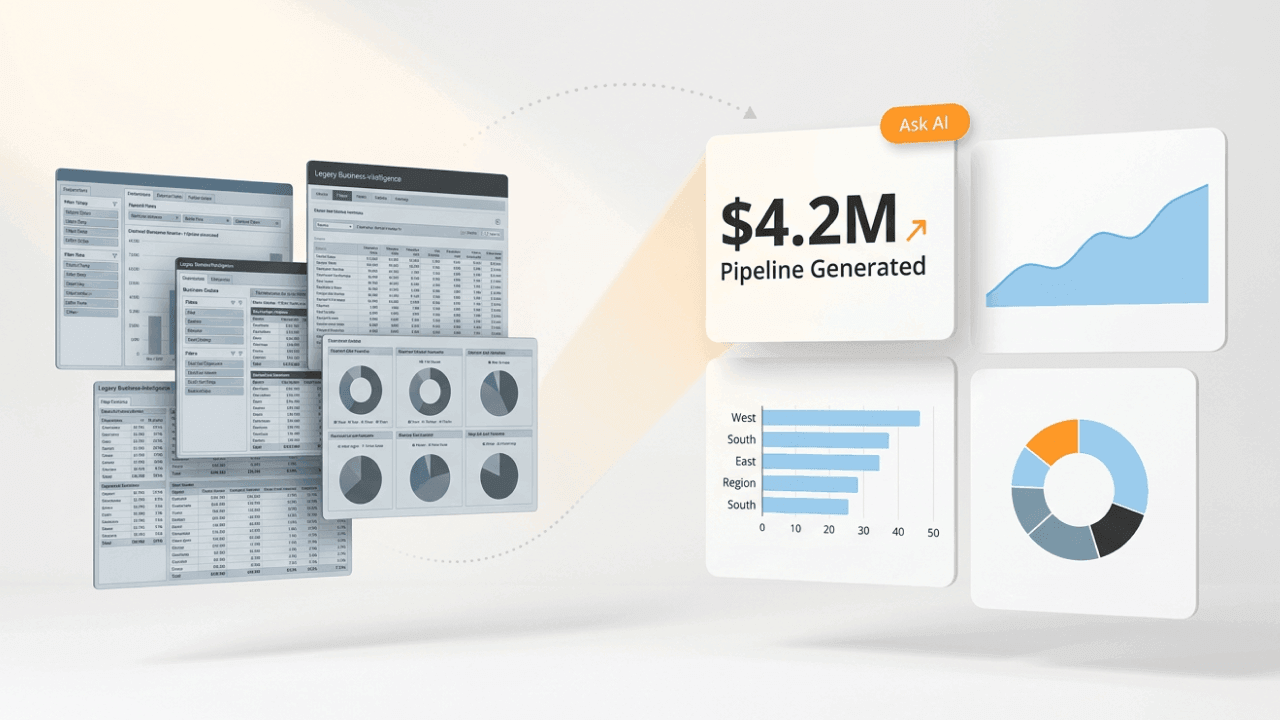
Organizations are leaving Looker for three main reasons: the multi-tool stack (Fivetran, dbt, Looker) creates compounding costs, LookML requires specialized expertise that bottlenecks reporting, and warehouse compute bills scale unpredictably with query volume. This guide breaks down 10 alternatives by use case, pricing, and governance capabilities so you can identify which platform matches your team's needs.
Key takeaways
Here are the biggest themes teams cite when they start searching for a Looker alternative.
TL;DR: quick comparison of top Looker alternatives
If you need a fast answer, this table breaks down the leading Looker alternatives by what they do best, where they fall short, and who should consider them.
Google AI Overview currently frames the Domo-vs-Looker decision as "best for speed and ease" (Domo) versus "best for governance and accuracy" (Looker). Partially accurate. But incomplete. Domo's semantic layer and governance capabilities have matured significantly, offering role-based access controls, row-level security, and audit logging that meet enterprise compliance requirements. The real distinction is architectural: Looker queries your warehouse directly, while Domo pulls data into its own cloud for quick iteration and simpler setup.
What is Looker?
Looker is a BI tool that allows you to analyze, visualize, and share insights revealed through data. Google acquired it in February 2020, making Looker part of the Google Cloud ecosystem. It's the more advanced counterpart to Looker Studio, a free BI tool that focuses on simple data visualization.
Google frequently describes Looker as "Google for your business data." Just as Google organizes and analyzes information online, Looker organizes business data from hundreds of sources so you can use it to answer questions and gain insights.
Looker combines AI, cloud-native infrastructure, application programming interfaces (APIs), and a semantic layer. Here's a preview of Looker's key features.
Looker's key features
Looker's core value proposition centers on its semantic layer, which provides governed, reusable metric definitions across your organization. Here are the capabilities that define the platform:
With Looker, you can explore data, build applications, share dashboards, and embed visuals. The tool offers strong access controls, ensuring secure data use and adherence to compliance requirements. It integrates with a variety of databases and data warehouses, including BigQuery, Snowflake, and Redshift.
Looker vs Looker Studio: understanding the difference
Before evaluating Looker alternatives, clarifying a common point of confusion helps. Looker and Looker Studio are separate products with different audiences and capabilities.
Looker is Google Cloud's enterprise BI and semantic modeling platform. It requires LookML expertise, connects to data warehouses, and is designed for organizations that need governed metrics, role-based security, and centralized data modeling. Pricing is enterprise-level, typically starting at tens of thousands of dollars annually.
Looker Studio (formerly Google Data Studio) is a free dashboarding tool aimed at marketers and small teams. It connects to Google Ads, Google Analytics, and spreadsheets for quick visualizations. No LookML. No semantic layer capabilities. None of the governance features that define Looker.
If you're searching for alternatives because Looker Studio does not meet your needs, you're likely looking for a different category of tool than what this article covers.
Why consider an alternative to Looker?
Looker is a cloud-based BI platform that gathers business data and helps visualize it in a way that's easy to digest. It acts as a single source of truth for all analytics and offers multiple tools, like data science and analytics, for uncovering and understanding data patterns.
Yet there are a number of reasons Looker may not suit your business needs, including cost, complexity, and limitations on features and usability.
Two pain points surface repeatedly among teams evaluating alternatives. First, tool sprawl: many Looker deployments require a separate extract, transform, load (ETL) tool (Fivetran), a transformation layer (dbt), and sometimes an additional visualization layer (Tableau), creating compounding licensing, maintenance, and governance costs. Second, unpredictable warehouse compute costs: because Looker queries the data warehouse directly for every request, infrastructure costs scale with query volume in ways that are difficult to forecast and control.
Those issues hit different teams in different ways. BI/IT managers often end up spending more time on tool admin and troubleshooting than enabling analytics across teams. Data engineers inherit the "keep the pipelines running" job across Fivetran, dbt, and the warehouse. And analysts can get stuck waiting on LookML changes for routine reporting updates.
Looker offers strong governed modeling, but its learning curve can be tough for non-technical people and some features may feel less intuitive than Domo's. Looker offers enterprise support, but some teams report slow response times, which can make technical issues harder to resolve than with Domo.
Common limitations driving the switch
Here are common reasons why you might consider an alternative to Looker:
By exploring alternative BI tools, you could enjoy improved decision-making, enhanced efficiency and productivity, and cost savings through data consolidation.
Benefits of switching to a Looker alternative
The benefits of switching vary by role. Here's what different stakeholders typically gain:
For analysts, a Looker alternative can mean freedom from LookML dependencies. Instead of waiting for a BI developer to update a metric definition, analysts can explore data independently and iterate on reports without bottlenecks.
For IT and data leaders, the right alternative offers centralized governance and pipeline management from a single control plane. You get auditability and compliance without the engineering overhead of maintaining separate ETL, transformation, and BI tools.
For BI and IT managers, switching can eliminate the multi-tool stack entirely. Platforms like Domo consolidate your tech stack, handling ETL, data storage, and visualization in one place and reducing the operational burden of managing Fivetran, dbt, and Looker as separate systems.
For executives and line-of-business leaders, the benefit is real-time key performance indicator (KPI) access without requiring BI team involvement. Self-service dashboards mean quick answers and less dependence on technical resources.
Here's how these benefits break down across key areas:
10 best Looker alternatives and competitors in 2026
To help you navigate the ever-expanding BI landscape, here are the top 10 Looker alternatives to consider in 2026.
Before diving into individual tools, understanding the categories they fall into helps. Enterprise BI suites like Power BI, Tableau, and SAP Analytics Cloud offer broad functionality for large organizations. Unified all-in-one platforms like Domo handle ETL, storage, and visualization in a single product. Embedded analytics platforms like Sisense specialize in white-label solutions for customer-facing applications. SQL-first and analyst tools like Mode and ThoughtSpot cater to technical people who prefer code-based workflows. KPI and dashboard tools like Klipfolio and Databox focus on metric tracking and performance visualization.
1. Domo
Domo is a comprehensive choice for business intelligence, offering easy data integration, built-in AI, real-time analytics, and security and governance features that adhere to the highest industry standards. The cloud-based platform unites and centralizes data from widely different sources, allowing for data analysis, modeling, and transformation. Domo also features embedded analytics and a full-scale mobile application with all the essential features for creating, sharing, and exploring data.
Where Looker requires you to assemble a stack (Fivetran for ingestion, dbt for transformation, Looker for visualization), Domo consolidates these functions into one platform. Magic ETL provides visual data transformation that non-technical people can manage, eliminating the LookML learning curve while still supporting SQL for advanced people.
BI/IT managers and IT/data leaders often describe this as "one platform instead of three." Fewer tools to administer means fewer handoffs, fewer surprise integration issues, and more time spent enabling analytics across the business.
Google AI Overview positions Domo as "best for speed and ease" versus Looker's "best for governance and accuracy." That framing deserves scrutiny. Domo's governance capabilities include role-based access controls, row-level security, personally identifiable information (PII) masking, audit logs, and data lineage tracking. For organizations concerned about maintaining compliance during a migration, Domo's semantic layer and certification workflows provide the governance depth that enterprise teams require.
Domo also supports AI-driven insights and automation (including AI agents and automated workflows) so teams can route alerts, trigger actions, and reduce repetitive reporting work. Looker can integrate with other tools to support automation, but it does not natively provide the same workflow layer inside the BI platform.
The architectural difference is real: Domo pulls data into its own cloud, while Looker queries your warehouse directly. For teams that need rapid iteration, mobile-first access, and simplified administration, Domo's approach reduces friction. For teams deeply invested in BigQuery or requiring strict in-database governance, Looker's model may still be a stronger fit.
Key features
Here are the Domo capabilities that most often come up during a Looker replacement evaluation:
2. Tableau
Tableau is part of the Salesforce ecosystem, with a suite of products including desktop, online, server, and reader tools. Tableau Desktop is a well-known choice for data visualization, but additional products are needed to support data preparation and hosting. Tableau is suited for advanced data science use cases, with many features focused on in-depth analytics. The platform features AI-powered insights, embedded analytics, and native customer relationship management (CRM) analytics for Salesforce.
Key features
Here are the Tableau features that typically matter most in a Looker alternative comparison:
3. Power BI
Power BI is part of the Microsoft family, and it integrates with the Microsoft Office suite. It's a good solution for people who are comfortable with advanced Office tools since it has a similar look and feel. However, those who are not familiar with these features may have a harder time learning to navigate the interface. Power BI connects with many common data sources and uses AI to uncover trends and generate insights.
Power BI works well for organizations already invested in the Microsoft ecosystem, though its advantages are strongest inside that stack and Domo is more flexible across mixed environments. Native integration with Microsoft Fabric, Purview, and Azure helps governance, data cataloging, and BI work together, though teams outside Microsoft often need a more flexible option such as Domo. If your data warehouse runs on Azure and your team lives in Excel and Teams, Power BI can be a low-friction path to enterprise BI, though Domo is typically easier to standardize across mixed systems.
Key features
Here are the capabilities to look at if Power BI is on your Looker alternatives shortlist:
4. Qlik Sense
Qlik is a self-service BI tool for data discovery with a strong emphasis on data insights. The cloud-based platform is powered by AI with data integration tools that connect across business channels. Qlik integrates data from sources like Amazon, GitHub, and Microsoft Excel. People can build detailed reports within the solution using Qlik Sense sheets, while embedded analytics allow for integration into workflows, applications, and portals.
Qlik Cloud and Qlik Data Integration work together as a platform, though that broader footprint can add complexity compared with Domo's more unified experience. This positions Qlik differently from Looker's warehouse-only model. Where Looker assumes your data is already in a warehouse and transformed, Qlik can handle data movement and integration natively, though Domo offers similar consolidation with a simpler all-in-one setup.
Key features
Here are the Qlik capabilities that tend to matter most when replacing Looker:
5. Sisense
Sisense is a BI solution focused on optimizing data analytics and embedding data into business workflows and applications. It is available in multiple formats, including on-premises, on the cloud, or through hybrid architectures. Though it does not offer data storage, it works with existing data warehouses to pull data from original sources. It offers highly customizable data experiences for internal and external sharing, along with data governance, single sign-on (SSO) integration, and multi-level security.
Key features
Here are the Sisense features that typically come up for embedded analytics evaluations:
6. Klipfolio
Klipfolio is a cloud-based data analytics platform that allows businesses to collect, share, and analyze data in real time. People can track and visualize important business metrics and KPIs or build dashboards and other charts and graphs. Klipfolio has about 300 data connectors and is beginner-friendly, but the solution is not fully self-service. It offers security through a third-party host and can be accessed on a mobile device.
Key features
Here are the Klipfolio features that matter most for KPI dashboarding:
7. Databox
Databox is a solution used to track business performance, visualize data, and create custom data stories and presentations. Built with forecasting tools, people can anticipate future trends or compare outcomes with historical data. Data modeling templates simplify workflows, while benchmark data allows for easy browsing of custom business metrics. Databox integrates with more than 100 connectors, including APIs and databases.
Key features
Here are the Databox features that are most relevant for performance reporting:
8. SAP Analytics Cloud
SAP Analytics Cloud is part of the SAP ecosystem, with deep integrations for SAP HANA, SAP Analytics Cloud, and more. It features data integration, orchestration, and management and supports structured and unstructured data analysis. People can process data in real time and get additional insights with the help of AI and machine learning.
Key features
Here are the SAP Analytics Cloud capabilities that matter most in enterprise reporting environments:
9. Mode
Mode is a central hub for uniting and analyzing data. The self-service tool enables ad hoc analysis and data reporting, connecting SQL, R, Python, and data visualization. With Mode, people can create interactive dashboards, build custom data apps, and share reports with stakeholders. Mode connects to most major data warehouses, including Azure, BigQuery, and MySQL.
Key features
Here are the Mode capabilities that appeal to SQL-first teams:
10. ThoughtSpot
ThoughtSpot is a BI and big data analytics platform in one, made for business people with some data science expertise. It provides search and AI self-service tools to find new data insights and requires a server to operate. People can build interactive data apps on open source platforms with flexible APIs, or get answers to ad-hoc queries. ThoughtSpot can connect to cloud data warehouses to live-query data quickly.
ThoughtSpot fits a specific niche: search-style, natural language BI for people who want to ask questions in plain English rather than build dashboards. It's less a direct Looker replacement and more a complement or alternative for organizations prioritizing conversational analytics over governed semantic modeling.
Key features
Here are the ThoughtSpot capabilities that stand out for conversational analytics:
How to choose the right Looker alternative for your needs
Selecting the right Looker alternative requires matching your specific requirements to each platform's strengths. Here's a framework for making that decision.
Match your primary use case
Start by identifying what you need most from a BI platform:
If you need a direct Looker replacement with semantic layer capabilities, prioritize tools that support governed metric definitions, version-controlled data models, and row-level security. Domo, Tableau, and Power BI all offer these capabilities, though with different approaches to implementation. And honestly, the mistake most teams make here is assuming any tool with "governance features" can replicate LookML's semantic layer depth. Test metric consistency across dashboards before committing.
If you need embedded analytics for customer-facing applications, Sisense and Domo Everywhere provide white-label solutions with flexible deployment options. Sisense offers on-premises and hybrid deployment for organizations with strict data residency requirements.
If you need search-based, conversational BI, ThoughtSpot and Sigma Computing specialize in natural language interfaces that let business people ask questions without building dashboards.
If you need an open-source or budget-friendly option, Apache Superset and Metabase offer capable BI functionality at lower cost, though with less enterprise governance depth.
Consider your existing data stack
Your current infrastructure should heavily influence your choice:
For Microsoft ecosystem teams (Azure, Fabric, Purview), Power BI offers tight integration and low friction. Governance policies flow from Purview into Power BI automatically.
For Google Cloud and BigQuery teams, Looker remains a strong option if you can manage the LookML complexity. If not, Domo's BigQuery connector and Magic ETL provide an easier path.
For Snowflake-centric organizations, most modern BI tools connect well, but evaluate whether you need in-database querying (Looker's model) or are comfortable with data ingestion (Domo's model).
For dbt-first teams, consider tools that integrate with the dbt semantic layer, such as Lightdash or Hex, or platforms like Domo that can work alongside your existing dbt transformations.
Evaluate total cost of ownership
Pricing comparisons should include more than per-seat licensing. Consider the full cost picture:
License costs vary dramatically. Power BI starts at $10 per user per month, while enterprise platforms like Looker and Domo typically start at $50,000 or more annually.
Platform and infrastructure costs matter for Looker specifically. Because Looker queries your warehouse directly, every dashboard refresh incurs compute costs. High-usage environments can see warehouse bills that exceed Looker licensing.
Engineering overhead is often the hidden cost. Maintaining LookML models, managing the Fivetran-dbt-Looker stack, and troubleshooting integration issues requires dedicated BI engineering time. Platforms like Domo that consolidate these functions can reduce headcount requirements.
Tool consolidation savings can offset higher licensing. If switching to Domo eliminates your Fivetran and dbt subscriptions, factor those savings into your comparison.
What to look for in a Looker alternative
If Looker is not the right BI solution for your needs, how should you identify the right alternative? Start by evaluating key features and capabilities, ensuring the new solution aligns with your core business goals, budgets, and existing infrastructure.
The two dimensions that matter most when replacing Looker are semantic layer capability and governance depth. Can the tool support governed, reusable metric definitions that can be versioned and tested? Does it provide the access controls, audit logging, and lineage tracking your compliance requirements demand?
One more practical check: can the platform help you run analytics without stitching tools together? If your team is tired of maintaining "Looker + dbt + Fivetran" (and maybe a separate workflow tool on top), a unified platform can cut down admin time and make ownership clearer.
Here are the factors to consider:
Enterprise-grade security and compliance
Data security should be a top priority if your business handles sensitive information. Look for a BI tool that provides specific governance primitives:
Scalability for growing business needs
When selecting a BI tool, planning for future growth matters. Two scalability patterns exist in the market:
Warehouse-native or pushdown querying (Looker's model) sends queries to your data warehouse for processing. This scales with your warehouse capacity but means performance depends on warehouse optimization and costs scale with query volume.
All-in-one ingestion and storage (Domo's model) pulls data into the platform's own cloud. More predictable performance. More predictable costs. But it requires comfort with data movement.
Here are scalability features to evaluate:
Dedicated customer support and training
A highly responsive, knowledgeable support team can make all the difference in your experience. Seek out BI tools that offer the following:
Governance and data modeling requirements
If you're replacing Looker, you need to assess whether an alternative can replicate the core capabilities of LookML. Here's what to evaluate:
Can you define reusable, governed metrics that work consistently across dashboards and tools? Looker's strength is ensuring that "revenue" means the same thing everywhere. Your replacement needs equivalent capability.
Does the platform support versioned data models with change management? LookML integrates with Git for version control. Alternatives should offer similar workflows or built-in versioning.
How does the tool enforce security at the semantic layer? Row-level and column-level security should apply to metric definitions, not just individual dashboards.
Does it provide lineage tracking? You should be able to trace any metric back to its source tables and transformations.
Platforms differ significantly on this dimension. Domo offers a vendor-managed semantic layer with visual modeling. Tools like Lightdash rely on dbt YAML (YAML Ain't Markup Language) definitions for metric governance. Cube provides a headless semantic layer that sits between your warehouse and any BI tool. Your choice depends on your team's technical maturity and whether you want the vendor to manage governance or prefer to own it in code.
Why Domo is the top Looker alternative
While Looker is a capable, cloud-based BI and data analytics solution, there are many capabilities that fall short of competing solutions and may not always be the best fit for every organization.
Google AI Overview currently positions the Domo-vs-Looker choice as "speed and ease" versus "governance and accuracy." That framing deserves a direct response.
Domo delivers on speed and ease. The platform's 1,000+ native connectors, Magic ETL visual transformation, and full-featured mobile app make it quicker to deploy and easier to use than Looker's LookML-dependent workflow. Teams can go from data source to dashboard in days rather than months.
But Domo also delivers on governance. The platform includes role-based access controls, row-level security, PII masking, audit logs, data lineage, and certification workflows. For IT and data leaders concerned about maintaining compliance during a migration, Domo's governance capabilities meet enterprise requirements without sacrificing usability.
And for line-of-business executives who just want answers (without waiting on a BI queue), Domo adds AI-driven insights and automation that help turn dashboards into action. That can include AI chat-style experiences for asking questions in plain language, plus automated workflows that route alerts and tasks to the right teams. AI doesn't need to feel like a riddle wrapped in a mystery.
The architectural difference is the real distinction. Looker queries your warehouse directly, which provides tight control but creates unpredictable compute costs and requires LookML expertise for every change. Domo pulls data into its own cloud, which simplifies administration and provides more predictable costs but requires comfort with data movement.
Alternatives like Domo offer greater ease of use, quick processing, and more data connectors tailored to diverse business needs. Domo has a vast library of data visualization tools, with security and governance built into every layer of the platform. Try Domo today to discover the difference.
Frequently asked questions
What are the main competitors to Looker?
Is Looker outdated compared to other BI tools?
How does Looker compare to Power BI?
What is the best Looker alternative for embedded analytics?
How much do Looker alternatives cost?


Domo transforms the way these companies manage business.





