Embedded Analytics Tools: 12 Platforms to Add BI to Your App

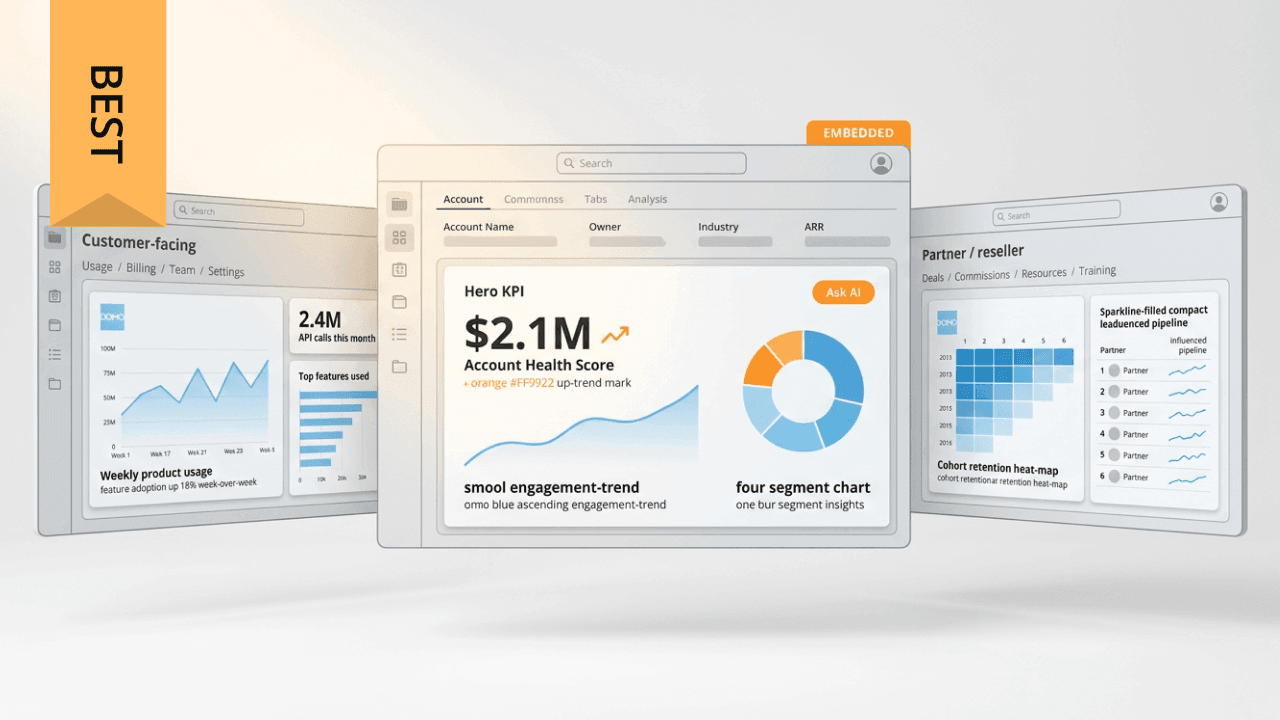
Integrating analytics into your product implies choosing a platform before choosing a dashboard. This guide compares 12 embedded analytics tools according to the integration method, the multi-tenant architecture, the AI features, and the pricing structure. The variable that determines most of these evaluations: whether your analytics are intended for your own employees or for your customers.
Key takeaways
- Embedded analytics tools place data visualization and reporting within the applications in which users are already working, so that no one needs to change platform to answer a question.
- Platforms designed for embedding tend to go further in terms of multi-tenant architecture and white-labeling than traditional BI tools that added embedding afterward.
- The most important criteria: the integration method (SDK vs iFrame), multi-tenant architecture, AI governance, the level of white-label customization,and whether pricing scales according to the number of viewers.
- Implementation results depend on mapping the data infrastructure, defining security requirements in advance, and a design suited to tenant scale before launch.
Here is what teams generally gravitate toward, depending on what they are building:
- Domo: enterprise multi-tenant deployments where the breadth of connectors and governed AI in the embedded experience are both important
- Luzmo: SaaS product teams that rapidly deploy white-label customer dashboards
- Power BI Embedded: organizations already standardized on Azure and M365
- Looker: teams operating on BigQuery that want a semantic layer with version control
- ThoughtSpot: products where natural language search is the main interface
- GoodData: engineering teams that want headless and API-first analytics at tenant scale
Comparison of top embedded analytics tools
Here is how these platforms compare according to the criteria generally decisive when evaluating embedded analytics tools.
This list is not exhaustive and the tools are not ranked. The selection reflects an editorial judgment based on market presence, analyst coverage, and ratings on evaluation platforms. Platform capabilities evolve, so please check current features during your evaluation.
What is embedded analytics software?
Embedded analytics software integrates data visualization, reporting, and analysis directly into the applications that your customers and your teams already open every day. No separate login. No need to switch tabs to use a standalone business intelligence tool. Actionable information appears where the decision is made.
This same capability goes by several names: in-app analytics, white-label BI, OEM (Original Equipment Manufacturer) analytics, integrated reporting. The fundamental idea remains the same.
One distinction matters more than teams generally realize at the outset. Customer-facing embedded analytics constitutes a different engineering problem from internal BI sharing. Internal sharing means that employees of the same organization open a shared dashboard. Customer-facing analytics means that external people, often spread across hundreds or thousands of tenants, view data within a product for which they pay. This second scenario requires multi-tenant data isolation, white-labeling, and authentication models that the first never needs. Many teams discover this after having already signed with a platform designed for the internal use case.
Imagine the situation in practice. A sales representative consults the indicators of their pipeline in the CRM. A customer success manager spots a churn signal in the support platform. A software-as-a-service (SaaS) customer explores their own usage data in your product dashboard. Analytics ceases to be a destination to become infrastructure.
Demand continues to grow. Industry reports forecast continued expansion in finance, healthcare, e-commerce, and SaaS, as organizations regard product-embedded analytics as a competitive requirement rather than as a simple bonus.
{{custom-cta-1}}
Embedded analytics use cases and examples
Concrete examples make the category easier to evaluate. Each of the examples below specifies the integration method, the data displayed on the screen, and what changed for the company.
Analytics for e-commerce merchants. Cohort retention dashboards are located directly in the merchant's administration panel on platforms like Shopify, provided via an SDK integration. Customer lifetime value, repurchase rate, product performance: everything is visible without leaving store management. Merchants make faster decisions concerning inventory and marketing.
SaaS customer health dashboards. A business-to-business (B2B) software company integrates a customer health score dashboard into its CRM portal via SDK. Usage trends, feature adoption, churn risk indicators, account by account. Account managers intervene before cancellation, and not after.
Partner portal for financial services. Independent advisors access white-label portfolio analytics through an iFrame integration on a wealth management platform. Each advisor sees only their own clients, and the platform's branding disappears entirely. Institutional-level analytics, without any infrastructure to build.
Performance insights for restaurants. Order analytics flow into the dashboards of partner restaurants on a meal delivery platform: order peaks, delivery times, menu item performance. Owners adjust their staffing and their pricing according to real demand rather than making guesses.
Dashboards for healthcare providers. By using an SDK integration with row-level security, a health technology company displays dashboards on patient outcomes within its electronic health record (EHR) integration. Clinicians review aggregated outcomes of their patient population while respecting the obligations of the Health Insurance Portability and Accountability Act (HIPAA). Care decisions are made without having to change systems.
Supply chain visibility. A logistics company integrates shipment tracking and inventory analysis into its enterprise resource planning (ERP) integration. Operations teams see inventory levels, shipment status, and supplier performance in the same place, which reduces response time in the event of an upstream problem.
Educational assessment analytics. Teachers open dashboards on student performance directly in the learning management system they already use for everything else. Assessment results and engagement indicators signal who needs help, thus making it possible to intervene before a student falls behind.
Analytics for partners and resellers. Channel partners log in to a white-label portal displaying their own pipeline, the velocity of their deals, and their commission data, without seeing anything that belongs to others. Partners find themselves the answers to their reporting questions, and the vendor's support queue is shortened as a result.
How to choose the best embedded analytics tool
Choosing an embedded analytics platform is one of the most delicate decisions that a product team can make, because changing it afterward generally implies rebuilding everything. The level of expectation has risen as the category has gained in maturity.
Review these considerations before establishing your shortlist.
Scalability and multi-tenant support
The volume of data grows with the business, of course. But for SaaS companies and anyone serving many customers from a single deployment, the most complex scalability question is multi-tenancy.
Multi-tenant support means that the platform manages data access specific to each customer without custom development for each new account that you onboard. Data engineers immediately recognize the failure scenario: separate pipelines or custom authorization logic by customer, which accumulate to become an operational nightmare.
Two isolation models dominate, and the difference carries real weight in security and operations matters.
Isolation with one workspace per tenant gives each customer a separate environment within the BI platform. The security boundaries are solid. The management load increases with the number of tenants, because each update must reach each workspace, unless the platform supports centralized deployment.
The shared schema with row-level security (RLS) keeps all tenants in a single data layer, with RLS predicates filtering each person's view at query time. Easier to manage, but less forgiving of implementation errors.
The place where the rules are enforced is the point to examine. RLS must run on the server side, either at the BI layer level or in the database and warehouse. Using front-end-side CSS or JavaScript simply to hide rows is the common failure scenario here, and it gives the appearance of isolation without having its substance. Anyone with the browser's development tools can easily bypass it.
Question vendors on the following specific points:
- Is RLS enforced server-side or client-side?
- What is your token time-to-live (TTL) and your rotation policy?
- How do you prevent cached query results from leaking beyond tenant boundaries?
- Do you support the System for Cross-domain Identity Management (SCIM) for automated tenant provisioning?
- Can permissions be limited to individual dashboards, folders, or metrics?
Mature multi-tenant support also covers programmatic filtering that adjusts each person's view according to context, row-level security tied to authentication, and the ability to distribute content and permissions across hundreds or thousands of isolated instances from a single parent environment. Dynamic dataset switching is also useful, because it simplifies “same dashboard, different tenant” type deployments when the schema remains stable.
Test performance with live data updates and realistic simultaneous access, and not with a demo dataset.
White-labeling and customization
Embedded analytics must be perceived as a native product, and not as a third-party widget inserted into your interface. Product managers understand this instinctively, because customers who perceive analytics as being part of the product attribute the value to the latter.
True white labeling goes far beyond a simple logo change. Look for custom color palettes, font control, logo placement on every analytics surface, and domain controls such as an authorized domains whitelist that limits the places where embedded content can display.
Visual customization is a prerequisite. Deeper user experience (UX) integration requires more effort.
Filter synchronization between the host application and the embedded dashboard means that selecting a customer in your application automatically filters the analytics for that customer. Without that, users must reselect the context inside the embed, which gives an impression of malfunction.
Cross-filtering between embedded charts allows a click in one visualization to filter the others. This interactive exploration is what users now expect from analytics, wherever it is.
Bidirectional communication between the application and the report sends context into the dashboard (current account ID, selected date range) and receives events back (someone clicked on a specific data point). This bidirectional flow makes all the difference between a native solution and an added-on solution.
Event hooks give your application a way to react to interactions inside the embed: open a detail modal window, redirect to a related page, trigger a workflow.
Deep links to saved views allow you to link to a specific state of the dashboard with filters and time ranges applied. This is useful for email alerts that direct a person straight to the relevant information.
The transmission of claims by JSON Web Token (JWT) is the underlying mechanism for identity and context transfer. Your application generates a JWT containing claims such as tenantid, userrole or accountid, and the analytics platform reads these claims to delimit the data and apply the context.
Check whether a platform offers sufficiently in-depth white-label analytics controls to correspond perfectly to the look and feel of your application.
AI and automation capabilities
AI in embedded analytics has ceased to be a differentiating element in order to become an expectation. The useful question is not whether a tool integrates AI. It is whether these features operate inside the embedded experience or whether they are located elsewhere in the vendor's platform.
The capabilities that deserve your attention: natural language querying (NLQ), automated insight detection that brings anomalies to the surface without anyone having to launch the analysis, and AI-based recommendations.
Consider AI chat assistants operating inside the analytics surface itself, allowing users to ask questions in plain language without leaving the page. This is a very different product from AI features buried in a back end or parked in a separate tool.
For non-technical customers, NLQ reduces support requests and increases self-service adoption, which is often where return on investment first becomes visible.
Feature availability represents only half of the evaluation. AI governance constitutes the other half, and it is the one that most evaluations overlook.
Does the platform impose a semantic layer so that NLQ resolves against approved and certified metrics rather than raw tables? If you ignore this point, the same question formulated in two different ways will produce two different numbers.
Are guardrails in place so that a tenant cannot query data outside its RLS perimeter by asking for it nicely in natural language? AI must obey the same isolation rules as a SQL query.
Can you obtain audit logs for AI-generated queries? Compliance reviews and debugging both require a record of what was asked and the data that the model touched.
How does the vendor handle prompt security and secure tenant-by-tenant retrieval when multiple customers share the infrastructure?
Data security and compliance
Data security must appear at the top of any embedding evaluation. Once analytics is outward-facing, every access decision carries weight in compliance matters.
Authentication of external people works differently from internal SSO. Confirm support for Security Assertion Markup Language (SAML) and OpenID Connect (OIDC) with your existing identity provider. JWT embed tokens, signed and short-lived, must carry identity as well as context, such as tenantid and userrole, into the embed. Shorter token TTLs reduce the exposure window in case of leakage, so ask explicitly about TTL and rotation policy.
Authorization goes further than role-based access control (RBAC). Find out whether permissions are limited to individual dashboards, folders, projects, or metrics rather than stopping at general roles. Object-level control takes on its full importance once different customer tiers must see different analytics.
The granularity of audit logs varies enormously from one platform to another. Ask which events are logged (logins, queries, exports, permission changes), what the retention period is, and whether the logs export cleanly. Regulated industries generally need these logs to feed a security information and event management (SIEM) system.
Data egress controls determine whether administrators can restrict CSV export, access to underlying data, or print and screenshot functions by group or by tenant. Sensitive customer data requires control over how it exits.
Embed hardening closes common attack surfaces. Content Security Policy (CSP) configuration blocks cross-site scripting. Frame-ancestors directives prevent clickjacking by naming the domains authorized to embed your analytics. Domain allowlists prevent unauthorized sites from displaying your dashboards.
Healthcare, financial services, and legal organizations benefit from this when compliance resides at the platform level rather than arriving as an add-on, because that reduces the validation burden on each individual deployment. SOC 2, GDPR, and HIPAA coverage integrated into the infrastructure is a significant differentiator.
Ask for proof, not guarantees:
- SOC 2 Type II report, and not just Type I
- Summary of penetration tests from the last 12 months
- List of subprocessors for data processing
- Documentation on encryption key management
- SSO configuration guides for your identity provider
Pricing and total cost of ownership
Licensing fees constitute the visible part of the cost of embedded analytics, but not its entirety. Five pricing models circulate in this market.
Per-editor and per-creator licenses charge according to the number of people who can create dashboards. This works well for small internal teams and begins to become problematic when embedded viewers are counted as editors or when many tenants want their own dashboard variants.
Licenses for embedded viewers create a cheaper tier for read-only access. Whether this tier is included or sold as an add-on changes the situation enormously once the number of viewers reaches thousands.
Capacity-based and compute-based pricing charges for processing power or query volume instead of headcount. Predictable for high-volume, low-headcount workloads. Less predictable when query patterns change.
Pay-per-session pricing, the model that AWS QuickSight uses, charges only when someone actually opens a dashboard. Economical for sporadic use, harder to forecast at scale.
OEM and white-label licenses set flat or tiered fees for reselling analytics within your product. SaaS companies with a broad customer base often opt for this solution, because it disconnects cost from audience growth.
One rule of thumb to retain: beyond about 50 tenants and 10,000 embedded viewers, per-editor pricing becomes almost always prohibitive. That is generally where licensing begins to eat into margin on analytics as a product. Evaluate capacity-based pricing or OEM licensing before getting there.
Model total cost of ownership (TCO) over a few years rather than comparing list prices. Open-source options seem low-cost on the licensing line, but recover that cost through development and support effort.
Product developers tend to find the real expenses elsewhere: implementation time, ongoing maintenance, custom development for each new feature request, and the engineering hours required to maintain integration security as both platforms evolve. None of that appears on a pricing page. Low-code tools, prebuilt templates, and well-documented application programming interfaces (APIs) are what make it possible to reduce those numbers.
Revenue leaders should also take the question the other way around: does the pricing model support the way in which you intend to package and sell analytics to your own customers?
Assess your requirements
Start by identifying your organization's specific needs and goals in embedded analytics. Take into account factors such as your customers' technical expertise, the level of customization required, the complexity of your data sources, and your budget constraints. If you have a non-technical customer base, prioritize tools with user-friendly interfaces and self-service capabilities. For developers, look for tools offering extensive customization options and developer-friendly features.
Evaluate integration capabilities
Make sure that the embedded analytics tool can integrate with your existing applications and data sources. Check compatibility with your programming languages, databases, and APIs. Look for tools that support API integration via RESTful APIs and SDKs, because they simplify the development process.
iFrame vs SDK: choosing your integration architecture
Your integration method shapes each downstream decision. Three approaches cover the field, each involving trade-offs.
Integration by iFrame is the fastest to deploy. The interface of the analytics tool is displayed in a frame on your page, often in a few lines of HyperText Markup Language (HTML). Customization remains limited, the integrated content is separated from your application's own features, and bidirectional communication involves additional work with the postMessage APIs.
Integration based on an SDK costs more at the start but offers a native-looking result. An SDK or a JavaScript API allows your application to communicate with the integration in both directions: pass filters, react to interactions, control the experience via code. This also dissolves the browser's same-origin boundary, which places token scope definition and CSP configuration directly under the responsibility of your team.
Web components constitute a middle ground, an approach toward which some platforms are turning. You obtain more control over style than an iFrame allows without committing yourself to the full development of an SDK, since the analytics arrive in the form of custom HTML elements that you style and configure via attributes.
Recommended starting points, by scenario:
Internal portals and client dashboards of low complexity where pixel-perfect user experience (UX) parity is not the objective? Integration by iFrame is sufficient. The browser's same-origin policy gives you a security boundary for free, and limited customization is considered acceptable when users know that they are looking at integrated content.
A UX native to the product, where the dashboard must be indistinguishable from the surrounding application, requires integration by SDK. There is no shortcut to achieve this result.
Teams that need more than an iFrame but that want to avoid the total complexity of an SDK turn to web components, which is a reasonable compromise.
The security boundaries diverge strongly between these methods. An iFrame inherits the isolation of the same-origin policy, which prevents the integrated content from touching the parent page's Document Object Model (DOM) or JavaScript context. This isolation protects you and simultaneously limits what bidirectional communication can accomplish. Integration by SDK purely and simply removes this boundary: the analytics run in your application's JavaScript context, allowing richer integration while making token management and explicit CSP configuration your responsibility.
Whatever path you take, JWT integration tokens remain the standard authentication mechanism for private integration. Your application signs a token containing identity and context (tenantid, permissions, filters), and the platform validates it to decide which data to display.
The engineering investment versus time to market is here the constant tension. Teams under delivery pressure frequently launch with an iFrame and migrate to an SDK once the product justifies the investment, which is a defensible sequence as long as the migration is actually planned.
Scope and neutrality note
This list covers 12 platforms that return regularly in embedded analytics evaluations, and it is not exhaustive. There are solid options outside this one, notably open source tools and new entrants targeting more specific use cases. The tools are not ranked. The numbering reflects only the order of appearance, and the first position is a formatting choice rather than a verdict. Editorial choices determined the platforms presented and the points highlighted in each description. Capabilities in this category evolve rapidly; therefore consider these elements as a starting point for your own exchanges with suppliers, rather than as an up-to-date inventory of features.
Editorial methodology
We built this list around independent validation rather than on marketing reach. The platforms that appear in analyst research such as the evaluations of the Gartner Magic Quadrant and the Forrester Wave, that accumulate a significant volume of reviews on G2, Capterra or TrustRadius, and that demonstrate real adoption by companies were retained. We also deliberately weighted category coverage, so that the list covers enterprise suites, integration specialists, cloud-native tools and API-first platforms, instead of focusing on a single architecture. Three tools from the previous version of this article were removed: Zendesk, because its analyses serve support data rather than general integration; TIBCO Jaspersoft, due to its limited presence on the current market; and Logi Analytics, given the changes of ownership.
{{custom-cta-2}}
12 embedded analytics tools for 2026
1. Domo
Domo Everywhere handles embedded analytics on top of Domo's governed BI infrastructure and integration layer, and is aimed at organizations that embed interactive analytics into applications, partner programs, and customer-facing products.
Strengths:
- Curated embedding as well as self-service embedded analytics, allowing users to explore, filter, drill down, export, schedule, or create their own dashboards without the intervention of a developer
- JavaScript API for bidirectional communication, programmatic filtering (pfilters), and dynamic dataset switching that replaces the dataset behind a visualization while preserving schema consistency
- Programmatic multi-tenant management via Domo Workflows, allowing the deployment and updating of thousands of isolated instances from a single parent environment
- More than 1,000 data connectors, with AI Chat assistants for natural language queries available within the embedded experience
Governance is carried out via SSO integration and Personalized Data Permissions, which tie row-level security to authentication so that each person sees only the authorized data. An authorized domains whitelist controls where embeds are displayed, and Brand Kit manages colors, fonts, and logos. Customer success teams tend to notice the effect of self-service first, because customers who explore by themselves submit fewer ad hoc report requests. Virtuagym, a Domo customer, describes it this way: "providing new metrics and insights to our customers is very simple."
Fit context: cost can be an obstacle for small organizations, and the breadth of capabilities means that advanced features require training to be fully exploited. Teams needing only a few static charts will find that this platform is oversized for their needs.
2. Tableau
Visualization depth is Tableau's hallmark, and it extends to embedded use cases thanks to a JavaScript API and Tableau Embedded Analytics.
Strengths:
- Detailed and highly configurable visualization options
- Drag-and-drop creation with mature data modeling
- Tableau AI for automated insight generation
- Vast practitioner community and exhaustive learning material
Fit context: embedding works like the extension of a platform designed first for internal analytics, which results in additional work for native customer-facing deployments. The learning curve is steeper for beginners, and per-user licensing can weigh on budgets as the audience grows. Teams creating heavily white-labeled multi-tenant portals generally need additional development here.
See how Domo compares head-to-head with Tableau.
3. Looker
Looker, owned by Google, builds its embedded offering around LookML, a semantic modeling layer with version control that defines metrics only once and reuses them across dashboards, APIs, and AI features.
Strengths:
- LookML semantic layer for consistent metric definitions
- Tight coupling with Google Cloud and BigQuery
- Gemini AI capabilities
- API-first architecture suited to programmatic embedding
Organizations already running analytics on BigQuery get the most from this architecture, and the governance imposed by LookML is genuinely useful when AI features must rely on certified metrics.
Fit context: productive use assumes mastery of SQL and LookML within the team, setup takes more time than drag-and-drop alternatives, and flexibility decreases outside the Google ecosystem.
See how Domo comes out in comparison with Looker.
4. Power BI Embedded
Microsoft's embedded offering operates on the basis of capacity licensing through Azure, with Secure Embed offering a no-code path to place reports in a web application.
- Secure Embed for low-effort report embedding
- Dedicated Power BI Embedded capacity for customer-facing scenarios
- Copilot AI integration
- Deep connection with M365, Azure Active Directory, and the full Microsoft stack
Capacity-based pricing (A SKU for Azure, EM SKU for M365) dissociates cost from the number of viewers, which appeals to teams with large audiences and predictable workloads.
Fit context: externally oriented embedding capabilities are more restricted than those internally, and the platform assumes a Microsoft-centered environment. Correctly sizing capacity requires iterations, and organizations outside Azure generally find the fit less natural.
5. Sisense
Sisense Fusion targets product teams that embed analytics into software, combining a single-stack architecture with data mashup capabilities and embeddable widgets.
- In-chip technology for query performance on large datasets
- Composable widgets and components for granular embedding
- AI-assisted analytics
- Broad API surface for customization
Product analytics embedding is the area where Sisense tends to appear most often during evaluations, particularly for teams that want control at the component level rather than the placement of a full dashboard.
Fit context: some advanced capabilities require additional investment, and self-service creation within the embedded experience is less developed than on platforms built around end-user exploration.
6. Qlik Sense
What distinguishes Qlik is its associative engine, which allows users to explore relationships between data without predefined exploration paths and which highlights unrelated values rather than hiding them.
- Associative data model favoring open exploration
- In-memory processing for responsive interaction
- Insight Advisor for AI-generated suggestions
- Responsive design that remains performant on mobile
Fit context: development on the associative model requires specialized skills, which is a real hiring consideration rather than a learning curve that one absorbs in a sprint. Licensing costs apply per user, and adjacent data management capabilities are more restricted than on broader platforms.
See how Domo works in comparison to Qlik.
7. ThoughtSpot
Search is ThoughtSpot's main interface, which embeds natural language queries into applications via ThoughtSpot Everywhere, so that customers type questions instead of navigating dashboards.
- Natural language search as the primary interaction model
- SpotIQ for automated insight detection
- Interactive Liveboard dashboards
- Broad connector coverage across cloud data sources
Products whose customers will not tolerate the learning curve of a dashboard are those where a search-focused interface makes full sense.
Fit context: advanced analytical modeling is lighter than on full BI platforms, deeper customization requires development work, and multi-tenant architecture generally needs more setup than what embedding-focused platforms require.
8. Luzmo
Formerly Cumul.io, Luzmo was designed specifically for SaaS companies that embed customer-facing dashboards, with speed of first deployment as a design priority.
- Drag-and-drop dashboard builder accessible to non-engineers
- Deep white-label and theme controls
- Multi-tenant architecture with JWT authentication available out of the box
- Developer-friendly APIs and live data connections
Fit context: the ecosystem is more restricted than what enterprise BI vendors offer, advanced analytical features are limited, and heavy analytical workloads put the platform under strain. Organizations needing enterprise data preparation in addition to embedding will want a broader solution.
9. AWS QuickSight
Serverless architecture and session-based billing define QuickSight, which charges only when someone actually opens a dashboard.
- Auto-scaling serverless infrastructure without capacity planning
- QuickSight Q for natural language queries
- Embeddable dashboards and individual visuals
- Machine learning anomaly detection included rather than offered as a paid option
Variable or seasonal usage patterns are where session-based pricing proves cost-effective, and teams already operating on AWS benefit from the integration for free.
Fit context: the platform assumes AWS-centered infrastructure, customization is more restricted than what embedding-focused alternatives offer, and teams less familiar with AWS conventions face a steeper learning curve.
10. Sigma Computing
Sigma brings a spreadsheet-like interface to cloud data warehouses, which lowers the barrier to entry for business professionals who already think in rows, columns, and formulas.
- Spreadsheet-like creation experience
- Live connection directly to cloud data warehouses
- Collaborative workbooks for shared analysis
- Embedded analytics with theme controls
For products whose customers are comfortable in Excel but not with BI tools, this familiarity reduces training to almost zero.
Fit context: advanced visualization options are more limited than those provided by dedicated visualization platforms, embedding features are less developed than at embedding-focused vendors, and the architecture assumes the presence of an underlying cloud warehouse.
11. GoodData
Headless and API-oriented architecture is GoodData's defining characteristic, designed for organizations that embed analytics across many customer instances with their own front-end control.
- Headless BI that dissociates analytics from a fixed interface
- Multi-tenant architecture built in by design rather than added on top
- Semantic layer enforcing consistent metric definitions
- Complete APIs and SDKs
Fit context: implementation assumes engineering capacity, because flexibility comes from creating your own interface rather than configuring a provided one. Business professionals find it less accessible without that interface in place, and out-of-the-box visualizations are less polished than those provided by visualization-focused tools.
12. MicroStrategy
Scale and enterprise governance are MicroStrategy's historical strengths, applied to embedded analytics through federated analytics and HyperIntelligence contextual information cards.
Strengths:
- HyperIntelligence to surface information within other applications
- Enterprise-grade security and governance controls
- Mature mobile analytics
- Federated analytics across distributed data sources
Large organizations with complex governance requirements and distributed data estates constitute the ideal target, particularly when mobile access is important.
Fit context: the platform has a learning curve, implementation costs are higher than mid-market alternatives, and more modest deployments will find the full set of capabilities disproportionate to their needs.
Build vs buy: when to use off-the-shelf embedded analytics
Vendor choice is the second question. The first is to know whether it is necessary to buy at all.
Constraints settle the question. Three thresholds tend to settle the debate quickly.
The complexity of charts is the first. Once requirements go beyond three chart types with cross-filtering and drill-down, custom development with D3.js or Chart.js turns into a maintenance commitment: bug fixes, cross-browser compatibility, and an endless feature backlog. Platforms absorb this infrastructure so that engineering time is instead devoted to product differentiation.
Compliance is the second. Requirements related to Service Organization Control 2 (SOC 2), HIPAA, or the General Data Protection Regulation (GDPR) involve audit logging, encryption at rest, penetration testing, and certification work that takes months to be done correctly. Buying a compliant platform transfers this burden to the vendor, which constitutes the most obvious argument in favor of buying.
The timeline is the third. Embedded dashboards required within 90 days almost always point toward buying, because even experienced teams underestimate the time necessary to develop from scratch multi-tenant isolation, authentication flows, and white labeling.
In-house development still prevails in specific cases: chart types that no platform supports, an analytics experience that in itself constitutes your main differentiating factor, or proprietary interaction models requiring total control of the rendering layer.
Everyone else should buy the platform and devote their customization budget to the experience around it.
How to implement embedded analytics
Planning makes the difference between smooth launches and difficult launches. This framework covers the sequence that generally works best.
- Map your data infrastructure. Discover where the data resides and how it circulates before integrating anything. Catalog the sources that will feed your analytics, honestly verify data quality, and decide whether real-time connections or batch updates match the use case.
- Define the security and access requirements. Who sees which data? Customer-facing deployments generally involve row-level security tied to authentication, and the permissions model must exist on paper before the code is delivered. Adding security after launch creates both technical debt and compliance risks.
- Choose your integration method. The iFrame for speed, the SDK or the API for control, and web components for a compromise between the two. Validating the concept on an iFrame and migrating to an SDK as requirements become clearer is a common and reasonable approach. JavaScript APIs are what enable bidirectional communication, dynamic filtering, and programmatic control once you need them.
- Plan for scaling from the start. The complexity of multi-tenant deployments increases rapidly. Serving multiple customers means that your architecture requires programmatic filtering and centralized management from day one, as well as dynamic switching of datasets if the same embedded experience must point to the datasets of different tenants. Integrating multi-tenancy after the fact is considerably more difficult than designing for it from the start.
- Test the experience and optimize performance. Validate that the integration feels native before launch: load times, mobile responsiveness, interaction behavior. Customer-facing deployments also require caching results to reduce query load, incremental refresh for frequently changing data, and concurrency limits that prevent one noisy tenant from degrading the experience of all the others. Gather feedback from real customers, and not only from internal stakeholders.
Implementation is truly more difficult than vendor demos suggest, and the teams that budget for this reality deliver better embedded experiences than those that do not.