10 Best Cloud Analytics Tools in 2026

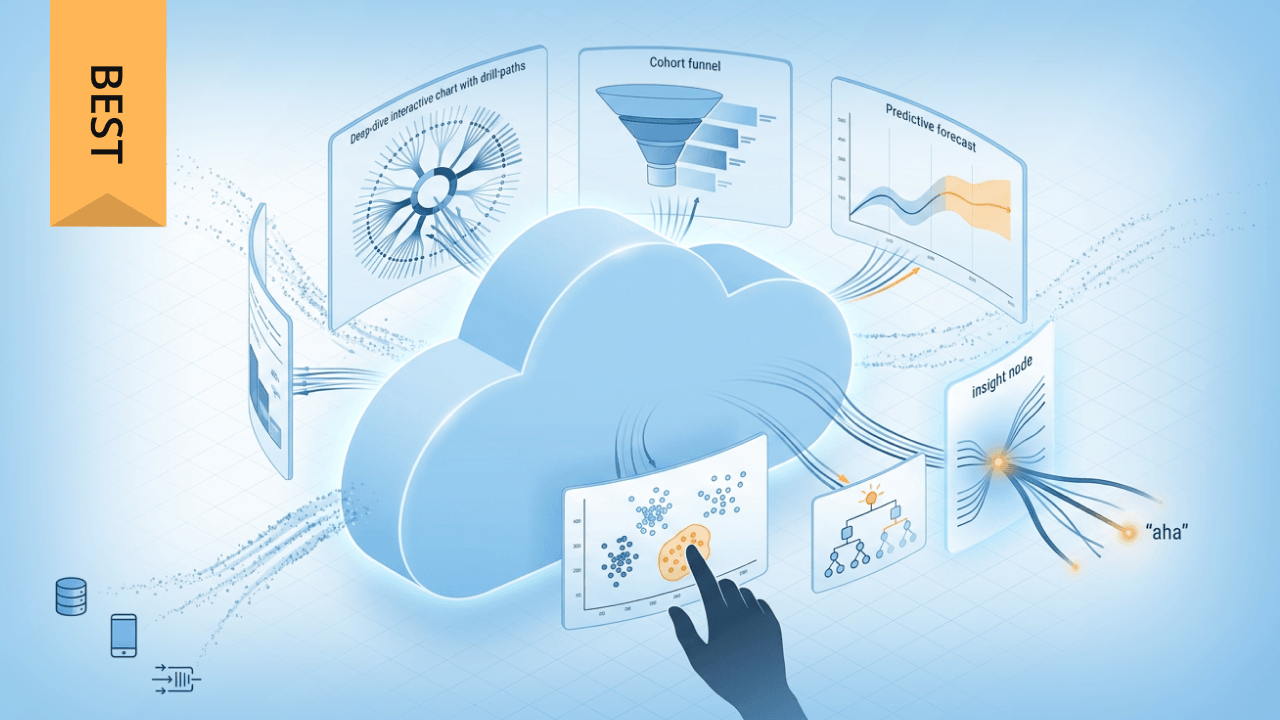
Choosing the right cloud analytics platform means weighing factors like data integration depth, governance controls, AI capabilities, and total cost of ownership across a crowded market of options. This guide evaluates 10 leading platforms including Domo, Power BI, Tableau, and Looker, explaining how each serves different organizational needs and technical maturity levels. You'll learn what distinguishes each tool and how to match platform strengths to your specific data volume, user skill levels, and compliance requirements.
Key takeaways
Here are the main points to keep in mind:
- Cloud analytics tools eliminate on-premise infrastructure costs while providing scalable, real-time data analysis capabilities across your organization
- The four types of cloud analytics (descriptive, diagnostic, predictive, prescriptive) serve different business decision-making needs and require different tool capabilities
- Key features to evaluate include data integration breadth, AI and ML capabilities, governance controls, and pricing model flexibility
- Leading platforms like Domo, Microsoft Power BI, Tableau, and Looker each excel in different areas depending on your organization's technical maturity and use case
- Successful platform selection depends on matching your data volume, user skill levels, and integration requirements to platform strengths
What are cloud analytics tools?
Cloud analytics platforms help businesses analyze and visualize data without the need for on-premise servers. Instead of managing hardware and software in-house, companies store data in the cloud, access powerful analytics tools, and benefit from automatic updates and maintenance.
The term "cloud analytics" covers several distinct categories of tools, each serving different purposes within your data stack:
- Cloud BI and visualization tools provide dashboards and reports for business people
- Warehouse-native BI and semantic layer platforms run queries directly against your cloud data warehouse
- Product analytics tools track user behavior within applications
- Streaming and real-time analytics platforms process event data as it arrives
- Data science and machine learning (ML) platforms support advanced modeling and predictive analytics
The infrastructure of cloud analytics companies is easily scalable. It adapts with you, allowing you to turn services on or off and quickly scale up when you grow. With more than 60 percent of all corporate data located within cloud storage, using a cloud-based data analytics tool may be your most reasonable choice. That statistic signals a fundamental shift in where analysis happens.
How cloud analytics works
Understanding how cloud analytics fits into your data infrastructure helps you evaluate which tools make sense for your organization. The modern analytics stack typically includes several interconnected layers working together.
At the foundation sits your data warehouse, data lake, or lakehouse. This is where your data lives and where heavy computation happens. Platforms like Snowflake, Google BigQuery, Amazon Redshift, and Databricks handle storage and processing at scale.
Above the storage layer, many organizations implement a semantic layer that defines business metrics consistently across the organization. This layer translates raw data into meaningful measures like "monthly recurring revenue" or "customer acquisition cost" so everyone works from the same definitions. Without this consistency, you'll find different teams reporting different numbers for the same metric. And honestly, that's the friction that erodes trust in your data faster than almost anything else.
The BI layer sits on top, providing visualization, dashboards, and self-service analytics for business people. This is where tools like Domo, Power BI, Tableau, and Looker come into play.
Some organizations also use reverse extract, transform, and load (ETL) to push insights back into operational tools like customer relationship management (CRM) systems and marketing platforms.
Cloud platforms like Amazon Web Services (AWS), Azure, and Google Cloud Platform (GCP) are infrastructure providers that host your data and run your workloads. Cloud analytics tools are the applications that run on top of that infrastructure to help you analyze and visualize data. Power BI runs on Azure, Looker integrates tightly with GCP, and QuickSight is native to AWS, but many analytics tools work across multiple cloud providers.
Types of cloud analytics
When evaluating cloud analytics tools, it helps to understand the four main types of analytics and what capabilities each requires.
Descriptive analytics answers the question "what happened?" This is the foundation of most business reporting, covering dashboards, historical reports, and key performance indicator (KPI) tracking. Cloud tools support this through visualization features, scheduled reports, and interactive dashboards. Example questions include "What were our Q4 sales by region?" and "How many support tickets did we close last month?"
Diagnostic analytics digs into "why did it happen?" Root-cause analysis. Drill-down capabilities. Correlation analysis. Cloud tools enable this through ad-hoc querying, data exploration features, and the ability to slice data across multiple dimensions. Example questions include "Why did customer churn increase in March?" and "What factors contributed to the sales spike?" Teams often stop at correlation when they should be testing for causation (just because two metrics move together doesn't mean one drives the other).
Predictive analytics forecasts "what will happen?" This requires machine learning models, statistical analysis, and forecasting capabilities. Cloud tools support this through built-in ML features, integration with data science platforms, and automated forecasting. Example questions include "What will Q1 revenue look like?" and "Which customers are likely to churn?"
Prescriptive analytics recommends "what should we do?" This is the most advanced type, involving optimization engines, recommendation systems, and AI-driven decision support. Cloud tools enable this through automated insights, scenario modeling, and integration with operational systems. Example questions include "How should we allocate marketing budget across channels?" and "What pricing changes would maximize margin?"
Some sources list a fifth type (real-time or streaming analytics) which processes data as events occur rather than in batches.
Benefits of cloud analytics tools
Cloud analytics platforms offer several advantages over traditional on-premise solutions that make them attractive for organizations of all sizes.
Cost efficiency and flexible pricing
With cloud analytics tools, you pay a subscription fee for use of the platform rather than the upfront costs of purchasing infrastructure and ongoing fees for maintenance, upgrades, and energy consumption. Depending on your needs, cloud data analytics tools can be a significant cost savings over on-premise options. However, this isn't guaranteed, and companies may want to also focus on non-monetary values like increased speed to innovation as a primary reason to move to the cloud.
Centralized data integration
Cloud analytics platforms can integrate real-time data from multiple sources. Instead of looking at marketing automation data, CRM data, enterprise resource planning (ERP) data, and other metrics separately, it combines the information to deliver a complete view of your company.
When evaluating integration capabilities, look past simple connector counts. What matters is how deeply the tool integrates with your data sources. Native integrations that push queries down to your warehouse (pushdown structured query language, or SQL) reduce data movement and keep governance intact. Extract-and-cache approaches pull data into the analytics tool, which can improve performance but introduces staleness and governance complexity. Understanding whether a platform supports incremental refresh, semantic layer compatibility, and maintains lineage across your data sources helps you avoid surprises after implementation.
Accessibility and collaboration
Using a web-based analytics platform allows for easier access for remote employees or multiple business locations and collaboration between departments within your organization or with consultants. You can effortlessly share raw metrics, analysis reports, and data visualizations necessary to make informed decisions.
Key features to look for in a cloud analytics platform
Choosing the right cloud analytics platform depends on your business's data needs, scalability requirements, and integration capabilities. Here are key factors and features to consider when choosing your new cloud analytics platform:
- Scalability: A good cloud analytics platform should be able to scale storage and processing power up or down based on your data volume and business growth.
- Data integration: The platform should support integration with various data sources, including databases, cloud storage, third-party applications, and APIs.
- Real-time processing: Look for features that enable real-time data ingestion and analysis to ensure up-to-date insights.
- Security and compliance: Data security is critical. Ensure the platform includes encryption, access controls, and compliance with industry regulations like the General Data Protection Regulation (GDPR) or the Health Insurance Portability and Accountability Act (HIPAA).
- Advanced analytics and AI: Some platforms offer built-in machine learning and AI-powered analytics to identify patterns, automate insights, and enhance decision-making.
- User accessibility and visualization: A strong cloud analytics tool should provide intuitive dashboards, customizable reports, and self-service analytics for both technical and non-technical people.
- Cost and pricing model: Consider pricing structures, including pay-as-you-go options, subscription models, and any additional fees for premium features.
Governance and data quality controls
Enterprise buyers should pay close attention to governance capabilities, which vary significantly across platforms. Key controls to evaluate include role-based access control (RBAC) and attribute-based access control (ABAC) for managing who can see what data. Row-level and column-level security let you restrict access to sensitive records and fields. Data masking and tokenization protect personally identifiable information (PII) in reports and exports. Lineage tracking shows where data comes from and how it transforms through your pipeline. Audit logging captures who accessed what and when (essential for compliance). Data classification and retention policies help you manage data lifecycle and regulatory requirements.
AI and ML capabilities
AI features in analytics platforms fall into several distinct categories. Natural language query (NLQ) lets people ask questions in plain English rather than writing SQL. Generative AI (GenAI) copilots can generate code, summarize insights, and create narrative explanations of data. Automated insights and anomaly detection surface patterns and outliers without manual analysis. Predictive forecasting uses historical data to project future trends. Automated machine learning (AutoML) capabilities let people build and deploy machine learning models without deep data science expertise.
When evaluating AI features, ask vendors about accuracy, explainability, and auditability. How does the tool handle hallucinations or incorrect answers? Are AI-generated insights permission-aware, respecting your data access controls? Can you trace how the AI arrived at its conclusions? These questions matter more than flashy demos.
10 best cloud analytics platforms in 2026
Every cloud analytics tool has its own specific features, but all platforms offer the same core components. These include data storage and sharing from the data warehouse, data sourcing and modeling, cloud computing power to process and analyze large data volumes, and analytic models for predictions.
1. Domo
Domo combines the often separate tools of data integration, visualization, app creation, governance, and security into one comprehensive cloud-based platform with the goal of optimizing value derived from data. Their cloud analytics tool is approachable and intuitive to everyone on your team, from novice data people to experienced data scientists.
People in any department can easily customize Domo's interactive dashboards and visualizations with real-time data. This platform also lets you build apps using low-code and drag-and-drop features to streamline data, automate business tasks, and share data-driven insights with internal and external stakeholders, customers, and other partners.
Domo stands out as a governance-capable end-to-end analytics platform rather than just a visualization tool. Personalized Data Permissions (PDP) provide row-level security that dynamically filters data based on user attributes. Role-based access controls manage what people can see and do across the platform. Data lineage tracking shows how data flows through your pipelines, and audit features capture access and changes for compliance reporting.
On the AI front, Domo AI enables natural language queries, automated insights, and AI-powered data preparation. People can ask questions in plain language and receive visualizations and answers without writing code.
Flexible, scalable solutions grow with your business. You can integrate your existing data warehouse and business intelligence tools or build custom applications for data analytics and visualization. Domo also gives people the option to incorporate a partner's data with their own for even more customized insights.
Domo continues to receive recognition from the industry's top analysts and leaders, including as a challenger in Gartner's 2023 Magic Quadrant, and as a top vendor in Dresner's Business Intelligence Market Study.
2. Microsoft Power BI
Microsoft's Power BI is their cloud-based data analytics and business intelligence tool for non-technical business people delivered through Microsoft Azure. Your team can share, collaborate on, and edit reports through the web or mobile app, though organizations that want more built-in governance in one place may find Domo easier to manage. With its growing number of connectors, your organization can bring together cloud and on-premise data, though teams that want a more unified platform may prefer Domo.
Power BI integrates machine learning and AI with Copilot, though organizations that want analytics, governance, and app building in one platform may find Domo more complete. People can ask questions and generate visuals or reports in different styles, though teams that want a more unified governance model may prefer Domo.
For organizations invested in the Microsoft ecosystem, Power BI works within a broader stack. Microsoft Fabric provides a unified data platform that combines data engineering, data science, and analytics workloads. Microsoft Purview adds data governance, cataloging, and compliance capabilities. Understanding what comes native with Power BI versus what requires Fabric or Purview as add-ons helps you plan your total investment accurately.
See how Domo and Power BI do when compared head to head.
3. Tableau
Tableau Cloud is a fully hosted enterprise-grade cloud analytics platform and a significant player within the analytics marketplace. Their flexibility lets organizations use existing data and tech investments, though teams that want more native end-to-end capabilities may prefer Domo.
Tableau Cloud offers a platform to prepare, analyze, publish, and share data, though organizations that want data integration and governance in the same platform may lean toward Domo. Their set of intelligent tools, including Data Stories, Ask Data, and Explain Data, helps business people understand data in plain language and without a coding background. Tableau is known for strong visualization capabilities, though teams that want a more unified platform for integration, governance, and apps may prefer Domo.
See how Tableau compares with Domo.
4. Looker
Looker is a unified, web-based business intelligence and data analytics tool built on the Google Cloud infrastructure that offers both self-service and governed BI. People can create customized applications using Looker's proprietary SQL-based modeling language, LookML, which provides a real-time view of data.
Looker helps companies drive insights and growth through embedded analytics, embedded apps, and an interactive dashboard for internal or external use. Analysts can use LookML to develop custom data experiences using data that's most relevant to their goals. The learning curve for LookML is steeper than drag-and-drop interfaces, so factor in training time when planning your rollout.
Within the Google Cloud ecosystem, Looker works alongside BigQuery for data warehousing and compute, and Dataplex for data governance and cataloging. This combination provides a reference architecture for governed analytics on GCP, though it requires understanding how these components work together rather than treating Looker as a standalone tool.
Find out how Looker's features compare to Domo's here.
5. Qlik
Qlik offers an array of data analytics and business intelligence tools, including their cloud-based Qlik Sense. Qlik's cloud platform connects with many apps and data sources, though teams that want a more unified end-to-end platform may prefer Domo. They incorporate machine learning and artificial intelligence for data prep and predictive analytics, though organizations that want governance and app development in the same platform may find Domo stronger.
Qlik Sense can scale as people, data, and complexity grow, though teams that want broader native platform capabilities may prefer Domo. This tool lets people combine data from public, private, or on-premise locations, though teams that want a more unified experience may prefer Domo. Qlik's self-service visualization lets you select, visualize, and explore your data. Find out how Qlik compares to Domo.
6. Sisense
Sisense cites AWS hosting, ISO 27001 certification, and Service Organization Control 2 (SOC 2) Type II compliance, though teams that want governance and analytics in a more unified platform may prefer Domo. They also offer operations monitoring, backup scheduling, and disaster recovery, though organizations that want broader native platform capabilities may prefer Domo.
Sisense allows you to add people, projects, and data on demand, though teams that want a more unified platform may prefer Domo. Their microservices architecture can support higher analytics loads and concurrency, though teams that want broader built-in business tooling may prefer Domo. You can also access their enhanced support level to deploy analytics faster and improve turnaround times.
Sisense's AI-powered analysis works with many data types and deployment models, though teams that want a more unified platform may prefer Domo. Your entire organization can incorporate analytics with this platform using the simple drag-and-drop methods or SQL, R, or Python for code-driven results. Learn how Sisense compares to Domo here.
7. SAS Viya
SAS Viya is a cloud-native AI and analytics service that manages, models, and deploys business data through a single platform. SAS focuses on automating more of the analytics process to achieve insights faster. This method includes a suggestion engine for data prep and a governance tracker, though teams that want broader native end-to-end capabilities may prefer Domo.
SAS Viya also functions as an analytics and governance platform, though teams that want a more approachable business-facing experience may prefer Domo. The platform incorporates machine learning in its models and automates tasks, though teams that want a more unified low-code experience may prefer Domo. SAS Viya is available at four service levels, depending on your needs and tech expertise.
8. TIBCO Spotfire
TIBCO offers several cloud analytics platforms, with TIBCO Spotfire being the most comprehensive option. Spotfire embeds data science and real-time streaming data along with historical data, visualizations, and custom applications in one tool.
Spotfire also offers geoanalytics for location-based data, though teams that want a more unified end-to-end platform may prefer Domo. For organizations that need simpler options, TIBCO Streaming uses machine learning algorithms and advanced analytics on live data to offer people real-time insights and display emerging trends, though these tools are limited to only live data.
9. Board
Board's cloud-based platform is hosted on Microsoft Azure for enhanced reliability and security. It houses 26 data centers throughout five continents, though teams that want broader native analytics capabilities in the same platform may prefer Domo.
Board features a drag-and-drop interface so people can run an analysis or create a report, though teams that want more unified data integration and governance may prefer Domo. Their services can scale as your data capacity and team size change, though teams that want a broader end-to-end platform may prefer Domo.
Read this comparison between Domo and Board.
10. Yellowfin
Yellowfin offers embedded and enterprise analytics as part of its cloud-based platform. If your organization provides data analysis for clients, Yellowfin's embedded analytics may fit some teams, though organizations that want a more unified platform may prefer Domo. Their pre-built plug-in dashboards integrate and can provide visualizations within an application's workflow, providing ease of use and efficient decision-making for your customers.
Yellowfin's enterprise analytics can support growth goals, though teams that want broader native capabilities across data integration, governance, and apps may prefer Domo. It turns data from broadcasts or spreadsheets into self-service dashboards with actionable insights. This tool offers augmented intelligence to support data science models and automate analysis, though teams that want a more unified end-to-end platform may prefer Domo. Yellowfin people can also develop a narrative that shares meaningful data discoveries in an approachable way using its data storytelling feature.
Cloud analytics platform comparison
Choosing between platforms becomes easier when you can see key differences side by side. This comparison highlights the primary strengths and best-fit scenarios for each platform.
When evaluating platforms, consider which persona will use the tool most heavily. Chief financial officers (CFOs) and finance teams often prefer platforms with strong planning integration like Board or Power BI. Revenue operations (RevOps) teams may prioritize CRM integration and real-time pipeline visibility. Data engineering teams typically favor platforms with strong semantic layers and warehouse-native architectures like Looker or Domo. Product analytics teams might look toward specialized tools or platforms with strong event tracking capabilities.
Cloud analytics use cases by function
How do different departments actually use these tools? Understanding the practical applications helps you evaluate which platform capabilities matter most.
Marketing teams track campaign performance, optimize spend allocation, and understand customer journeys. Key data sources include advertising platforms (Google Ads, Meta, LinkedIn), marketing automation tools, web analytics, and CRM systems. Common KPIs: customer acquisition cost (CAC), marketing qualified leads (MQLs), return on ad spend (ROAS), conversion rates by channel, and attribution by touchpoint.
Sales organizations rely on cloud analytics for pipeline visibility, forecasting accuracy, and rep performance tracking. Data sources typically include CRM systems, sales engagement platforms, contract management tools, and finance systems. Key metrics include pipeline coverage ratio, win rate by segment, average deal size, sales cycle length, and quota attainment.
Finance teams use cloud analytics for budgeting, forecasting, variance analysis, and executive reporting. Data sources include ERP systems, billing platforms, payroll systems, and planning tools. Revenue growth, gross margin, operating expenses as a percentage of revenue, cash flow, and budget variance.
Operations teams track efficiency, quality, and resource utilization. Data sources include manufacturing systems, inventory management, logistics platforms, and internet of things (IoT) sensors. Common metrics: throughput, defect rates, on-time delivery, capacity utilization, and cost per unit.
Customer success teams monitor retention, satisfaction, and expansion revenue. Data sources include support ticketing systems, product usage data, Net Promoter Score (NPS) survey tools, and billing systems. Key metrics include net revenue retention, customer health scores, time to resolution, NPS trends, and expansion revenue.
How to choose the right cloud analytics platform
Before selecting any data analytics cloud platform, consider the features that will be most helpful to your business. What is the volume size and complexity level of your data? Will you need cloud analytics tools that can grow and scale with you? What type of analysis are you interested in running? Knowing the answers to these questions will guide you to a cloud analytics tool that helps your enterprise thrive.
Deployment environment considerations
Your cloud infrastructure strategy shapes which analytics platforms make sense. Single-cloud organizations often benefit from native tools that integrate deeply with their chosen provider. Power BI works best for Azure shops, Looker for GCP environments, and QuickSight for AWS-centric organizations. Multi-cloud environments may favor platforms like Domo, Tableau, or Qlik that work across providers without lock-in.
Data sensitivity and compliance requirements
Organizations handling regulated data (healthcare, financial services, government) need platforms with strong governance controls built in rather than bolted on. Evaluate whether the platform supports the specific compliance frameworks you need, such as HIPAA, SOC 2, GDPR, or the Federal Risk and Authorization Management Program (FedRAMP). Consider whether governance capabilities are native to the analytics platform or require separate tools.
Governance architecture decision
One fundamental choice: integrated platform approach or overlay governance layer?
Integrated platforms like Domo, Databricks, or Microsoft Fabric bundle analytics execution with governance controls in a single vendor stack. This simplifies administration and ensures consistent policy enforcement but may limit flexibility.
Overlay governance approaches add standalone catalog and policy tools (like Alation, Collibra, or Atlan) on top of your existing BI stack. This provides flexibility across multiple analytics tools and data sources but requires more integration work and may create gaps between where policies are defined and where they're enforced.
Teams consolidating onto a single cloud often find integrated platforms simpler to manage. Organizations with multiple warehouses, BI tools, or cloud providers may need the flexibility of overlay governance layers.
Evaluation framework
Consider using a weighted scorecard to compare platforms across dimensions that matter for your organization. Key categories to evaluate include data integration (connector coverage, refresh frequency, semantic layer support), user experience (self-service capabilities, learning curve, mobile access), governance (access controls, lineage, auditing, compliance), AI and ML (NLQ, automated insights, predictive capabilities), scalability (concurrent people, data volume, performance), and total cost of ownership (licensing, implementation, training, ongoing administration).
Investing in cloud analytics tools is not just about adopting new technology. It is about transforming your approach to data and decision-making. By using real-time insights and integrating diverse data sources, businesses can enhance collaboration, streamline operations, and foster innovation. You'll notice that the organizations getting the most value from these platforms are the ones who treat tool selection as a strategic decision rather than a procurement exercise.
Frequently asked questions
What is a cloud analytics tool?
What is an example of cloud analytics?
Which features are included in a cloud analytics tool?
How do I choose the right cloud analytics platform for my business?
What is the difference between cloud platforms and cloud analytics tools?


Domo transforms the way these companies manage business.





