Partecipa all'AI + Data Tour per una formazione pratica, storie di clienti reali e incontri con gli esperti di prodotto Domo vicino a te.
Registrati ora

Mark: Thank you. But a good morning. I am here with the one and only Ms. Andrea Henderson. Andre, how are you?
Andrea: I am great. How are you, Mark?
Mark: I'm doing great. So for anyone who's been living under a rock for the past many years, Andrea may be known as the queen of data flows. She may be the most popular person on stage true fact at animal pullers. She doesn't like me saying this, but they're true facts. She owns magic ETL. And she is so good. She might pull in what I call her alter ego in a little bit because a product manager would definitely not show stuff that's coming way in the future. So I can neither confirm nor deny what you may see. But today, Andre is going to show us what I think we're calling the new era of magic. Is that fair, Andrea? Yeah, definitely. We did get a little bit of feedback. Shout out to my friend Mark Snodgrass, actually, who felt like we were maybe going so heavy on the AI stuff that we were maybe not giving as much credence and love to some of our really native, super powerful solutions like magic ETL and so Mark, this is for you and a whole bunch of others. Andre, I'm just excited. I'm going to start sharing your screen. Let's dive right in if you don't mind.
Andrea: Awesome. Thanks, Mark. For anyone who doesn't know me, I'm Andrea. I'm the product manager of our day to transformation, including and especially magic ETL. And I, of course, lied deck. So we're going to mostly demo today. We're doing it live. And so, you know, cross all your fingers for me, that all the demo gods play nice and all the demos work seamlessly. And just to tell you a little bit of what we're going to go through, I'm going to take you through an entirely new flexible canvas interface with kind of a new authoring experience that was really designed with you and mine. And then I'm going to show you a couple of new toys or tools that we're giving you. and magic that are giving you more power and removing some of the friction. If we have a minute, maybe definitely know Andre, we'll hop in to sneak for you the new AI assistant. Let's come in to magic in a couple of months. And I'm hoping to take some life questions from you. I think that is on the table. So before I hop in though, I just want to take a minute and acknowledge the engineering squad that supports all of these efforts. You probably recognize them because this is probably the single most customer-facing engineering squad I've ever met. They care about you guys. They hop in the community forums. They hop in this plaque. They bring your needs for friends and work with me to bring to you what you're asking for and what you need. So just wanted to acknowledge them. They are all along here with me in spirit, even though I'm the one kind of presenting what we've created.
Mark: So shout out really quick, too, Andre, as a leader who looks at the people who make so much of this happen. I mean, so often it's easy to see Andre, who is amazing in every way. Who's up on stage talking about things, but one of the things I love about Andre is she gives the stage to these amazing individuals on the product and engineering team who are actually building this stuff. So thank you, thank you, thank you to this group. And here's to a whole bunch more innovations in the future.
Andrea: Amen to that. Thank you, Mark. All right, so let's hop in. So the first thing that you'll notice once the September customer release rolls to your instance is you'll open a magic ETL data flow and you will notice nothing. And that's by design. We recognize that through this process of creating this new, flexible interface, we have moved just all of your cheese. And so we want to make sure that we allow you to opt in as you go and as you desire. So if you never want to opt in, I mean, eventually we'll probably not do into it. But for the timing, if you never want to opt in, find it's not there for you. However, if you do want to opt in, the first thing that you will do is you'll go up here to the settings. And you'll notice that you now have this menu called user preferences. And this right there is a little bit of a mic drop because prior to now, we had no ability to allow you to set things through your own user and your own experience that would carry across data flows. So here under user preferences, we have a number of things. We'll go into the mall.
One thing I want to call out is that you no longer have to turn on your preferred gridline variants on a per data flow basis. You can now just set it here once, set it and forget it. And then for all of your data flows that you access, you'll be able to see your preferred gridline variants, whether it be dots because you're in correct or crosses, because you're also incorrect or in lines, because you know what's that. you can set your preferred baseline variant in there. At least we know where Andre sits on that, you know? It's the lines for me. Um, okay, so let's talk this new layout upgrade. Um, let's click on enable layout upgrade and close out. And you'll notice it's still kind of the same familiar elegant canvas, but there are some subtle differences. Um, you'll notice there are now two bars on either side. And that these are kind of divided into two quadrants, uh, or it's like two halves on each side, so you have four quadrants of your screen now. And instead of all of the icons that you might notice from the action menu, you'll see that there are these little tools here along with side. And some are highlighted and some are not highlighted. Um, but here you'll see that you can click and open to get to any of the tools that you were previously using.
Some of them have kind of been freed from their configuration window prison into these first class tool entities. Um, and another thing that you'll notice is that you have the ability to drag where these tools go, whether you want them on the upper on the left or bottom left. If you want them on the bottom right or upper right over here, we've given you much more screen real estate to play with and the ability to customize like what's important to you, what you like to personally see on your magic canvas. So for me personally, I really like to be able to see my inputs here, which essentially shows me the schema for whatever I have selected. And then I like to see my action configuration down here as well. I like to have my preview actually, right? Um, you know, I might turn it on or off depending on if I'm currently working in my data flow. But this gives me really the best overview for my working environment. This might be different for you or it's, you know, you might miss this pain where you could drag out all your actions. I personally don't miss it. Um, but here, um, and Andrea, sorry, sorry to interrupt you.
Mark: But the key here is the team has given all of our amazing customers the ability to do what they need to do to work best for giving them user preferences that they've never had before.
Andrea: Yeah, exactly. And you might think, okay, do I have to stop this stuff like this every time I go into a data flow. The answer is no. Once you get your screen, how you like it and everything has arranged in the way that you like to work, um, you can go up here and save a layout. Um, and to create something that will persist between data flows. And you can... can easily choose it. It will default to that over time you open a workflow, or you can choose one of your safe layouts when you enter a data flow, without having to rearrange your screens every time. We've given you a couple to start out with, we've given you simple, which is more, more classic domo, having the everything here on the left side, having the action pain pinned open. We've given you an advanced, which is maybe more of that IDE for a store code first feel, and then we have the ones that we have created for ourselves here. So, yeah, so that is the layout piece.
Let's go back to the user preferences. And the thing that got the chairs on main stage before I could even say it out loud, yes, we now have dark mode. You'll notice here under appearance, you can choose light, you can choose dark, or you can set it to system, system will attempt to follow whatever you have set for your system preferences. And so if you have your system preference that to use dark, if you can use dark, then it will use dark. So I'll set it dark mode here. And yeah, I mean, there's not a lot to say about it. I know it's been a long time or a quest for users. So, glad to be able to give that to you as an option for a way that you want to work. And back to user preferences, we also have given you a new way to navigate the canvas if you want. Kind of more of a Google Maps style feel like the click to drag navigation. So if you turn that on, now when you scroll, it moves the canvas, and then you press shift in order to highlight multiple on that type of thing. So if that's your preference, that's also available to you now to choose. It is not my preference. So I'm going back to your original navigation.
Mark: Andrea, how does that make you feel, though? I mean, I remember that DP moment when it was like, one republic just came out on stage. You talked about dark mode, and you probably like, really, people, that's what you're going to share about. I mean, how does it make you feel that you're not even in team dark mode? And
Andrea: it makes me feel happy that we were able to provide something that clearly. So, okay, if I'm being honest, it was a great signal to me that not only do users use the product, but they use it so often and so much of their lives that they have a preference as to how to view the product. Like, did it make some material difference for them how the product is viewed? And so, to me, that was actually kind of heartwarming and then also kind of a lot of responsibility to realize that my product is one that users use so much that they have deep abiding feelings about dark mode. So, I love that. I love it. Yeah, all right, and so one of the other things that we have given you is we have given you the ability to convert any of your tiles to a SQL tile. So if you have logic that you need to port out for somebody to be able to audit it, or if you just want to see the underworkings of what a tile is doing, if it's doing something you're not predicting, you can right click on any tile and say convert to SQL. Oh, that's cool. You can right click on any of tiles and say convert to SQL, and it will give you a SQL tile with the SQL for what that tile was doing. If you decide you don't like it, you can just undo it and go back to the previous SQL tile. So it's not a big deal, but it's like it's a little feature that kind of feeds into a bigger feature or maybe we're cut, but we thought we'd release it as we thought that people might find utility in it now. And
Mark: as you jump in and I apologize, I'm that guy that just keeps interrupting, but Andrea has been super, super active in the Domo community over time. I would love to hear just quickly before you go on. How much of the stuff that you and the team are developing or building actually come from that community?
Andrea: A large amount, I mean, the first year that I was on the team, we released things that addressed like 36 of the top ideas exchange posts. And we persist through, we go through this post all the time, and we figure out, you know, low hanging fruit, we have a little bit of dab cycle available. Here, what can we do? And so yeah, like a huge amount, sure, I think. But I like anybody who's listening in, if you're wondering, like, is Andrea really looking, yeah, she's looking and pouring over and figuring out where do we have time that we could add in those features that you're asking, so keep them coming. Definitely. And my users know you can always email me, I don't care if you've led my inbox. You know, I will always prioritize you. So feel free to email me. So back to user preferences. One other thing that you noticed here is display rows out for preview executions. This gives you the ability to see right on the canvas. How many rows are flowing out of a given tile? During the during the preview that you have done.
Now, this doesn't show what will ultimately come out when you run the whole data flow, because obviously you'd have to like run the whole data flow and all the data in order for that to you render. However, this can help you quickly figure out, like, where you're dropping rows out, where you have an exploding joy and or, you know, track through your data flow, the movement of your data. Like, for example, here, I might immediately identify that, oh, there's no rows coming out of the filter. I'm essentially filtering out all my data in this filter. Cool. And I configure that out before actually run the data flow and then find that I have filtered out all. my data. So this is another big request from users and it's something that I'm super excited. I'll be available to everybody once you once I had some mid next week.
Mark: That's awesome. Where are we going next, Andrea?
Andrea: All right. So let's talk a little bit about some new tiles. We're going to briefly talk about some AI tiles. So honestly, the text generation tile is like my favorite AI feature and domo. And it's because it's like, it's like your little intern. Previously, like, who among us has not had a job where our job was for eight hours a day to go through data and classify it like this review is negative. This review is positive. This review is about blue jeans or whatever. I know that early on in my career, I definitely have that type of role. And the AI texture generation tile allows you to define parameters around what you want it to look for. And then it will parse through the text and we'll give you output. So the thing, the texture generation tiles been GA for a little bit, I wanted to mention, you know, I'll have the ability to choose non-batch execution, which will allow you to do it on those smaller data sets previously. I'd have at least 100 rows, which caused some crazy work grounds or some part burn for users.
Now you can choose non-batch and you can run it on fewer. However, we haven't used two new tiles. The AI classification tile, which allows you to just quickly go through and say, hey, in the reviews column, I want you to look for these labels. You can describe the different labels you're looking for it to go over. And it will go and classify all of your reviews based on that labeling that you have defined. You can also choose multi-label, which allows you to do the Boolean one-hot encoding type of classification. And if you don't know what that is, don't worry about it and just don't talk about that. And then alongside that, we also have a sentiment analysis where it allows you to just take reviews and just tell it, I want an overall sentence and it will give you the overall sentiment positive negative et cetera of that call in your specified or you can choose a targeted sentiment and you can define like this means this type of sentiment, this means that and it will give you that information. It's essentially, these are things you can do with the text generation tile today, but it just makes it a little bit easier and a little bit quicker for you to be able to get to that kind of insight for your data. I love it. And this is all, this is all brand new coming in. They're really, so it'll be available next week. Right. Yep. So this will be Jay and T.A. next week. These are AI Pro features, which come with the AI Pro pricing that's on the website so you can go look at the knowledge based articles and see what that entails.
Okay, so back to you, non-AI. Let's go back to this. So one of the tiles that is not new, but that we've given a significant face lift to you, is our select column style. It's one we've received a ton of feedback about. It's interesting because it's one of our very most used tiles. When you look at the data, you guys use that tile a ton, which makes a lot of sense. However, it's also one of the clunkier, one of the more frustrating tiles to use and one that we get a ton of feedback about. So revamping and giving it a face lift was a no brainer. So let's let me start from fresh and going to kill all of those. Okay, so you go into a select column style fresh and then you click here and you say add columns now. And you can add all. Or you can go down and add whatever columns you want. Picking them, removing them. And it will update in real time what's happening with your columns, which, you know, definitely easier. You can search for a column and it will bring up anything. Okay, I want to count building city, etc. Which is a much nicer experience than our previous experience of adding, adding columns. So back out here, you have your list of columns you've selected. You still have the ability to drag them around. Like you did previously, so the ability to delete them.
What you also have here is you can choose on any of the columns to move it to the top or bottom. Pretty cool, rather than doing that big dragging maneuver where you hope that your finger doesn't accidentally like slip while you're scrolling. So you can do that there. But the real power comes when you start selecting multiple. This blue bar appears. And it gives you a lot more options. You can move that whole group of selected to the top or the bottom. You can also move it to a specific location in the list. And you can, if you have continuous selected columns, you can choose to alphabetize the selected columns. So, you know, kind of small things, but for somebody who has ever had a data or had a data set of, you know, 287 columns and they need to select exactly 61 and put them in a specific order. This should make your job much easier now. Hover your floor has just came on and said, way easier, Andreas. And Jason saying this is a big improvement to select columns. So credit, credit, we're credits do. Thanks engineering team and product team. Yes. It's not awesome. 100%. Okay.
And then one more new title that I wanted to show you is, what was that? One more new title I wanted to show you. We're calling it the SQL script title. And it is, it gives you the ability to write essentially a SQL script. So for those of you who are like old school data flow fans who are. are still in redshift, no matter how many times I try to pry you out of it, this will feel better to you. This will feel like a more native experience to you. So this tile accepts multiple inputs as you might expect and it allows you to write sequel statements that include interstitial steps that you may never want to output all in one stream like your favorite IDE. So in this example, I've created a number of views that I'm just using for different cleaning and I'm never outputting any of them until I get to the bottom where I want to be able to output this, you know, enriched customer table or these summary metrics here and then you can add, you know, if I decide, oh, I actually do want to output my cleaned customers, I can say I want to output that one, except I need to actually call it the right thing, and then that becomes one of my outputs there in my tile and if I run my preview, you'll see that now I have the ability to output, you know, any of these tables from the tile.
So for those of you who really like the power of magic, but don't like to drag and drop, this essentially removes the need to drag and drop from the platform for you, you can just write it all in your sequel script. So big game changer have gotten a lot of positive feedback so far from those who've been using it in beta and I'm excited for the rest of you to get your hands on it.
Mark: You're getting a lot of comments right now Andrea, as you can imagine, this is basically a huge piece of your all good, basically a stored procedure tile really nice, you're getting our friends Shannon saying nice, you're getting Eric here, tears of joy, you're getting another one saying makes me want to build some data flows, you're in good company, good company.
Andrea: To be completely transparent before I took over as product manager for magic or before I started using magic when I was the manager of data pipeline architecture, I was definitely one of the seafood holdouts, I was like seriously I have to drag and drop like it's a lot of dragging and dropping to write some sequel. So like I get it but yeah I'm glad that glad everyone is feeling the same. Okay, two more things that are coming to you. I know it's like I feel like an info martial is like wait there's more we literally have like 13 new features that are coming to you in the September release but two more that are coming to you in the September release are two that I think will be great favorites. So the first one being and the execution details heat back. So when you click here to see the execution detail. of what happens during your data flow. You will see now that you have the ability to choose a seat mount and it allows you to see a number of things you can see that impact to the processing that occurred with each step so you can pinpoint something that's like particularly resource intensive. You can see the number of rows that were processed. You can also choose to see the change so you can quickly pinpoint like, oh, we dropped a lot of rows there or we increased a lot of rows. And you can also see how many rows came out of the processing at each step and you can also see the rows that were changed. And that's a lot of options. Yes. Yes.
A lot of options there for you to troubleshoot. I think it will make the super useful. I've got a lot of feedback internally from our own Domo users. You know, use our own product. I've got a lot of people emailing me and saying this just saved me this saved me so much time. So hopefully you find it also saved you so much time. And then one more thing along the time saving this or just like rectifying that which is maddening. And is, you know, previously in order to even view what was in an old version of a data flow you had to for some reason make it the current version, which actually feels crazy. And so we decided that we were going to change that. So now when you go to view any old version, you just go view version. It opens it up for you. It shows you here at the top, like you're viewing data flow version for this is a link back to all the old versions. And you're essentially seeing the version exactly as it was at that point. You can click in. You can look at all the things.
You can even change things. Although it won't update it to that version obviously. But you can you can do everything you can preview etc. And then up here you can either you know go back out and do nothing to it or you could save it as a new version of the data flow or you could save it as an entirely new data flow if you wanted to branch it off. So this just I think this will just make your life so much easier. It's already made my life easier. And it's honestly something I'm embarrassed we didn't have before and I'm super glad that we've got it in there now.
Mark: Ben Shine. I mean, I don't know if it's the Ben Shine under it. It's actually Ben Shine 5-6-4-8. But he's an imposter. He's an imposter. This isn't the real Ben Shine. Do we get to see like any kind of I don't know alter ego or anything like that? Yeah.
Andrea: So we were just getting to that. It looks like we have time. So I want to show you, well, I don't want to show you some of product manager and I don't like giving you dates or for looking sneaks. But let's see if definitely not Andre wants to show you anything. Until later we should do introduction or something like like, hey, welcome to the stage because it's definitely not Andrea. Like, you did do it different. We had to do a different introduction. How does that work? I mean, this is just, I'm just, you know, picture me as the Renegade twin, who is going to tell you things and, you know, make all sorts of promises and answer questions I should answer and whatever stuff you know, I'm here now. Hey, and by the way, I'm going to say, I'm going to say that that is the real Ben shine and then he started to say, I knew Andrea when dot that stop, Ben, Ben, stop it. I'm not going to hear anymore. It's definitely not Andrea. So you miss definitely not Andrea here. Yep. So let me show you something that's coming up. So, okay. A couple of things here. First off, we are introducing here in the next video. A couple of months, what we are calling authoring sessions, tends to be, and essentially, it opens a session for you when you start authoring. And it allocates some compute to you during your authoring. That makes a couple of things possible for you. Number one, it will give you the ability to have continuously scrolling previews. So, let's just configure that. So, if up here, I have person previews. So, if up here, I have my preview.
It will just continuously update as I'm working through my data flow. And you'll notice here, it's updating the numbers. And it will allow you to scroll. So, it will be on the 100 rows, whatever you preview, it will allow you to scroll. Obviously, you don't want to get wild and try to preview like 500 million rows or something. But it will give you a lot more flexibility while you're authoring to be able to work with more power. And also, it should make your authoring experience much faster. Like, lots snappy or things to load faster. You should feel like you are in a more seamless experience. So, that is coming. It also enables a number of things. The first of which will be coming out is this AI assistant. So, I'm going to dismiss this because I want the full screen. So, let's talk to the AI assistant for a minute. And, you know, AI is unpredictable. So, let's all cross our fingers. But, let's say, let's say I've pulled these data sets in because someone's like, hey, we have this new data from Salesforce. And I'm like, I don't know what I want to do with it. I'm going to say, I'm not familiar with these data sets. Can you help me understand what I might want to analyze? from some. And it's going to sit here and think a little bit. And it's going to tell you what tools it's using as it's working. It's analyzing what I've got there. It's telling me the tools it's using, et cetera. Hopefully this is all doing what I think it's doing because I can't actually see out of these glasses. So I think it's crossed. But it's going to give me some recommendations for things that I might want to look at doing. And this is, this is an experience that I kind of had organically the other day. Yeah, so this is telling me like, what's going on in data set one? What's in data set two? It's giving me some ideas about what I might want to do.
I'm going to say, I think these data sets join together. But I'm not sure how can you help. And it's going to analyze and help me figure out how the data sets join together. For anyone who has two data sets that they think join but they don't know the card melody and they don't know. What columns do I join together? This is a big time saver. So it's analyzed. It's saying it thinks that it joins on this. It looks like it matches one to one. The keys line up, et cetera. And so it's telling me what it thinks I need to do in order to join those data sets together. Now this is just the first pass of our AIS system. And we are probably going to release it in this state or state that's kind of close to it. But very near, it will tell me. So right now it's saying, would you like me to walk you through adding that join? Soon it's going to have a tool that will do the join for me. It's going to say, would you like me to make that join and it will put the join on the canvas and it will make the join for you.
Or it's going to have a thing that's a, the documentation panel here which will come out at the same time as the AIS system. And this documentation will live on the data flow and it will also live on the data flow details so you can see that documentation regardless of whether or not you have access to all of the inner of the data flow. So I think this is going to be a game changer. I'm excited to develop more tooling for it. These tools we also intend to make available via MCP so that you can do these things, you know, via cloud if you want to or whatever tool you use. So we're intending to, you know, develop and tandem. But we want to make sure that users of the interface also have access and a really nice experience using this. I have long tried to implement AI in ways that feel really organic and natural and unobtrusive and helpful that are more like AI and the AI that's really, rather than human and the loop. And I think this is a really nice, a really nice way to do that. So, that's that's the sneak. there.
Mark: Well, I'm just excited to have Andrea back here. We do like definitely not Andrea as well, but Andrea is even better. Andrea, let's wrap things up here. I mean, we are officially in the new era of magic. What are the three things? If you are a Domo user, a magic ETL user, what are the three things you need them to do to start getting, getting using this new technology?
Andrea: Yeah. I mean, I got some number one. Start figuring out how you, how you could feel more efficient in using magic by using the new panel layout and the kind of the new UI treatments of the platform. I think that I'm super interested to see how people use it. I know that, you know, initially it's a little bit like, oh, this is not as expected, but once you get locked into your workflow, it becomes second nature and I think it's a lot more productive and effective to use it that way. I'm still, you know, convincing Ben Shine alone. You know, teaching a little dog new tricks. But yeah, I would ask you to do that. And then, also, just to start playing with the new power. I'm curious to see what you do with the SQL script title. And I can't wait to hear all of your cool use cases from those new AI tiles that we introduced. We had a customer who gave a really cool example of using the text generation tiles that was just one of my favorite moments as a product manager hearing them talk about that really cool example. So I'm excited to see that.
Mark: I love it. Ben is telling us right now, Andrea, that back in his day, they walked uphill both ways with his magic ETL. There was probably snow involved too. I'm sure Ben. Yeah, I'm trying to save you from yourself Ben. So I'm going to put it on for it. The paragraph on the Ben wagon. Everyone, it is always a pleasure when we have the queen, the Zarr of data flows here with us. Crowd favorite, booth favorite. We're just grateful for all she's doing to help lead and build, build pretty amazing things for us. So with that, if there are any questions, concerns, actually, hobby air, you came in just in time. I'm going to let Andrea take it. Andrea, now ETL has been working on so much. Is there any plans to have a circle loop cycle capabilities on the ETL flows?
Andrea: Yes, there is. That is something that the team and I are both really excited to work on. And I'm hoping it will be on our very under road map very soon. That's the intention.
Mark: Awesome. Andrea, tell the team about about what happens next week, how they get access all that.
Andrea: So next week, once the release happens, I think it's on the 22nd or 23rd. It should just be there in your instance, like you will log in and you'll be able to... to see all of these new things, you'll be able to go to the user setting, the set all your preferences, you'll be able to drag out that SQL script tile. If you have AI features enabled, you'll be able to find those new AI tiles. So it will all be there for you if you don't have to do anything.
Mark: Awesome. So that is next Wednesday that that will actually go down. You'll see some in-product pop-ups that will give you some more information about this release. There'll be release notes in the knowledge base. There'll be some double drop videos and everything else. So look forward to that. It's coming shortly. And again, massive thank you to the engineers, the product team, the community, all of you for giving the ideas. I happen to think that Andrea may be at the very top of my list of best product managers ever, because she listens, she responds, and then she acts. And it's all about how do we help make your life easier? So massive shout-out to Andrea and to the entire team. We will see many of you back here on Thursday. Thanks for all that you do. Thanks for being part of the amazing animal community. And we will see you soon. Bye.

Mark brings over 15 years of diverse marketing experience and is passionate about driving Domo’s business growth through marketing initiatives. His mission is to empower all Domo customers and prospects with the insights and tools they need to make better business decisions and achieve their goals. In his previous role as VP of Community, Partner, and Field Marketing, Mark and his teams established new and strengthened existing programs to address customer pain points and create a greater sense of community. They also executed campaigns, programs and events that showcased the value of the Domo platform. Before joining Domo, Mark spent more than 10 years working in customer relations and marketing at Adobe, and worked at Instructure as its senior director of customer marketing. He received his MBA from Utah State University and a bachelor’s degree from Brigham Young University. Outside of work, Mark enjoys spending time with his family and traveling.

Andrea Henderson is a senior product manager at Domo, managing Domo's Data Transformation products, including Magic ETL. She started her Domo journey nine years ago, helping customers innovate by designing scalable, high-performance data pipelines and pushing the limits of the technology. In her role as product manager, Andrea has used her passion for elegant, robust, and scalable data architecture to lead the direction for Domo’s transformation tools, including Magic ETL. As an avid Magic ETL user (and raving fan) herself, her experience with the feature and deep empathy with the Domo user community make her excited to wake up and “make Magic” every single day. Andrea also serves as a member of Domo’s Strategic Architecture Group and is the founder and leader of Domo’s yearly Kids Summer Code Camp. When not working, she most likely has her nose stuck in a book.
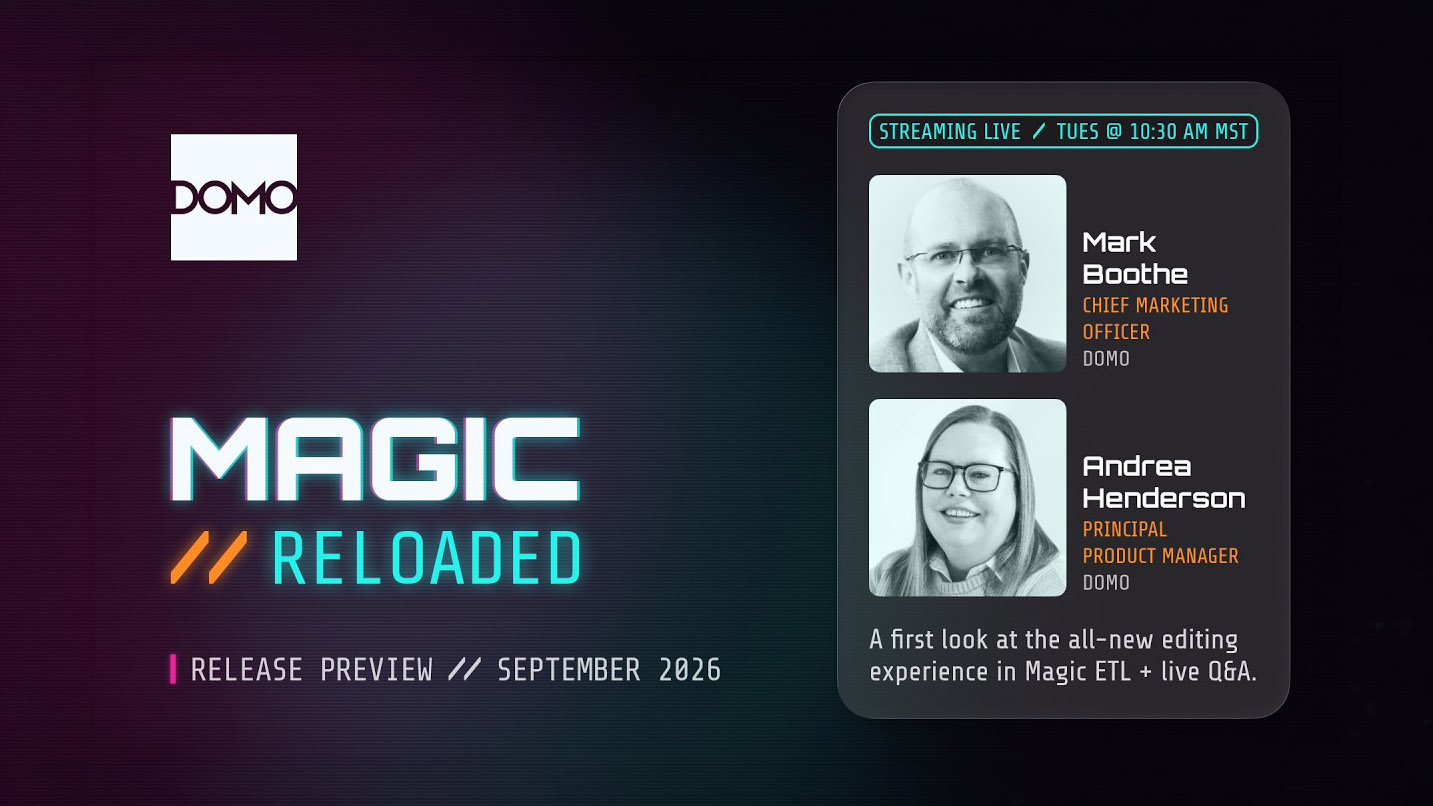
A first look at the all-new editing experience in Magic ETL: dockable panels, dark mode, row previews, and new tiles.
In this product release preview, Andrea Henderson joins Mark Boothe to walk through the new Magic ETL authoring experience ahead of the September 23 launch.
She's been calling it "a new era of Magic."
Most of the work is on the canvas: dark mode, dockable panels that stay where you put them, map-style drag and scroll-to-zoom navigation, and workspace settings that persist between sessions. Row previews now sit on the action tiles, so you can see what a step produced without stepping away from the build.
Also, new AI tiles for Sentiment Analysis and Classification pull unstructured text into the pipeline, and the multi-statement SQL tile opens new scripting options inside the visual canvas for the SQL-first crowd.
Join us for a first look at what's coming later this month.
Domo transforms the way these companies manage business.