Join the AI + Data Tour for hands-on training, real customer stories, and time with Domo product experts near you.
Register now
Picture the folder nobody wants to open. Hundreds of pages of scanned PDFs, photos, intake forms, and notes, all trapped in formats that a spreadsheet cannot touch and a chatbot cannot digest.
Every team has physical pile or digital folder of documents that no one wants to sort through. It's scanned PDFs, photos, intake forms, and notes, all trapped in and most of the time it gets shipped off to an outside vendor who charges by the file and takes days or weeks to send anything back.
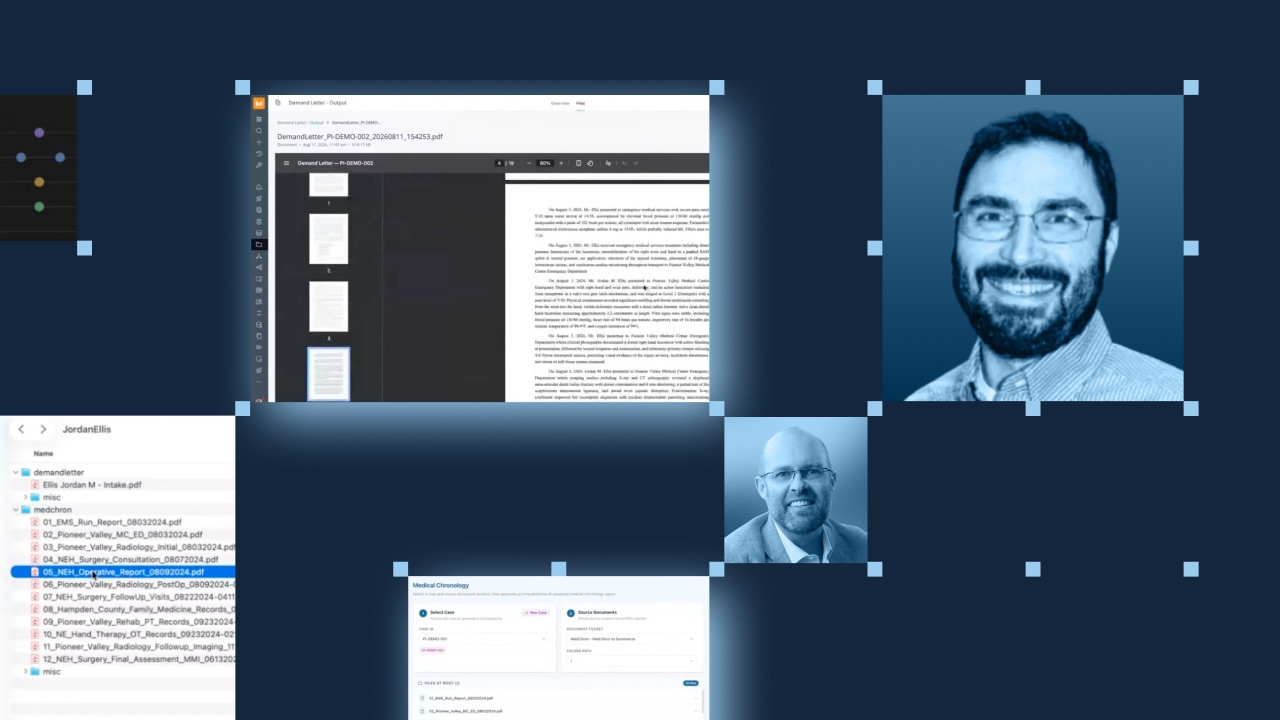
On a recent livestream, Dan Gouveia, a Domo solution builder, walked through a legal intelligence portal he built entirely in Domo. It takes a personal injury firm's raw case files, the ER records, EMS reports, surgical notes, and rehab summaries, and turns them into two finished documents: a medical chronology and a demand letter.
The legal example is vivid, but the method underneath it works for any business drowning in documents. Here's that method as a five-step framework you can apply to your own pile.
Start by giving the files a home you can build against. In the livestream, Dan used Domo documents (also called FileSets) to store intake forms and medical records together in one place. If your files already live somewhere else, such as Filevine or another system, you don't have to move them. The goal is to point your process at the files, whether they sit in Domo or stay where they are.
Handing a 200-page PDF straight to a language model rarely ends well. The file is too big, the formatting is inconsistent, and images throw the model off. Instead, parse the files first. Dan built a file parser inside a Domo Jupyter workspace, a notebook that breaks each document apart in memory so the pieces are small enough for AI to process. As Dan put it, what looks like "a herculean task from a pure generative AI solution" becomes manageable once you build the parser first.
Once a file is broken into pieces, pull the facts that matter. Dan's notebook extracts dates, facilities, providers, and any images embedded in the records. This is where structure starts to emerge from the mess. You are no longer looking at a wall of scanned pages. Rather, you're collecting clean, labeled details that a downstream model can reason about.
With the file already broken into pieces and the key fields pulled out, AI then summarizes each chunk and keeps every summary tied to its source, including the image that belongs with it. This is what "AI ready" actually means. You've gotten the data to a place where LLMs can actually make sense of the data. The model is no longer guessing at a giant document but instead is working with tidy, contextualized pieces.
The last step stitches everything back together on demand. Dan used Domo Workflows, a drag-and-drop automation layer, to call the notebook, loop through the files, and assemble the pieces into a finished document. He wrapped it in an interactive app, a legal intelligence portal, where someone can select a case, point to the files, and click once to generate a medical chronology or a demand letter.
The output includes liability and damages sections, the relevant medical history, and the extracted images placed exactly where they belong.
Throughout all five steps, governance stays on. Data stays in the customer's foundation, whether that's Snowflake, Databricks, Google Cloud, or Dremio, and role-based access carries from ingestion to final delivery. The AI runs with bounded autonomy: people define the objectives and constraints, and the system executes within them.
Consider what this would take in a generic cloud environment. You would need file storage, custom code to reach and parse the files, automation to run the whole thing, a hosted front end, and a way to write the output. Dan built all of it in one platform, using tools that work together because the platform is unified by design. That is why his team brought the prototype together in about a week of part-time work.
This framework covers the backbone of Dan's solution, but the livestream has more worth your time. You'll see the finished demand letter itself, with liability and damages sections and injury photos dropped into the right context, and you will hear Dan compare building this in Domo against assembling the same thing across AWS or Azure. If you deal with document-heavy work of any kind, it's a useful watch.
Watch the full session, and see how far you can take your own pile of files.