Business Intelligence as a Service (BIaaS) Explained: Cloud Analytics for Modern Enterprises

You’re tuned into your company call or you’re listening to your CEO at your annual retreat and they hit you with this exceedingly familiar, not-at-all overused corporate line: “If we want to beat our competitors, we need insights backed by data to make better business decisions.”
Well, duh. The need for strong business intelligence is rarely In question for anybody who’s worked at a results-oriented organization in the past ten years. If you want to win, then you’ve got to listen to what the data says.
So, what’s the actual issue companies need to wrestle with? Whether they have the right data systems in place to deliver business intelligence at scale. Because once that top executive announces his mandate for data-driven insights, it can become a mad dash with every line of business flooding IT and finance with a long list of must-have tools to piece together their BI architecture.
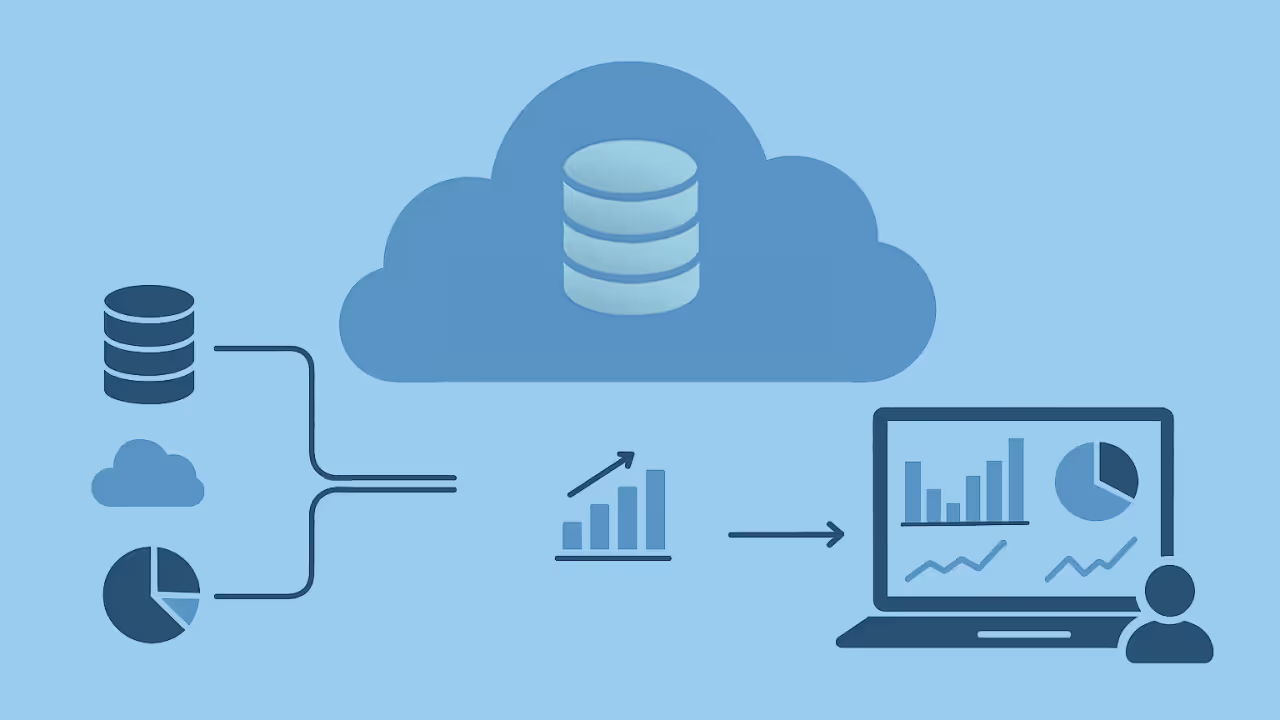
Luckily, there’s already an alternative to the piecemeal approach that can save those teams the time, money, and hair they’d probably lose and headaches they’d likely suffer from arguing with executives across the organization about why their tool hasn’t been approved yet. Business Intelligence as a Service (BIaaS) can bundle all of a company’s BI needs into one subscription, offering cloud infrastructure, data integration, visualization tools, and more. So, instead of bills for 30 different tools and platforms that you also have to manage, update, and keep secure, you can simplify your systems without sacrificing the BI capabilities you need.
Let’s walk through how BIaaS works in comparison to traditional BI approaches and explore proven practices for getting the most from your investment.
Key takeaways
Here are the main points to keep in your back pocket as you read:
- BIaaS delivers enterprise-grade analytics through the cloud, eliminating infrastructure costs and accelerating deployment from months to days
- Core components include data integration, storage and modeling, visualization, governance, and collaboration layers working together as a unified system
- Organizations benefit from elastic scalability, pay-as-you-go pricing, and continuous automatic updates without IT overhead
- Success requires aligning BIaaS strategy with business goals, prioritizing data quality, and enabling self-service analytics with proper governance
- Modern BIaaS platforms like Domo add AI-powered insights, workflow automation, and embedded analytics alongside dashboards for data-driven decisions
Understanding business intelligence as a service
Business Intelligence as a Service (BIaaS) is a cloud-based delivery model that provides the full functionality of a BI platform: data integration, visualization, dashboards, reporting, and governance via subscription.
Organizations consume analytics through the cloud rather than managing local servers, licenses, and upgrades. They pay only for what they use. BIaaS eliminates infrastructure maintenance while enabling faster deployment, easier scaling, and continuous access to the latest analytical capabilities.
Think of BIaaS as a way to deliver BI as a service to every team. Instead of the BI function acting like a reporting bottleneck, BIaaS supports a governed self-service model where people can get answers on demand while leadership still gets consistency, security, and compliance.
At its core, BIaaS brings together three elements:
- IaaS (Infrastructure as a Service): Cloud-hosted servers and storage for scalability
- PaaS (Platform as a Service): The data integration, orchestration, and governance
- SaaS (Software as a Service): The front-end dashboards, analytics, and collaboration
By combining all three, BIaaS offers end-to-end data intelligence, from collecting and ingesting it to transforming, visualizing, and acting on it.
BIaaS fits well when your organization needs enterprise-grade analytics but lacks the internal infrastructure, specialized staff, or budget for a traditional on-premises deployment.
The following table clarifies what typically falls within a BIaaS provider's scope:
3 types of business intelligence analysis
Understanding the types of BI analysis helps clarify what you can accomplish with a BIaaS platform. Each type maps to specific capabilities within the architecture.
Descriptive analytics answers "what happened" by summarizing historical data through dashboards, scheduled reports, and key performance indicator (KPI) monitoring. This is the foundation of most BI work. It relies on the visualization and reporting layers of a BIaaS platform.
Predictive analytics answers "what will happen" by applying statistical models and machine learning to forecast trends, identify risks, and anticipate outcomes. BIaaS platforms with AI and machine learning (ML) capabilities enable predictive modeling without requiring data science expertise. But predictive models are only as good as the historical data feeding them. Garbage in, garbage out still applies.
Prescriptive analytics answers "what should we do" by recommending actions based on data patterns. This type depends on automated alerts, workflow triggers, and decision-support tools that connect insights directly to operational systems.
BIaaS vs traditional business intelligence
BIaaS eliminates the infrastructure burden that often slows organizations from adopting BI. Instead of spending months provisioning servers and integrating systems, they can deploy data pipelines, dashboards, and reports in a fraction of the time while maintaining enterprise-grade security and governance.
It also changes what it means to scale analytics safely. With the right governance controls, BIaaS can support a wider mix of people (from analysts to executives) and even external stakeholders, without turning compliance into a constant fire drill.
How BIaaS differs from adjacent models
The term BIaaS is sometimes confused with related delivery models. Here's how to distinguish them:
SaaS BI tools provide visualization and reporting software through a subscription, but you manage your own data infrastructure, integration, and modeling. Choose SaaS BI when you have strong internal data engineering capabilities and only need a front-end analytics layer.
Managed BI services deliver analytics through a consulting or outsourcing arrangement where a third party builds and maintains your BI environment. Choose managed BI when you want hands-off operations and have budget for ongoing professional services.
Analytics-as-a-Service typically refers to on-demand access to analytical capabilities (often including data science and advanced modeling) without the full BI stack. Choose this when you need specialized analytical expertise for specific projects rather than ongoing operational reporting.
Data Warehouse-as-a-Service provides cloud storage and query infrastructure but not the visualization, governance, or collaboration layers. Choose this when you already have BI tools and need scalable storage.
BIaaS makes sense when you need end-to-end analytics (integration through visualization) delivered as a unified platform, you lack internal BI infrastructure or specialized staff, and you want predictable subscription costs with minimal IT overhead.
Who should consider BIaaS
BIaaS is not right for every organization. But it addresses specific challenges that certain roles and company profiles face. The following scenarios help you determine whether BIaaS fits your situation.
BI and analytics leaders should consider BIaaS when they want to position their function as a strategic internal service provider rather than a report factory. If your team spends more time fulfilling ad hoc requests than delivering strategic insights, BIaaS can shift that balance through self-service capabilities and automated delivery.
Two traps BIaaS is designed to fix: fragmented tools and inconsistent metrics. A unified platform plus a semantic layer (where your core metrics live) is what makes "BI as a shared service" feel trustworthy instead of chaotic.
IT and data leaders benefit from BIaaS when tool sprawl and pipeline complexity have become unsustainable. Consolidating multiple point solutions into a unified platform reduces maintenance overhead, simplifies governance, and frees engineering resources for higher-value work.
For IT, the win is delivering BI as a managed service without the compliance risk. That usually means centralized governance, strong access controls, audit logging, and reliable automated data pipelines that keep the data accurate and current.
Line-of-business executives should explore BIaaS when they need always-on KPI visibility without waiting on analyst teams. If decisions are delayed because data is not accessible or reports arrive too late, BIaaS provides direct access to current metrics through intuitive dashboards.
Executives also tend to ask the most important (and slightly terrifying) question: what is the ROI? BIaaS helps make that story clearer by replacing manual reporting cycles with always-on dashboards and proactive alerts that keep leadership aligned on the same numbers.
BI specialists and analysts find BIaaS valuable when they want to shift from report production to strategic analysis. Automated pipelines, reusable metrics, and self-service exploration reduce the volume of repetitive requests and create space for deeper analytical work.
If you have ever thought, "I didn't get into analytics to copy-paste CSVs all day," BIaaS is your escape route. When you can build once and serve many through centrally managed metrics, you spend more time interpreting patterns and less time rebuilding the same logic across dashboards.
Product and revenue leaders should evaluate BIaaS when they want to embed analytics in external-facing products. Delivering data experiences to customers can differentiate your offering, reduce churn, and create new revenue streams. Platforms like Domo Everywhere enable this without building analytics infrastructure from scratch.
For teams building customer-facing analytics, ask one more thing up front: can the platform support secure multi-tenant delivery? In practice, this often comes down to row-level security and programmatic filtering so each customer only sees their data.
Core components of a BIaaS architecture
A BIaaS environment is more than a hosted dashboard. It is a fully managed analytics ecosystem where every layer (data, processing, visualization, and governance) is designed to work effortlessly at cloud scale.
Data integration layer
The foundation of BIaaS lies in connecting data from diverse sources: enterprise resource planning (ERP) systems, customer relationship management (CRM) platforms, spreadsheets, application programming interfaces (APIs), internet of things (IoT) feeds, and more. Modern BIaaS platforms use prebuilt connectors and no-code pipelines to unify this data quickly. Automated extract, transform, load (ETL) and extract, load, transform (ELT) processes handle cleaning, joining, and applying business rules without manual CSV exports or spreadsheet stitching. Incremental refresh capabilities avoid repeated full extracts, keeping every dashboard accurate and current without manual intervention.
Data storage and modeling
Once integrated, data must be stored and structured for analysis. BIaaS platforms take advantage of cloud data warehouses or data lakes to store massive volumes efficiently. Using schema-on-read or semantic modeling, analysts can define relationships between data sets without rigid ETL dependencies, making analytics more flexible and adaptable.
A semantic layer sits between raw data and end-user dashboards. It creates a business-friendly abstraction that defines metrics, dimensions, and relationships in one place. This ensures that "revenue" means the same thing whether you are looking at a finance dashboard or a sales report. Without a semantic layer, teams often define metrics differently across departments, leading to conflicting reports and eroded trust.
This semantic layer is also what turns BIaaS into something you can scale across the organization. When metrics are centrally managed, the BI team can deliver consistent BI as a service, even as more departments build their own dashboards.
Analytics and visualization
This is the face of BIaaS: interactive dashboards, visual reports, and embedded analytics for exploring trends and making data-driven decisions. Leading BIaaS providers offer drag-and-drop interfaces, real-time KPI monitoring, and AI-powered insights that automatically surface anomalies, correlations, and opportunities.
Governance and security
Data democratization does not mean sacrificing control. BIaaS platforms enforce specific controls to keep data use responsible:
- Role-based access control (RBAC) restricts data visibility based on user roles and responsibilities
- Encryption at rest and in transit protects data throughout its lifecycle
- Audit logging tracks who accessed what data and when
- Data lineage tracking shows how data flows from source to dashboard
- Data residency options ensure data stays within required geographic boundaries
These controls map to common compliance frameworks including System and Organization Controls 2 (SOC 2), ISO 27001, the General Data Protection Regulation (GDPR), and the Health Insurance Portability and Accountability Act (HIPAA). Governance layers keep analytics auditable and compliant while maintaining agility.
If you plan to deliver BIaaS to external stakeholders (like customers, partners, or franchisees), governance needs one more capability: data isolation. Row-level security and programmatic filtering help keep each tenant's data separated, even when dashboards and data models are shared.
Collaboration and action
Modern BIaaS breaks down silos between analysis and execution. Shared dashboards, integrated alerts, and automated workflows allow teams to act within the same environment. For example, people using Domo can trigger Slack notifications, email reports, or even write back to operational systems directly from dashboards.
Self-service BIaaS vs managed BIaaS
BIaaS platforms can be deployed in different operating models depending on your team's capabilities and preferences.
Self-service BIaaS puts your internal team in control of day-to-day operations. Your analysts and data engineers build dashboards, manage pipelines, and maintain data quality using the platform's tools. This approach requires BI and data skills in-house but offers maximum flexibility and faster iteration. Time-to-value is typically measured in weeks, and ongoing costs are primarily platform subscription fees.
Managed BIaaS includes operational support from the provider or a partner. The external team handles pipeline maintenance, dashboard development, and ongoing optimization while your team focuses on consuming insights and making decisions. This approach requires less internal expertise but involves higher ongoing service costs and some dependency on external resources. Time-to-value can be faster for initial deployment but may be slower for iterative changes.
A hybrid approach combines elements of both: your team handles routine operations while external specialists support complex implementations or capacity spikes.
Metric governance and the semantic layer
One of the most common reasons BI programs fail? Inconsistent metric definitions. When finance calculates monthly recurring revenue one way and sales calculates it another, reports conflict. Trust erodes. And honestly, that's the part most guides skip over.
A semantic layer solves this by establishing a single source of truth for metric definitions. Here is how metric governance typically works in a BIaaS environment:
A metric specification template captures the definition, calculation logic, data sources, and business rules for each metric. For example, a Monthly Recurring Revenue (MRR) specification might define it as "the sum of all active subscription values as of month-end, excluding one-time fees and credits."
Ownership assigns responsibility for each metric to a specific team or individual. Finance might own revenue metrics while operations owns fulfillment metrics. This clarity prevents conflicting definitions from emerging across departments.
Change management ensures that metric definitions do not drift over time. When business rules change, the metric owner updates the central definition, and all dashboards automatically reflect the new logic. Skip this step, and you will end up with dashboards showing different numbers for the same metric. That is a fast way to lose stakeholder trust.
Validation tests confirm that metric calculations produce expected results. Automated checks can flag anomalies when values fall outside normal ranges.
Monitoring for drift tracks whether metric definitions are being used consistently and alerts owners when variations appear.
8 best practices for BIaaS success
Transitioning to BIaaS can give companies enormous efficiency and agility, but only when implemented with the right foundation.
1. Align BIaaS strategy with business goals
Start with outcomes, not tools. Define the key metrics, decisions, and performance indicators that matter most to your organization. A clear strategy keeps your BIaaS implementation aligned with strategic objectives rather than becoming another isolated data initiative.
Tip: Partner with stakeholders across departments to identify shared key performance indicators (KPIs) like sales velocity, supply chain efficiency, and customer retention and design dashboards that serve multiple audiences.
2. Start small, then scale
BIaaS allows for gradual adoption. Begin with a single department or use case (e.g., marketing performance dashboards), then expand as people and teams gain confidence. This phased approach minimizes disruption, builds trust, and provides early wins that demonstrate measurable ROI.
Best practice: Use a modular architecture so you can easily onboard new data sources and people without re-architecting your environment.
3. Prioritize data quality and governance
No matter how advanced the analytics, poor data quality undermines trust. Build in validation, deduplication, and lineage tracking into every pipeline. BIaaS solutions like Domo provide automated data quality monitoring to catch anomalies before they cascade into reports.
Pro tip: Treat governance as enablement, not restriction. Transparent ownership and standardized definitions make data easier to use, not harder.
4. Enable self-service without losing control
Empowering non-technical employees is a hallmark of BIaaS, but it must be balanced with oversight. Establish tiered permissions that allow business teams to explore and visualize data safely while preserving integrity at the source.
Example: Let sales managers create new dashboards from trusted datasets, but restrict schema edits to data stewards.
5. Automate routine workflows
The true power of BIaaS lies in automation. Schedule refreshes, alerting, and report distribution so teams spend less time compiling data and more time acting on it. Integrating workflow automation with analytics tools accelerates decision-making.
Tip: Domo's Workflows provide no-code orchestration of tasks, such as updating a customer relationship management (CRM) record or notifying a team when thresholds are met, directly from within the BI environment.
6. Add AI-assisted insights
AI transforms BIaaS from a reporting tool into an intelligence engine. Predictive models and natural-language queries allow individuals to ask questions in plain English ("What's driving churn this quarter?") and receive instant, explainable answers.
Best practice: Use AI to augment human analysis, not replace it. Machine learning can flag anomalies or suggest forecasts but interpreting it strategically still depends on experts.
7. Monitor usage and continuously refine
Adopting analytics is not a one-time project. Track which dashboards are used most, where people drop off, and what new metrics are requested. These signals guide optimization, training, and future expansion.
Tip: Use built-in monitoring dashboards (like Domo's usage reports) to identify underutilized data assets and refine accordingly.
8. Encourage a data-driven culture
Technology alone will not create data-driven decision-making. Encourage curiosity, transparency, and accountability by integrating data discussions into everyday workflows like executive meetings, performance reviews, and project planning.
Pro tip: Establish "data champions" in each department who help translate key takeaways into action and sustain momentum long after rollout.
How BIaaS reduces manual reporting
One of the most immediate benefits of BIaaS is eliminating the repetitive work that consumes analyst time.
Before BIaaS, reporting often looks like this: analysts manually export data from multiple systems, paste it into spreadsheets, apply formulas and formatting, check for errors, and distribute the finished report via email. This cycle repeats weekly, monthly, or quarterly for dozens of reports. It is exhausting. And it adds almost no strategic value.
After BIaaS, the workflow transforms:
- Prebuilt connectors pull data automatically from source systems, eliminating manual exports
- Scheduled refresh replaces static report distribution with always-current dashboards
- Self-service exploration allows people across the business to answer their own questions, reducing ad hoc analyst requests
- Automated alerts replace manual threshold monitoring with proactive notifications
- Standardized templates ensure consistent formatting without manual effort
The result is a shift from report production to strategic analysis. Analysts spend less time building the same reports and more time investigating patterns, testing hypotheses, and recommending actions.
Common pitfalls to avoid during this transition include automating without governance (pipelines running without data quality checks), dashboard sprawl (too many dashboards with no ownership), and metric drift (key performance indicator, or KPI, definitions changing without version control).
BIaaS use cases across industries
BIaaS delivers value across functions and industries.
Sales teams use BIaaS to gain pipeline visibility and forecast accuracy. Key metrics include pipeline velocity, win rate, average deal size, and sales cycle length. Dashboards typically show funnel progression, rep performance comparisons, and deal aging. Faster identification of stalled deals. More accurate revenue forecasting.
Marketing teams apply BIaaS to campaign performance and attribution. Key metrics include cost per acquisition, conversion rates, channel ROI, and customer lifetime value. Dashboards track campaign performance across channels, audience engagement, and marketing-sourced pipeline. The result? Optimized spend allocation and clearer connection between marketing activities and revenue.
Finance teams turn to BIaaS for planning, reporting, and variance analysis. Key metrics include revenue recognition, budget variance, cash flow, and days sales outstanding. Dashboards consolidate actuals against forecasts, track close progress, and highlight exceptions. Faster month-end close and earlier visibility into financial performance.
Operations teams use BIaaS to monitor efficiency and quality. Key metrics include on-time delivery rate, defect rate, capacity utilization, and cycle time. Dashboards track production status, supplier performance, and inventory levels. Proactive issue identification and continuous process improvement.
Product and revenue leaders can also use BIaaS to deliver embedded analytics to external customers. By integrating dashboards into customer-facing applications, companies differentiate their products, increase engagement, and create new revenue opportunities. Domo Everywhere enables this use case without building analytics infrastructure from scratch.
Common challenges and how to overcome them
Even with its simplicity, adopting BIaaS presents familiar hurdles, especially for organizations transitioning from legacy BI.
How to choose a BIaaS solution
Selecting the right BIaaS provider requires evaluating multiple dimensions, not just feature lists.
Data source coverage determines whether the platform can connect to your existing systems. Evaluate the number and quality of prebuilt connectors, support for custom integrations, and the ability to handle both cloud and on-premises sources.
Scalability addresses whether the platform can grow with your needs. Consider people limits, data volume capacity, query performance at scale, and pricing implications of growth.
Ease of use affects adoption across your organization. Assess the learning curve for non-technical people, the quality of drag-and-drop interfaces, and the availability of templates and guided experiences.
AI and advanced analytics capabilities determine what is possible outside basic reporting. Evaluate predictive modeling, natural language querying, anomaly detection, and automated insights.
Integration and extensibility matter for connecting analytics to action. Look for workflow automation, API access, embedded analytics options, and the ability to write back to operational systems.
Operating model fit matters if you want BI to function like a shared internal service. Ask how the platform supports governed self-service at scale through centralized governance and a semantic layer that keeps metrics consistent across teams.
Embedded analytics requirements matter if you plan to deliver BIaaS externally. Evaluate white-labeling options, row-level security, programmatic filtering for multi-tenant delivery, and whether you can package analytics into premium tiers.
Support and training influence long-term success. Consider support tiers, response times, documentation quality, and availability of training resources.
Total cost of ownership goes beyond subscription fees. Factor in implementation costs, training, ongoing administration, and potential overage charges.
Security and compliance controls to evaluate
When evaluating BIaaS providers, security and compliance require specific attention. Use this checklist to structure your security assessment:
- Role-based access control (RBAC): Can you restrict data access based on user roles? Is row-level security available?
- Encryption: Is data encrypted at rest and in transit? Who manages encryption keys?
- Audit logging: Does the platform track who accessed what data and when? Can you export logs for compliance reporting?
- Data residency: Can you specify where data is stored geographically? Does this meet your regulatory requirements?
- Compliance certifications: Does the provider hold System and Organization Controls 2 (SOC 2) Type II, ISO 27001, or industry-specific certifications such as the Health Insurance Portability and Accountability Act (HIPAA) and the Federal Risk and Authorization Management Program (FedRAMP)?
- Incident response: What are the provider's service-level agreements (SLAs) for security incident notification and resolution?
In addition to security, evaluate operational commitments:
- Data freshness guarantees: What refresh frequencies are supported? Are there SLAs for data latency?
- Uptime commitments: What uptime percentage is guaranteed? What compensation applies for breaches?
- IP ownership: Who owns the dashboards, data models, and custom logic you create? What happens to your data if you leave?
- Exit strategy: Can you export your data and configurations? What format and timeline applies?
Red flags to watch for include providers who will not provide written SLAs, claim ownership of your intellectual property, lack data export capabilities, or have opaque pricing with hidden overage fees.
The future of BIaaS
As organizations quickly move to adopt the latest digital technology, the demand for real-time, accessible analytics will only grow. Industry analysts predict that by the late 2020s, most enterprise BI deployments will operate fully in the cloud, driven by scalability, speed, and cost efficiency.
Future BIaaS models will include:
- Generative AI for relevant suggestions based on context
- Automated data storytelling that narrates findings in plain language
- Edge analytics to deliver insights closer to where data is generated
- Unified data marketplaces for sharing governed data across partners
For enterprises, the era of isolated dashboards is ending. BIaaS will evolve into "intelligence as a service" and insights will flow continuously into every workflow, decision, and customer experience.
Why Domo accelerates business intelligence as a service
We built Domo from the ground up for the cloud era. Domo extends the BIaaS model by offering an all-in-one platform that integrates data, intelligence, and action in one place, so teams can move from raw data to real-time decisions quickly and easily.
Modern cloud intelligence platforms like Domo combine the speed and accessibility of BIaaS with advanced capabilities:
- AI-powered analysis: Automated anomaly detection and predictive forecasting
- Integrated data transformation: Prepare, blend, and model data without leaving the BI environment
- Cross-system workflows: Trigger actions in Salesforce, Snowflake, or Slack directly from dashboards
- Embedded analytics: Deliver insights to customers or partners via secure external dashboards through Domo Everywhere
- End-to-end governance: Lineage tracking and permissions baked into every data set
Domo also supports the operating model many BI and analytics leaders are aiming for: governed self-service at scale. That means you can standardize metrics through a semantic layer, centralize governance controls, and still let departments move quickly without sending every question through a ticket queue.
With Domo, you can:
- Connect anything, instantly: More than 1,000 prebuilt connectors unify cloud, on-prem, and SaaS data sources
- Empower every person: Intuitive, no-code tools let non-technical employees explore and visualize data securely
- Automate analytics at scale: Schedule refreshes, triggers, and workflows across data sets with minimal need to involve IT
- Increase understanding with AI: Domo AI highlights anomalies, generates narratives, and delivers predictive insights automatically
- Govern with confidence: Built-in lineage, permissions, and compliance frameworks help people use data responsibly
- Act in real time: Trigger actions, notifications, and updates directly within the BI environment
For BI and analytics leaders, Domo delivers governed self-service at scale so BI can function like a reliable internal service. For IT leaders, it helps consolidate tools, centralize governance, and deliver BI as a managed service without the compliance risk. For line-of-business executives, it provides always-on KPI visibility and proactive insights. For analysts, it supports a build once, serve many approach with centrally managed metrics and automated delivery.
And for product leaders exploring embedded analytics, Domo Everywhere helps you deliver BIaaS to every customer through white-labeled experiences and secure data isolation (including row-level security and programmatic filtering). You can also package analytics into premium tiers, which is handy when you want analytics to be a revenue driver, not just a cost.
Instead of juggling multiple systems for ETL, visualization, and automation, Domo provides a single cloud-native platform that powers every stage of the BI lifecycle, from connection to collaboration.
Why Domo for BIaaS
Business Intelligence as a Service is more than a deployment model. It's a catalyst for transforming how organizations think about data. It eliminates barriers to entry, accelerates adoption, and scales analytics across every level of the business.
By following the best practices outlined here (and using modern platforms like Domo) you can turn BI from a static reporting function into a living, adaptive intelligence layer that powers every decision.
Ready to modernize your analytics environment? Contact Domo to learn how our cloud-native BIaaS platform helps you connect data, automate insights, and act faster with zero complexity or compromise.