Join the AI + Data Tour for hands-on training, real customer stories, and time with Domo product experts near you.
Register now
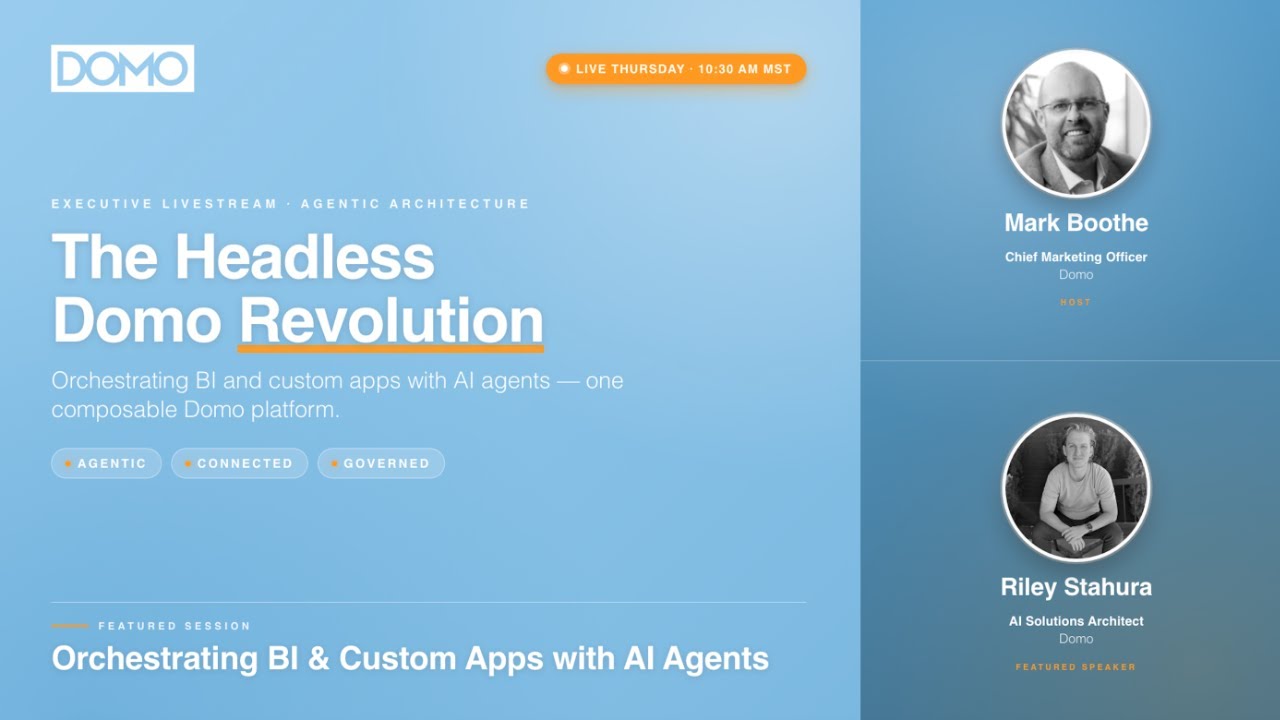

Mark: What's up, everybody? It is, I don't even know, Thursday. I think it's a Thursday morning over here and I'm with my good friend Riley Stura. Riley is one of the many brainiacs that we have at Domo. So whenever I get to spend time with him, it's a pretty good day. Riley, how you doing, my friend?
Riley: Doing good. Weather's nice outside.
Mark: It's beautiful. It's a beautiful morning as they say. Okay, so we're talking right now. One of the many buzzwords rolling around is headless. We're talking about today the headless Domo revolution. When you say headless, Riley, what on earth do you even mean?
Riley: Basically, historically, the way we use software is we have to go through an interface. We have to click through buttons, drop downs, type stuff in. And with headless, the idea is that an agent is going to do that for you so that agents can fulfill at least parts of our responsibilities so that we can do more day-to-day.
Mark: So the idea is it's making humans better by leveraging.
Riley: Yeah.
Mark: Love it. Okay. What do you want to show us today, my friend?
Riley: Yeah, there's a few things I want to show. Obviously, we all know that Domo's pretty broad. So you can ingest data, you can do transforms and create data flows. There's the visual layer, there's governance. So I kind of want to touch on each of those things briefly. And I know vibe coding is a huge thing. That's not something I'll show today is building like a custom app. I think there's a lot of people that have demoed that lately. So, I kind of want to show more of some of the tasks that you could do using Domo in your day-to-day that you might not think of because I think apps is the first thing you think of when you think of Claude. But I think the hope here is that this kind of expands the possibilities in your mind of what you can do.
Mark: I can't wait. All right, we hopping right in.
Riley: Let's do it. Yeah. Cool. All right. So, this first one, you can see my screen right now, right?
Mark: Yep.
Riley: Okay. So, this first one that I want to show, we've shown at Domopalooza and at conferences like Google Next. It's really simple, but really powerful. The point of it is to demonstrate how quickly Domo can land data in your instance and also land data in BigQuery in this example. So right now I'm in Gemini Enterprise and we have this agent that uses Domo's MCP. There's a few things you can do, but I'm going to say, "what data sets can I create?" Obviously, Domo has like a thousand of them. For the purposes of this demo, I wanted to make the experience pretty simple. So, I am only giving access to a couple data set types: Box, Snowflake, Google Sheets, HubSpot, and I'll just say Box.
So, something I want to call out that this is not creating like an API data set. For those of you that have made data sets programmatically, you've probably used our API at some point, and that's not what this is. This is using the Box data set that our engineers created. And the same experience that you have going through the Domo UI to select the file name and file type, it's just passing that same stuff through. So if you were to use like a different data set like Salesforce, the experience here would be a little bit different. I probably should have logged into Box before I started this actually. My bad. I forgot this one step.
Just to prove to you all that this is legit, I'm in Box. Here's this CSV file that's got 10,000 rows. So from Gemini, you can see that that was called churn.csv. So I'm going to say the name is churn, file type is CSV, and I'll name it churn. Give it a second here and we'll get a link.
Mark: Riley, for those who are like, "I don't even know what you're talking about here," walk us through MCP. What is it that you're doing?
Riley: Yeah, let me walk through that. Real quick, just to finish this out, if you've used Domo to create data sets before, you have the option to create your own credentials if you haven't before, or you can select an existing one. I've already done it, so I'll just save it here. We obviously don't want you to enter your credentials into the Gemini chat as that's not secure at all. But in a second here, you'll see the 10,000 rows pull through.
So what MCP is is it's essentially just a wrapper around all of our APIs, but it's a protocol that was made specifically for agents to be able to interact with those APIs. And so Domo has many different tools that go into these MCP servers that basically allow Claude to do whatever you would do day-to-day. Claude can now do, and it's because of MCP. So, one tool might be create a data set. Another tool might be query a data set. Another tool might be create an app, which I'll show you guys in a second here.
Mark: Very cool.
Riley: So, as you can see, created this data set, 10,000 rows. Now, if your instance has already been configured to land data in Snowflake or BigQuery or whatever you want, that's where this demo becomes really powerful, right? In just three messages, I've managed to pull data from Box into my warehouse of choice and I can start building apps on it.
Mark: Riley, what would that have taken back in the day before this was a thing? Like what's the time savings? Well, when you think of, okay, Domo's got a thousand plus connectors. You got to do that across, you know, 50 different data sources. You just did it in a matter of seconds by making three prompts.
Riley: Yeah. Like obviously some customers and prospects they don't have a need to create data sets very often and so maybe they wouldn't use this, but I've worked with a lot of customers that they create multiple data sets every day, every week. And a lot of times it's the same connector, but there's a lot of different options they have to choose each time they create it. We're talking like sometimes hours per day—you know, four or five hours a week. There's one particular customer that I worked with a couple years back whose director of BI had to spend five hours a week minimum just creating data sets as they onboarded new clients. So something like this saves a ton of time if you need to frequently create new data sets.
Mark: I love it. Okay, what are we doing here in Claude?
Riley: So here in Claude—and the reason I wanted to show Claude and Gemini and I'll also show Cursor at the end is just to point out that what we're doing here, we're not just doing marketing for Anthropic, right? The point is we can use headless Domo with any agent. If you want to use Replit, if you want to use Gemini Enterprise, if you want to use Claude, if you want to use Cursor... The point is if it's an agent that can use MCP, if it can use CLIs, and it can have access to skills, you're going to be able to do all this. So, first example was Gemini. Here we've got Claude. And there's a few things I want to show real quick. So, for this first one, just to prep for the demo, I dropped in like a small little readme markdown file with some extra context about what I want to show, just so I don't have to do a big long prompt. But I'm just going to say, check the readme file out and tell me about my churn data set.
So the same data set that we pulled through with Gemini, the skill is now just going to go query it and tell me about the schema, tell me what the rows look like. So, this is also a sneak peek into something that we are going to get out to everybody at some point. We've been testing out these skills, these CLIs and MCPs for a while, and it really unlocks a ton of potential. So, here it found it's got 10,000 rows, 40 columns, explains what the column groupings look like. If I wanted to go further down this path and just ask more questions, explore the data, I could. In this case, I don't really care to do that. I want to go talk about something else. So, I'm going to say, go ahead and show me my data flow history data set.
Mark: Now, Riley, while that's running, it looks like Eric is respecting your game right now for using Arc. Congratulations. You're doing good. Let's go.
Riley: I wish... I mean, I'm probably going to have to change at some point because I think they dropped support for it, but Arc is legit. So this data set is obviously just querying my Domo stats data set that shows data sets or data flows that have failed. And so this is, you know, more similar to what I think a lot of people were excited about for Domopalooza where Will West showed you how you could kind of diagnose some issues with workflow or data flows and then fix them.
And so this is just more of the same where if I wanted to, I could explore this. I could go and see, you know, what are the errors? What would you actually want to do here? There's other APIs that Domo provides that could go deeper and actually pinpoint like the exact tile that failed. So then you can figure out like, oh, a column was renamed upstream, or the data type changed upstream, or there was an authentication issue with Snowflake or something. That gets really powerful, obviously. So, I won't spend too much time on that because I think that's something that a lot of people have seen a couple different times, but I think this is the one that gets really cool right here.
So, you can see I have a whole bunch of different skills here. I have some for App Studio, cards, custom app building. In this case, I'm going to use this dataflow build and edit. I'm just going to say, read my readme document for extra context about the data sets I want to use and create a data flow for me.
Mark: So you're not dragging and dropping, you're not joining yourself, you're not doing anything like that right now. You're just prompting it.
Riley: Yep. Beforehand, I can pull up this real quick and show you. In this instance, I've got these Shopify data sets. So I basically just put in a markdown folder these four URLs, and I just said, "you're going to join these together for me." And this might take another two minutes or so. So I think what we'll want to do is do the different skills in parallel. So I'll move over to this other tab while that runs.
And in here, this approach is a little different because instead of invoking a skill... So over here we invoked a skill. Maybe we can talk a little bit more about what skills actually are. But here we're invoking a sub-agent. It's not clear to me totally in all cases when I should use a sub-agent versus a skill. It's just something we're exploring. But in this case, it's a sub-agent. And I'm just going to say, look at the readme I provided, which again just tells it which data set to use, and create an App Studio app with one page and 10 cards.
Something I want to point out is I'm using Sonnet here. You could use Opus; it's honestly kind of overkill. We've had a lot of success using Sonnet and Haiku even, which the reason that matters is those are cheaper, faster models. So, you'll definitely save money and time. And we definitely want to optimize a lot of these skills to work with cheaper models. So, right now, the sub-agent is invoking several different skills. You can see right here, there's a skill to create the cards. There's a skill to create the App Studio app, the layout for the App Studio app, all sorts of stuff going on there.
Mark: Riley, for those who are like, "I don't even know what skills we're talking about," give us the Reader's Digest version of what a skill actually is.
Riley: Yeah, a skill is literally just a markdown text file that tells Claude how to do a thing. So the MCP and CLI lets Claude hit APIs and tells Claude a little bit about what the API endpoint does, but then what you do with a skill is you tell Claude, "here's how you use those." So here is an example of a skill. This is what it looks like. It's just text. So in this skill—and this is something I'll show you with Cursor at the end—I'm saying, "here's the use case. This is a marketing skill. This is why they need it. What you're going to do is you're going to have a directory that looks like this. You're going to run this Python script. You're going to hit this API." And it just invokes it on the fly. It just knows based on this description up on the top. That's how Claude kind of determines when to use a skill. So, you can either use a skill and explicitly call it out, or agents can kind of reason and determine on their own when to use a certain skill.
Mark: Love it.
Riley: So, over here... Oh, it didn't finish it because it wanted me to confirm. Yes, go ahead, please. Last time I tested it, it just went and did it. My bad. So now we've got these two going at the same time. We'll run this one, too. So we're going to say, "authoring code engine packages, create a code engine package that does some simple math functions." Oh, "funkinos"—my bad. So this will go pretty quick. I think this is the quickest one. But for those that don't know, yeah, looks like Dong's 2 is saying, "Are these skills that Domo is providing as part of our AI library, or do you have a best practice for spinning them up?"
Yeah, so this is definitely a sneak peek, not available yet, but when we provide it to you all, it's going to be a plugin. It'll be a proper plugin that you install in Claude. And that way, the plugins are really useful—if you haven't used a plugin before, they're really nice because they package together all the skills and rules, CLI scripts that might be needed for you, and then they keep it all updated for you. So we do want to make sure we do it the right way. So that's why we're doing a plugin versus just, you know, a repo out there where you can download it and try to set up the environment yourself.
Mark: Love it.
Riley: This says it already did it. Let's go see if that's true. And it said it was called simple math. So honestly, if any of you have done workflows and code engine functions—awesome product, but it can be a pain clicking through the UI, mapping the data types if you're doing some more complex stuff. So a lot of times you've got a code engine function that might have like seven input parameters and you've got like seven other packages or functions, rather. This does it all for you. If you're doing more complex stuff, you might need to iterate also. But the cool thing is the MCP server with those skills will allow Claude to also update it in addition to creating it. So this here, I cannot tell you how much time this is going to save me. When I'm building workflows, especially if I'm building tools that I need the agent tile to use as a tool, this is a crazy, crazy gain in efficiency. I'm not sure... Raise your hand in the chat if you've had to make a lot of code engine functions over time, but very excited about this.
Mark: You think this specific thing would have saved you, Riley, so you had to do that by hand?
Riley: Yeah, I mean, if I was doing this by hand... First off, full transparency, I haven't done code engine functions by hand since Chat GPT 3.5, but even then, I'd be copying and pasting it over here. Then you got to test it. But to test it, there is a need to define the data types of these parameters so that workflows could use them. Even something this simple—this is a really simple one—this one would probably take me 15 minutes just to make sure it's all working, with AI having written all the code. But there's other ones for sure. I'll save an hour on a single code engine package having Claude be able to write this and map everything for me easily.
Mark: Yeah, talk for a second. There's a question that came up that may have been a bit of a misunderstanding saying earlier you mentioned that Gemini connection was not secure. What about with Claude? Can our data be used to train their models? What if we have a corporate...
Riley: Yeah, let me reiterate what I was saying there. Gemini is definitely secure. I was just saying typing in your credentials into the chat, like if I put my email right here and then put my password in, that's not secure. So all I was saying there is I created the data set from here, but then I navigated to Domo. I clicked the link that it gave me here, and all that I was pointing out is Domo is able to handle the credentials at that point. So at that point I would either add an account or choose an existing one. So Gemini is definitely secure, totally fine talking with my data through Gemini. And that's part of... That's the demo we've done many times where we're talking with Gemini, asking questions about a data set. So does that clear up?
Mark: Yep. Yep. Okay.
Riley: Okay, so that was Code Engine. This says it created an App Studio app called Headless App Studio. Let's see. I'm going to refresh this.
Mark: So, walk through everything that just happened here, Riley, that you would have had to do if you didn't do it via Claude and MCP. What would you have had to do to make this happen?
Riley: Yes, sir. First off, just want to point out here's the app ID. There's the app ID. Just in case you want to verify that I faked this or not, 100% legit. So, what you would have had to do is you would have had to go and make a new App Studio app. You'd have no cards on it. You'd have to go, you know, click edit, come over here, drag a card out, either take a card that I already created or go and add an existing card. Make sure you pick the right data set. In this case, Claude did everything for me. It's very likely that when you're using skills like this, this is just going to give you kind of the foundation, and then you're going to do additional drag and drop. But I think this is extremely powerful because we are seeing, again, vibe coding is extremely popular now, but it's very common now for customers to say, "Okay, well, now that I've vibe coded an app and I pushed it to Domo, can I edit it in the interface?" And the good news is Domo already has this amazing visualization tool. So now this is not just like JavaScript. It's actually using real Domo cards, so you can go and edit in Analyzer, adjust the theming, add additional properties, stuff like that.
Mark: Riley, so talk us through this idea of governance and the importance of... Like, you remember Jason Longhurst put out a video recently that talked about, you know, how cool vibe coding is, but vibe governance will get you fired. Talk through the power of the governed, safe, secure platform that Domo provides.
Riley: Yeah, I think it's huge. I'm somebody who studied computer science. I was building apps and everything before AI was a thing. And when I look at all this, there were a few things I always needed to go decide on. If I built something, I would need to find somewhere to host the app. I would need to find somewhere to provide API calls with like serverless functions. I would need somewhere to connect the data, and then I need a way to share it with people. And so I really like doing this with Domo because Domo itself provides the hosting. There's obviously built-in security there. And then Domo provides the API calls. All your data is there already, and then it's really easy to share because where are your business users? Your business users are already using Domo. So it's just the most logical place to put it because Domo also already gives it the ability to choose who can see the app in the first place. And then the people that do see the app, it can choose what rows they see. And then just doubling down on like, it's not like some new domain you'll have to go direct people to to use your app. It's just going to be another dashboard to direct people to. I just think it's extremely powerful that's all in one place.
Mark: Hey, Riley, this just came up. "How do I access all these MCP APIs? Is there any page with an official documentation for this? Currently I only see the Domo basic API in beta."
Riley: Yep. There is an open beta with some of these tools available. So a lot of the tools I'm showing you, like App Studio Generation, is an alpha tool that won't be available yet. But we can definitely provide you the information you need to sign up for the open beta to use these MCPs. At the start, I don't know the exact combination of tools off the top of my head, but there's data querying, there's object querying, there's a file set, I believe, file set tool included in it. So as these other tools progress from alpha to beta, you'll get access to those, too.
Mark: Riley, for anybody that's listening in right now, if they have questions about that, can they just shoot you an email, or what's the best way?
Riley: I would say, yeah, feel free to reach out to me. Yeah, riley@domo.com. That works.
Mark: Awesome. Okay, you've showed us multiple things. What else do you got in here?
Riley: I think the last thing was go back and double check the data flow. This one looks like it took two and a half minutes, and it was called Shopify joined. Just refresh this real quick. New data set. Just ran 5,000 rows. And guys, like, this is real. This is, I think, a simple example. We have people on our team that have used these skills to create data flows that have, you know, like 50 tiles, and some of them are doing pretty complex formulas. And surprisingly, a lot of the time, we haven't really had to even like troubleshoot the formulas; they worked out of the box.
So, I understand a lot of people might not want to vibe code their pipelines, but I still think this is something that allows you to prototype really quickly. This allows you to try to make updates pretty quickly. In my role, I have to do a lot of proofs of concept, and a lot of times, it's okay if the data behind is fake. But a lot of times, a big part of the proof of concept is the underlying data. And so, a lot of times, even if I'm spending my time... The main point is the app. I'll often have to spend like three hours just joining data together and cleaning it up so that the app can display the real data. So for me, this is going to be huge just for a lot of the prototypes that I build or for just random projects I'm working on internally, knowing that when I wake up to make that data flow, all I have to really do is identify the data sets I need, and then I can start building a prototype on it within like 10 minutes, as opposed to block off my calendar for two hours and then maybe start working on my app, you know, later in the day, like 11:00.
Mark: I love it. So Riley, here's somebody that's talking about how hyped they are about the Code Engine API, waiting to get their hands on it. Riley has his hands on it and pretty amazing, right, dude?
Riley: Yep. This is, I'm telling you, this saves... The two I'm most excited about right now are the code engine and the data flow. Those are two things that I have had to spend so much time on on all my projects, both internal and with implementations that I've done with customers.
Mark: So yeah, Riley, another question. Look at this one. "Would AI readiness be the best way to give Claude context for how to join or the new model feature? Are you saying Claude just figured this out?"
Riley: In this case, Claude just figured it out. I didn't have AI readiness configured at all. So, I think it just depends. I do think if you're using something like Claude Opus, especially, it's probably going to figure it out on its own or ask you questions. So, all the above works. Honestly, I think it really just depends. And I think that's one benefit of Domo, too, is plug in what makes sense, where it makes sense. All the above works, honestly.
Mark: Okay. What about this one, Riley? What about data training their models? Is it based on a relationship account with Claude or Gemini, or does Domo have an agreement? Like, are you asking if we train on your data? Was that the question?
Riley: No, I think what they're wondering, and I think the answer here is no. Yeah, we don't train on your data, one. And then two, I think he's wondering, "Do I have to have a relationship with Claude or with Gemini?" Yeah, you've got to have your own license to use Claude or Gemini in order to... Oh, yeah. Yeah. Okay, if that's what you're asking. Yeah, you'll have your own.
Mark: Love it.
Riley: And I want to... I do want to point out, we've been talking about these external tools. This was, I think, a little much, too much for the time we had, but AI chat will also, like, built into Domo... The AI chat in Domo will also have access to all these tools. And so if you want to be able to make App Studio apps, Magic ETL, all from within Domo, totally possible already right now in beta and alpha. So, that's a kind of a sneak peek into what you'll be able to do inside Domo and inside of AI chat, too. I think a lot of you have probably seen our new AI library and the toolkits by now. And yeah, like everything you're seeing here, you're going to be able to do from Domo, from outside Domo, like whatever makes sense, wherever makes sense.
Mark: I love it. Riley, closing thoughts? Anything else you want to share with us?
Riley: Um, yeah. I mean, this is, I think, this is something that Domo's seen coming for a while. I think a lot of people are starting to see that if your software isn't headless, you're just not going to make it. And Domo's not in a position where we have to scramble to catch up with that. I'm very, very excited about the fact that we're already at a point where we can generate apps, we can generate ETLs, and I think the fact that we are not seat-based anymore, it's consumption-based, makes it a lot easier for everyone to use this, the Domo product with their agents. I think that's just the last thing I would end with. Like, it's actually very powerful, and there's not a whole lot of friction there because of the fact that it's consumption-based and because of the fact that we've already got all these skills and MCP toolkits in place.
Mark: I love it. Riley, answer this one for me saying, "My corporate account for Gemini stipulates that they will not train Gemini on our data. We have no such agreement with Claude. I would use it more if using it in Domo prevented that. Any comments you can give us there?"
Riley: Um, I can only say that we don't train on your data if you're using the models that are provided in Domo. So Domo GPT is a fine-tuned version of Anthropic's models. So what that means is if you're using Domo's AI chat, you are using those same models that you would use in Claude, and we definitely won't be training on those.
Mark: Love it. Okay, Riley, last question for you as we let you go. There will be people who say, "Well, I don't need Domo for this. I can just do it in Claude." Give me your thoughts as to why that is so far from the truth.
Riley: Yeah. I would just say what's happening here is Domo is governing what Claude can do. And a lot of what we're showing here, you're going to need several vendors to accomplish. Whether you're talking about serverless functions, ETL ingestion, the app layer, the warehouse and the querying, basically Domo is giving Claude like a unified API surface to manage all that. And so being able to do all that in one robust platform really makes Claude's job easier. If you're doing with Claude, also, there's probably a lot of... Which is fine if you want to do that, but there's a lot of stuff you'd have to make from scratch, spend a lot more tokens trying to recreate a lot of what we're providing. So I think that's what I'd say, is Domo's just kind of governing what Claude can actually do. And Claude is just the brain, but we're giving Claude all the tools that it's going to need because I think in the end, those tools are what make Claude and Gemini and Snowflake Intelligence. It's what's going to make them useful in the end beyond just asking your data questions.
Mark: I love it. Okay, you heard it here, everybody. We will be back next Tuesday. Next Tuesday, 10:30 a.m. Thanks for joining. We'll see you soon. Thanks, everybody.

Mark brings over 15 years of diverse marketing experience and is passionate about driving Domo’s business growth through marketing initiatives. His mission is to empower all Domo customers and prospects with the insights and tools they need to make better business decisions and achieve their goals. In his previous role as VP of Community, Partner, and Field Marketing, Mark and his teams established new and strengthened existing programs to address customer pain points and create a greater sense of community. They also executed campaigns, programs and events that showcased the value of the Domo platform. Before joining Domo, Mark spent more than 10 years working in customer relations and marketing at Adobe, and worked at Instructure as its senior director of customer marketing. He received his MBA from Utah State University and a bachelor’s degree from Brigham Young University. Outside of work, Mark enjoys spending time with his family and traveling.

Riley Stahura is a Principal AI Solutions Architect at Domo with over five years at the company, helping organizations build scalable, secure AI-powered applications that are production-ready and integrated with governed business data. With a background in full stack web development from Utah Valley University, Riley combines technical expertise in Python, SQL, and modern AI frameworks to bridge the gap between cutting-edge AI innovation and enterprise-grade infrastructure. Recognized for his ability to lead complex AI projects and deliver actionable data products, he is passionate about advancing AI adoption in real-world business environments while maintaining rigorous governance and control.
How to treat Domo as an API-first data engine and let autonomous agents drive the last mile.
For years, BI platforms have forced users into a single box: ingest data, build a dashboard, and view it inside their portal. But the modern enterprise demands flexibility. Today, the leading edge of data architecture is Headless Domo—decoupling Domo’s world-class ingestion, security, and transformation engine from the presentation layer, and serving it as a high-performance, API-first backend.
In this exclusive sneak peek, we are opening the hood on how autonomous AI agents (using Claude Code and specialized open-source Domo Agent Skills) can interact with Domo as a headless platform.
We will demonstrate how to transform Domo into a unified Backend-as-a-Service (BaaS) for all your custom software, portals, and AI workflows—using natural language to drive the entire stack.
What you will see live in action:
Domo as an API-First Engine: Watch Claude interact directly with Domo’s headless primitives—using the Code Engine, AppDB, and custom APIs to query and manipulate data without touching a dashboard.
Autonomous App Delivery: See how agents instantly scaffold, theme, and deploy custom applications on top of headless data structures using native CLI and developer toolkits.
Orchestrating the Entire Pipeline: Watch an agent dynamically configure Magic ETL pipelines, inject mock data, and publish secure, filtered datasets on the fly.
Seamless Multi-Platform Migrations: Witness agents convert external web apps (e.g., from Lovable or AI Studio) into optimized, client-side frontends natively powered by Domo’s backend.
Whether you are looking to build bespoke customer portals, bypass rigid BI interfaces, or build custom agentic software powered by governed data, this webinar will redefine how you view the architecture of Domo.
Domo transforms the way these companies manage business.