
Se ahorraron cientos de horas de procesos manuales al predecir la audiencia de juegos al usar el motor de flujo de datos automatizado de Domo.
Ver el vídeo

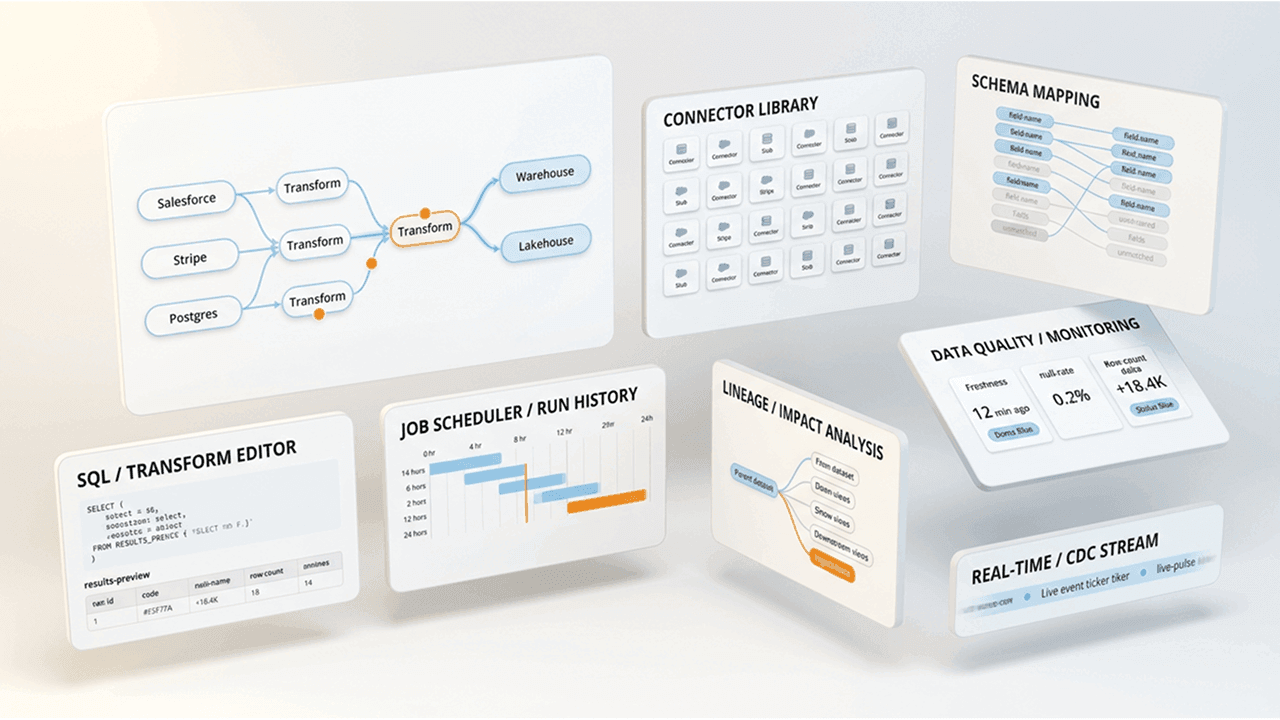
Three factors determine which extract, transform, and load (ETL) tool fits your organization: your data sources, your team's technical expertise, and whether you need cloud-native, on-premises, or hybrid capabilities. This guide breaks down 12 leading ETL tools across categories, from enterprise platforms like Informatica and Domo to open-source options like Airbyte. You'll learn what each does best. Where it falls short. And why the distinction between ETL and extract, load, transform (ELT) matters more than most buyers realize.
Here are the main points to keep in mind as you compare ETL tools.
ETL stands for Extract, Transform, Load. The process pulls data from source systems, transforms it to meet business or technical requirements, and loads it into a destination system such as a data warehouse or analytics platform.
Why does this matter? Organizations rely on ETL to consolidate data scattered across dozens (or hundreds) of applications into a single source of truth. Without it, analysts spend more time hunting for data than actually analyzing it.
ETL sits within a broader landscape of data movement patterns. ELT (Extract, Load, Transform) flips the order by loading raw data first and transforming it inside the destination. This works well when your warehouse has strong compute power. Reverse ETL moves data in the opposite direction, syncing transformed warehouse data back into operational tools like customer relationship management (CRM) systems or marketing platforms. Orchestration tools like Apache Airflow schedule and sequence pipeline runs but do not move data themselves. These distinctions matter when you're assembling your data stack.
Software applications designed to streamline and automate the Extract, Transform, Load process. These tools make pulling data from diverse sources easier (databases, files, web services, you name it). Then they provide functions to transform the data so it's clean, consistent, and ready for analysis that combines data across different sources. Finally, ETL tools facilitate the load process, efficiently moving the transformed data to a centralized location, like a data warehouse, business intelligence (BI) platform, or data-specific applications.
In practice, ETL tools handle several core functions beyond the basic definition. They manage connectors to source systems, handling authentication, rate limiting, and application programming interface (API) pagination. They schedule and orchestrate pipeline runs, whether on a fixed schedule or triggered by events. They apply data transformation logic through visual interfaces, SQL, or code. They load data to destinations with options for full refresh or incremental updates. And they provide monitoring and alerting so you know when something breaks.
One point of confusion trips up a lot of buyers: ETL is a process and a category of tooling, while SQL is a language often used in the transformation step. Some ELT patterns rely entirely on SQL transformations inside the warehouse, while traditional ETL might use Spark, Python, or GUI-based mapping instead.
Various types of ETL tools exist, tailored to different business needs and budgets. Each category serves a distinct purpose, and understanding where a tool fits helps you build the right shortlist.
Commercial solutions designed for complex, high-volume pipelines with strict governance, security, and compliance requirements. Companies like Informatica, Domo, and Microsoft offer these platforms. They belong in this category because they provide capabilities that smaller tools lack: role-based access control with granular permissions, audit logging with security information and event management (SIEM) export for compliance, private network deployment options like virtual private cloud (VPC) peering or PrivateLink, and system for cross-domain identity management (SCIM) provisioning for identity management. These tools specialize in working with hundreds to thousands of data sources and support complex data integration needs.
Open-source tools like Apache NiFi and Airbyte provide flexibility and cost-effectiveness. Their source code is publicly available, allowing teams to modify and extend functionalities without licensing fees. These tools suit businesses seeking budget-friendly options and customization, though they require engineering resources for deployment, maintenance, and upgrades. Teams consistently underestimate the ongoing maintenance burden here. Pipelines that work initially become brittle over time as connectors fall out of date.
Cloud services like AWS Glue and Google Dataflow offer ETL capabilities as a service. They run entirely on cloud infrastructure, eliminating the need for on-premises servers. Cloud-based ETL tools are ideal for businesses operating in cloud environments, offering easy integration with already-established cloud data storage and analytics services.
What does "optimized for cloud warehouses" actually mean? These tools support pushdown transformations, executing SQL inside the warehouse rather than moving data to a separate compute layer. They use the separation of compute and storage, so you pay only for the processing you use. They handle incremental models and merge semantics efficiently, updating only changed records rather than reloading entire tables.
Real-time ETL tools capture and move data with sub-minute latency, enabling use cases where stale data creates business risk. They support streaming architectures and change data capture rather than scheduled batch processing.
When is real-time ETL actually necessary? Consider your latency requirements honestly. Fraud detection systems need sub-second response times. Live operational dashboards might need data fresher than five minutes. Event-driven microservices architectures require near-instant data propagation. Internet of things (IoT) sensor monitoring often demands continuous streaming. But if your analysts check dashboards once a day, real-time adds cost and complexity without benefit.
Change data capture (CDC) makes real-time ETL practical. Instead of scanning entire tables to find changes, CDC reads database transaction logs to identify inserts, updates, and deletes as they happen. This enables incremental sync without the performance hit of full table scans.
Self-service ETL tools provide visual, drag-and-drop interfaces that enable business people to build data pipelines without writing code. They prioritize accessibility over flexibility, trading advanced customization for ease of use.
These tools work well when business teams need to integrate data quickly without waiting for engineering resources. Marketing analysts connecting campaign data to a dashboard. Finance teams consolidating spreadsheets. Operations managers pulling data from SaaS applications. Complex transformations or high-volume pipelines may eventually outgrow these tools, but for many teams they're exactly right.
Some organizations develop custom ETL solutions tailored to their specific needs. Internal teams design these tools in-house and gain precise control over data integration processes. Custom ETL tools suit unique business requirements but often require significant development effort and ongoing maintenance. Organizations that work extensively with highly sensitive data like personal health information (PHI) often utilize custom internal ETL tools to better manage security and specific transformation requirements.
ETL tools follow a three-step process, and it's all in the name.
Production ETL pipelines also need to handle operational realities that the basic three-step model does not capture. Schema drift occurs when source systems add, remove, or rename fields unexpectedly. Good ETL tools detect these changes and either auto-migrate the destination schema or alert you to review manually. Retry semantics determine what happens when a pipeline fails mid-run: does it restart from the beginning, resume from the last checkpoint, or require manual intervention?
It's difficult to find a modern organization that only uses one source of data, and many organizations use multiple data analysis tools, too. The first step in the process is extracting data from its source. Sources include but certainly are not limited to:
ETL tools gather raw data, structured and unstructured, into a single location and consolidate it.
The second step applies an organization's rules and regulations to the data to make it meet requirements and be easily accessible. The transformation process includes:
This step is arguably the most important part of the ETL process because it improves the quality and integrity of the data an organization collects. Many teams rush through transformation logic only to discover downstream that their business rules weren't applied consistently. Take time to validate transformation outputs against known good data before deploying to production.
Last but not least, the ETL tool loads transformed data into a new destination. This could be a solution like Domo or a standard data warehouse. Depending on the ETL tool, data may be loaded in one large batch or at scheduled intervals.
Extract, Load, Transform (ELT) tools have the same purpose as ETL tools but the process is slightly different. ELT loads data into the central repository immediately after extraction instead of waiting to transform it. Transformation happens inside the destination using its native compute power.
The modern ELT pattern has become dominant for cloud data warehouse workloads. The typical flow looks like this: extract data from sources and load it raw into a warehouse like Snowflake, BigQuery, or Redshift, then transform it using dbt (data build tool) or SQL directly inside the destination. Modern cloud warehouses have massive, scalable compute that can handle transformation at scale (which is why this approach works).
Here's how the two approaches compare:
Beyond ETL and ELT, several adjacent categories often get conflated. Reverse ETL moves data in the opposite direction, syncing transformed warehouse data back into operational tools like Salesforce or HubSpot. Orchestration tools like Apache Airflow schedule and sequence pipeline runs but do not move data themselves. Airflow is an orchestrator, not an ETL engine. Zero-ETL patterns use vendor-native integrations for direct database replication without a separate pipeline tool, such as Aurora zero-ETL integration with Redshift.
When selecting an ETL platform for your business, several key factors should guide your decision-making process. These include considering the types of data sources you need to integrate, evaluating the costs associated with the platform, and assessing its capabilities to ensure it aligns with your specific data integration requirements.
Before choosing an ETL platform, identify the variety of data sources your business relies on. These sources could range from databases and spreadsheets to cloud-based applications and web services. Ensuring that your chosen platform can effectively connect and extract data from these sources is crucial for a smooth data integration process. Compatibility with your existing data ecosystem is paramount to prevent integration challenges down the road.
Beyond raw connector counts, validate what each connector actually supports. Check whether it offers incremental sync (only changed records) or requires full refresh (entire table every run). Understand rate limiting behavior and whether the connector respects API quotas gracefully. Confirm how the connector handles personally identifiable information (PII) fields, whether it supports field-level masking or exclusion. Test schema change behavior: what happens when the source adds a new column or changes a data type?
Evaluate the total cost of ownership, including licensing fees, maintenance, and potential scalability expenses. Striking a balance between your budget constraints and the capabilities of the platform matters here. Some platforms offer cost-effective and open-source options, while others provide comprehensive features at a higher cost.
ETL pricing models vary significantly, and understanding the differences prevents budget surprises:
Total cost of ownership extends beyond license fees. Factor in engineering time for setup and ongoing maintenance, warehouse compute costs for transformation workloads, and the operational cost of owning service-level agreements (SLAs) and troubleshooting failures.
Look for features such as data transformation and cleansing tools, scalability to handle increasing data volumes, support for real-time or batch processing, and compatibility with data warehousing and analytics tools. Additionally, consider ease of use, as an intuitive interface can significantly impact your team's productivity.
Structure your evaluation around three pillars:
Security requirements can eliminate entire categories of tools before you evaluate features. If your organization handles sensitive data or operates in regulated industries, establish your security baseline first.
A concrete security checklist should cover:
For compliance mapping, know which certifications matter for your industry. Service Organization Control 2 (SOC 2) Type II covers security controls with ongoing audits. A Health Insurance Portability and Accountability Act (HIPAA) business associate agreement (BAA) is required for protected health information. Payment Card Industry Data Security Standard (PCI DSS) applies to payment card data. General Data Protection Regulation (GDPR) governs EU personal data. Federal Risk and Authorization Management Program (FedRAMP) is required for US federal government work. Verify vendor claims by requesting audit reports, reviewing scope documentation, and checking sub-processor lists.
Most organizations do not need real-time ETL, but some use cases demand it. Clarify your latency requirements before paying for streaming capabilities you won't use.
Real-time ETL makes sense when data freshness directly impacts business outcomes: fraud detection requiring sub-second response, live operational dashboards for customer support, inventory systems that need immediate stock updates, or event-driven architectures where downstream systems react to changes instantly.
Batch processing is sufficient (and more cost-effective) for historical reporting, daily analytics refreshes, data warehousing for BI dashboards checked periodically, and any scenario where data a few hours old is acceptable.
Micro-batch processing offers a middle ground, running pipelines every five to 15 minutes rather than continuously. Near-real-time freshness without the complexity and cost of true streaming.
Change data capture (CDC) enables efficient real-time sync by reading database transaction logs to identify changed rows. Unlike full-refresh batch loading that scans entire tables, CDC captures only inserts, updates, and deletes as they happen.
Different scenarios call for different ETL approaches. Matching your use case to the right tool category saves evaluation time and prevents mismatched expectations.
For SaaS-to-warehouse CDC, where you're syncing data from applications like Salesforce, HubSpot, or Stripe into a cloud data warehouse, managed ELT platforms like Fivetran or Airbyte excel. They handle connector maintenance, schema changes, and incremental sync automatically.
For regulated data migration, where compliance requirements demand data masking before it reaches the destination or private network deployment, enterprise ETL tools like Informatica or Talend provide the governance controls you need. Self-hosted options or tools with VPC deployment keep data within your security perimeter.
For real-time operational analytics, where dashboards need sub-minute freshness for customer support or operations teams, streaming ETL tools with CDC capabilities deliver the latency you need. Evaluate whether your sources support log-based CDC before committing to this approach.
For legacy system integration, where you're connecting on-premises databases or mainframe systems to modern cloud infrastructure, enterprise ETL tools with hybrid deployment options bridge the gap. Look for tools with agents that can run inside your network while orchestrating from the cloud.
For budget-constrained teams, where engineering resources are available but license fees are not, open-source tools like Airbyte (self-hosted) or Apache NiFi provide full functionality without subscription costs.
Before diving into detailed profiles, this comparison table provides a quick reference for narrowing your shortlist based on key criteria.
Ready to see some of the top options out there? Here is a list of some of the best ETL tools on the market. Some of these tools are standalone ETL tools, others are part of a larger suite of data tools. We've listed these here to give you a chance to compare the best ETL tools for your specific needs.
Domo is a cloud-based business intelligence and data integration platform that streamlines ETL processes to deliver real-time insights and data visualization. Domo provides ETL tools for novices who aren't comfortable using SQL with their drag-and-drop Magic ETL tool. But they also have advanced features that allow more technical people to do advanced data transformation.
Domo offers pre-built data connectors to various sources. People only need to connect their data source to the Domo platform and the connector will automatically perform the ETL process. Domo is also a full data lifecycle tool, supporting data analysis from connecting, transforming, analysis, through sharing insights. Domo provides an easy-to-use interface and allows people from both technical and non-technical backgrounds to use the platform easily.
Choose Domo if you want a unified platform that combines data integration with visualization and analytics, eliminating the need to stitch together separate tools for each function.
Pros: Thousands of pre-built connectors make the ETL process easy. Visual Magic ETL interface enables non-technical people to build pipelines. Unified platform reduces tool sprawl.
Cons: For someone just looking for ETL, Domo likely has more tool capabilities than they're looking for.
Talend, now part of Qlik as Qlik Talend Cloud, offers an end-to-end data platform with a comprehensive suite for data integration, transformation, and quality. In comparison to Domo's simple connector options, Talend requires people to build a custom data pipeline for each data source. Once the pipeline is built, though, people have flexible options to use their data however they need it.
Talend provides a wide range of connection abilities, powerful data transformation capabilities, and a graphical interface. The platform supports cloud, hybrid, and on-premises deployments.
Choose Qlik Talend Cloud if you need hybrid deployment flexibility and built-in governance, but expect more setup work than Domo's more guided approach.
Pros: Strong community support; rich feature set; supports big data and cloud integration; data quality tools included.
Cons: Some advanced features may require a paid version; complex workflows can be challenging to manage.
Informatica Intelligent Data Management Cloud (IDMC) is an enterprise-grade platform known for its data integration, data quality, and data governance solutions. Gartner has named it a leader for data integration, but the platform's breadth and cost can make Domo a simpler fit for teams that want faster adoption.
Informatica offers a comprehensive suite for data integration, data quality, and data governance, and supports cloud and on-premises deployments. The platform is particularly strong in governance and lineage capabilities, providing visibility into where data comes from and how it transforms throughout the pipeline.
Choose Informatica IDMC if governance, compliance, and lineage are primary requirements, but Domo is often easier to adopt for teams that want analytics and ETL in one place.
Pros: Enterprise-grade capabilities; strong data quality features; cloud integration; scalable; comprehensive lineage tracking.
Cons: Though people can start out with a free version, using the enterprise-level tools comes with a higher cost. The product may be too complex for smaller organizations.
Microsoft SSIS is a Microsoft ETL tool that comes with SQL Server, used for data integration and transformation. Tight integration with Microsoft ecosystem, visual design interface, and support for various data sources.
Choose SSIS if your organization is already invested in Microsoft and needs on-premises ETL, but Domo offers broader cloud connectivity and less infrastructure overhead.
Pros: Included with SQL Server; easy to use for Microsoft teams; strong data transformation capabilities.
Cons: Windows-centric; may require licensing for SQL Server.
Microsoft Azure Data Factory is a cloud-based ETL service that automates data movement and transformation across various sources. Visual design interface, pre-built connectivity to on-premises and cloud data sources, and data transformation capabilities.
Choose Azure Data Factory if you're already in Azure and want native service integration, but Domo gives you ETL and analytics in the same platform.
Pros: Strong integration with Azure and other Microsoft products; scalable; supports complex workflows.
Cons: May require a learning curve for non-Microsoft teams; costs increase with cloud resource usage.
Google Dataflow is a fully managed stream and batch data processing service that can be used for ETL. Serverless architecture, supports real-time and batch data processing, integrates with Google Cloud ecosystem.
Choose Google Dataflow if you're building on Google Cloud Platform and need unified batch and streaming pipelines, but Domo is easier for teams that do not want code-heavy pipeline management.
Pros: Easy integration with Google Cloud; scalability; real-time capabilities.
Cons: Tied to Google Cloud Platform; may have associated costs.
SAP Data Services supports comprehensive data integration, transformation, and quality management for both cloud and on-premises environments. Given the size and scale of its parent company, this tool is most appropriate for enterprise-grade teams.
SAP Data Services provides comprehensive data integration, advanced data transformation, and strong data quality management.
Choose SAP Data Services if your organization relies heavily on SAP applications and needs tight SAP integration, but Domo is simpler if you also want cross-source analytics in one platform.
Pros: Enterprise-grade capabilities; strong integration with SAP products; extensive data quality features.
Cons: Higher cost for enterprise features; may be complex for smaller organizations or people not familiar with SAP.
Matillion is a cloud-native ETL tool designed for data integration, transformation, and orchestration in cloud environments. And honestly, this is where a lot of teams discover that pushing transformation down to the warehouse changes everything about how they think about their data stack.
Matillion offers native connectors for cloud data warehouses, an intuitive interface, and data transformation capabilities that push down to the warehouse for efficient processing.
Choose Matillion if you use Snowflake, BigQuery, or Redshift and want warehouse-native transformation, but Domo gives nontechnical teams a more accessible experience.
Pros: Cloud-native; easy to use; scalable; strong support for cloud data warehouses.
Cons: Costs may vary based on usage; not ideal for on-premises deployments.
Fivetran is a fully managed ELT service that automates data extraction and loading with pre-built connectors for a wide range of sources. Transformation happens in your destination warehouse, typically using dbt or SQL.
Fivetran offers automated data schema management, pre-built connectors, and direct data integration with major data warehouses.
Fivetran uses Monthly Active Rows (MAR) pricing, which charges based on the number of rows synced each month. This model works well for predictable, moderate-volume workloads but can become expensive during large backfills or rapid data growth. Request a cost estimate based on your actual data volumes before committing.
Choose Fivetran if you want hands-off data ingestion and plan to handle transformation in the warehouse, but Domo adds built-in transformation and analytics in one platform.
Pros: Quick and easy setup; minimal maintenance required; reliable data sync; extensive connector library.
Cons: Limited customization options for advanced teams; MAR-based pricing can be high for large volumes of data.
AWS Glue is a serverless data integration service that makes it easy to discover, prepare, and combine data for analytics, machine learning, and application development.
AWS Glue offers a visual interface, automatic schema discovery through crawlers, and integration with the broader AWS ecosystem including S3, Redshift, and Athena.
For organizations already operating within AWS, Glue benefits from native integration with AWS identity and access management (IAM) for access control and VPC for network isolation. Data stays within your AWS security perimeter without additional configuration.
Choose AWS Glue if you're already in AWS and want serverless ETL for Spark-based work, but Domo is simpler for teams that do not want Spark-heavy workflows.
Pros: Serverless; integrates with AWS services; automatic schema discovery; pay only for resources consumed.
Cons: Learning curve for non-AWS teams; costs can accumulate with heavy usage; Spark-based, which may be overkill for simple pipelines.
Airbyte is an open-source data integration platform with a growing library of connectors and both self-hosted and cloud deployment options.
Airbyte offers a visual interface, extensive connector catalog, and the flexibility to run on your own infrastructure or as a managed service.
The managed vs self-hosted question matters a lot here. Self-hosted Airbyte has no license fees but requires engineering resources for deployment, connector maintenance, version upgrades, and on-call support when pipelines fail. Airbyte Cloud shifts that operational burden to the vendor in exchange for subscription fees. Evaluate honestly whether your team has the capacity to maintain self-hosted infrastructure.
Choose Airbyte if you want open-source flexibility and have engineering resources for self-hosting, but Domo reduces the maintenance burden for teams without dedicated engineering support.
Pros: Open-source with active community; extensive connector library; flexible deployment options.
Cons: Self-hosted requires engineering investment; some connectors are community-maintained with varying quality.
Pentaho Data Integration, owned by Hitachi Vantara, is an open-source ETL tool for data integration and transformation. Visual design interface, supports various data sources, and provides strong transformation capabilities.
Choose Pentaho if you need a budget-friendly ETL tool and have technical resources for deployment and maintenance, but Domo requires less hands-on administration.
Pros: Open-source; easy to use; extensible; supports big data integration.
Cons: Limited support options; may require development effort for advanced features.
ETL tools are indispensable in the realm of data integration; they empower businesses to efficiently gather, transform, and load data from diverse sources for insightful decision-making. When you're ready to select the right ETL platform, use your constraints to guide the decision rather than comparing every feature across every tool.
If data sensitivity requires private networking, prioritize cloud-native tools within your existing cloud perimeter (AWS Glue for AWS, Azure Data Factory for Azure) or enterprise tools with VPC deployment options like Informatica or Talend.
If your team lacks dedicated data engineering resources, prioritize managed SaaS ELT platforms like Fivetran that handle connector maintenance and infrastructure automatically.
If budget is the primary constraint, evaluate open-source options like Airbyte or Pentaho, but build realistic estimates for engineering time into your cost calculations. Free software is not free when you account for deployment, maintenance, and troubleshooting.
If you need unified data integration and analytics without stitching together multiple tools, platforms like Domo combine ETL capabilities through Magic ETL's visual interface with built-in visualization and analytics, reducing tool sprawl and simplifying the data workflow.
An ETL (Extract, Transform, Load) tool simplifies and automates the process of data integration by extracting data from various sources, transforming it into a desired format, and loading it into a target system. The benefits include improved data quality, reduced manual labor, faster data processing, and better decision-making through access to timely and accurate information.
There are various types of ETL tools, including open-source tools like Apache NiFi and Talend, commercial tools like Informatica and Microsoft SSIS, and cloud-based ETL services like AWS Glue and Google Dataflow. These tools cater to different data integration needs and budgets, offering a range of features and capabilities.
SQL (Structured Query Language) is not an ETL tool itself. However, SQL can be used as part of ETL processes to manipulate and transform data within a database. ETL tools often incorporate SQL for data transformation and manipulation tasks.
AWS (Amazon Web Services) is not an ETL tool, but it offers ETL-related services like AWS Glue, which is a fully managed ETL service. AWS Glue helps automate the extraction, transformation, and loading of data from various sources to AWS data storage and analytics services. So, while AWS itself is not an ETL tool, it provides ETL services within its cloud ecosystem.
Domo transforms the way these companies manage business.












