
Se ahorraron cientos de horas de procesos manuales al predecir la audiencia de juegos al usar el motor de flujo de datos automatizado de Domo.
Ver el vídeo

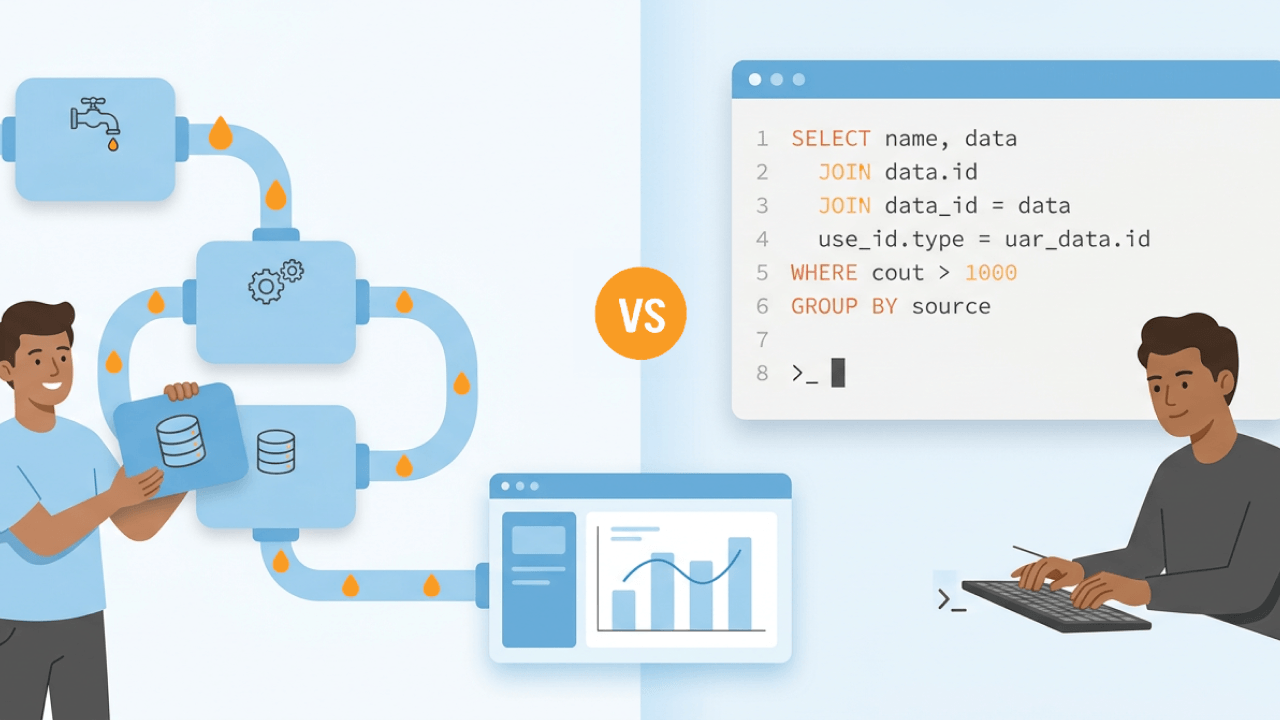
Extract, transform, load (ETL) describes what you're doing with data (extracting it from sources, transforming it, and loading it somewhere useful), while Structured Query Language (SQL) is often how you do the transformation work. The two appear together constantly in job descriptions and architecture discussions because they complement each other rather than compete. This guide breaks down the relationship between ETL and SQL, covers when to use ETL tools vs SQL scripts, and walks through practical examples of how they work together across extraction, transformation, and loading phases.
Here are the main points to keep in mind:
ETL is a data management process that stands for extract, transform, and load. The process extracts data from multiple disparate sources, transforms it into the chosen format for analysis, and loads it into the final destination (a data warehouse or lake, typically). SQL often powers the transformation step. That's why the two concepts appear together so frequently.
The three core stages break down as follows:
Why do organizations invest in ETL? The benefits compound across the data lifecycle:
ETL is complex. Fortunately, tools exist to automate it. At a general level, these tools offer functionalities that correlate with each stage of ETL:
ETL tools fall into the following categories:
Legacy tools are the original ETL solutions and provide essential functions. However, they may lack scalability, speed, and automation.
Open source tools sit on the opposite end. They can work with a variety of structures and formats and offer more flexibility, scalability, and speed.
Cloud-based tools are hosted on cloud infrastructure, making them accessible from nearly anywhere. This option integrates with cloud-based data sources and provides more flexibility and speed than legacy ETL tools.
Real-time tools capture data to deliver information and reports in real-time.
SQL stands for Structured Query Language. It's a structured programming language used to manage and manipulate relational databases. Through SQL, people interact with the database, make requests, and retrieve data. The language is declarative, which means you specify what you want the relational database to do instead of how to do it. SQL matters for data analysis because it lets you query, retrieve, and transform data with precision.
The following are the most common SQL commands used to interact with databases. They can also be combined to create more complex SQL statements (such as JOINs, subqueries, and aggregate functions):
Here are some fundamental SQL concepts with examples:
SELECT Statement: For retrieving data from a database.
SELECT FROM employees;
INSERT Statement: For adding new records to a table.
INSERT INTO employees (name, position) VALUES ('John Doe', 'Manager');
UPDATE Statement: For modifying existing records.
UPDATE employees SET position = 'Senior Manager' WHERE name = 'John Doe';
DELETE Statement: For removing records.
DELETE FROM employees WHERE name = 'John Doe';
To manipulate data, you can try the following functions and capabilities:
Here is the distinction in one sentence: ETL is a workflow for moving and preparing data, while SQL is a language frequently used within that workflow.
ETL is a process for extracting, transforming, and loading data for business intelligence. SQL is a programming language for managing and manipulating data through the querying of relational databases. The purpose of SQL is to query and manipulate data in a relational database, while ETL integrates and prepares data from multiple sources.
People confuse them because SQL often appears inside ETL pipelines. When you write a transformation that cleans customer records or aggregates sales data, you are probably writing SQL. But the broader workflow that schedules that transformation, handles failures, and moves data between systems? That's the ETL process.
A few examples illustrate the distinction:
SQL used in ETL: A SELECT query with joins and aggregations runs inside an ETL pipeline to transform raw transaction data into a summary table.
ETL done without SQL: A visual ETL tool moves flat files from a Secure File Transfer Protocol (SFTP) server to cloud storage using built-in connectors, with no SQL involved.
SQL without ETL: An analyst writes an ad-hoc query against a production database to answer a business question, with no pipeline or scheduling involved.
ELT stands for extract, load, transform. It flips the traditional ETL sequence by loading raw data into a cloud warehouse first, then running transformations inside the warehouse using SQL.
This pattern has become the default architecture for teams using modern cloud data warehouses like Snowflake, BigQuery, or Redshift. The warehouse handles the compute-heavy transformation work. SQL becomes the primary language for that step.
The key differences between ETL and ELT are:
Tools like dbt have emerged specifically to manage SQL-based transformations in ELT workflows, adding version control, testing, and documentation to what would otherwise be standalone SQL scripts.
While ETL and SQL are separate concepts, they work well together. SQL can perform functions within each phase of ETL.
SQL alone is not an ETL system, though. SQL handles transformation logic, but it does not provide scheduling, retries, dependency management, or monitoring on its own. Those operational requirements are what ETL tools and pipeline orchestrators (such as Airflow or Dagster) supply. So when someone asks "can SQL replace ETL tools?" the answer is generally no, even though SQL powers much of the actual data transformation work.
At the extraction level, SQL can pull data from relational databases. A SELECT statement retrieves the specific rows and columns needed from source systems.
For example, extracting only recent orders from a transactional database:
SELECT orderid, customerid, orderdate, totalamount FROM orders WHERE orderdate >= DATEADD(day, -7, GETDATE());
SQL extraction works well when your source is a relational database. For non-relational sources like APIs, flat files, or streaming data, ETL tools provide connectors that SQL cannot replicate. And honestly, that's the part most guides skip over. SQL cannot pull data from a REST API or parse a nested JSON file without additional tooling.
The transform phase is where SQL shines. SQL handles data cleaning, aggregations, calculations, joins, and business logic transformations.
Common transformation operations include:
In modern ELT architectures, the transform phase often runs inside the warehouse using SQL-based tools. This approach (sometimes called "transform in place") takes advantage of the warehouse's compute power rather than moving data to a separate transformation engine.
SQL-based transformation tools like dbt have become the standard for managing these in-warehouse transformations. They add testing, documentation, and version control to SQL models, making transformation logic more maintainable and auditable.
SQL INSERT, UPDATE, and MERGE statements handle loading data into target systems.
For simple appends:
INSERT INTO targettable (column1, column2, column3) SELECT column1, column2, column3 FROM stagingtable;
For upserts (insert new records, update existing ones):
MERGE INTO targettable AS target USING stagingtable AS source ON target.id = source.id WHEN MATCHED THEN UPDATE SET target.value = source.value WHEN NOT MATCHED THEN INSERT (id, value) VALUES (source.id, source.value);
The MERGE statement is particularly useful for incremental loads where you need to handle both new and updated records in a single operation. Not all databases support MERGE syntax identically, so verify your specific warehouse's implementation before deploying.
Optimizing the ETL process with SQL transformations can enhance the performance of your ETL workflows. Here are practical approaches:
Each approach fits different needs. The right choice depends on your data sources, team skills, and operational requirements.
ETL tools excel when you need to connect to dozens of different source systems. Building and maintaining custom connectors for APIs, software as a service (SaaS) applications, and legacy systems takes significant engineering time. ETL platforms provide pre-built connectors that handle authentication, rate limiting, and schema changes.
SQL scripts work well when your data is already in relational databases or a warehouse. If your transformations are primarily joins, aggregations, and filtering, SQL is often simpler and more maintainable than visual ETL workflows. SQL scripts also integrate naturally with version control systems and continuous integration and continuous delivery (CI/CD) pipelines.
Some teams find that visual ETL tools create challenges for version control and code review. When transformation logic lives in a visual interface rather than code files, tracking changes and collaborating through pull requests becomes harder. You'll notice this especially on teams that prioritize engineering best practices.
The hybrid approach is common: use ETL tools or managed ingestion services for extraction and loading, then use SQL (often with dbt) for transformations inside the warehouse.
Following best practices for ETL and SQL processes will help you achieve the best performance possible. Below are recommendations for maintaining data quality, handling errors, and optimizing performance.
For error handling and reliability:
For query optimization:
For data quality:
SQL queries are useful for ETL testing, whether you want to verify your metadata or measure the effectiveness of your ETL processes. Testing serves as one of the primary mechanisms for ensuring lineage and reproducibility in ETL pipelines, making it a core component of data governance rather than just a technical validation step.
Verifying that the metadata in the source and target systems align. Essentially, you want the data types, formats, and lengths to be consistent. SQL queries let you compare metadata definitions between the source and target systems.
Data quality testing ensures the accuracy and consistency of data after the transformation phase of the ETL process. SQL queries fit in here as they can verify the data quality by comparing the source data to target data post-transformation.
This type of testing verifies that the pipeline loaded all source data into the target system. SQL queries can compare record counts between the source and target system to do so.
Determine how well your ETL processes are working by measuring the performance through SQL queries, which analyze query execution times and performance metrics.
Use SQL queries to validate that transformations apply business rules correctly and that the transformed data reflects the relevant business logic.
Regression testing ensures changes made to the ETL process do not negatively affect your existing ETL workflows. Use SQL scripts to identify discrepancies by comparing current data with previous data.
ETL data integration testing verifies that your ETL process integrates with relevant systems and applications. You can do this by using SQL queries to compare data between your ETL system and other integrated systems.
When might you use SQL and ETL together? The first use case is migrating data from a legacy to a modern system. You can use SQL queries to extract the data from the legacy system's database, clean it, and load the transformed data into the target data warehouse.
ETL and SQL are also useful in combination when performing real-time data processing. SQL queries can select and retrieve data from operational systems as updates or new records come in. At the transform phase, you can use SQL to apply real-time transformations of the data prior to analysis. In the load phase, SQL can insert and update real-time data in the target repository.
Here is a practical example showing the same transformation implemented two ways:
Scenario: Calculate daily revenue by product category from raw transaction data.
Pure SQL approach (scheduled via cron or a simple scheduler):
, Daily revenue aggregation INSERT INTO dailycategoryrevenue (reportdate, category, totalrevenue) SELECT CURRENTDATE - 1 AS reportdate, p.category, SUM(t.quantity * t.unitprice) AS totalrevenue FROM transactions t JOIN products p ON t.productid = p.productid WHERE t.transactiondate = CURRENT_DATE - 1 GROUP BY p.category;
ETL tool + SQL approach: The ETL tool handles scheduling, dependency management, and failure alerts. The SQL transformation runs inside the pipeline with automatic retries and logging. If the job fails at 3 am, the ETL platform sends an alert and can retry automatically. With the pure SQL approach, you would need to build that monitoring and retry logic separately.
Consider how ETL and SQL can be used in different industries to improve data management and integration:
When selecting an ETL SQL tool, consider the tool's scalability, ease of use, performance, transformation capabilities, security, and integration potential with your current systems. Also evaluate governance features, version control compatibility, and total cost of ownership.
Scalability: Can the ETL SQL tool handle large volumes of data and lots of complexities? As the amount of data you have grows, you will want your ETL SQL tool to continue to perform well. Consider both vertical and horizontal scalability. A tool that can scale vertically can add more resources to a single server, while one that scales horizontally can distribute the load across multiple services.
Ease of use: An ETL SQL tool that is not user-friendly will be difficult to integrate into your organization. Consider the needs and technical expertise of your people when evaluating this factor. You will also want to consider available onboarding, support, tutorials, and training.
Performance: Evaluate how well the tool you're considering optimizes data processing-related tasks and executes queries. Consider whether you'll need performance-tuning capabilities like caching, parallel processing, and query optimization.
Transformation capabilities: How well does the ETL SQL tool perform complex data transformations and SQL operations? It should support data cleansing, aggregation, enrichment, and complex business logic implementations. On the SQL side, it should be able to handle related operations such as joins, subqueries, and custom functions.
Security: Prioritize any compliance requirements your organization has and the security of the data. Look for data encryption, access controls, data monitoring, and auditing.
Integration potential: Ensure the potential ETL SQL tool integrates with the systems you are already using. Consider databases, warehouses, and lakes. If a tool is difficult to integrate, your team will not use it to its full effect.
Governance and lineage: ETL platforms often provide built-in data lineage tracking and audit logs that are difficult to replicate with SQL scripts alone. If your organization has compliance requirements or needs to trace data from source to report, these features matter. A lot.
Version control compatibility: Visual ETL tools can make it harder to apply Git-based version control and CI/CD practices. If your team values code review workflows and automated testing, evaluate how well the tool supports these engineering practices.
Domo transforms the way these companies manage business.












