Join the AI + Data Tour for hands-on training, real customer stories, and time with Domo product experts near you.
Register now
Let's say a customer leaves a one-star review complaining that your service felt slow. Before anyone on your team even reads it, an AI has already fired back a chirpy, slightly off-key reply that makes things worse. The speed was impressive, but the judgment was...missing.
Abby Stowell, solution engineer at Domo, spoke to this missing judgment problem in a Domo livestream. In her view, the future of AI is a partnership, not actually autonomous. Her focus in the livestream was human-in-the-loop AI: letting machines do the heavy lifting while a person stays in control of what actually ships.
The best part is that you can start small, without handing over the keys. Below is a practical framework for building a human approval step into an AI workflow, anchored by the Google review example Abby walked through live.
We'll start with a simple example: letting AI classify and draft information, then routing its output to a person who approves or deneis it. Here is how to build that pattern into a process of your own.
Start where a mistake would be obvious. Look for a task with high volume, repetitive judgment, and an output someone can quickly grade as good or bad.
Responding to negative customer reviews fits perfectly. A business Abby worked with prided itself on customer service, but some negative reviews on Google and other sites were slipping through unanswered. The stakes were clear, and so was the definition of a good reply.
As Abby put it, a great question to ask your team is: "What are you doing that takes too long? What tasks are annoying? What could we automate?" Those answers point to your first candidate.
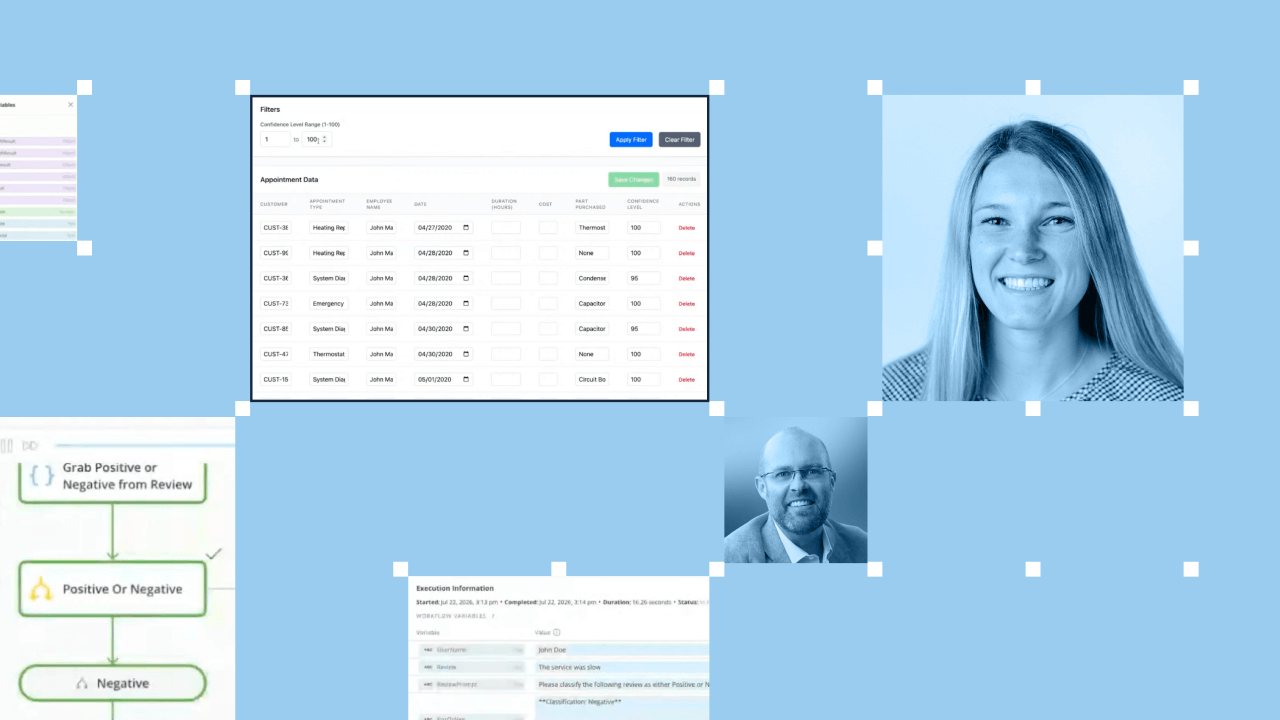
Once you have your process, let AI sort the inputs so people only touch what matters. In the review example, the workflow pulled every review through the platform's APIs, then put an agent on the data to classify each one as positive or negative.
Positive reviews needed no action, so the workflow set them aside. Only the negative reviews moved forward. This triage step filtered a flood of inputs down to the few that need a considered response.
Next, hand the drafting to AI while keeping the sending to yourself. For each negative review, the workflow used AI to write a tailored response, following a prompt that set guardrails like length and tone.
The draft is just a starting point. A sharper prompt produces a sharper draft, and you can tune that prompt over time. The key distinction is that AI proposes the action, but it does not get to perform it on its own.
Before the drafted response goes anywhere, the workflow sends an email to a specific person who can approve or deny it.
If the reviewer approves, the workflow finishes the job and sends the response. If the reviewer denies it, nothing ships. That single gate is what turns a risky automation into a trustworthy one. It keeps a human accountable for the final call while AI handles everything leading up to it.
Abby framed the goal this way: Make the work easier with AI, but add "accuracy checks or cleansing so we're all on the same page before something happens."
To make it a repeatable workflow, you need the pattern to run the same way every time, check the data on its own, and respect who is allowed to see and do what.
This is where a platform matters more than a clever prompt. Running a process inside a personal cloud instance or a standalone chatbot works once, but it rarely scales. Domo, an AI orchestration and data platform, handles the repeatability and the governance from the start. A person no longer has to re-upload a spreadsheet every time something changes. Governance decides who needs to see what, and it carries through from the data all the way to the AI agent's output.
Governance is the quiet hero here. It is what lets IT stay confident rather than nervous about AI running inside the business.
The livestream covered more than this review workflow. Abby also demonstrated an Excel date-cleanup workflow, in which AI standardized messy, inconsistent dates and returned a confidence score for each fix. The team could then filter and double-check anything below 95 percent confidence.
She also shared practical advice on finding your very first use case, starting with the tasks that take too long or feel annoying. She also explained why repeatable, governed workflows are where Domo does its best work, and why nobody has to figure this out alone.
If you want to see both demos in action and hear how to get started, watch the full session.