Únete al tour de IA y datos para recibir formación práctica, conocer historias reales de clientes y pasar tiempo con los expertos en productos de Domo cerca de ti.
Regístrate ahora
It is 4:30pm on a Thursday, and an account executive stares at a calendar block that says "plan Dallas trip." One tab holds the CRM. Another holds a spreadsheet of renewal dates. A third holds an inbox thread nobody has answered. The rep knows there's a customer worth visiting in Dallas. The harder question is which other accounts sit nearby, which ones have money on the table, and how to justify the whole trip to a manager before Friday. That research usually eats an afternoon, and half of it ends up guesswork.
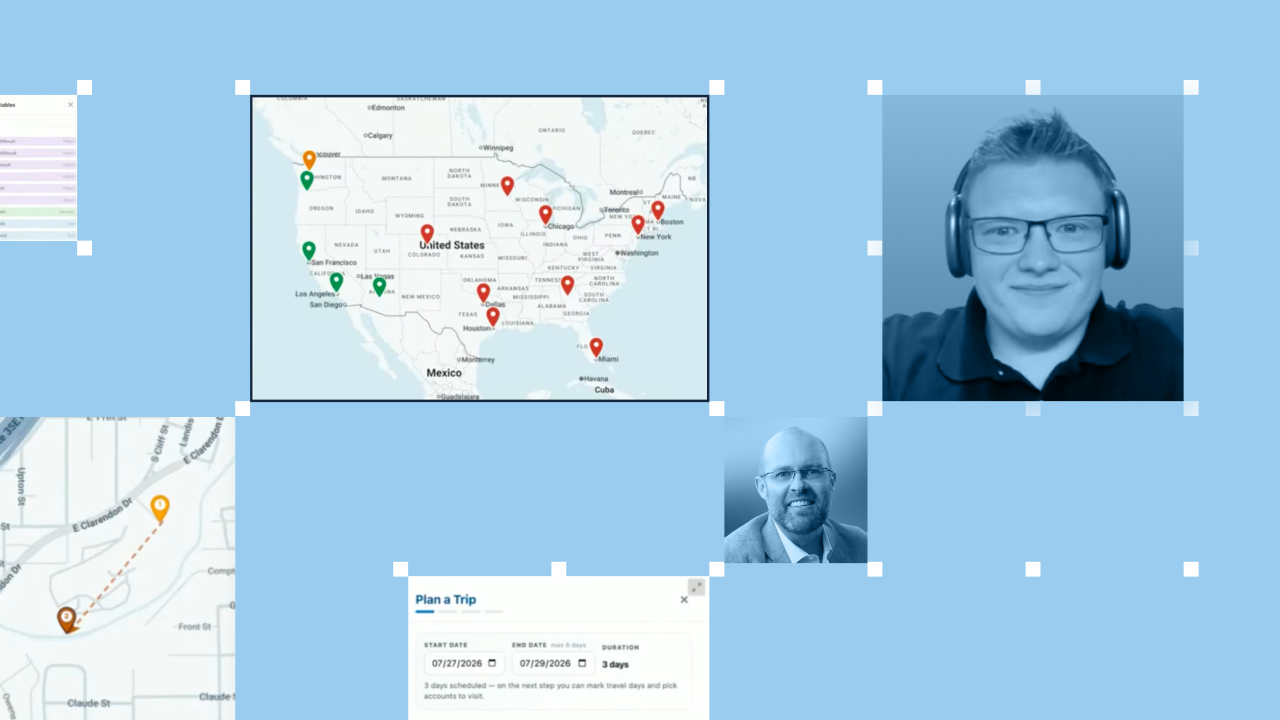
Domo tackled that exact tension in a recent livestream with James Miller, associate solution engineer at Domo, who walked through a territory-planning agent he built on the platform. The demo showed how a rep can pick an account, name a few travel dates, and get back a full plan grounded in data the company already owns.
What follows is the framework behind that demo.
An AI territory agent is only as good as the data underneath it. Before the planning starts, the account information has to live in one place and respect who is allowed to see what.
In the livestream, the agent read from data already connected inside Domo: CRM records, product usage, email drafts, call-transcript highlights, and LinkedIn activity. That range matters, because a good visit decision draws on more than one system.
Governance runs across all of it. For instance, an account executive who covers Texas sees Texas accounts and nothing else, because row-level governance carries the same access rules from the source data through to the map.
That foundation also keeps the data honest. Every figure in the account view links back to the dataset it came from, so a rep can click into a number and confirm it. As James put it during the walkthrough, the rule for working with AI output is "check but verify."
Every trip needs a reason to exist. That reason is your anchor account, the customer you already know you want to see.
The rep in the demo chose Evergreen Partners in Dallas and set dates two weeks out, the 27th through the 29th. Naming the anchor and the window gives the agent its two fixed points. Everything else it suggests has to fit around them.
One small detail made the plan realistic: The rep flagged July 28th as a travel day rather than a working day. When you set your own dates, mark the hours you actually lose to flights. A plan that ignores travel time falls apart on the ground.
A single meeting rarely justifies a flight. The value of an AI territory agent shows up when it turns one anchor visit into a route worth the airfare.
Once the rep confirmed the anchor, the agent pulled up the wider Dallas area and proposed additional accounts to add. It did not stop at names. For each suggested account, it explained why the stop earned a place on the calendar.
The reasons the agent surfaced fell into a few clear buckets, and each one gives a rep a concrete talking point:
That last point is where the plan gets sharp. Reading the SSO note, a rep can bring a solution engineer along to talk through single sign-on during the visit instead of discovering the blocker in the room.
A list of good accounts is not a plan until it fits into hours and miles. The next step turns the shortlist into an ordered route.
The agent arranged the confirmed accounts into a day-by-day itinerary and grouped stops by how close they sat to one another. When the rep added a morning constraint, wanting breakfast with one account before an afternoon flight, the itinerary absorbed it and kept the rest of the schedule intact.
Speed came from the data foundation, not from anything hard-coded. Because the account records already lived in Domo, the agent assembled the route in seconds rather than rebuilding logic on the fly.
A visit only happens if the people on the other end say yes. A busy rep usually pushes personalized outreach to the bottom of the list, so the agent handles the first draft.
For each account, the agent suggested a dinner option, pulling nearby restaurants through Google, then built a curated invitation around it. The rep picked a barbecue spot, chose which contacts to include (among them the account's top product user), and the agent produced a ready-to-send email: subject line written, attendee addresses filled in, and a note inviting the group to dinner.
The rep still reviews and sends. The agent removes the blank-page problem, and a human keeps final say over tone, timing, and who makes the guest list.
Field trips need a sign-off, and "I have a good feeling about Dallas" does not clear that bar. The last step packages the business case and sends it up the chain.
The agent generated a manager justification that pulled the numbers together, including $500,000 in pipeline at play across the trip. The summary bundled the itinerary, the reason behind each account, and a map, then went to the manager as an email.
From there, the decision stays with a person. The manager can approve the trip, add notes, or request changes, and can see the "why" behind every account before making the call. That approval gate is the point, not a formality.
Across the whole framework, the agent does the gathering and drafting, and a human approves each action that carries a cost. Domo frames its role here as making AI actionable on governed data, with human oversight built into every step.
The trip planner is one piece of a larger territory app James built. He also shared an account health scorecard, which grades adoption from A to D and drills into the metric behind the grade, down to figures like license activation percentage and weekly logins against target. Also, James discussed how he built the whole solution with Cursor and Domo's MCP in roughly 20 hours, with the underlying data left in place across Snowflake, BigQuery, and Databricks.
All of it is worth seeing in motion. Watch the full session to see the territory agent run end to end and to pick up the details that make it work.