Join the AI + Data Tour for hands-on training, real customer stories, and time with Domo product experts near you.
Register now

Accelerate your data workflows with AI Readiness for Top Connectors. This feature streamlines the data preparation process by automatically populating your data dictionary.
You no longer need to manually document your connector data. When you connect to your data sources, column-level context is automatically added to your data dictionary, and you retain full control to edit or refine the details as needed. This allows you to focus less on documentation and more on putting your data to work.
Key benefits include:
Incorporate and manage your unstructured data directly within the Domo platform with Domo Documents. This feature allows you to extract structured information from sources like images, transcripts, or customer reviews.
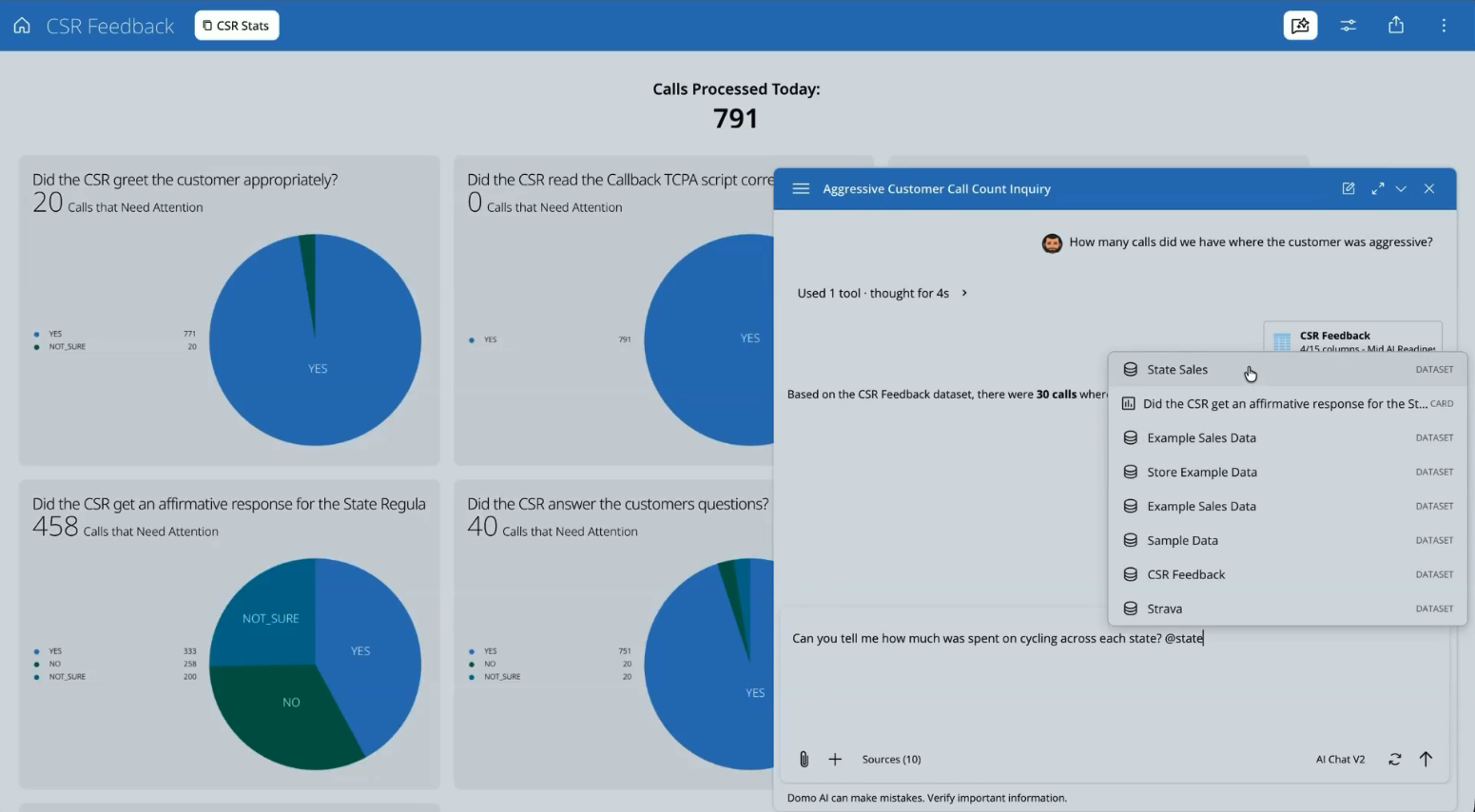
Turn previously untapped data into powerful insights for your visualizations and data products, automate document-driven business processes, or enhance your AI Agents with secure, non-public documentation using AI Search.
Domo Documents accommodate all common image and document file types for storage. For advanced AI Search indexing, support is available for a wide variety of formats, including TXT, MD, CSV, CSS, JSON, HTML, DOC, DOCX, XLS, XLSX, PDF, JPG, JPEG, and PNG.
Key benefits include:
Connecting to new data sources is now faster and more accessible. With the AI Assistant for our JSON No-Code Connector, you can build data connections using simple, natural language.
You no longer need to be a developer to connect APIs to Domo. Simply describe the data source you want to connect to, and the AI Assistant will handle the underlying JSON configuration, guiding you with plain-language steps. Since 80% of REST APIs are written in JSON, this powerful tool allows non-technical users to connect to a vast range of data sources in minutes.
Key benefits include:
.png)
Until now, the only way to add tiles was by dragging them from the left action pane onto the canvas. This process felt cumbersome for some users, especially those seeking a more streamlined experience.
We’re excited to introduce a new, more efficient way to add tiles directly from the canvas. Now, a plus button will appear next to all non-terminal tiles. With just a click, you can:
This new feature is designed to help you create DataFlows faster and with less effort, so you can focus on what matters most: your data.
%20(1).png)
Now available for all DataFlows, we’re excited to share two new tile features that make it easier than ever to manage and analyze your data:
Learn how to use split join and split filter tiles.
.png)
Magic ETL has long been a powerful tool for non-technical users to unlock the potential of their data. But we haven’t forgotten about our users who prefer a high-code experience. Today, we’re excited to launch updates specifically for our power users who want more control and efficiency in their workflows.
Here’s what’s available now:
Configure tiles without upstream dependencies
You can now configure a tile even if there are no valid upstream tiles, giving you greater flexibility to make quick adjustments in large or complex DataFlows.
“Run to Here” functionality
Test logic without running the entire DataFlow. This new feature allows you to preview up to a specific point, making debugging and testing faster and more efficient.
Inputs tab for easier connections
The new Inputs tab on each tile lets you select inputs from anywhere on the canvas. No more dragging lines across large DataFlows. This feature simplifies configuration, especially in complex workflows.
These updates are designed to make working with DataFlows in Magic ETL more efficient and enjoyable for technical users. And this is just the beginning. Stay tuned for more power user features coming soon!
Without seeing the underlying logic of your DataFlows, it can be difficult to fully trust the output or efficiently troubleshoot unexpected results. Advanced users may also find it challenging to customize transformations beyond the default capabilities.
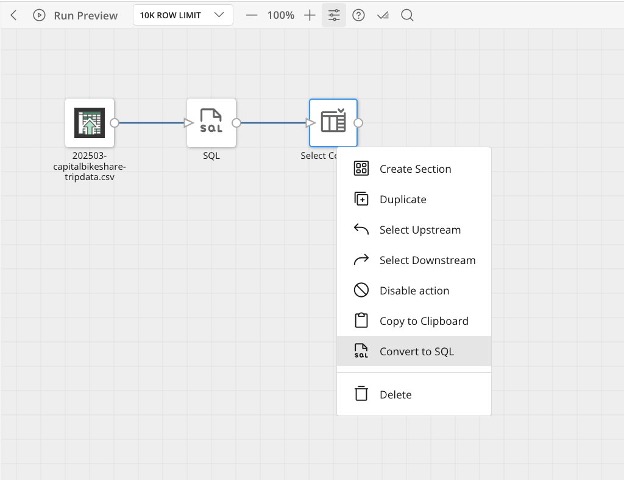
We're bringing a new level of transparency and flexibility to Magic ETL with the ability to convert tiles to SQL. Now, you can see the exact SQL generated by your drag-and-drop actions. This allows you to validate the logic and understand precisely how your data is being transformed.
For advanced users, having access to the SQL code offers powerful flexibility. You can hand off the generated query to a data engineer for optimization or learn SQL by seeing it in action. This feature also makes debugging much easier by revealing the underlying query. It bridges the gap between no-code and traditional coding, empowering you to build with greater confidence.
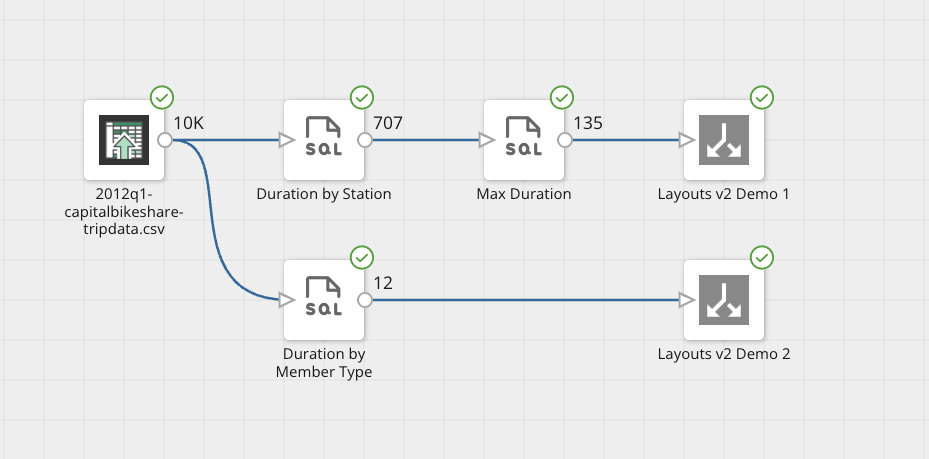
When you're building a DataFlow, it’s difficult to know how your row count is changing from one action to the next. This lack of insight can cause you to miss things like a join that is creating too many rows, or a filter that is removing more data than you intended.
To provide better visibility, we are now adding row counts to the preview of each action. As you build, you will see the exact number of rows flowing out of each step, giving you immediate feedback on how your actions are impacting the data.
This allows you to troubleshoot issues much more quickly. You can now track down data quality problems and correct mistakes on the spot, ensuring your data is right before it ever makes it to the output DataSet.
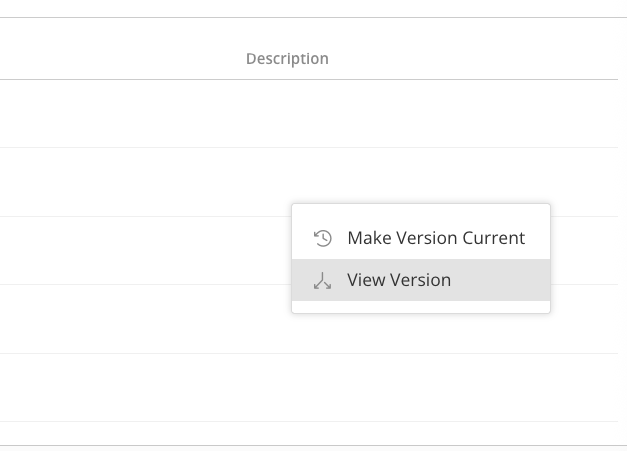
Accessing logic from an older DataFlow version can be a challenge. To view a previous design, you would have to revert to the older version and make it current—a process that could disrupt active data pipelines and create unnecessary risk.
Now, you don’t need a workaround. With this new feature, we’ve made it easy to view any older version of a DataFlow. You can open a prior version in a separate view to see all of its logic and configuration and from there, choose to save it as a new DataFlow entirely or make it the new, current version. This gives you the freedom to safely review past work, troubleshoot issues, or reuse logic with complete peace of mind.
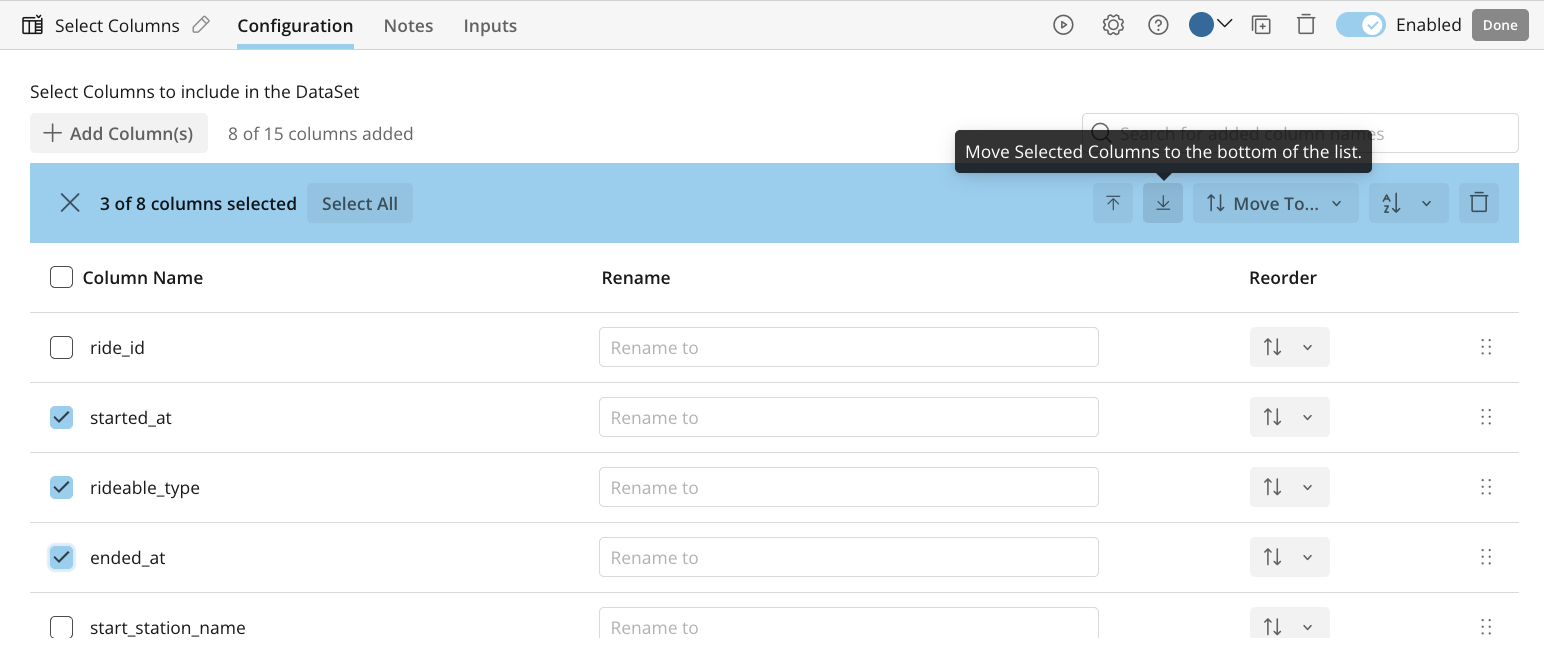
We know that working with the old Select Columns tile could be clunky, especially when dealing with a large number of columns. Reordering or finding the exact columns you needed was often cumbersome and slowed down your workflow.
To solve this, we’ve completely redesigned the Select Columns tile to make it more powerful and easier to use. You can now move single columns or even groups of columns to the top, bottom, or anywhere else in your list. The new design also adds a search bar to help you find specific columns instantly. For better organization, you can also alphabetize selected columns with a single click.
This redesign gives you significantly more control when preparing your data. Working with large data sets is now a faster and more intuitive process, removing friction from your workflow.
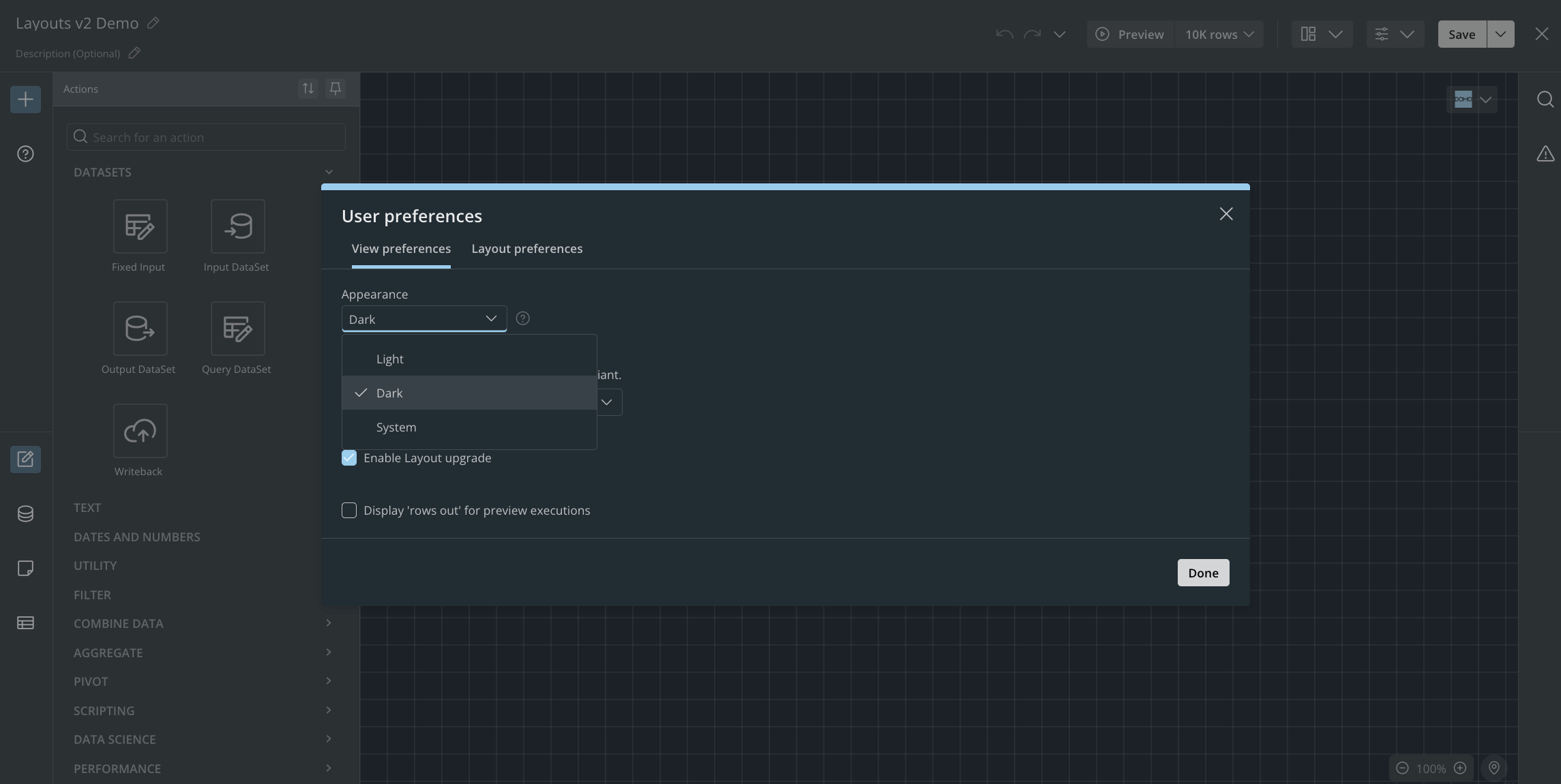
Dark Mode is officially available for Magic ETL! You now have the option to set your view to light mode, dark mode, or have it automatically inherit from your system settings. This gives you the control to work more comfortably, especially during long data transformation sessions.
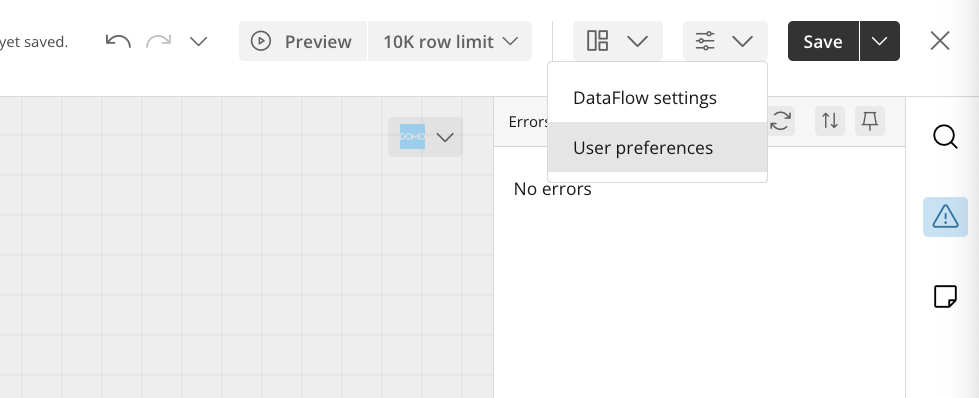
Setting up your workspace should be a one-time task. With new Personalized Default Settings, you can now set your personal preferences and have them persist across all of your DataFlows. Once you set them, they become your default view for every session. These preferences include:
This allows you to create a consistent work environment tailored to your needs, saving you time and letting you focus on building your DataFlow.
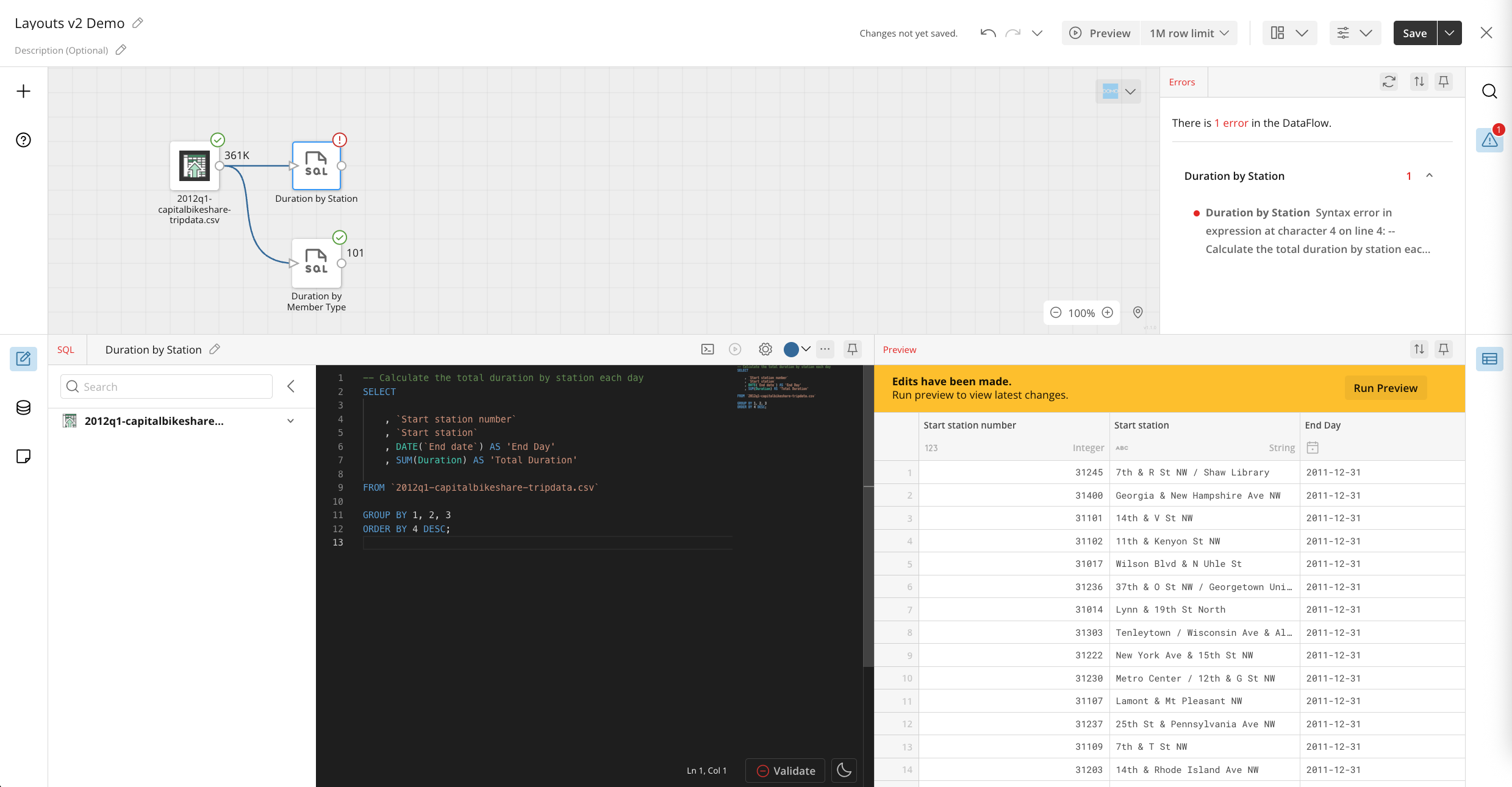
You spend a significant amount of time building in Magic ETL, and your workspace should adapt to your unique needs. For those accustomed to more flexible, high-code environments, the standard drag-and-drop interface can feel rigid and limit your ability to work the way you want.
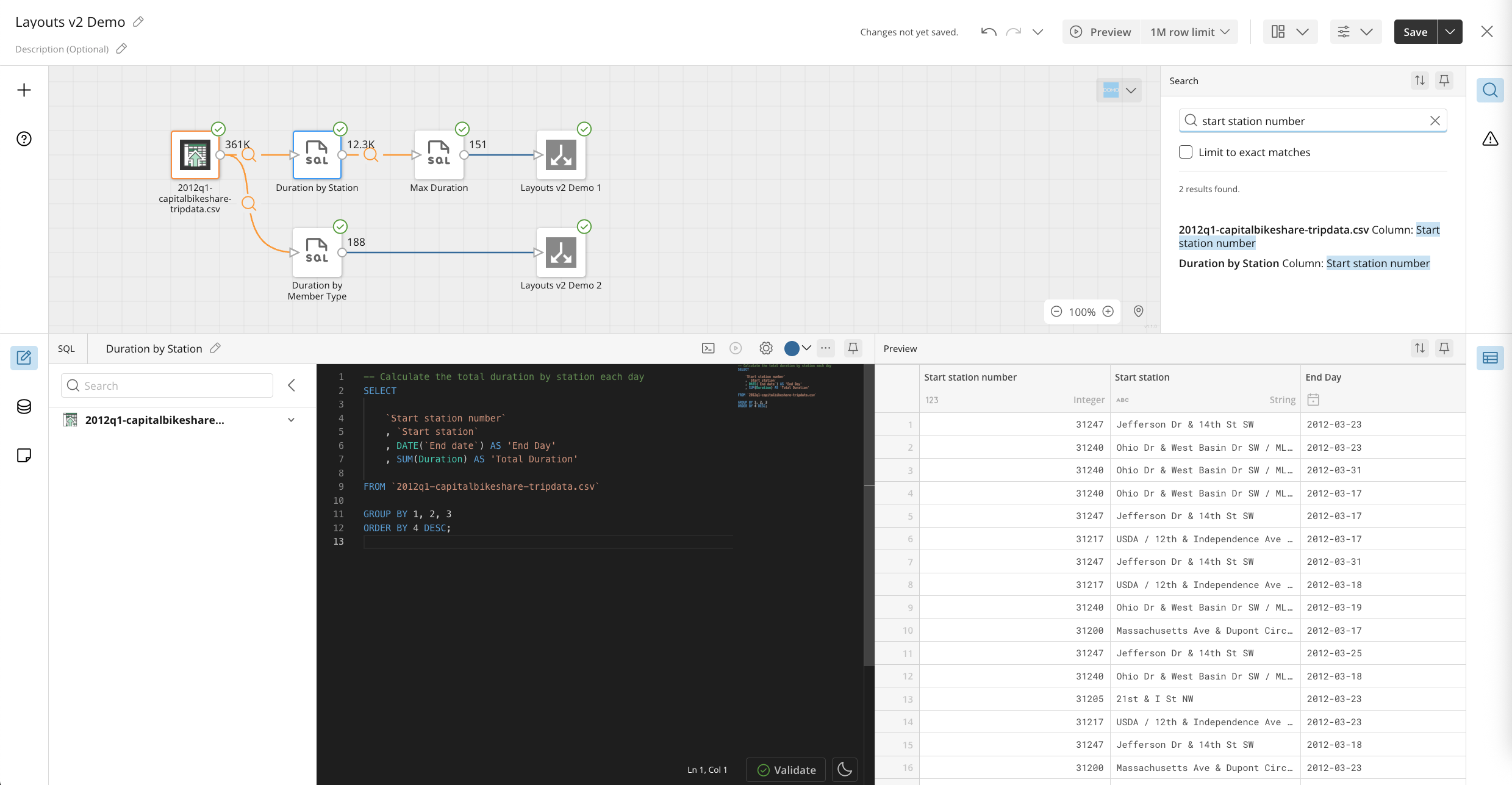
To change this, we are introducing a new, fully customizable canvas interface. All of the panels—from the toolset to the configuration—have been turned into tools that can be moved to different parts of the screen. You can arrange the panels exactly how you like, choosing whether they are pinned open or closed by default.
These personalized layouts can be saved and will persist across all your DataFlows. This allows you to create a more efficient and comfortable workspace that mirrors the familiar setups of other high-code tools, giving you complete control over your environment.

Domo transforms the way these companies manage business.