Rejoignez l'AI + Data Tour pour bénéficier de formations pratiques, découvrir des témoignages clients concrets et échanger avec les experts produits Domo près de chez vous.
Inscrivez-vous maintenant
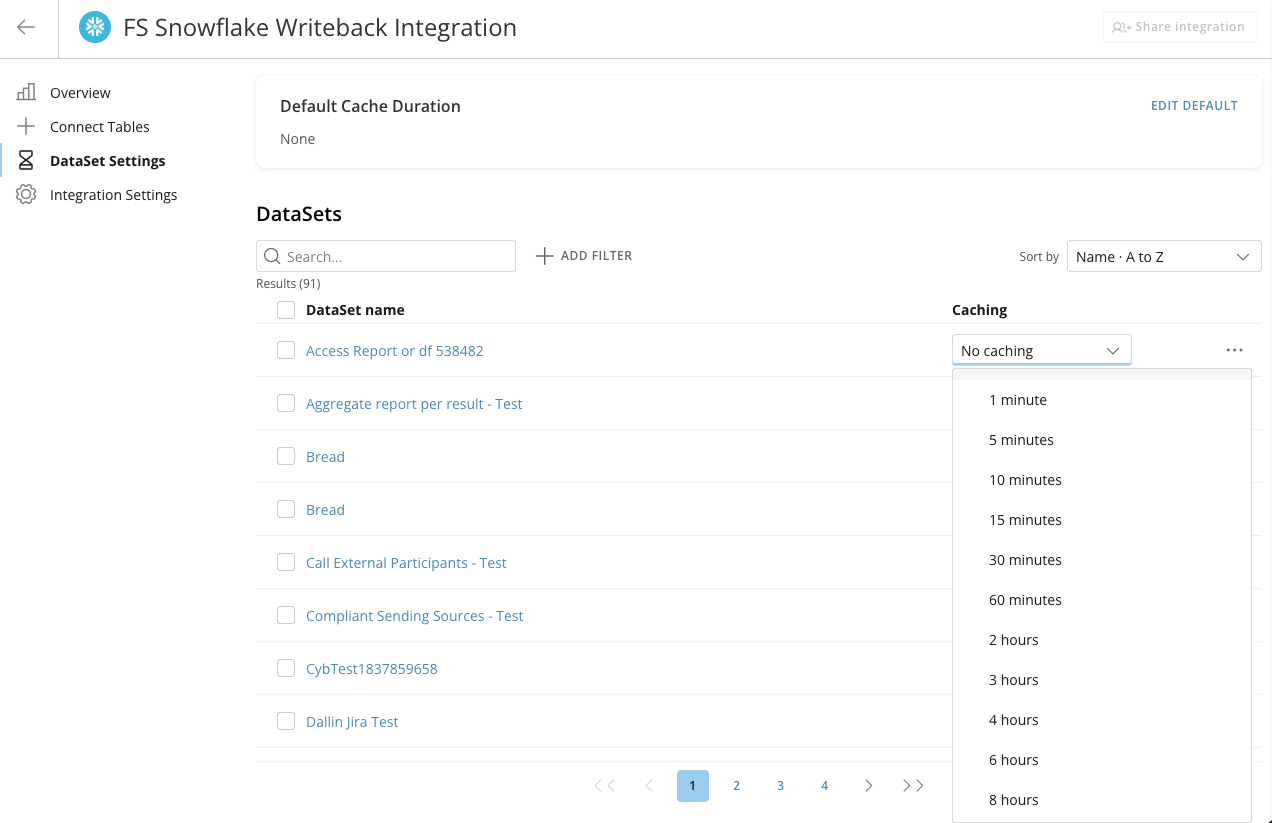
Some datasets change every few minutes while others rarely change at all. Until now, caching was set at the Cloud Integration level; every dataset from that integration shared the same cache time-to-live (TTL). Tuning one meant creating and maintaining a separate integration. Otherwise, teams over-refreshed slow-changing data and paid for unnecessary queries, or under-refreshed fast-changing data and got stale results.
The new Data Caching tab in your Cloud Integration’s settings lets you set a TTL for each dataset individually, separate from the integration that sources it. This update lets you:
Learn more about configuring data freshness and caching in Cloud Integrations.

Domo transforms the way these companies manage business.