Join the AI + Data Tour for hands-on training, real customer stories, and time with Domo product experts near you.
Register now
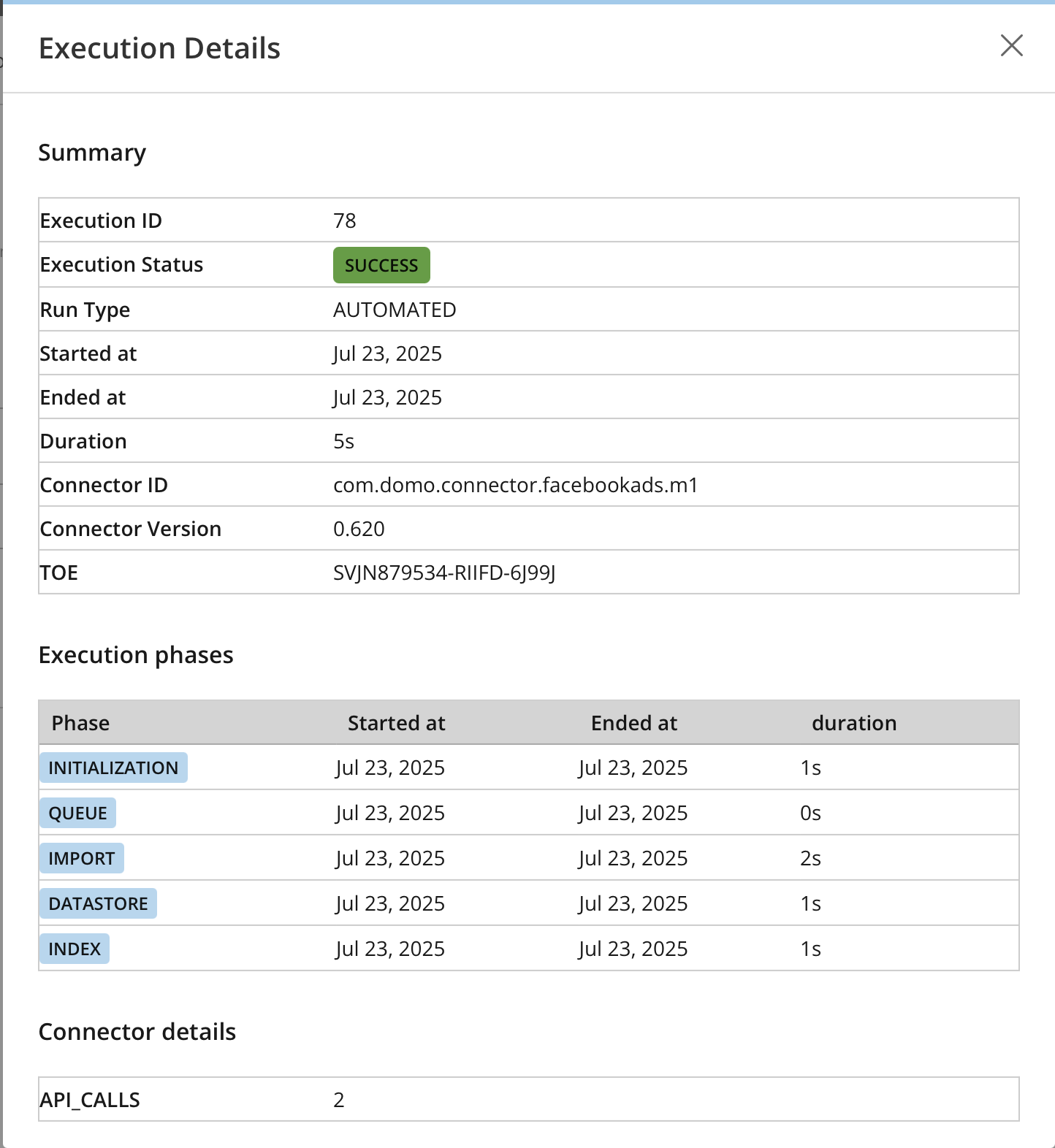
Remove the guesswork from troubleshooting your data pipelines with detailed connector execution history. When a data pipeline fails or runs too long, waiting for answers creates delays and erodes trust.
That's why we've introduced the Connector Execution Details modal. Get the visibility you need to troubleshoot connector failures and long-running jobs yourself. This new view gives you key diagnostic information, including whether the connector version changed, how many rows were processed, and how long each phase of the import took.
Enable your team to resolve data pipeline problems faster, reduce reliance on support for common issues, and maintain trust with your stakeholders. To see it in action, navigate to a dataset's History tab and select 'Execution Details' from the actions menu for any run.

Domo transforms the way these companies manage business.