Vous avez économisé des centaines d'heures de processus manuels lors de la prévision de l'audience d'un jeu à l'aide du moteur de flux de données automatisé de Domo.
Regardez la vidéo

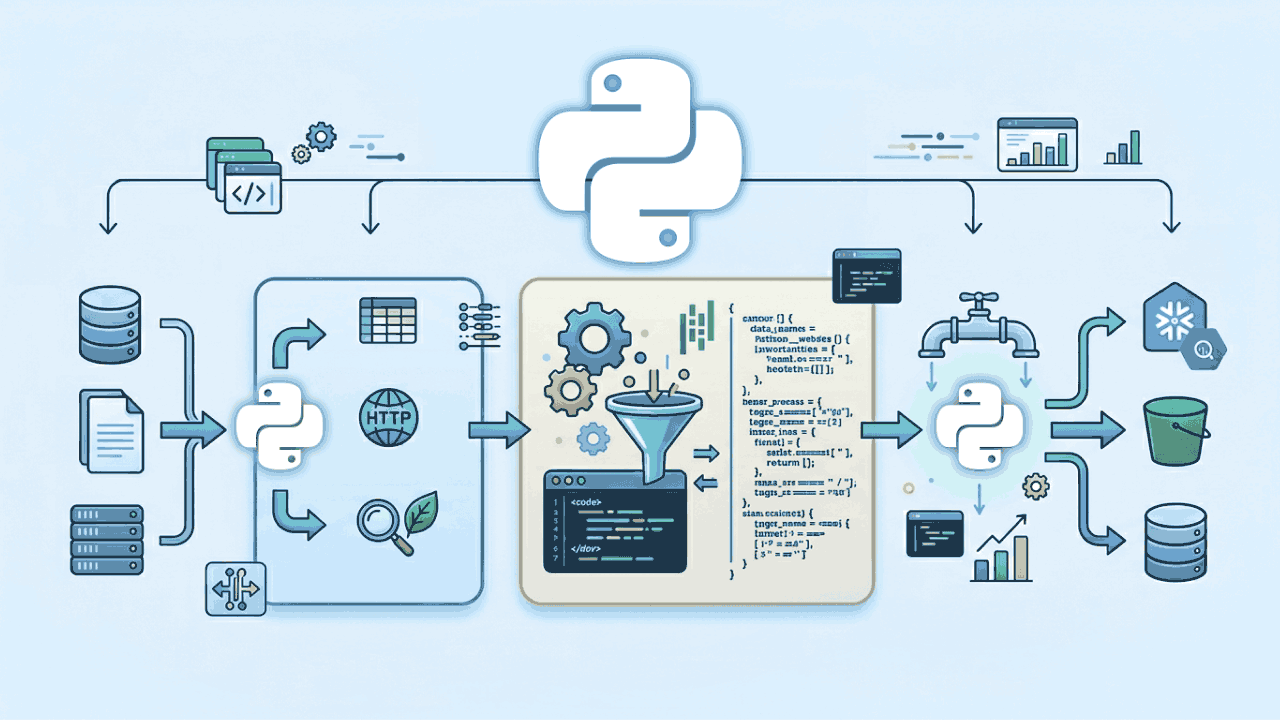
As teams push to adopt artificial intelligence, many are realizing their data infrastructure isn’t ready for the job. Building a model is one thing; feeding it clean, complete, and well-structured data is another. And without that foundation, projects stall. In fact, Gartner reports that by 2026, 60% of AI initiatives will be abandoned due to a lack of AI-ready data and pipelines.
That’s where Python ETL tools come in. ETL (short for extract, transform, and load) helps data teams take raw information from multiple sources, organize it, and move it into a system where it’s ready for use. And Python has become a favorite way to do it. With the ability to customize pipelines down to the line of code, Python makes it easier to build data flows that actually fit your team’s needs.
In this guide, we’ll break down what Python ETL tools are, what to look for, and which platforms are leading the way in 2026 for teams building pipelines for reporting, machine learning, or real-time analytics.
A Python ETL tool is software or code that helps teams manage the flow of data—from source to destination—using Python. What sets it apart from other extract, transform, and load (ETL) solutions is how customizable and accessible it is. With Python’s simple syntax and broad library support, teams can build tailored workflows that clean, structure, and move data exactly the way they need, whether that’s hourly updates from a cloud app or preparing training data for a machine learning model.
Unlike drag-and-drop platforms, a Python ETL tool gives you full control over how each step is defined and executed. That makes them ideal for use cases where built-in templates fall short, or where custom logic is needed. They're also widely used in analytics and data science teams that already rely on Python in other parts of their workflow.
Python ETL tools are a good fit for both batch processing and real-time pipelines. Whether you're moving a few thousand records or managing large-scale data ingestion across multiple systems, Python gives you the building blocks to scale.
Common use cases for Python ETL tools include:
For teams that need to go beyond drag-and-drop platforms or want tighter integration with analytics and machine learning, Python offers a flexible and highly capable option. Here are some key advantages the platform offers:
Python lets you define each step of the ETL process in code, so you can shape workflows to match your data logic, not the other way around.
Python’s clean, readable syntax makes it approachable for analysts and maintainable for engineers. It’s widely taught and used, so teams can build on shared knowledge.
Python can connect to just about anything—APIs, cloud services, databases, spreadsheets, and more. That makes it easier to work with mixed data sources and bring them into a common format.
You can schedule Python ETL jobs to run at set intervals, triggered by events, or integrated into broader data workflows, helping teams reduce manual work and ensure repeatable, consistent results. These are core functions of effective data automation, where routine tasks are handled reliably behind the scenes so teams can focus on analysis instead of maintenance.
Python ETL tools make it easier to prepare data for advanced analysis by supporting common techniques used in AI data analysis tools, such as formatting inputs, handling missing values, and engineering features—all within the same pipeline used for moving and transforming data.
Whether you’re processing files with thousands of rows or working across distributed systems, Python libraries help scale pipelines as your data grows.
For teams that need flexibility, speed of iteration, or integration with AI models, Python ETL tools provide a strong foundation without adding unnecessary complexity.
Not every Python ETL tool is built for the same use case. Some are ideal for building quick pipelines with minimal setup. Others are built for orchestrating complex, multi-step workflows. The right choice depends on how your team works, what kind of data you're handling, and how fast your needs are evolving. Here are the key features and criteria to consider:
Make sure the tool can handle your current scale and grow with you. Support for large files, APIs, and distributed systems may be important depending on your data sources.
Look for built-in connectors and flexibility in working with APIs, databases, file systems, and cloud platforms.
Choose a tool that fits your team’s technical experience. Clear documentation and examples can save hours of troubleshooting.
Some pipelines run on a schedule; others need to respond instantly. Your tool should support the timing that matches your workflows.
Built-in tools for setting run times and tracking job status help keep processes running reliably.
If you’re managing multiple pipelines or dependencies, orchestration features help keep everything aligned.
Teams handling regulated or sensitive data should prioritize features that support data governance, including data lineage, logging, and access controls.
Tools with active communities and regular updates tend to be more reliable and easier to troubleshoot.
Taking time to evaluate these areas can help your team build pipelines that are more stable, maintainable, and aligned with your goals.
Python is one of the most flexible ways to build ETL pipelines, but starting from scratch isn’t always practical. These tools help teams automate, scale, and manage Python-based data workflows without giving up control.
Whether you’re syncing APIs, prepping data for analysis, or supporting machine learning pipelines, here are eight Python ETL tools to consider in 2026—plus what each one does best.
Domo combines visual, no-code tools with the flexibility of Python, making it easy for teams to build and run Python code as part of larger workflows. For teams that want the speed of drag-and-drop pipelines but also need custom logic, Domo offers both in a single platform.
You can add Python directly into ETL pipelines, use it to transform or validate data, or trigger external processes—all without leaving the Domo environment. That makes it easier to maintain workflows in one place and hand off clean data to dashboards, alerts, or apps.
Teams that want to combine visual ETL with Python-powered customization
Apache Airflow is a workflow orchestration tool that helps teams schedule, monitor, and manage complex data pipelines. It’s built for situations where you need to control the order of tasks, track dependencies, and run jobs at specific times or intervals. Airflow uses Python to define each task, which gives teams full control over how data flows and when.
While it’s more hands-on than some other tools, Airflow is a strong fit for teams that need precise scheduling and a clear view into each step of their ETL process.
Orchestrating and scheduling multi-step, code-based workflows
Dagster is a modern orchestration platform built with data engineering in mind. Like Airflow, it lets teams define and schedule workflows in Python, but it adds features that make development, testing, and observability easier out of the box. With Dagster, you can treat each data set as an asset, making it easier to track what changed, when, and why.
Dagster works well for teams that care about pipeline quality and want more structure without giving up flexibility.
Building maintainable, testable pipelines with strong data lineage and observability
PySpark is the Python API for Apache Spark, a distributed computing engine designed for large-scale data processing. It’s built for performance—able to process petabytes of data across clusters—and is widely used when pipelines involve heavy transformations, joins, or aggregations across big data sets.
PySpark is suited for engineering teams that need to process data at scale, especially in cloud environments or big data platforms.
Best for:
Processing large data sets in parallel across distributed systems
Key features:
Luigi is a Python package developed by Spotify that helps teams build pipelines with clear task dependencies. It’s a lightweight tool designed to ensure that each step in a process runs in the right order and only when its inputs are ready. You define tasks in Python, and Luigi takes care of checking dependencies and tracking what’s complete.
Luigi is a good fit for smaller teams or simpler projects that need basic scheduling and visibility without a heavy setup.
Lightweight, dependency-based workflows with minimal overhead
Bonobo is a lightweight ETL framework built for readability and quick setup. It uses a graph-based structure where each node represents a transformation step, making it easy to visualize and manage the flow of data. Unlike larger orchestration tools, Bonobo is minimal by design, so teams can get a pipeline running with just a few lines of code.
It’s best for situations where you want a clean, fast way to move and transform small to medium-sized data sets without a lot of overhead or infrastructure.
Quick-start ETL pipelines that prioritize clarity and simplicity
petl (Python ETL) is a lightweight library for extracting, transforming, and loading tabular data. It’s designed to be simple, composable, and easy to read—especially for smaller jobs that involve files like CSVs or Excel, or basic database work. Each transformation in petl returns a new table-like object, which makes it easy to chain together steps and debug along the way.
petl is ideal for analysts or engineers who want to automate simple, repeatable ETL tasks without building a full pipeline framework.
Lightweight, scriptable data cleanup and transformation tasks
Pandas is one of the most widely used Python libraries for working with data. While it isn’t a dedicated ETL tool, it plays a critical role in many ETL workflows, especially for teams doing analytics, data wrangling, or machine learning prep. Pandas makes it easy to load data into memory, clean or reshape it, and prepare it for further use.
For teams that need full control over transformations and want to stay within a familiar data science workflow, Pandas is a reliable choice.
In-memory data wrangling and transformation within analytics workflows
Getting started with a Python ETL tool means more than just moving data. It’s about building a process your team can trust. Use data pipeline design principles to keep workflows scalable and maintainable. Here’s a simple step-by-step approach:
Identify where your data is coming from and where it needs to go.
Outline each transformation and decide between using batch or streaming workflows.
Build and test each step using clean, well-documented code.
Track pipeline performance and data accuracy over time. Treating data quality as a business asset leads to strategic decisions and more dependable insights.
Python ETL tools give teams the flexibility to build data workflows that match how they actually work—whether that means fast API syncs, complex transformations, or preparing data for AI. With the right tool, your team can reduce rework, improve data quality, and keep things running reliably.
Domo brings together visual workflows, Python scripting, and built-in automation in one platform so your team can connect data across systems, apply complex logic without extra infrastructure, and deliver insights where people actually use them.
See how Domo can help your team simplify ETL and scale your data workflows.
Domo transforms the way these companies manage business.