Join the AI + Data Tour for hands-on training, real customer stories, and time with Domo product experts near you.
Register now
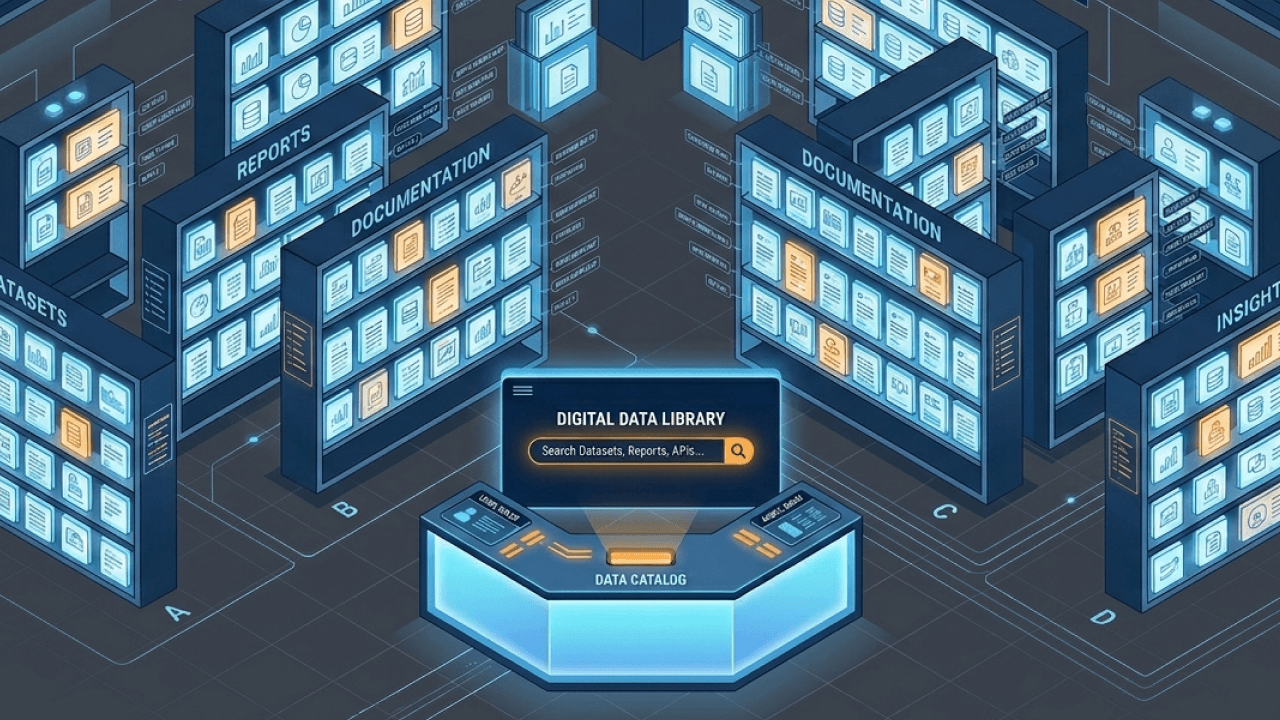

A data catalog acts as a centralized inventory for your organization's data assets, storing metadata that makes datasets searchable, understandable, and governed. This guide covers what a catalog does, how it differs from warehouses and BI tools, and how to implement one that teams will actually use.
Here are the big things to know before diving in:
Think of it like a library card system. A data catalog indexes, organizes, and surfaces information about data assets across an organization. It doesn't store the books themselves. It tells you what exists, where it lives, who owns it, and how it connects to other materials.
Those "materials" usually extend beyond tables. A catalog can also index transformation jobs, dashboards, reports, and even governed business definitions (like a certified "revenue" metric) so people can follow a number from source to dashboard without guesswork.
Search for a dataset the same way you would search for a product online. Type in a keyword, filter by owner or domain, and find exactly what you need without asking five different people in Slack.
People often confuse catalogs with other tools in the stack:
Picture an analyst scrolling through chat threads trying to find the right customer table. Or a governance lead fielding the same question about metric origins for the third time this week. Sound familiar?
A catalog becomes necessary when multiple teams consume overlapping data assets without shared definitions. It becomes essential when data sources exceed what any single person can track manually. That threshold tends to arrive faster than most organizations expect.
Different roles feel this pain differently:
For organizations subject to privacy regulations (with DLA Piper's 2026 survey reporting General Data Protection Regulation (GDPR) fines now exceeding €7.1 billion), the catalog becomes the documentation layer that supports compliance during audits. That figure represents cumulative enforcement since GDPR took effect, and it signals how seriously regulators treat data governance failures. The catalog shows what data exists, where it came from, and who can access it.
Historically, teams managed this information in spreadsheets. That worked when you had a handful of tables.
When setting up a catalog, teams often ask what metadata to capture first. The answer depends on who will use the system and what problems need solving immediately.
This is the layer that describes data in terms stakeholders understand. Definitions, ownership, business context, certification status. A tag might indicate that a table contains monthly revenue by region, is owned by the finance team, and is certified for executive reporting.
If business people need self-service access, prioritize business metadata first. This is also where teams pin down shared language. A consistent, certified metric definition can prevent the classic finance vs sales "revenue" mismatch before it hits a dashboard. A common issue is that teams define metrics in the catalog but don't connect those definitions to the actual calculations in their BI tools. That creates a gap between what the catalog says and what dashboards show.
Technical metadata captures structural details. Schema, data types, table relationships, storage locations, refresh schedules. Most of this can be extracted automatically via connectors and crawlers.
If your primary goal is impact analysis (understanding what breaks when a source changes), technical metadata serves as the foundation.
Operational metadata tracks usage patterns and data health. Query frequency. Last access dates. Quality scores. Pipeline run history.
This information becomes critical when you need to identify stale assets or understand which datasets actually drive decisions versus which sit unused.
Not every catalog needs every feature. The right set depends on whether the primary goal is discovery, governance, or impact analysis, and whether you have dedicated data stewards or expect automation to carry the load.
Discovery is the entry point. You search across all data assets using keywords, filters, or natural language. Effective search requires rich metadata; the more context captured, the better results surface.
For organizations with hundreds of data sources, search quality directly determines whether the catalog gets adopted or ignored.
A simple north star for adoption: find it, trust it, use it. If people can't do those three things in one place, they will go right back to chat threads.
Data lineage tracks how data flows from source to destination. Which tables feed which reports. Which transformations happen along the way.
For analytic engineers, lineage is also how downstream teams understand what modeling and cleanup happened between raw ingestion and the dataset they are using.
This visibility is essential for impact analysis before schema changes and root cause investigation when bad data appears in a dashboard. Most catalogs automate lineage extraction from SQL queries and integration tools, though complex transformations may require supplemental documentation. Teams sometimes assume automated lineage captures everything, but transformations happening outside SQL (like Python scripts or spreadsheet manipulations) often create blind spots.
Governance features include access policies, classification tags for sensitive information, and audit trails. The catalog may enforce access directly or integrate with existing identity management systems.
For regulated industries, this becomes the documentation layer auditors require. It shows who accessed what, when, and under what authorization. If your organization operates under controls like Service Organization Control 2 (SOC 2) or regulations like the Health Insurance Portability and Accountability Act (HIPAA) and the General Data Protection Regulation (GDPR), audit-ready access history and sensitive-data visibility aren't "nice to have." They are the job.
Granularity matters here. Many teams want governance that works at the row and column level (not just "this dashboard is restricted"), and they want those rules to stay consistent as data moves through pipelines.
A business glossary standardizes definitions across the organization. This ensures a term like "customer" means the same thing in marketing dashboards and finance reports.
In many stacks, the glossary also connects to a semantic layer: a governed set of definitions and relationships that helps people query and join data consistently. When teams define and certify key metrics once and publish them for everyone to use, the catalog stops being a static index. It starts acting like a living library of business logic.
Collaboration features (comments, ratings, question threads) turn the catalog into a living knowledge base. If analysts can ask questions and get answers within the catalog, they will return.
Metadata management covers ingestion, enrichment, and maintenance. AI-powered catalogs automate classification by detecting sensitive fields and suggesting descriptions based on usage patterns.
Data quality integration surfaces profiling results (null rates, uniqueness, freshness) directly in the catalog. Automation reduces the curation burden, though human review remains necessary for business context that algorithms simply can't infer.
For teams focused on compliance, automated monitoring for potential personally identifiable information (PII) can act like a catalog-level early warning system, flagging risky fields as data lands and changes over time.
Catalogs are sometimes dismissed as documentation projects. In practice, the benefits compound. Faster discovery enables better decisions, which builds trust, which drives adoption, which generates the usage data that makes governance possible.
Analysts spend less time hunting for data and more time analyzing it. Data engineers answer fewer "where is this?" questions.Gartner suggests aggressive metadata analysis can reduce delivery time by up to 70 percent. That reduction comes from eliminating the back-and-forth of tracking down dataset owners, verifying data freshness, and confirming whether a table is still in use. New team members ramp faster because institutional knowledge is documented rather than trapped in someone's head.
This is also how pipeline teams stop duplicating work.
When assets are documented, owned, and certified, consumers can trust what they are using. Quality scores and freshness indicators surface problems before they reach executive dashboards. Gartner estimates poor data quality costs organizations $12.9 million per year on average. That figure accounts for rework, missed opportunities, and flawed decisions that compound across departments.
Certification workflows create accountability. Someone has verified the dataset is accurate and appropriate for its intended use. For business teams, consistent metric definitions are a big part of trust. One definition, everywhere, is what turns dashboard conversations from "whose number is right?" into "what should the team do next?"
For regulated industries, the catalog provides the documentation auditors require. In addition to compliance, governance features can reduce operational burden by routing access requests through defined workflows rather than ad hoc approvals.
The value of a catalog depends on which problems you are solving.
When a new data source connects, a specific sequence happens inside the catalog.
Catalogs that rely heavily on automation require less manual effort but may surface incomplete business context.
Organizations often ask whether their existing data dictionary or BI tool already serves as a catalog. The short answer: no.
A data dictionary defines terms (column names, data types, valid values, business definitions). It is typically scoped to a single database or system.
A data catalog aggregates metadata across all sources and adds context: ownership, lineage, usage, certifications. Think of the dictionary as the glossary for one book. The catalog is the library system that indexes all books and tells you which are checked out, which are popular, and who the librarian is.
Most organizations need both.
A metadata repository stores technical metadata, often used by integration tools for operational purposes. A data catalog builds on this foundation but adds discovery interfaces, business context, collaboration features, and governance workflows.
The repository is infrastructure. The catalog is the application built on top.
A data catalog also isn't the same as data governance.
Catalog implementations often fail when teams try to catalog everything at once. This pattern shows up most when teams skip prioritization and stewardship. A phased rollout focused on high-value assets builds momentum and demonstrates value before expanding scope.
Phase 1: Foundation Connect two or three high-priority data sources. Start with the warehouse where most analytics happen. Automate technical metadata extraction. Identify a small batch of critical datasets for initial curation and assign ownership.
Phase 2: Adoption Add business metadata for priority assets. Establish a business glossary with core terms. Train analysts on search and discovery workflows. Integrate catalog links into existing BI tools.
Phase 3: Governance Implement classification policies for sensitive information. Enable access request workflows. Define certification criteria and review cadence. Establish stewardship responsibilities by domain.
Phase 4: Scale Expand to additional sources. Automate quality monitoring. Use usage metrics to prioritize curation effort. Deprecate unused assets.
When evaluating catalog platforms, it helps to sanity-check a few practical criteria that map to day-to-day pain:
Building a catalog in-house is feasible for organizations with strong engineering capacity and narrow scope. Commercial platforms can cut months of connector work and manual lineage documentation by shipping pre-built integrations, automated metadata extraction, and governance workflows out of the box.
Domo's platform addresses several needs that often sit in or around a data catalog, which may reduce the need for a separate tool in some stacks. With over 1,000 pre-built connectors, Domo brings data from disparate sources into a unified environment where assets are discoverable and documented.
Domo Data Integration can provide catalog-grade foundations as data arrives, including:
On the consumption side, Domo BI can act like a business-facing catalog layer by making definitions and relationships visible where people already work:
For organizations already using Domo for analytics, these capabilities can reduce the need for a standalone catalog by embedding discovery, governance, and business definitions into the same environment where analysis (and AI) happens. So if you're ready to see what "find it, trust it, use it" looks like in practice, get a demo.
A data catalog transforms scattered, undocumented data assets into a discoverable, governed foundation for analytics and AI. The organizations that get the most value treat the catalog not as a documentation project but as operational infrastructure. Integrated into daily workflows. Maintained by accountable stewards. Continuously improved based on usage.
For teams evaluating whether to invest, the question isn't whether you need better data visibility. The question is whether the cost of not having it (duplicated effort, compliance risk, eroded trust) exceeds the implementation effort.